
WebRTC leak
What is a WebRTC Leak?
WebRTC (Web Real-Time Communication) is a technology embedded in many web browsers. It facilitates peer-to-peer communication, enabling video chats, voice calls, and file sharing directly within the browser without the need for plugins or app downloads.
However, while using WebRTC, your computer connects directly to the website you're visiting for quicker data exchange, and sometimes WebRTC requests can bypass your VPN, leading to a WebRTC leak where websites can see your real IP address and location instead of the VPN-protected ones.
How to Detect WebRTC Leaks?
1. Connect to Your VPN
Ensure an active internet connection with your VPN turned on.
2. Initiate the Test
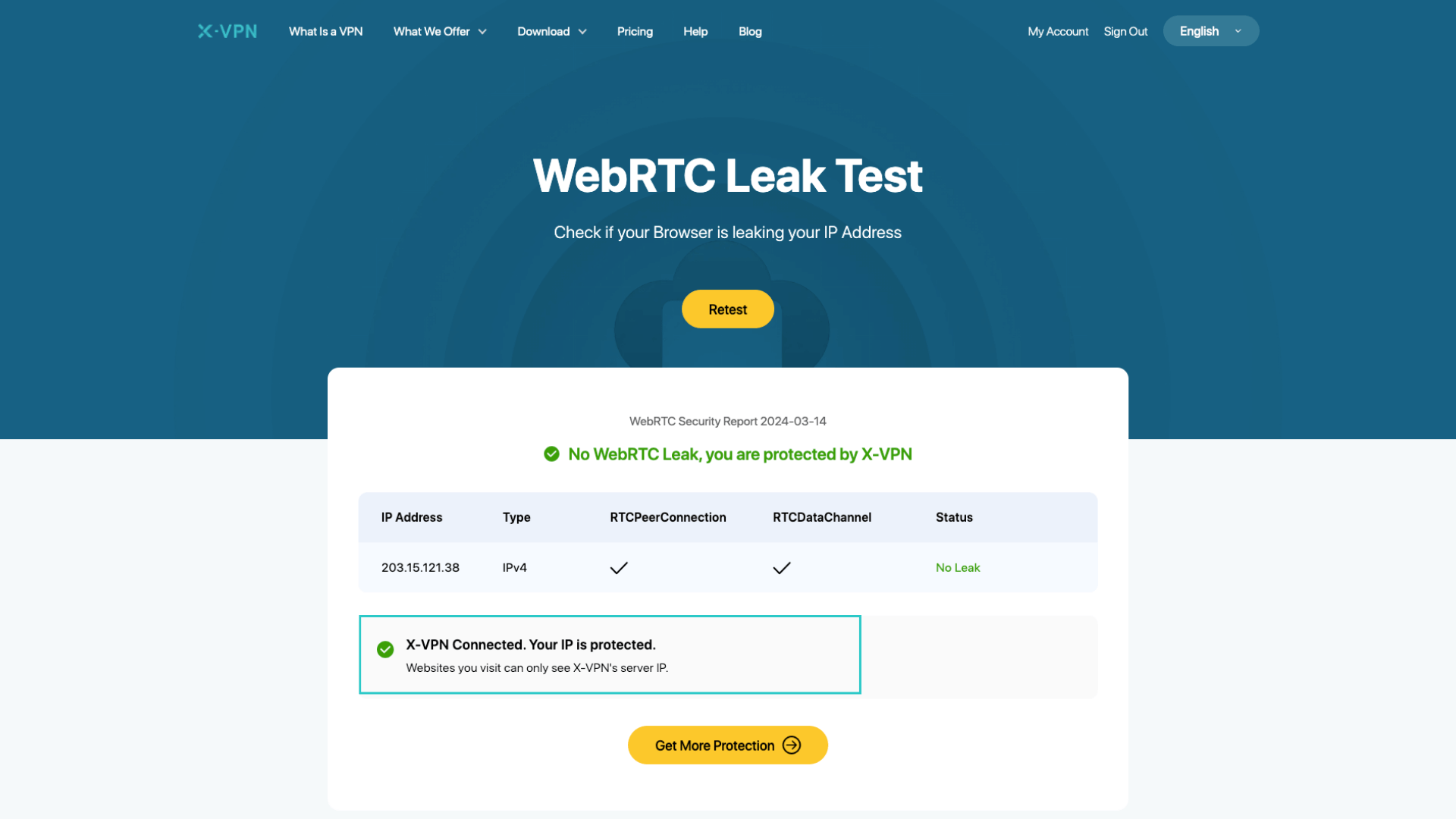
Visit an online WebRTC leak test tool. The test starts automatically upon page load and generates a report.
3. Review the Report
If the IP address shown matches your VPN server’s IP address, there’s no WebRTC leak. If it shows your actual public IP address, you have a WebRTC leak.
How Do I Fix a WebRTC Leak?
1. Use a VPN with Built-In WebRTC Leak Protection
Select VPNs (like X-VPN) equipped with WebRTC leak protection feature. For example, X-VPN has enabled the WebRTC protection feature by default, which automatically intercepts all your WebRTC requests and redirects them through its servers using their IP addresses, therefore concealing your IP address and preventing WebRTC leak.
2. Disable WebRTC in Your Browser
Most major browsers offer an option to disable WebRTC:
For Chrome: Enter chrome://settings/content/webrtc into your address bar and switch it off.
For Firefox: Type about:config into your address bar, look for media.peerconnection.enabled, and toggle it to false.
3. Install Browser Extensions
Explore browser extensions titled "WebRTC Leak Blocker" or similar terms in your browser's extension store to manage potential leaks.
FAQ
1. Can I Prevent Webrtc Leaks on Mobile Devices?
Yes. You can use mobile-friendly VPNs that offer explicit WebRTC leak protection like X-VPN for comprehensive security on mobile devices.
2. Will Disabling WebRTC Affect My Internet Experience?
Disabling WebRTC may impact sites relying on this technology for real-time communication such as video or voice calls; therefore, using a compatible VPN is recommended for seamless functionality while maintaining privacy when using services dependent on WebRTC technologies.
