


We use cookies to provide you a better service and analyze traffic. To find out more about cookies, please see our Cookie Declaration. By continuing to browse our website, you agree to our use of cookies.

Agree
Manage

Cookie Settings

We use cookies to provide you a better service and analyze traffic, To find out more about cookies, please see our Cookie Declaration.

Essential

Our website relies on these cookies for proper functionality.

Functionality

These cookies are utilized to retain your preferences, such as language selection.

Statistics

Cookies enable us to gain insights into our visitors and enhance their browsing.

Advertising

Cookies that are used to track conversions for ads platforms.

Confirm

2026 No-Logs Audit Passed! X-VPN Premium Giveaway Live

2026 No-Logs Audit Passed! X-VPN Premium Giveaway Live
Enter Now

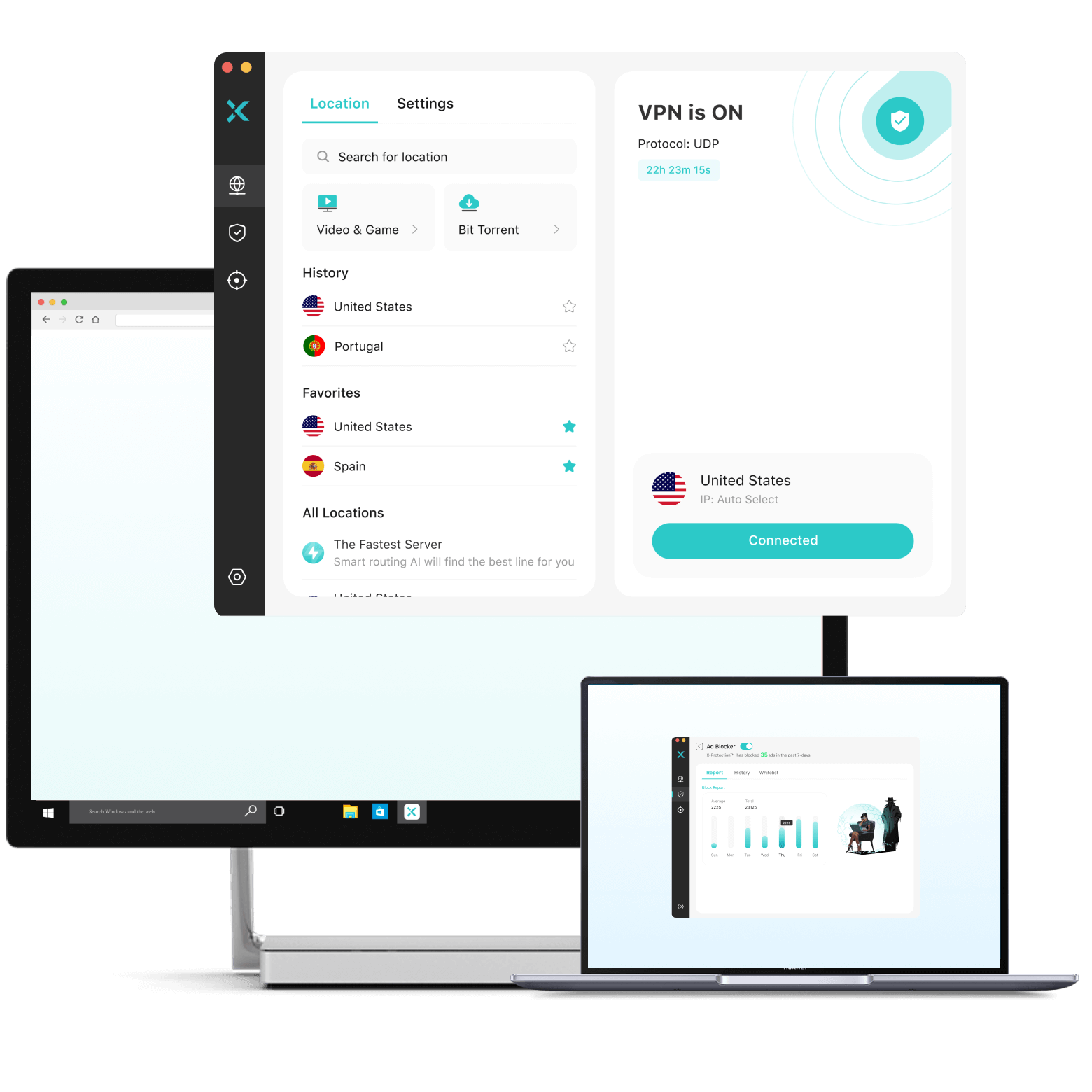
Download VPN for Windows PC

Get a secure, private VPN for Windows 11, Windows10, and ARM devices.

  • Hide your IP for enhanced privacy and secure browsing
  • Encrypt your web data and secure your Wi-Fi connections
  • 10,000 servers, 250+ locations, 80+ countries
  • Block ads, trackers, malicious sites, and risky downloads

30-Day Money Back, 100% success

NO-LOGSVERIFIED
WindowsMacOSiOS/iPhoneAndroidChromeChromebookLinuxApple TVAndroid TVAmazonRouterGame Console

What You Get with Our VPN for PC

X-VPN helps you protect your privacy, browse more safely, and access the internet more freely on Windows.

Browse Privately

Keep your online life more personal on PC. X-VPN helps make your browsing activity, real location, and network identity less exposed, whether you’re researching personal topics, comparing prices, shopping online, checking emails or streaming content.

Stay Safer

Reduce online risks before they reach your PC. X-VPN blocks suspicious websites, warns against risky searches and downloads, cuts down intrusive ads and trackers, and keeps your data safer on public Wi-Fi.

Access Freely

Connect your PC to the world. Choose from 250+ VPN locations and surf the web as if you’re in another region. Catch up on local news while traveling, access region-available content, connect to game regions worldwide, and more with super-fast VPN servers.

Trusted by Over 100 Million Users Worldwide

With 900K+ reviews across Google Play and the App Store, plus an overall 4.6-star rating, our VPN service is trusted by users worldwide to stay private, protected, and connected.

3 Steps to Set Up X-VPN for Windows PC

Get your VPN for PC ready in minutes. Download X-VPN for Windows, install it on your desktop or laptop, and connect with one click. Works with Windows 11, Windows 10, and ARM devices.

01.Install the App

Download the Windows VPN installer from the official X-VPN website, or get X-VPN from the Microsoft Store.

02.Tap to Connect

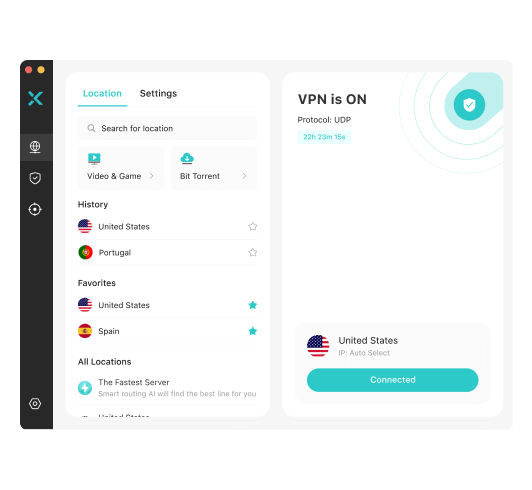
Open the app, log in to your account, and tap the power button to connect.

03.Protection ON

That’s it. Your PC connection is protected, and you’re ready to browse more privately, safely, and freely.

Video Guide: How to Set Up a VPN on a Windows PC

Why Choose X-VPN for Your Windows

X-VPN brings everything you need in a VPN for Windows PC — private browsing, safer web protection, fewer ads, and fast global access.

Advanced Security

Protect your Windows PC with AES-256 encryption, DNS/IP/WebRTC leak protection, Private DNS, and more security tools built for safer connections.

Audited No-Logs Policy

Our no-logs policy has been independently audited to verify that we do not track, collect, or store activity data that could identify you or reveal your online activity.

10,000+ VPN Servers

Choose from 80+ countries and 250+ locations, with high-speed 10Gbps lines and server-wide obfuscation. Keep your PC connection fast and easier to access on restrictive networks.

Kill Switch

If your VPN connection drops unexpectedly, Kill Switch helps prevent your PC traffic from being sent through an unprotected connection.

Browser Protection

Stay away from suspicious websites, risky searches, unsafe downloads, and trackers while browsing on your Windows PC.

Ad Blocker

Cut down pop-ups, banners, video ads, and intrusive ads for a cleaner, less distracting browsing experience.

Extra Protection for Your Digital Life

X-VPN also includes Dark Web Monitor, helping you know sooner if your email appears in known breach data, so you can take action before small risks become bigger problems.

Free vs Premium VPN for PC

We believe privacy should be accessible to everyone. That’s why we also offer a free version for PC. Check their differences below.

X-VPN Premium HOT

Free Plan

Data LimitUnlimitedUnlimited
SpeedSuper FastFast
Server Locations250+50+
Server SelectionManual SelectionAuto-Connect
Sign-up Required
Payment Info
No Ads
FeaturesFull Advanced FeaturesCore VPN Protection
Simultaneous Login51
PriceStarting From $2.99/moFree

What People Are Saying About X-VPN

Tech Experts
Google Play
App Store
Marc Dahan

"Using X-VPN, I was able to access Netflix (US, UK, Germany), Amazon Prime Video, Disney+, and BBC iPlayer. It even worked with Hulu, which tends to be difficult. X-VPN was able to access every service I threw at it."

Toma Novakovic

"X-VPN's ad blocker worked really well for all types of ads. In my tests, it worked very well, blocking all types of ads, including pop-ups, banners, and overlays."

Mike Williams

"X-VPN Speed tests results were reasonable, too, with downloads via the commercial plan peaking at around 20Mbps on a wifi connection (non-VPN speeds were around 30-40Mbps)."

Nick deCourville

"Those using the premium version of X-VPN uses servers that store data in temporary memory, meaning that will automatically wipe itself upon a reboot. No data is ever left behind, meaning privacy stays anonymous."

4.5

807k reviews

50M+

Download

Dar-Cee Putin Belle Wolff Li Aüng
February 25,2026

“the benefit of being able to access ANY show or movie, plus news that isn't normally avail for access in Canada is priceless. I've used other VPNs and they feel unorganized and unprofessional. I have no confidence or use for them!”

Bob S.
February 26,2026

"Very fast connection even with free servers, excellent VPN!"

Dana Mosleh
March 26,2025

Now this app is a life savor, connection is super strong and best way to call or video call, the customer service are very nice and very responsive and helpful! Thank you and so so so highly recommended

Rating 4.7582k reviews
Brandon Ruhalnd

Honest review! Simply your best option!

To start off, let me just say WOW! This app gives you a wide variety of places to connect to, some even overseas! It also gives you tons of protocols to let you choose the strength of the encryption, and the WiFi speed. It has a awesome clean interface and with a tap of a button you are using a free vpn! It is also UNLIMITED! You can use it 24/7 without any issues, just leave it on in your background and forget about it absolutely free! I have tried many other vpns, but they require you to jump through tons of hoops and you have to pay them a fortune for the yearly subscriptions. NOT X-VPN! X-VPN gives you a awesome easy to read privacy policy that makes it clear they won't take your data, and it remains solely yours! Almost every other free vpn out there takes your data. Not X-VPN! Soo I rate 5/5! Only one small issue with the PC version, but I am sure it will get fixed shortly!

jbg_duze

Amazing

Okay listen so I usually never write reviews, matter of fact this is my first one. But for teens or kids who don't have data on their phone and they want to use the school WiFi but it blocks everything like mine, this is the perfect app. My school is very strict on electronics and this allowed me to get onto Snapchat, Instagram, Twitter and multiple other apps while u was connected to my schools WiFi. If I was able to give this a true rating I would say 4.5 because u have to change the protocols in order to get the things unblocked if the default one doesn't work. It took me a while to understand how the protocols worked but as soon as I did I was amazed. Again for kids and teens like me who don't have phone service or data, this is the perfect app for you.

abbyyyyyyyy123

Actually Legit

I neverdo reviews but since I always benefit from scouring thru app reviews from those of you who take the time to comment, I'm paying it forward. I would recommend this app. For starters, it doesn't drain your battery so it's kind of a no-brainer, given the App is free. Plus, the only time you have to watch a 12-sec Ad is while VPN finds a 'Protocol' (protocol is a term for the various internet towers VPN sources any connection from). You have nothing to lose and something to gain from it, which is rarely the case with ‘Free' apps. Does it require occasional trips to the app? Not really, unless you (for example) go thru a tunnel or commute to a location several towns over. It's entirely safe—VPN's whole schtick is privacy—in which case your identity, location, personal data is invisible to hackers. Plus, a new, auto-generated IP address is assigned to your phone each time you visit the app. Why? So that nothing gets traced back to you. And don't worry, this isn't some illegal piracy or anything like that. Gone are the dreaded times when an important text or call goes undelivered! Now, if I'm in a dead zone with one bar, or data roaming is nowhere to be found, I have access to an infinite amount of Protocols. Who knew one might safely access a connection both domestically and/or overseas? Hopefully my explanation helped clarify rather than confuse you.

Frequently Asked Questions

What is a VPN for Windows?

A VPN (Virtual Private Network) for Windows improves your online privacy and security by encrypting your connection and masking your IP address. It lets you browse the internet anonymously, access region-blocked content, and stay safer on public Wi-Fi.

Want to learn more? Read our full guide on what a VPN is.

Does Windows come with a built-in VPN?

Yes, both Windows 10 and 11 include a built-in VPN client. However, this requires manual setup, server configuration, and a third-party VPN service. For a faster and smoother experience with more features, we recommend using a dedicated VPN app like X-VPN.

Is X-VPN compatible with Windows 10 PCs?

Yes, X-VPN is a reliable VPN for PC Windows 10.
You can easily download and install it on any Windows 10 device to protect your online privacy, access global content, and browse securely.

Is X-VPN compatible with laptop or desktop computer?

Yes, X-VPN works seamlessly on both laptops and desktop computers.
Whether you're using Windows 10, Windows 11, or macOS, you can easily install X-VPN and start protecting your internet connection in just one click.

How can I use a free VPN on my Windows PC?

While some free VPN providers pose risks to user privacy, reputable companies like X-VPN offer fast, safe, and entirely free VPN services. 

Getting started with X-VPN for your Windows PC is simple:

  1. Download and install the our Free VPN for Windows.

  2. Open the app and click Connect—your connection will be encrypted instantly.

  3. Enjoy secure browsing with no account or setup required.

What are the benefits of a premium VPN on Windows?

X-VPN Premium users enjoy:

  • 250+ dedicated servers globally, see full list of server location.

  • Server selection by location

  • Streaming & gaming optimization

  • Advanced features such as Split Tunneling, Multi-Tunnel, and VPN Obfuscation.

  • Higher speeds and reliability

Can I use X-VPN on other devices besides Windows?

Absolutely. X-VPN works across:

  • Windows & Mac

  • iOS & Android

  • Apple TV, Fire Stick, game consoles, and routers (premium only)

Enjoy consistent protection across all your devices with one account. Check out our VPN Download page for more detail.

Help Is Always Within Reach

Visit our Help Center or chat with our 24/7 support team. Get help from real people, backed by 94%+ user satisfaction and years of experience since 2017.

30-Day Money-Back Guarantee

Try X-VPN Premium with confidence. Get full access to advanced features, and if it’s not right for you, you can request a refund within 30 days.