O que é uma conexão estável e como usá-la?
Última edição em 2026-09-04
Neste artigo, vamos apresentar o que é a Conexão Estável e quando e como usá-la.
O que é uma conexão estável?
Conexão Estável é um recurso do X-VPN que otimiza sua conexão ao selecionar o melhor servidor para você em termos de localização e condições de rede. Isso significa que você experimentará menos quedas, interrupções e atrasos ao usar o X-VPN. Em vez de depender de um único servidor em uma localização distante, a Conexão Estável pode conectar você a uma gama de servidores de alto desempenho que estejam mais próximos de sua localização.
Quando usar a Conexão Estável?
Você deve usar Stable Connection quando precisar de uma conexão de internet estável e rápida, como quando o X-VPN fica reconectando ou desconectando com frequência. Isso é especialmente útil quando você está transmitindo conteúdo, baixando arquivos grandes ou jogando jogos online. Ao usar Stable Connection, você poderá desfrutar de uma experiência online mais suave e mais fluida.
A única desvantagem é que, quando Stable Connection está ativado, levará mais tempo para o X-VPN se conectar, o que é usado para encontrar uma configuração mais estável para você. Portanto, se, no momento, estiver satisfeito com a sua velocidade de conexão, não há necessidade de usar o recurso Stable Connection. Claro, isso é inteiramente a sua decisão.
Como usar Stable Connection?
Usar a conexão estável no X-VPN é muito fácil.
Para Móvel:
Passo 1: Abra o X-VPN.
Etapa 2: Vá para Eu > Configurações de VPN > Conexão Estável. A partir de lá, você verá uma opção para ativar a Conexão Estável – basta tocá-la para ativar o recurso.
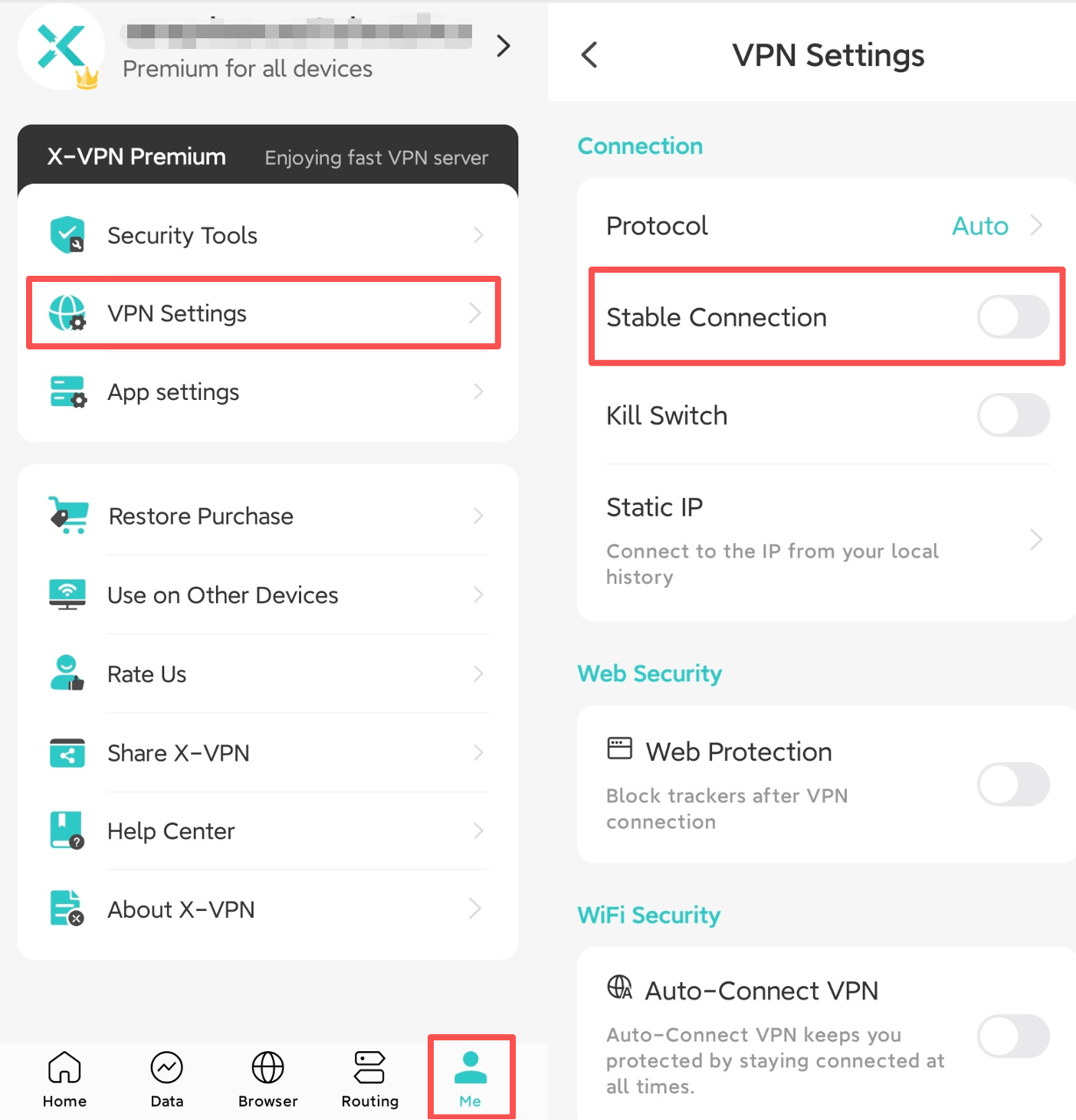
Agora você será conectado automaticamente ao melhor servidor para você sempre que usar o X-VPN.
Para PC:
Passo 1: Abra o X-VPN.
Passo 2: Navegue até Configurações > Configurações de VPN > Conexão Estável. A partir daí, você verá uma opção para ativar a Conexão Estável – basta clicar nela para ativar o recurso.
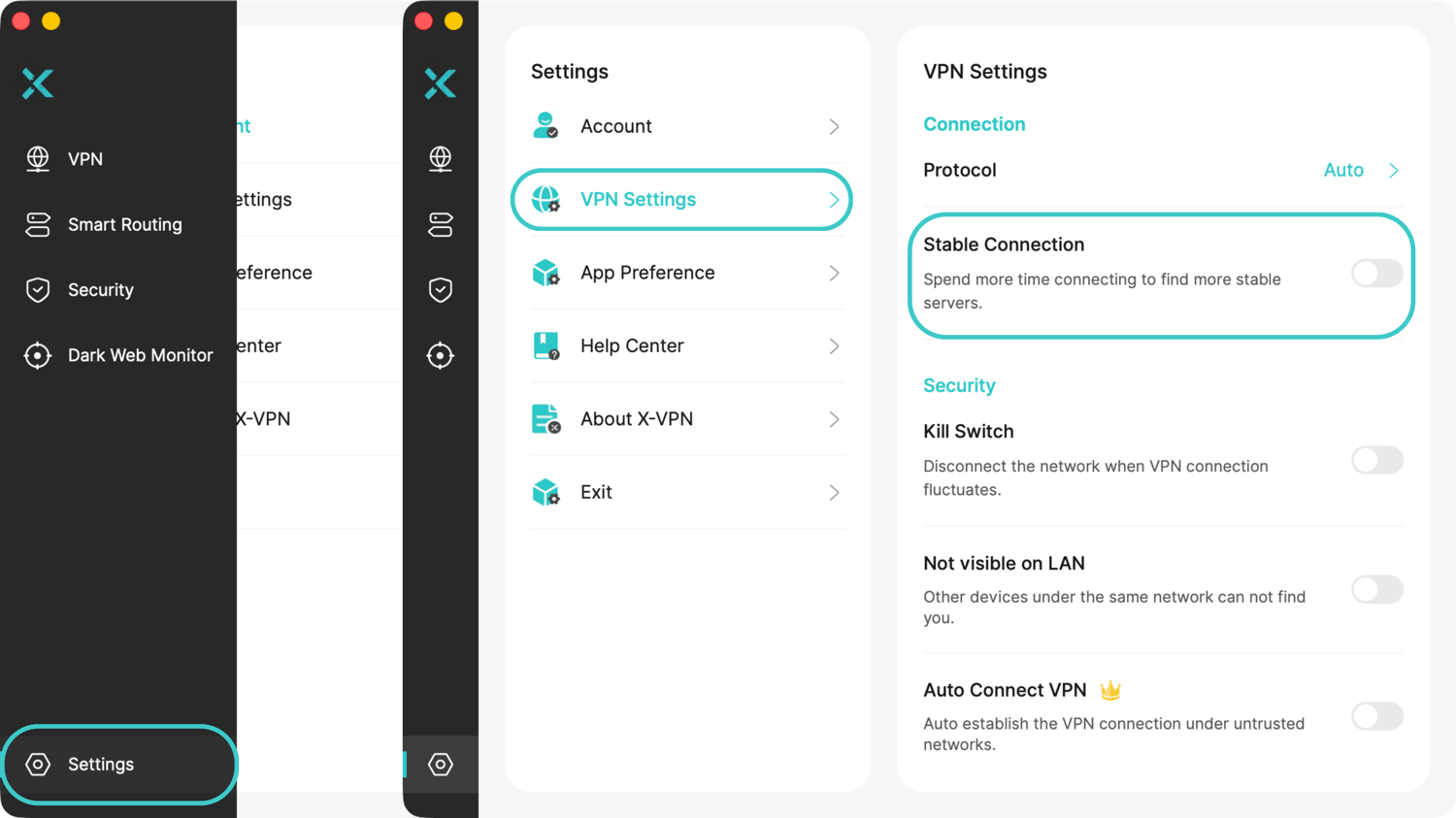
Agora você será conectado automaticamente ao melhor servidor para você sempre que usar o X-VPN.
Precisa de mais ajuda? Por favor entre em contato online ou escreva para support@xvpn.io.
Este artigo foi útil?
Obrigado pelo seu feedback!
Por que este artigo não foi útil?