Wi-Fi yönlendiricinizin ayarlarına nasıl erişilir?
Son düzenleme tarih 2026-07-17
Yönlendiricinizin kontrol paneline erişmek, ağınızı, parolalarınızı ve ebeveyn denetimlerinizi ayarlayarak internet deneyiminizi özelleştirmenize olanak tanır. Ayrıca OpenVPN ve L2TP gibi protokolleri manuel olarak yapılandırabilirsiniz.
Bu makale, Mac ve Windows cihazlarında yönlendiricinizin kontrol paneline adım adım nasıl erişileceğini gösterecek.
Mac kullanıcıları için:
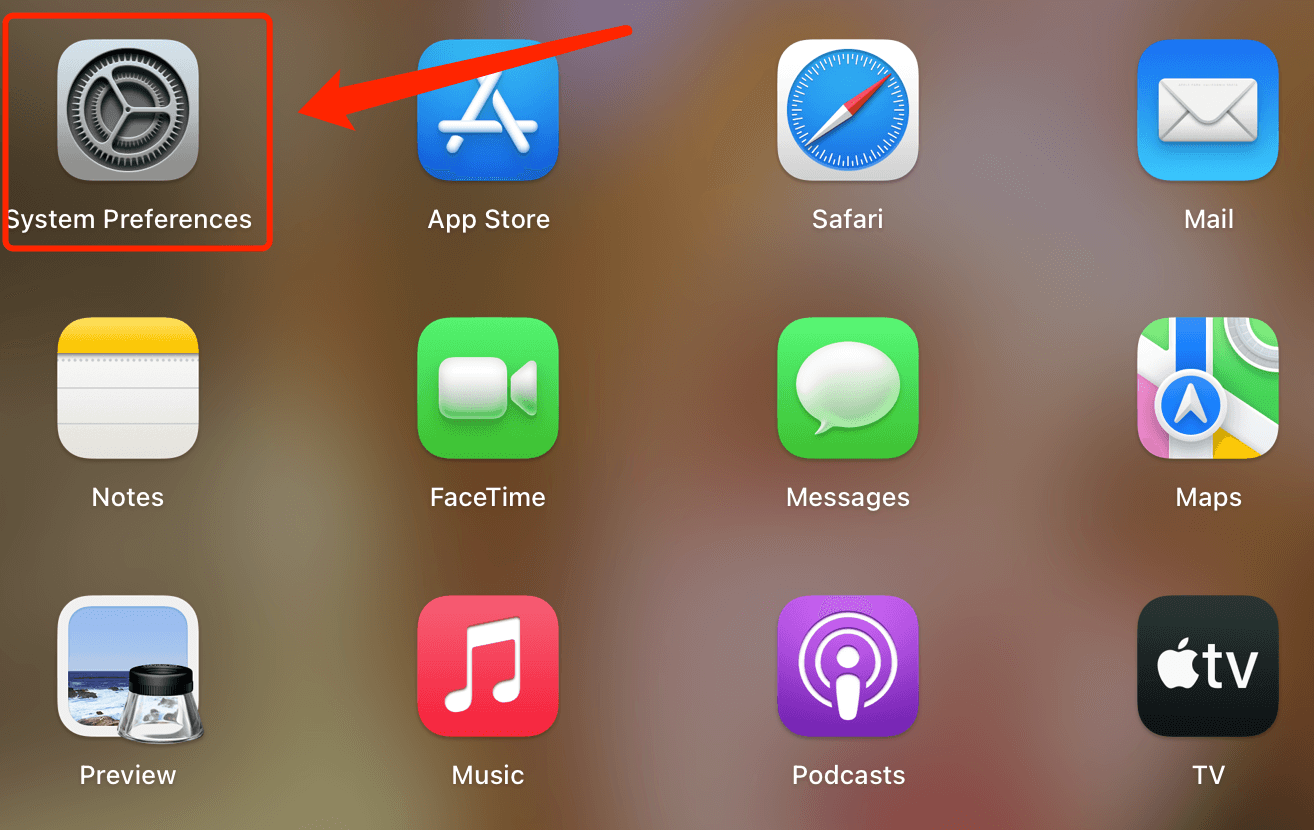
Adım 1. Aç Sistem Tercihi LaunchPad'dan
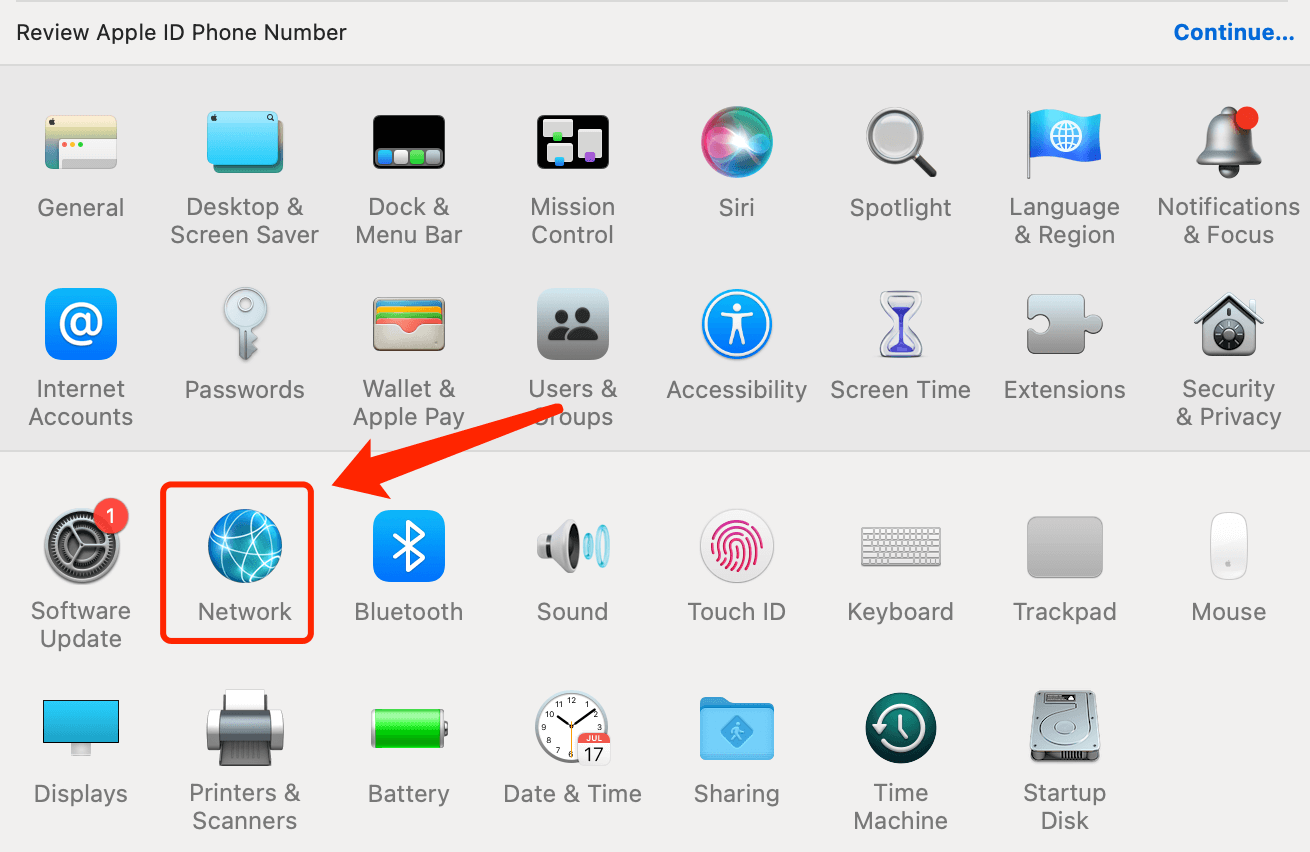
Adım 2. Ağı seçin
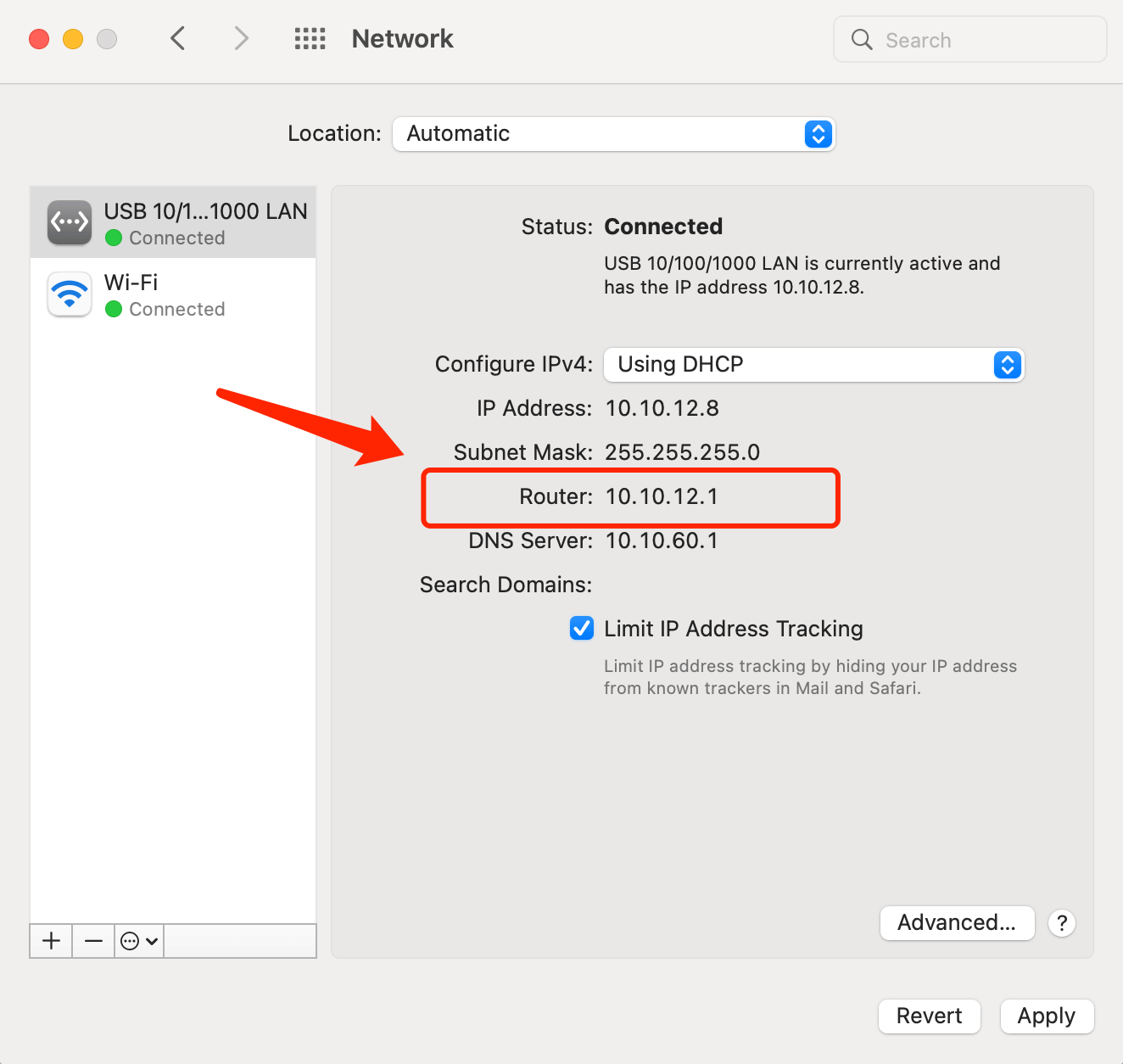
Adım 3. Yönlendiricinizin ağ geçidini bulmak için
Kablolu ağ için: Bağlandığınız kablolu ağı seçin ve yönlendiricinin ağ geçidini görüntüleyin.
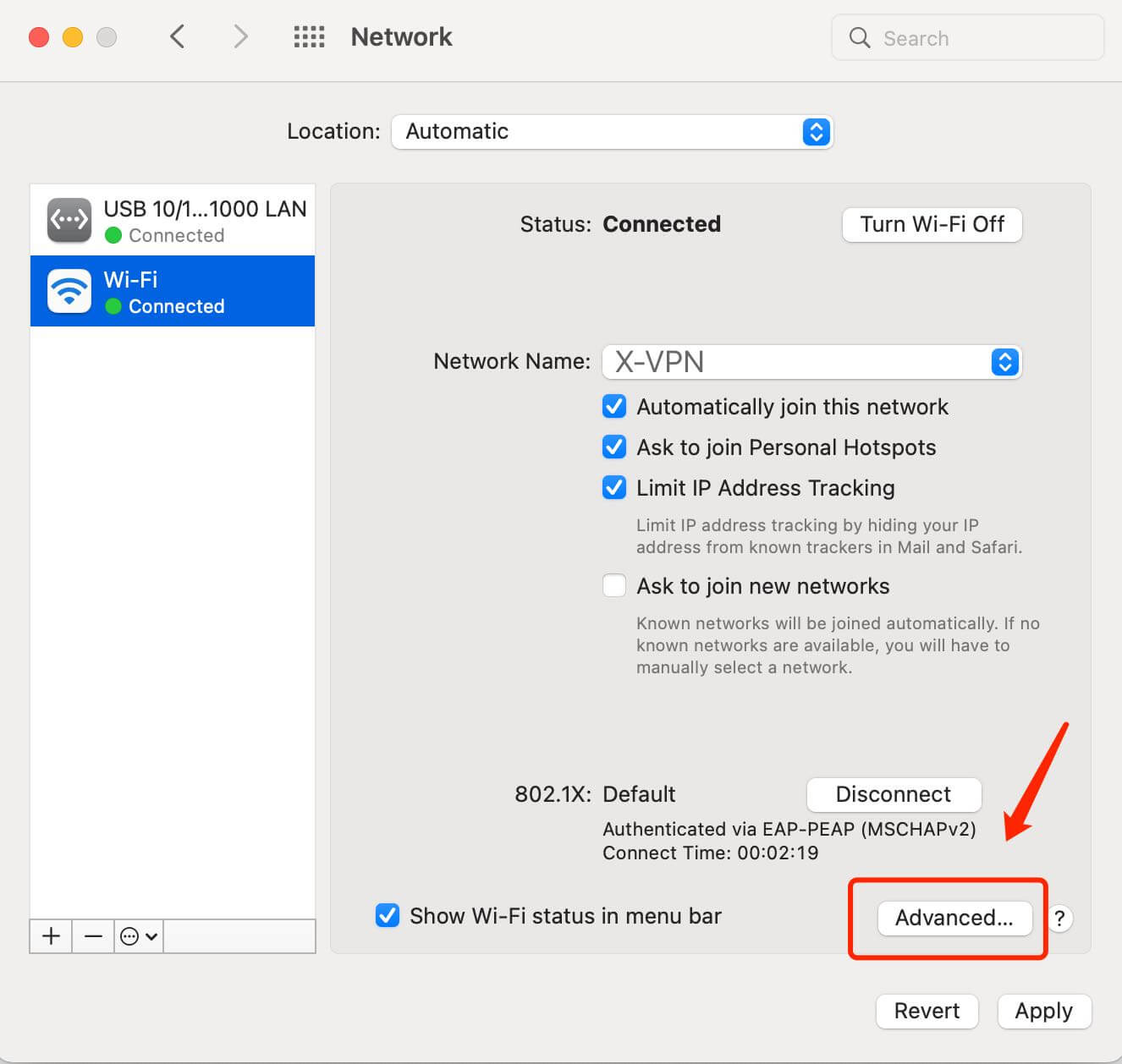
Kablosuz ağ için: Bağlandığınız kablosuz ağı seçin, Gelişmiş'e tıklayın ve TCP/IP sekmesinde yönlendiricinin ağ geçidini görüntüleyin.
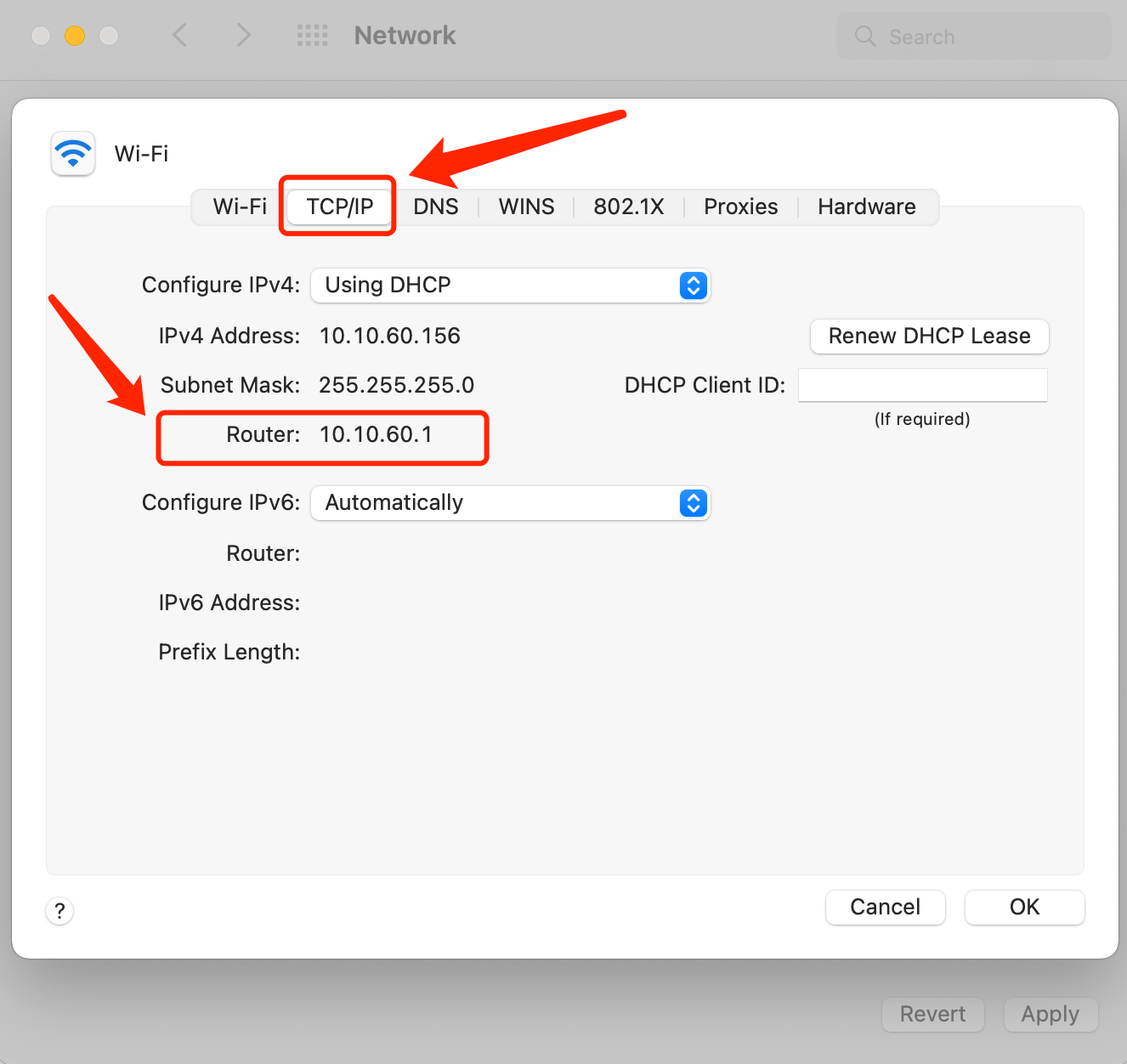
Sonra bir web tarayıcısı açın ve adres çubuğuna yönlendiricinin IP adresini yazın; yönlendiricinizin ayar panelini ziyaret edin.
Windows Kullanıcıları İçin:
Adım 1. CMD'yi ara ve Komut İstemi Uygulaması'nı aç
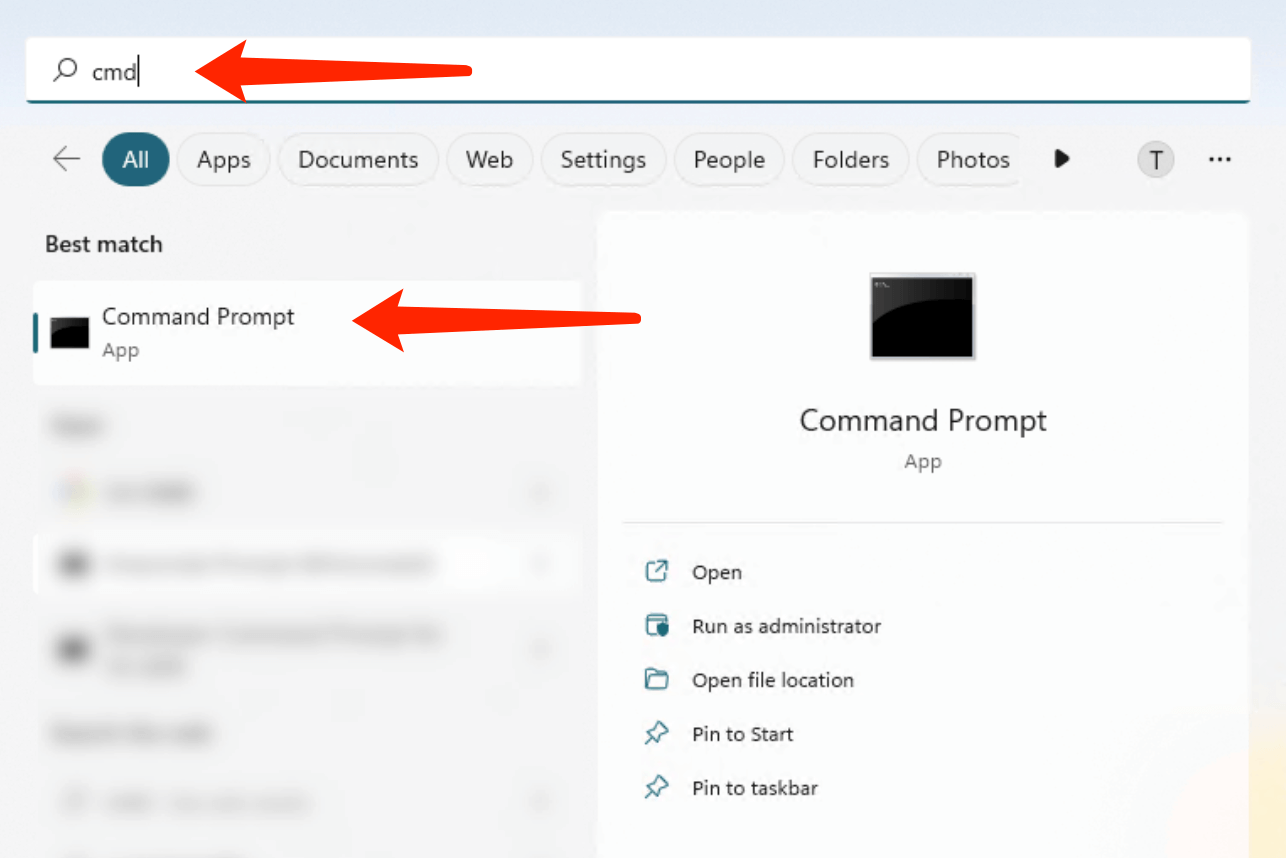
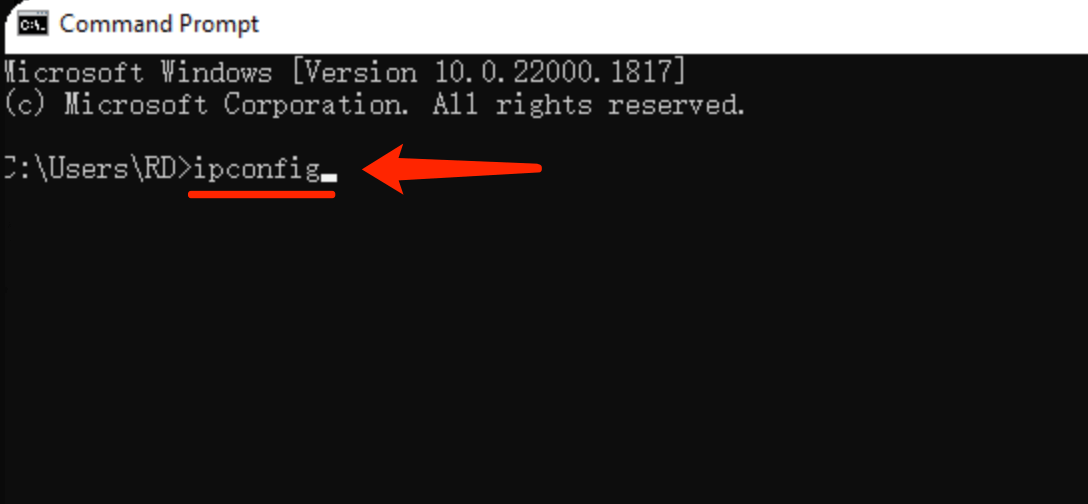
Adım 2. ipconfig komutunu girin ve Enter tuşuna basın.
Adım 3. Varsayılan ağ geçidi IP adresi IP yapılandırmasında görüntülenir.
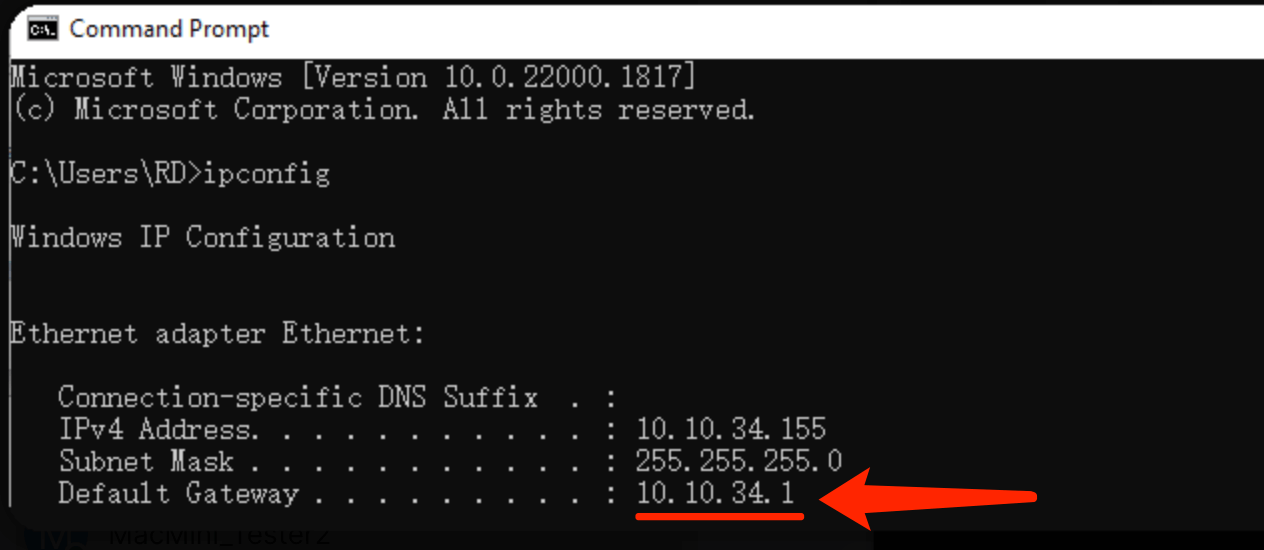
Sonra bir web tarayıcısı açın ve adres çubuğuna yönlendiricinin IP adresini yazın; yönlendiricinizin ayar panelini ziyaret edin.
Bu makale yardımcı oldu mu?
Geri bildiriminiz için teşekkür ederim!
Bu makale neden yardımcı olmadı?