Como desativar o IPv6 no Windows?
Última edição em 2026-09-04
Atualmente, o X-VPN não suporta IPv6. Assim, se a sua rede atual for IPv6, o X-VPN não conseguirá se conectar. Este tutorial mostrará como desativar o IPv6 no Windows.
Por favor, lembre-se de que as etapas podem ser ligeiramente diferentes dependendo da versão do Windows que você possui. Vamos começar.
Windows 10:
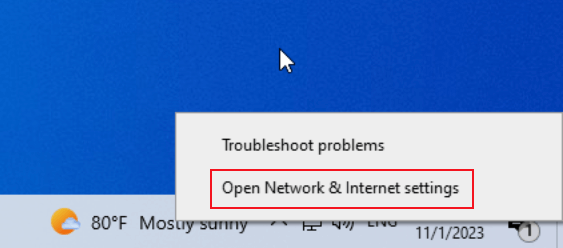
1. Clique com o botão direito do ícone de rede na bandeja de notificações e selecione Abrir Configurações de Rede e Internet.
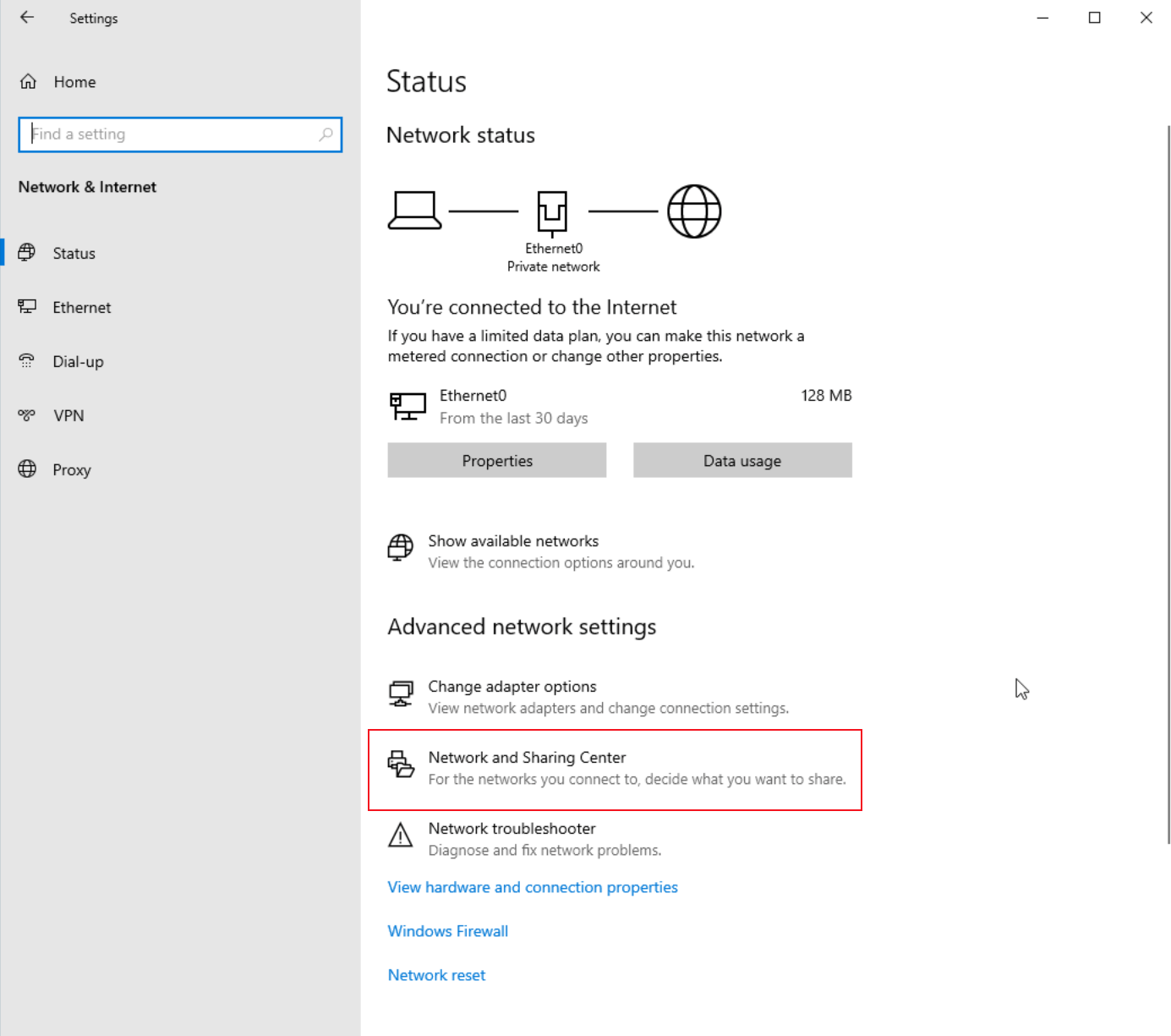
2. Abrir o Centro de Rede e Compartilhamento.
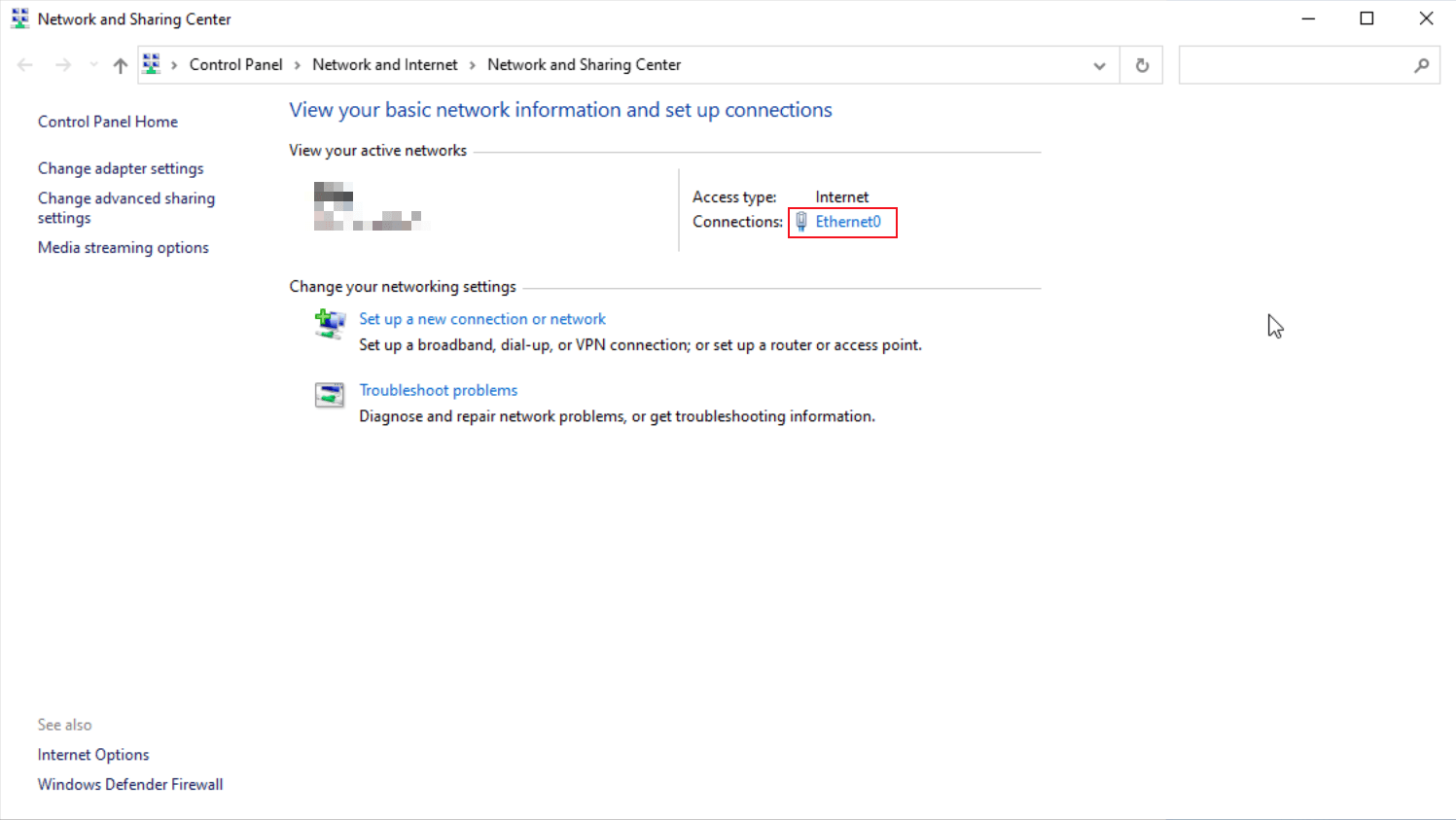
3. Clique no seu adaptador de rede.
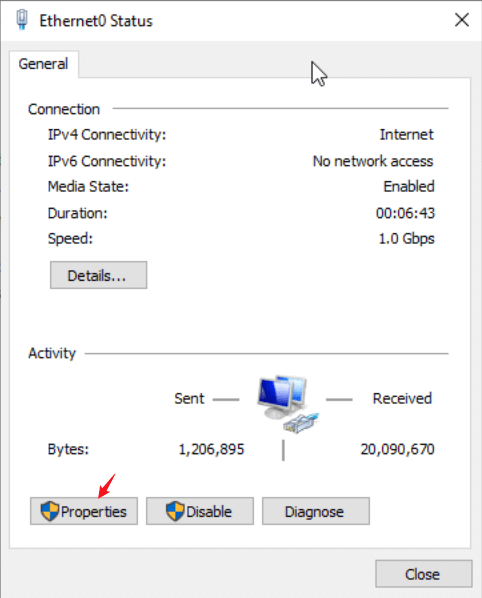
4. Clique em Propriedades.
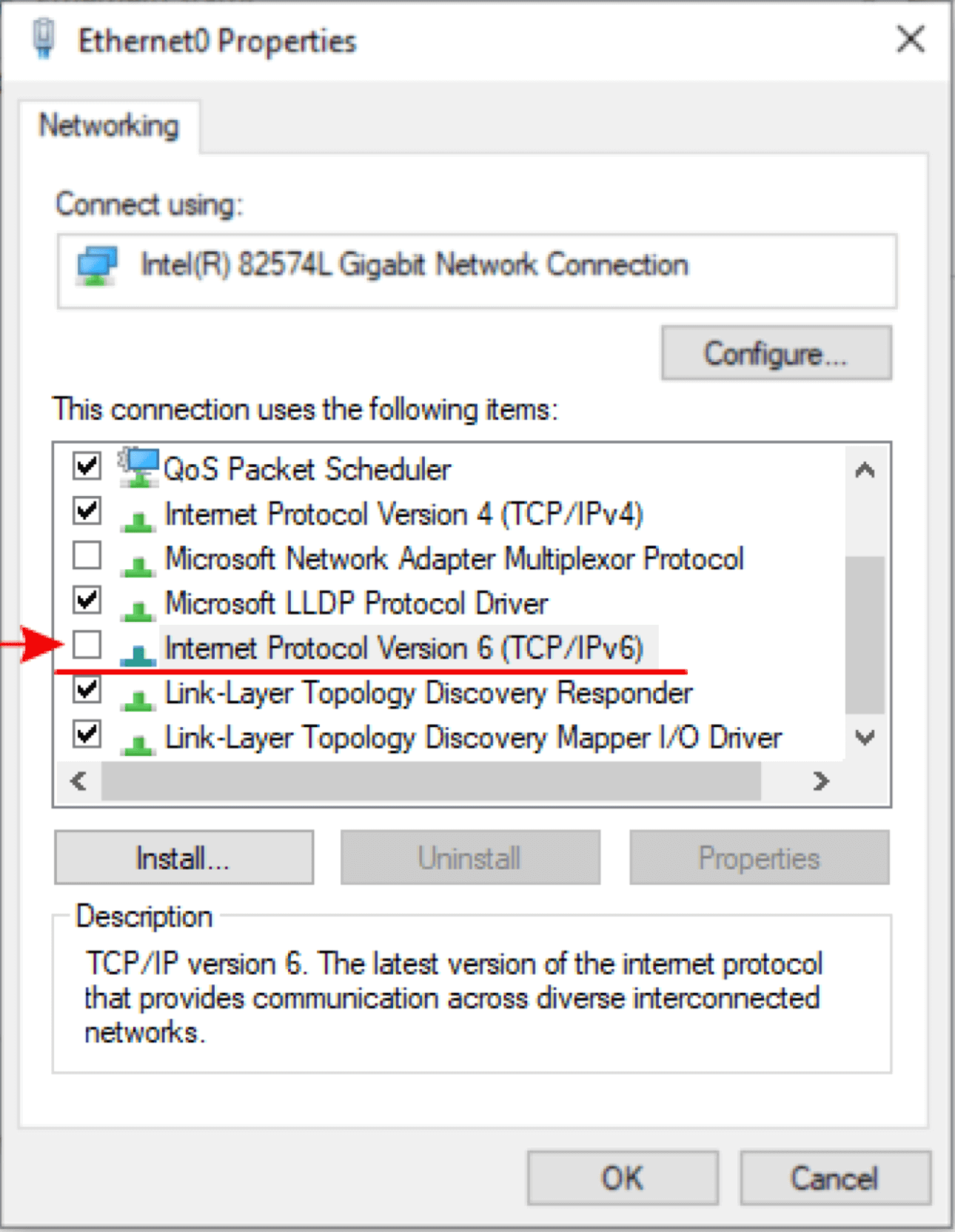
5. Desmarque o Protocolo de Internet Versão 6 (TCP/IPv6) na lista. Em seguida, clique em OK e Fechar.
Windows 11:
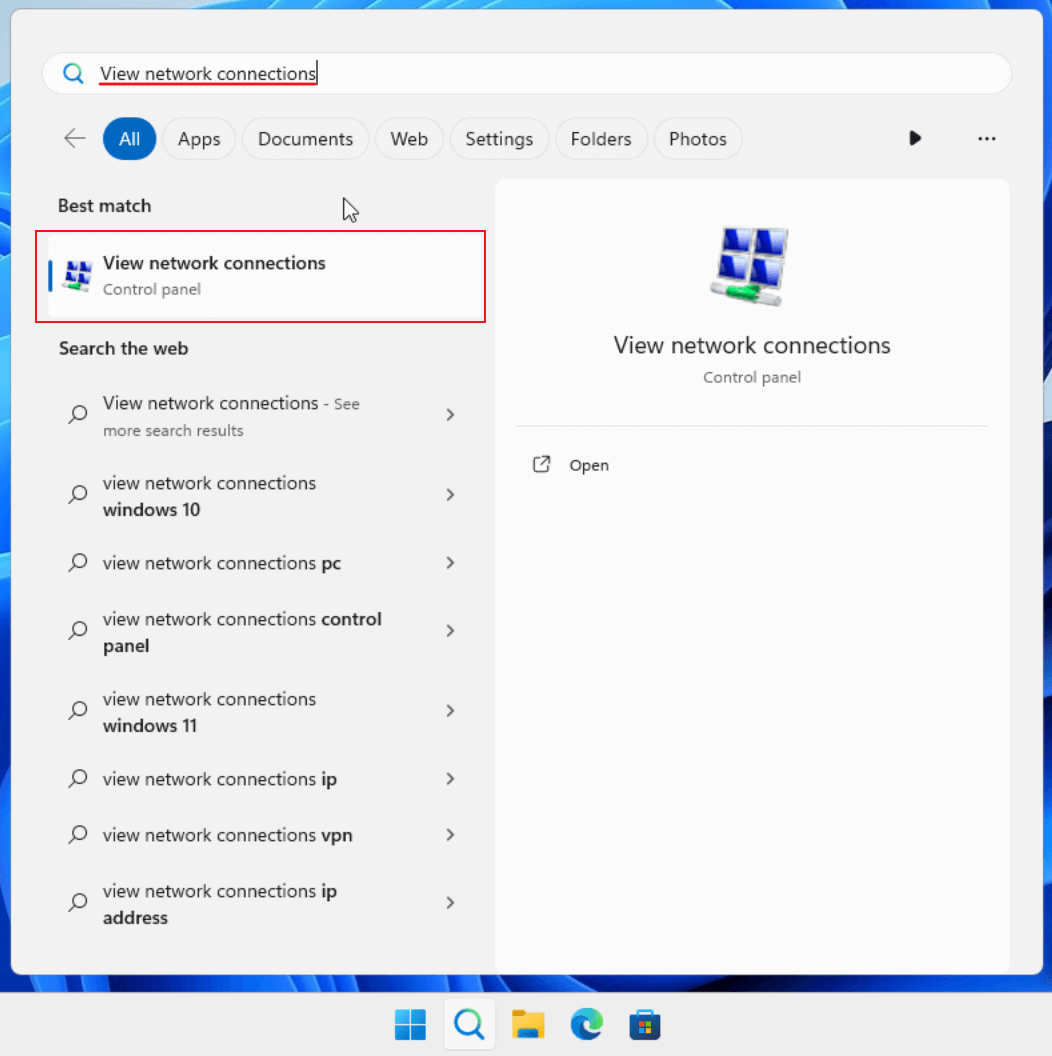
1. Na parte inferior da sua tela, encontre e pressione o ícone de lupa.

2. Uma janela com uma barra de pesquisa aparecerá. Digite "View Network Connection" e abra o resultado correspondente.
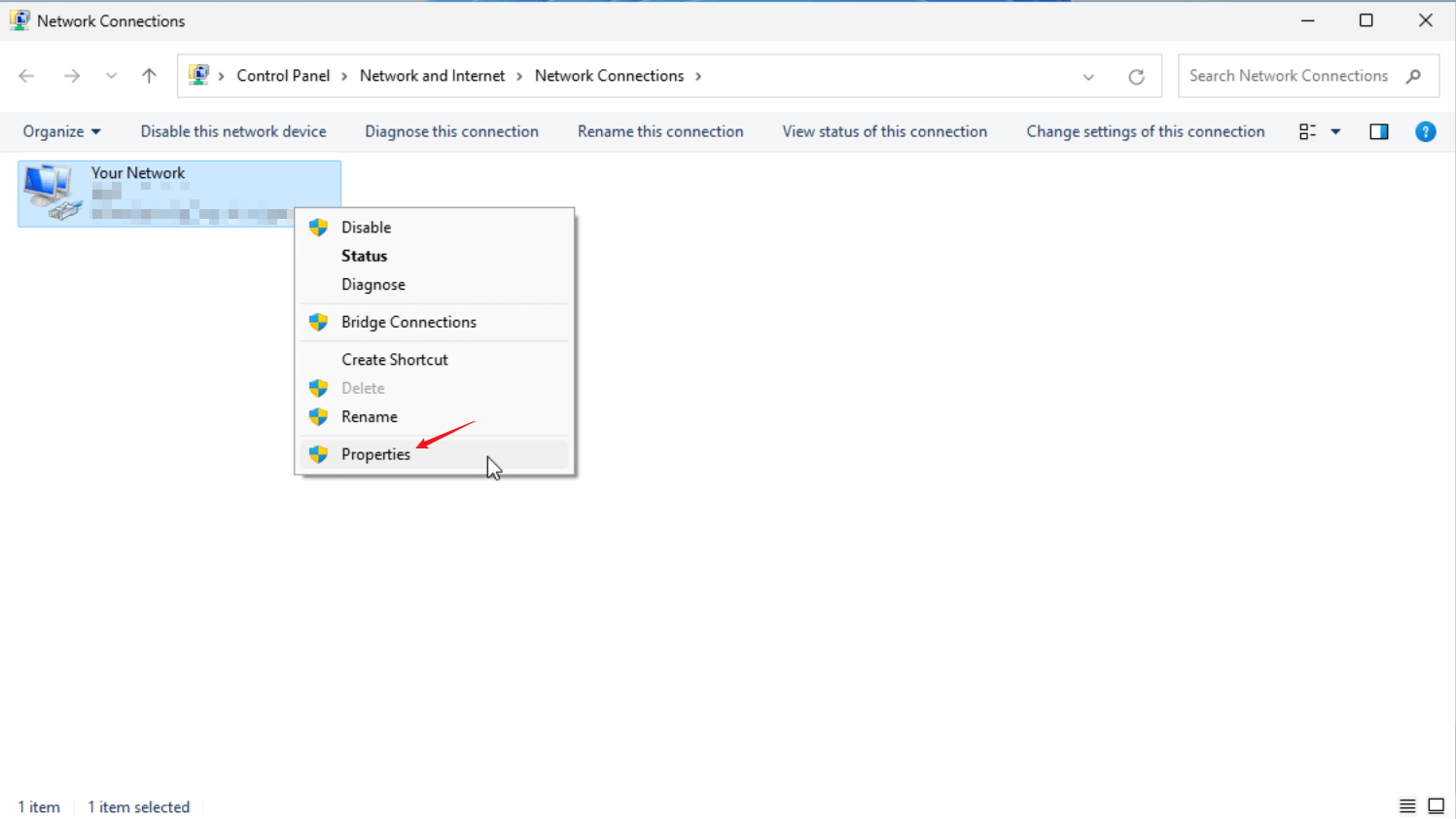
3. Localize o seu adaptador de rede e clique com o botão direito nele. Em seguida, clique em Propriedades.
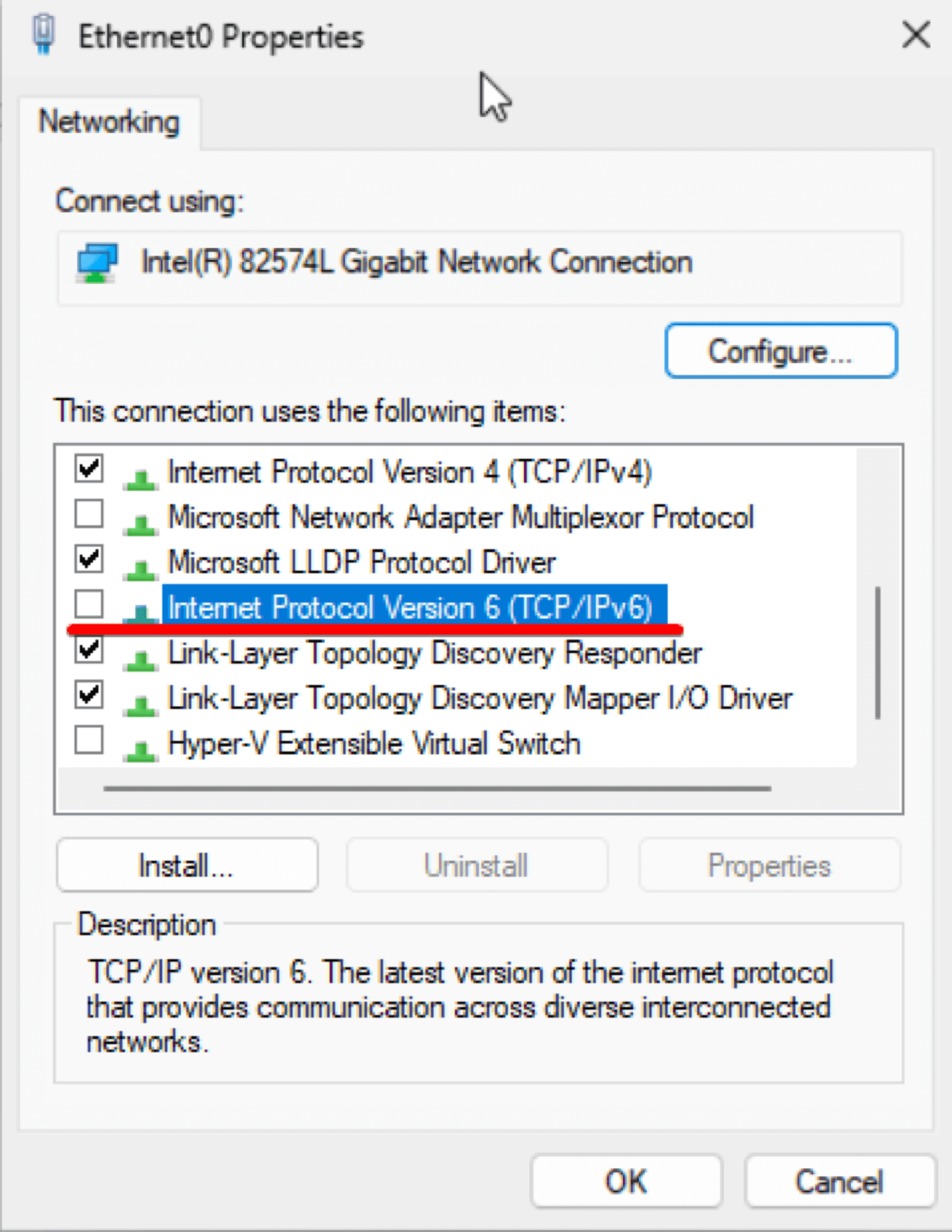
4. Localize e desmarque o Protocolo de Internet Versão 6 (TCP/IPv6) na lista. Depois disso, clique em OK e Fechar.
Este artigo foi útil?
Obrigado pelo seu feedback!
Por que este artigo não foi útil?