Private IP
What is a private ip address?
An IP address ensures that data can be transmitted accurately from one device to another. A private IP address is an IP address assigned to a device within a private network, typically not used publicly across the Internet, facilitating communication within local area networks (LANs) such as homes, offices, and corporate environments.
Private IP addresses emerged from the need to conserve IPv4 resources, as the protocol only supports around 4.3 billion individual addresses, which rapidly depleted with the surge in Internet users and devices. The use of private IP ranges within homes or organizations significantly reduces the need for public IPv4 addresses, thus conserving the world's limited public IPv4 address resources.
Common uses of private IP
• For home networks:
Most homes have multiple devices connected to the Internet (e.g., computers, smartphones, printers, etc.), ISPs typically assign a single public IPv4 address for the entire home. By using NAT/PAT technology through the router, this one public IP can be mapped to multiple private IPs, enabling all devices within the home to access the Internet.
• For business networks:
Enterprises utilize private IPs for security and cost-effectiveness, preventing unauthorized access and allowing for flexible network resource management.
How to find your private IP address?
• MacOS: Open "System Preferences" -> Click "Network" -> Select Wi-Fi and click "Advanced" -> Under the TCP/IP tab, check your IPv4 address.
• Windows: Open "Settings" -> click "Network & Internet" -> select "Properties" in the top menu or open a command prompt window Type ipconfig to view details.
• iPhone/iPad: Open "Settings" -> Click on Wireless LAN -> Click on the information icon next to it to view details.
• Android: Open "Settings" -> "About Device" -> "Status Information".
FAQ
Q1: How can I access the Internet with a private IP address?
Private IP addresses are only suitable for connecting devices on a LAN and cannot access the Internet directly. They require packet forwarding to an external network with a public IP through a router configured with NAT/PAT service.
Q2: Will a private IP reveal my location?
No, private IP addresses are only valid in local network environments and cannot be traced to a specific location by the outside world.
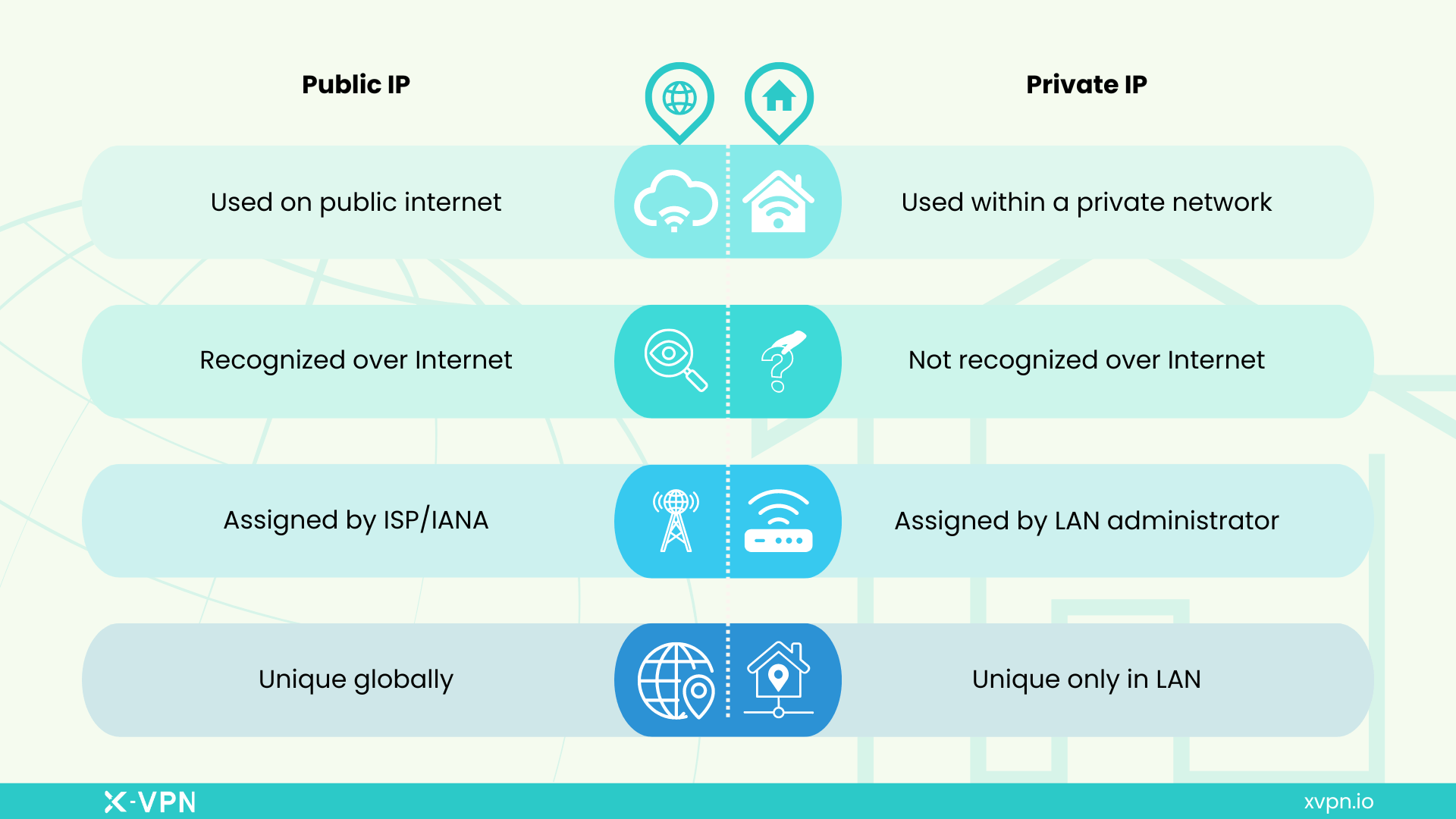
Q3: What is the difference between a private IP and public IP address?
A public IP address is globally unique and can be used for direct Internet communication, whereas the same private IP can be reused in different LANs and cannot be used for direct Internet communication. ISPs assign public IP addresses, while private IPs are dynamically assigned by LAN administrators or routers.