How to access your Wi-Fi router's settings?
Ultima modifica il 2026-07-17
Accessing your router's control panel allows you to customize your internet experience by setting up your network, passwords, and parental controls. You can also manually configure protocols such as OpenVPN and L2TP.
This article will guide you on how to visit your router's control panel on both Mac and Windows devices step-by-step.
For mac users:
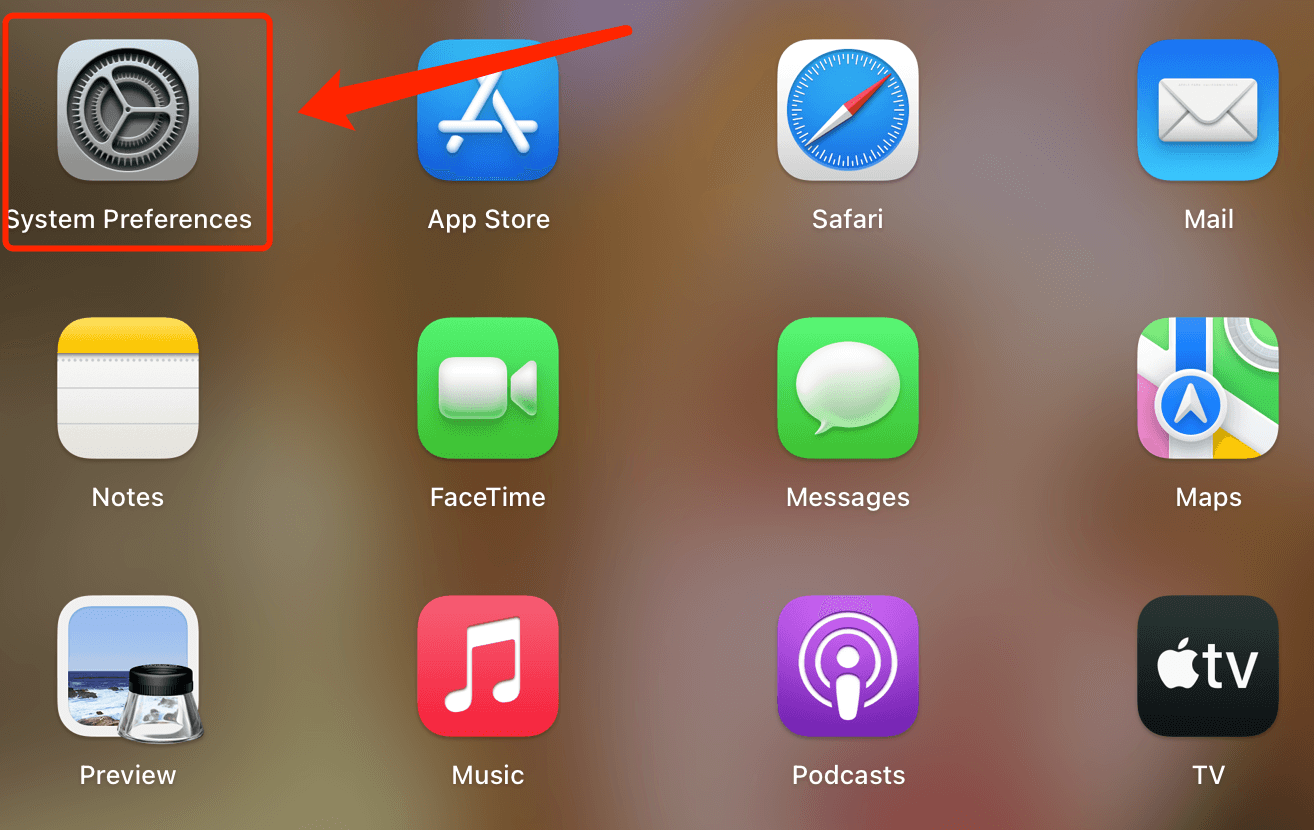
Step1. Open System Preference from LaunchPad
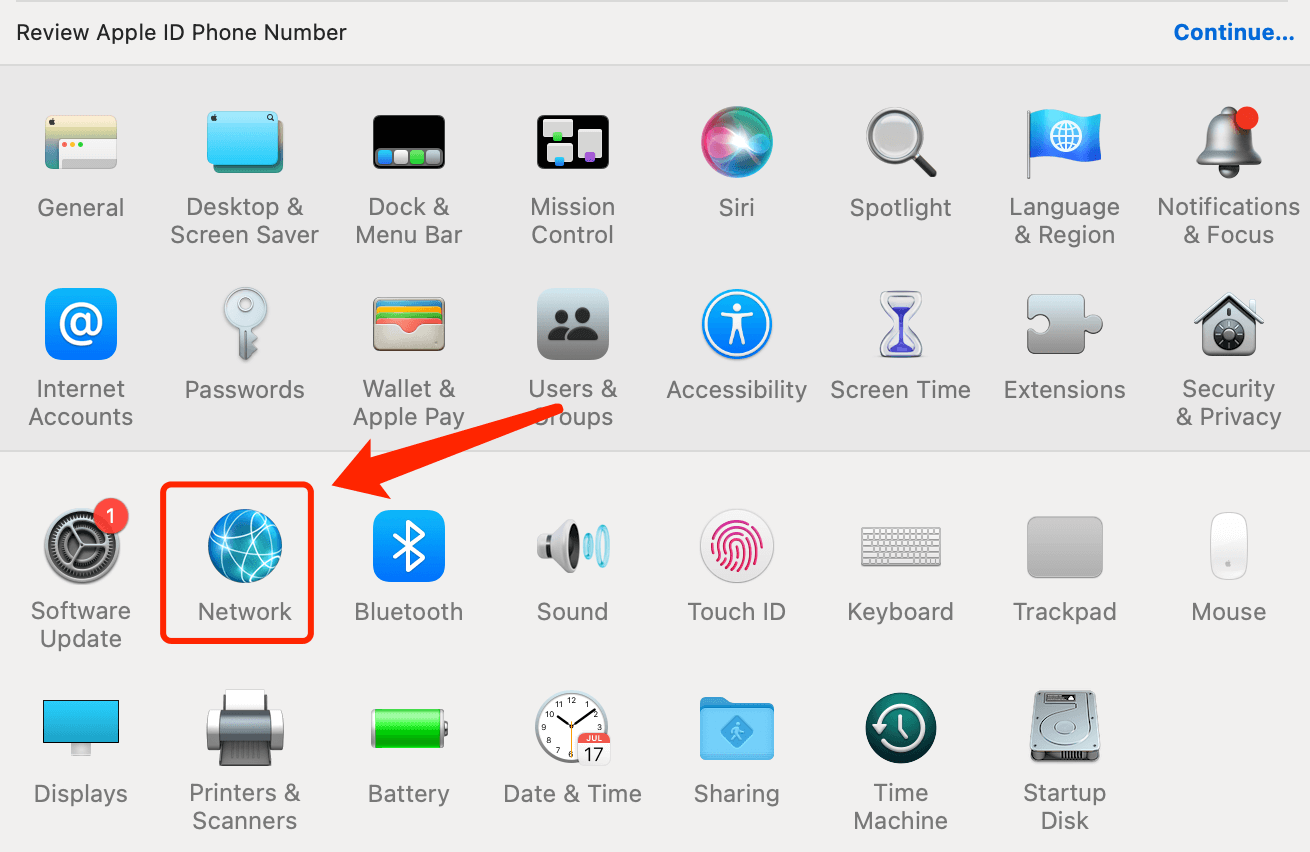
Step 2. Select Network
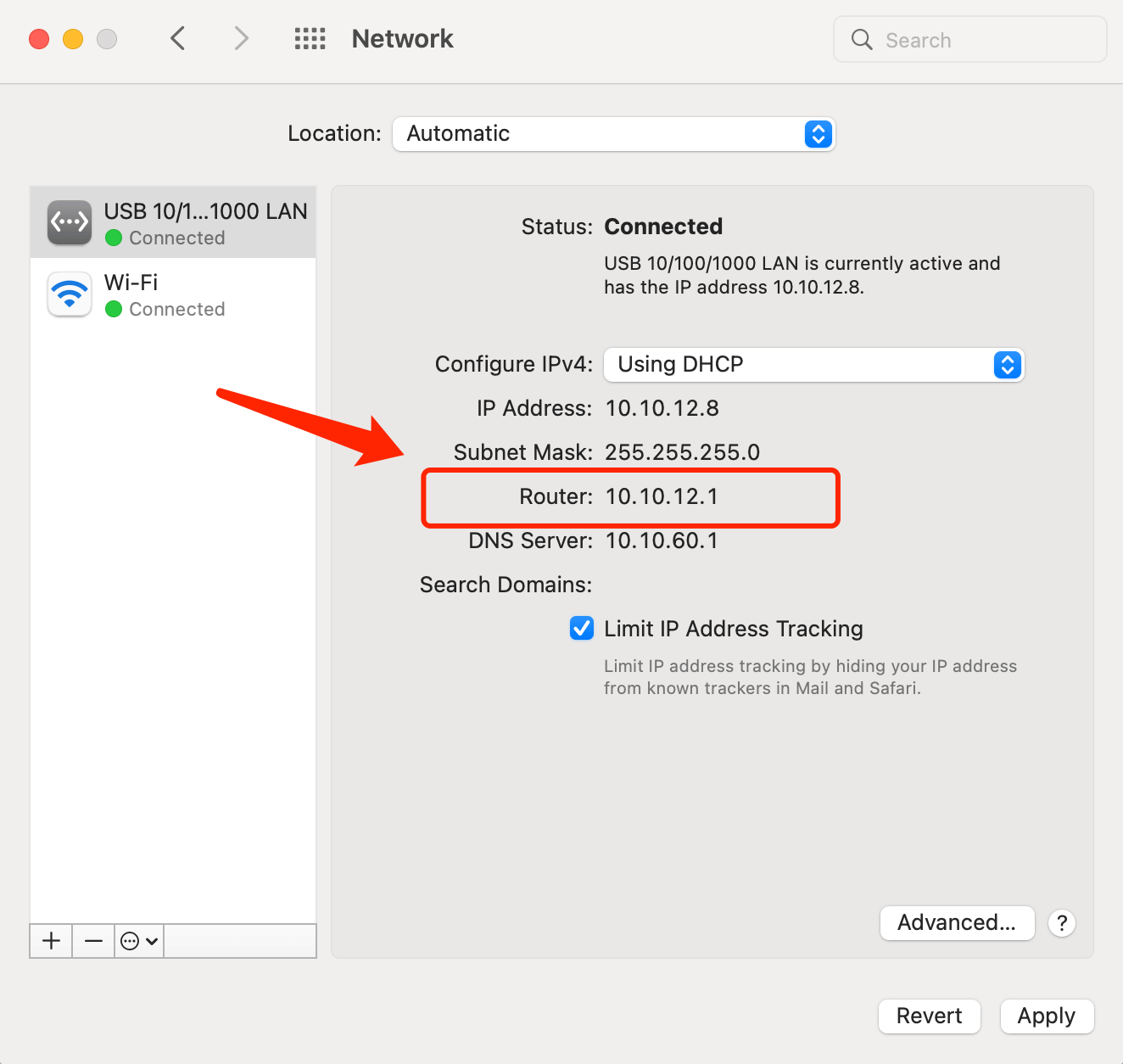
Step 3. To find the gateway of your router
For wired network: Select the wired network you connected and view the gateway of router.
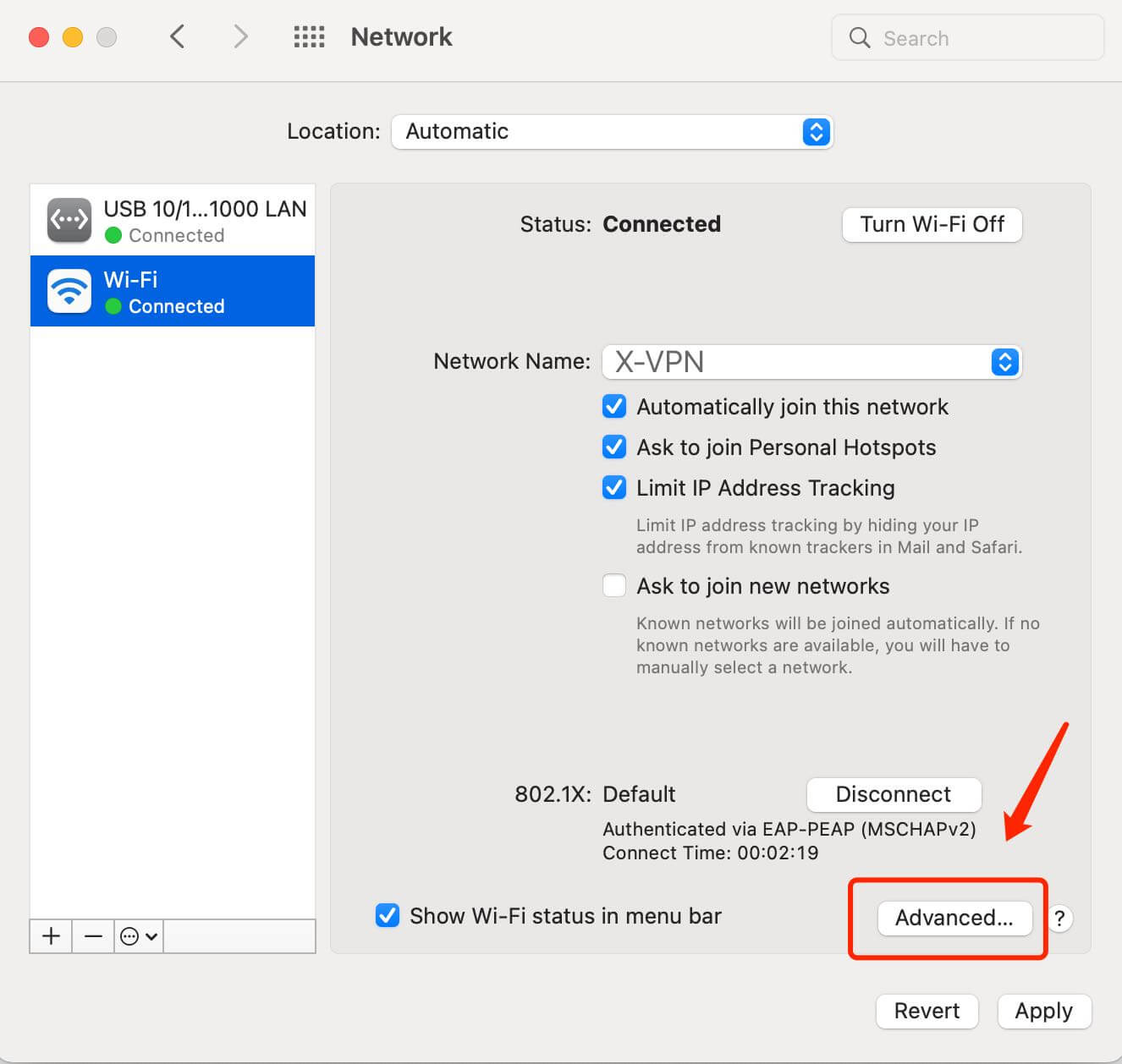
For wireless network: Select the wireless network you connected, click Advanced and view the gateway of router in TCP/IP tab.
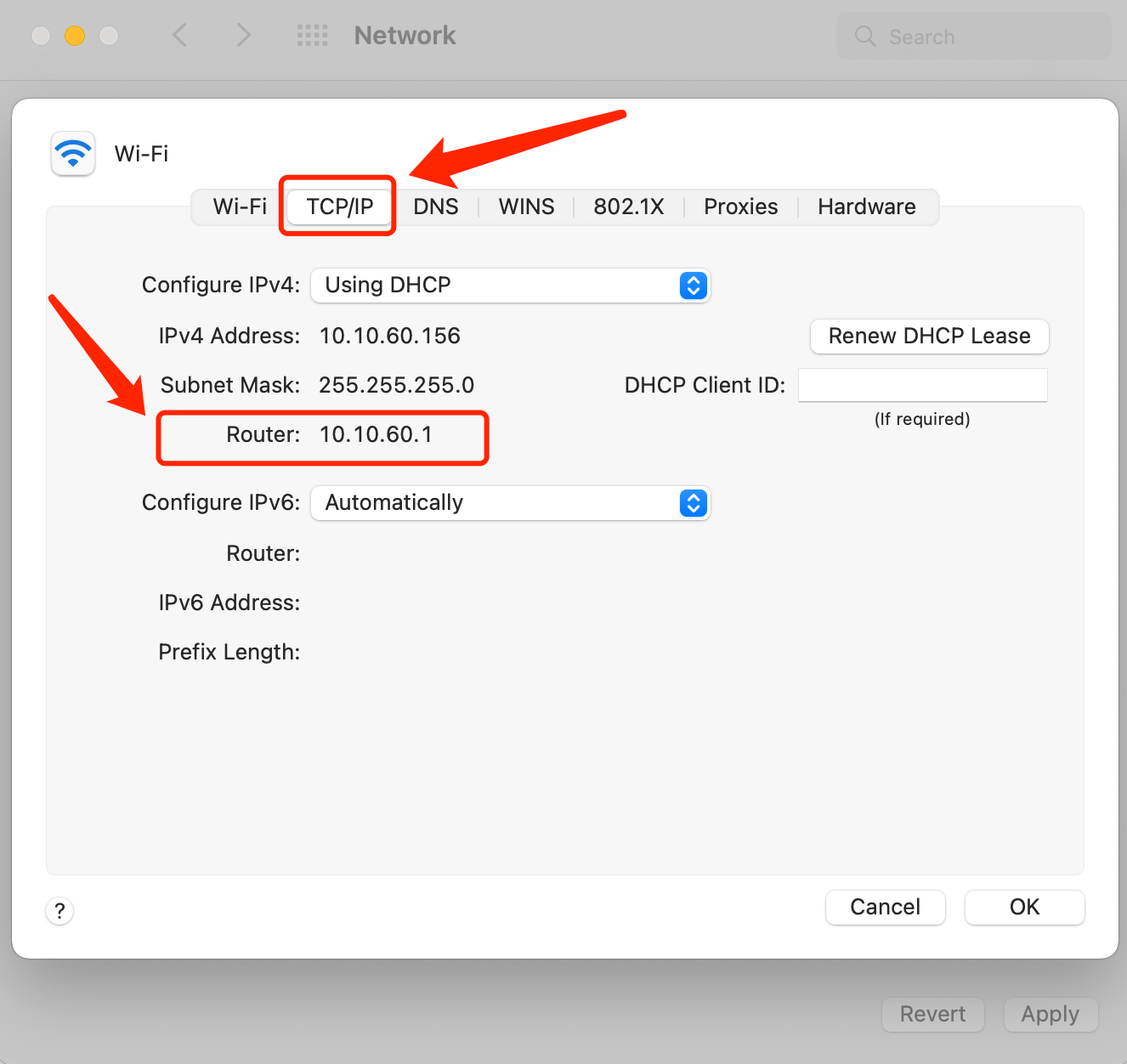
Then open a web browser and type the router's IP address in the address bar to visit your router's settings panel.
For Windows Users:
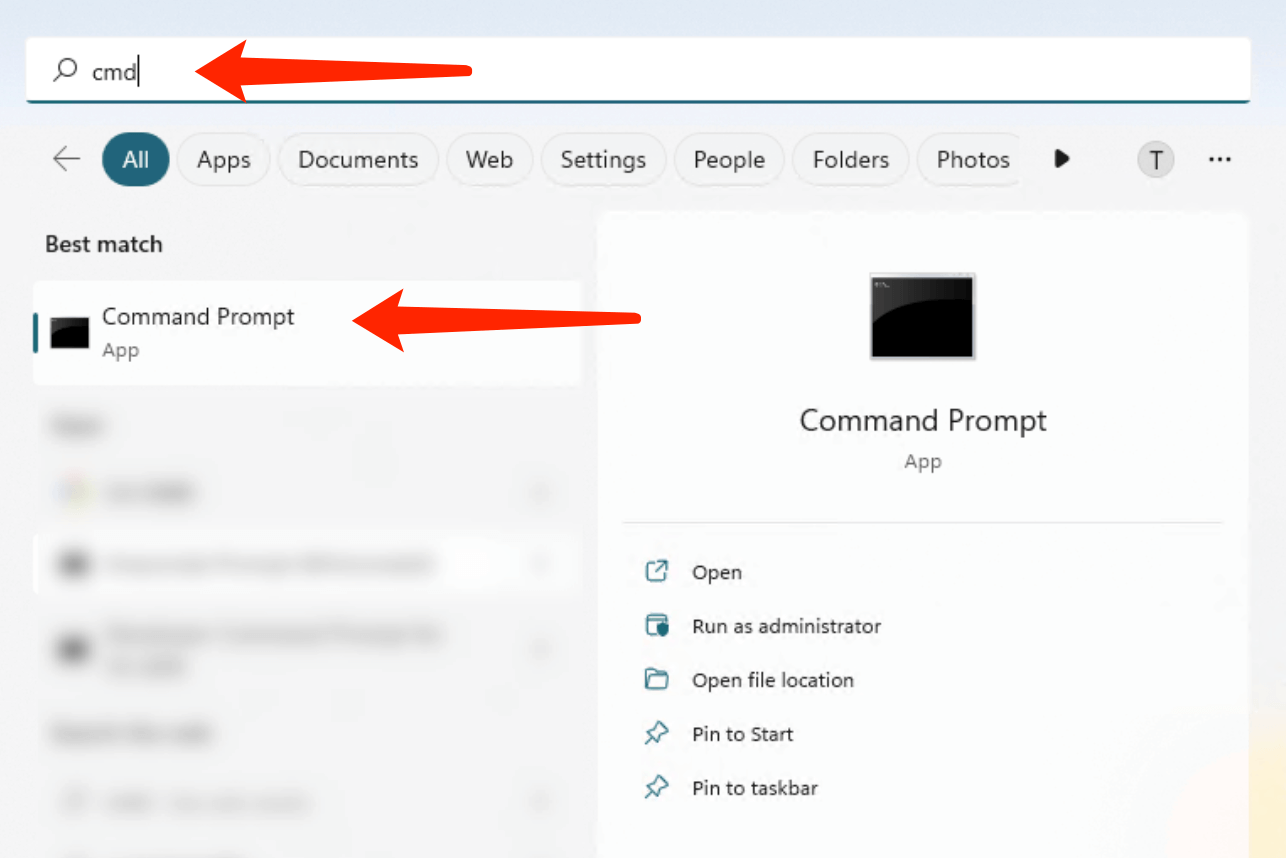
Step 1. Search CMD and open Command Prompt App
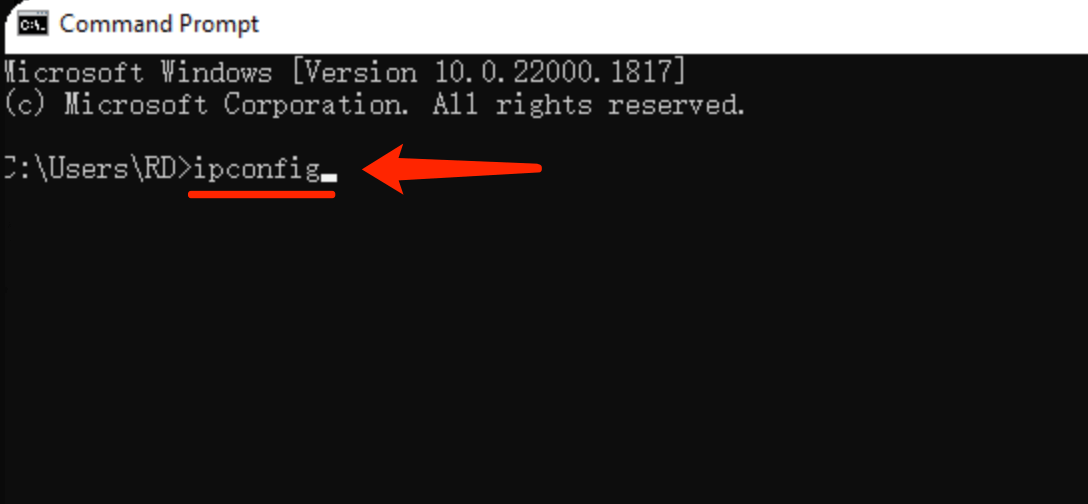
Step 2. Enter ipconfig and press enter
Step 3. The Default Gateway IP address is displayed in the IP configuration
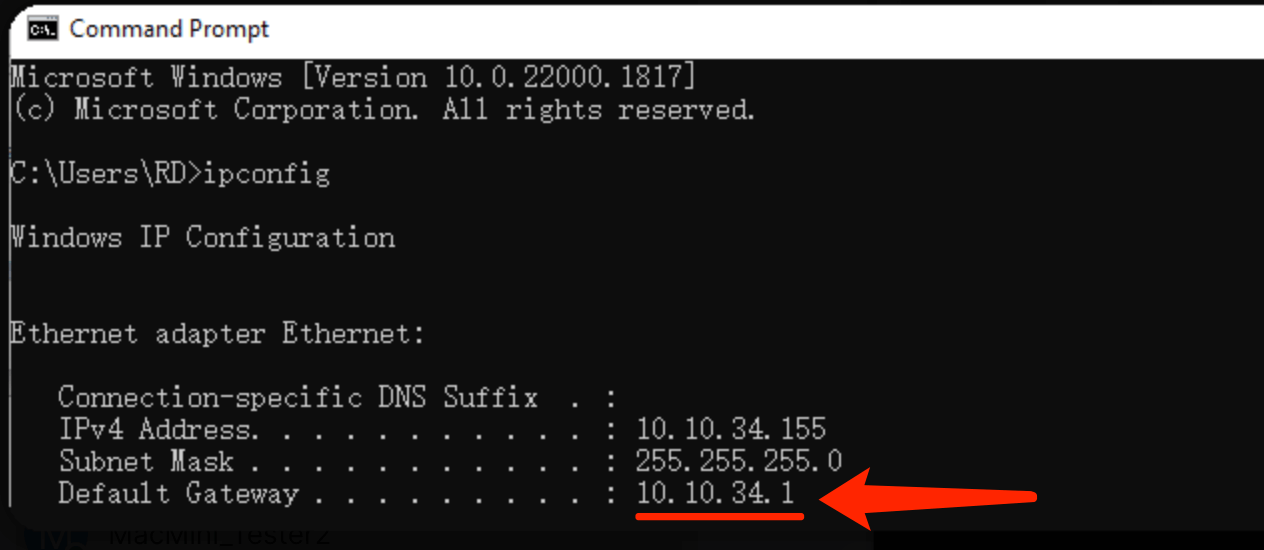
Then open a web browser and type the router's IP address in the address bar to visit your router's settings panel.
Questo articolo è stato utile?
Grazie per il tuo feedback!
Perché questo articolo non è stato utile?