How to change language in X-VPN?
Ultima modifica il 2026-08-04
We understand how troublesome language barriers are, so we have set up multiple languages in multiple scenarios, you can follow the steps below to change the language used.
In the X-VPN App (mobile version)
We support 12 different languages in the app, they are English, Arabic, Spanish, Portuguese, Russian, Hindi, French, Bengali, German, Persian, Turkish, and Italian.
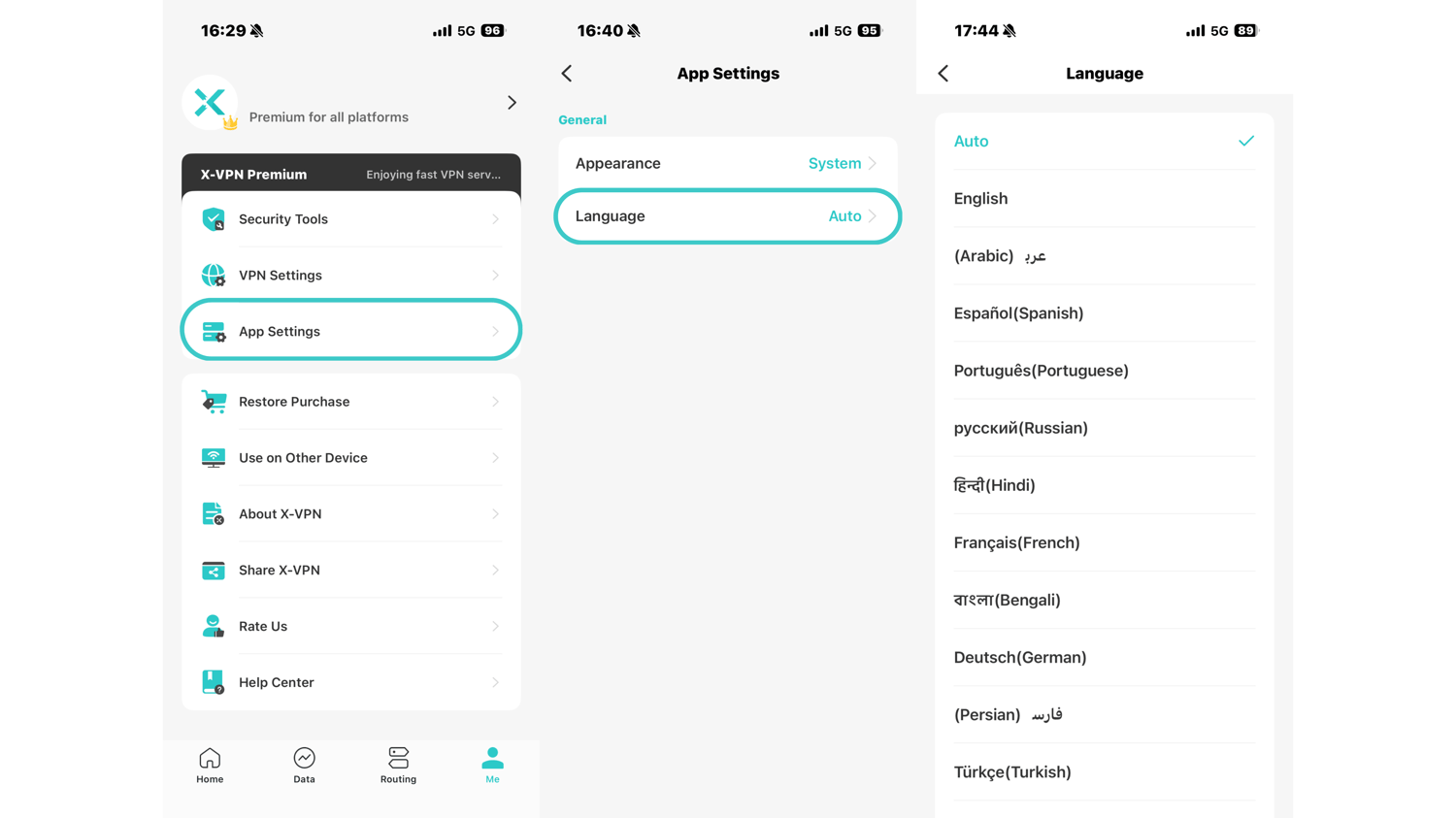
Steps: Me > App Settings > Language
For the X-VPN App (pc version)
We support 8 different languages in the app, they are English, Spanish, German, French, Arabic, Russian, Turkish, and Portuguese.
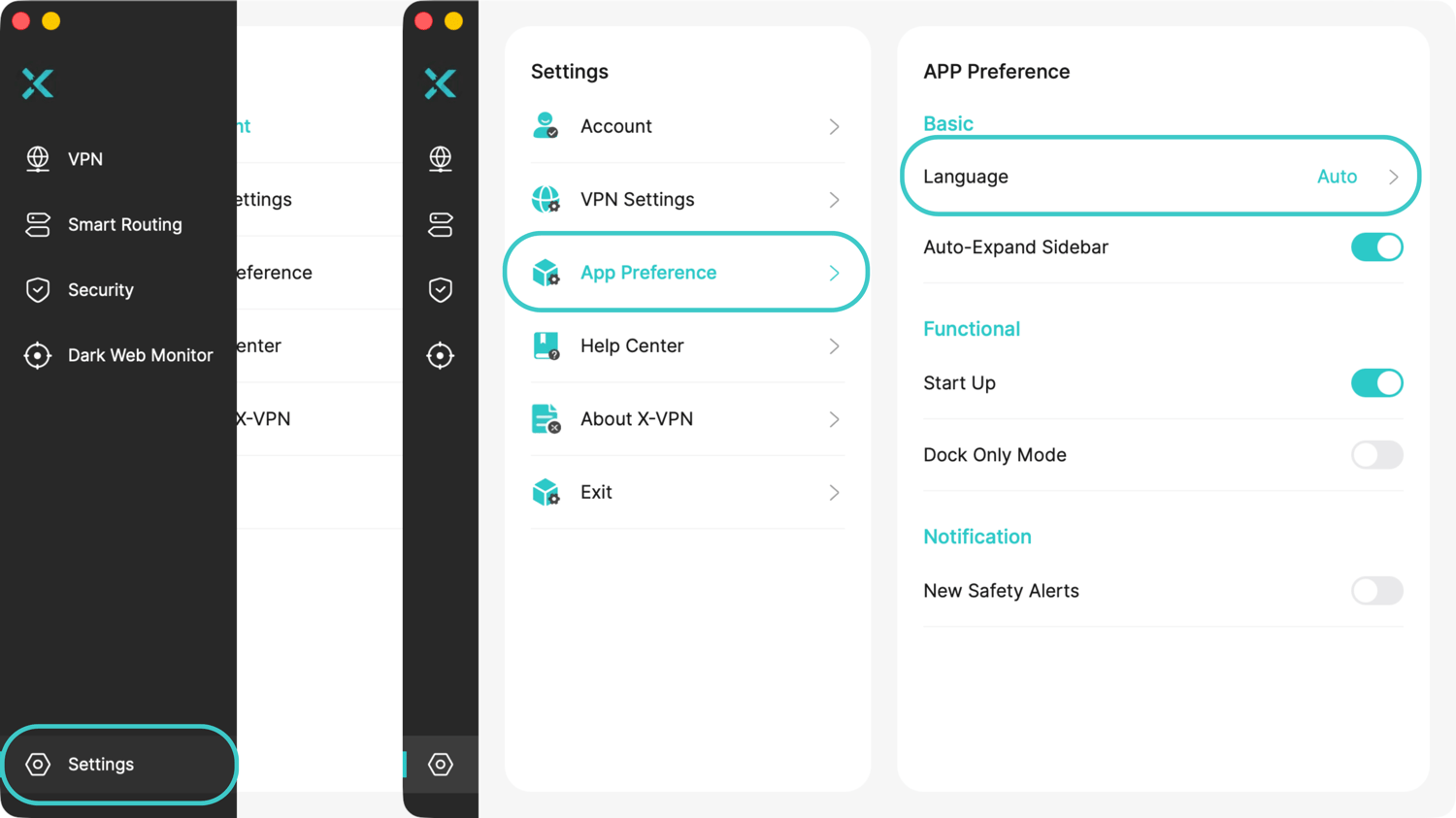
Steps: Settings > App Preference > Language
On the X-VPN official website
We support 10 different languages on the X-VPN official website, they are English, Italian, German, Spanish, French, Portuguese, Turkish, Russian, Arabic, and Persian.
Steps 1: Website home page(https://xvpn.io) > Click "English" in the upper right corner > Change

Steps 2: Website home page(https://xvpn.io) > Scroll to the bottom of the page > Click "English" in the upper right corner > Change
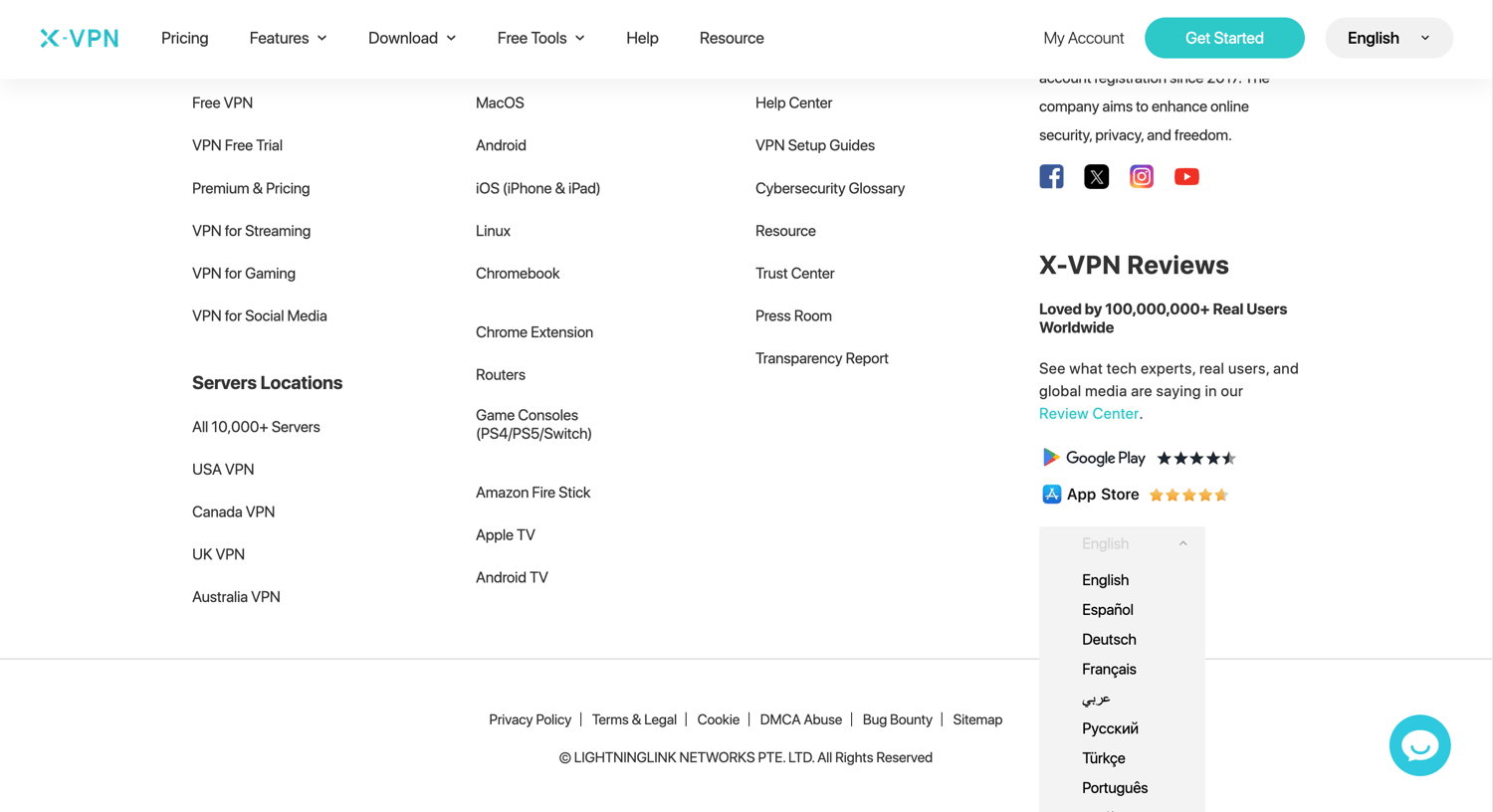
If you can't find the language you want and want to add it, please write to support@xvpn.io.
Questo articolo è stato utile?
Grazie per il tuo feedback!
Perché questo articolo non è stato utile?