Connection issues on GameConsole PS4/5 etc.
Ultima modifica il 2026-09-04
This article will guide you through the issues you have when using X-VPN on PS4 and PS5.
Step 1: Make sure you have followed the steps in this article to set it up correctly. In particular, please make sure that:
❑ Your local network is working
❑ PS4 or PS5 and X-VPN are using the same wireless WiFi
❑ Make sure your X-VPN has a stable connection. Please refer to Connection troubleshooting if you have connection problems
Step 2: Please update X-VPN to the latest version to try If you still have problems after the above steps.
Step 3: If there is still a problem, please send the following info to customer service and we will diagnose the problem and solve it for you.
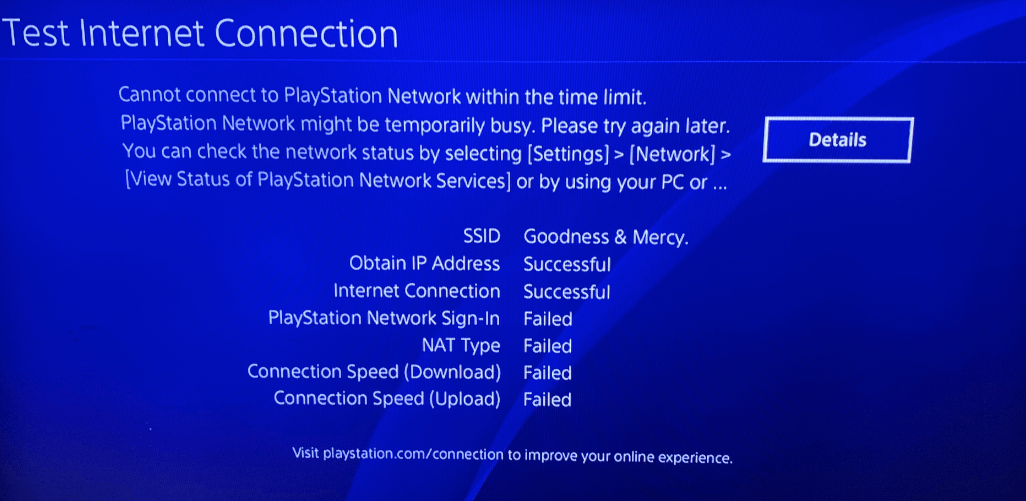
(1). Screenshot of PS4, PS5 error report👇🏻
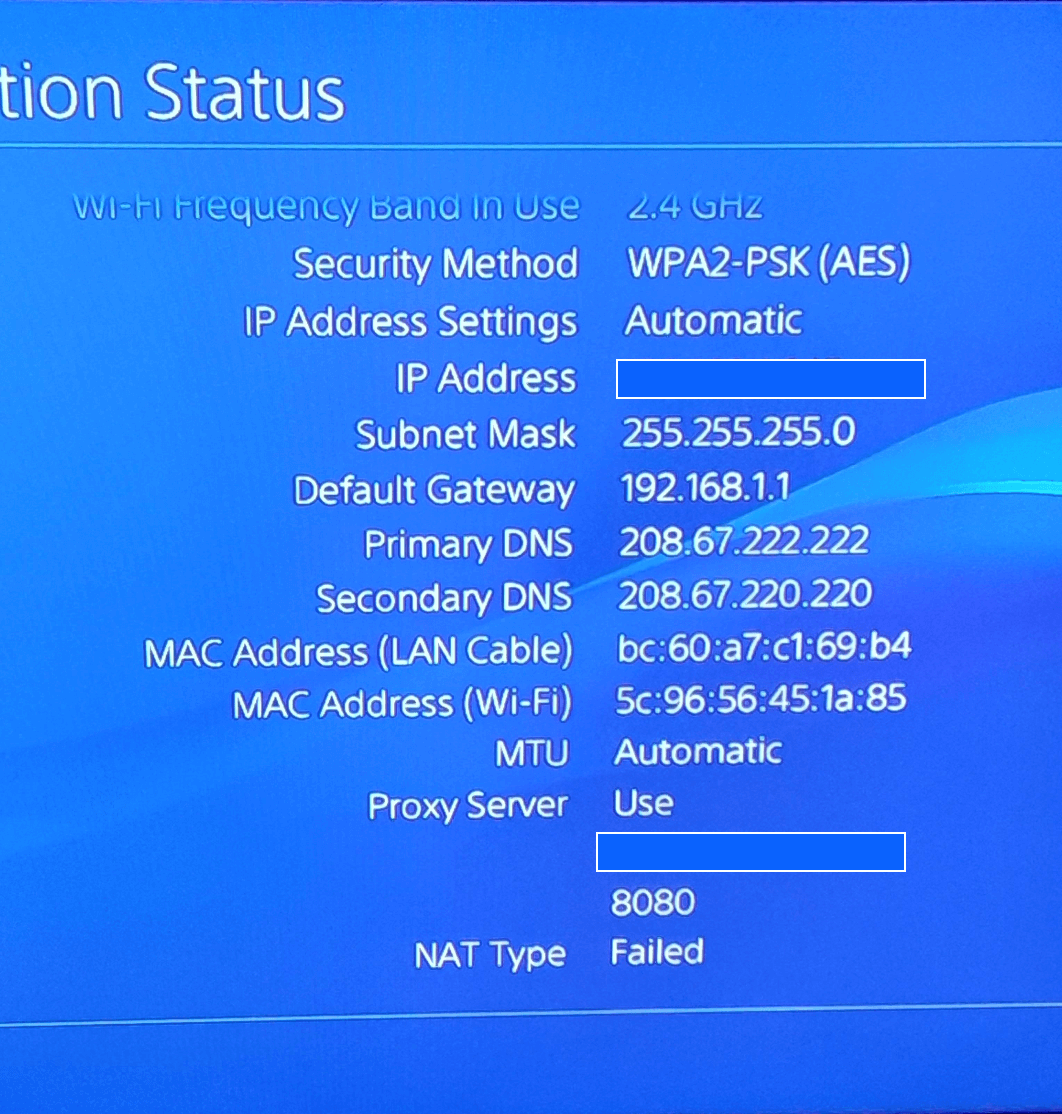
(2). PS4, PS5 setup page👇🏻
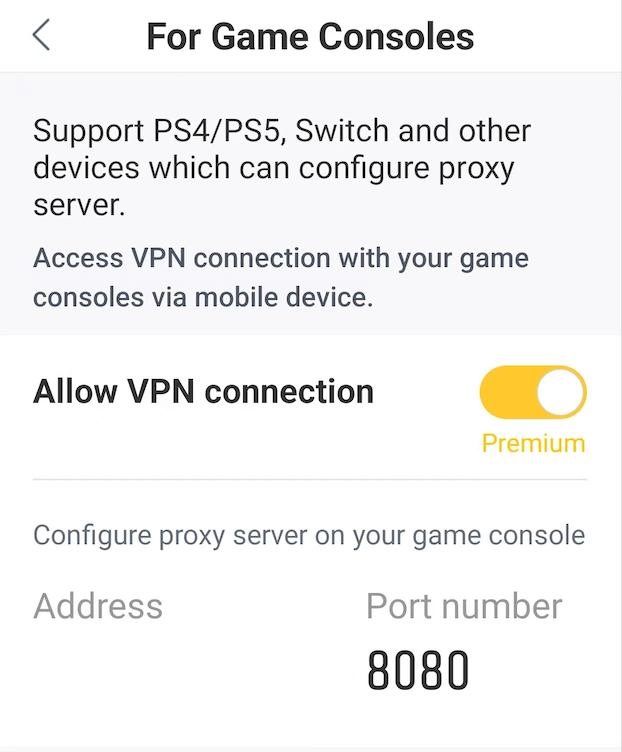
(3). Screenshot of GameConsole in X-VPN👇🏻
Need further help? Please contact us or write to support@xvpn.io.
Questo articolo è stato utile?
Grazie per il tuo feedback!
Perché questo articolo non è stato utile?