Utilizziamo i cookie per offrirti un servizio migliore e analizzare il traffico. Per saperne di più sui cookie, consulta la nostra Dichiarazione sui cookie. Continuando a navigare sul nostro sito web, accetti il nostro uso dei cookie.

Accetta
Gestisci

Impostazioni dei cookie

Utilizziamo i cookie per offrirti un servizio migliore e analizzare il traffico. Per saperne di più sui cookie, consulta la nostra Dichiarazione sui cookie.

Essenziale

Il nostro sito web si affida a questi cookie per un corretto funzionamento.

Funzionalità

Questi cookie sono utilizzati per conservare le tue preferenze, come la selezione della lingua.

Statistiche

I cookie ci permettono di ottenere informazioni sui nostri visitatori e migliorare la loro navigazione.

Pubblicità

Cookie utilizzati per tracciare le conversioni per le piattaforme pubblicitarie.

Conferma

La distribuzione gratuita di X‑VPN Premium sta avvenendo ora sul nostro subreddit!

La distribuzione gratuita di X‑VPN Premium sta avvenendo ora sul nostro subreddit!
Entra Ora

How to change my X-VPN password?

Ultima modifica il 2023-06-08

This article will guide you on how to change your X-VPN password.

If you remember the current password

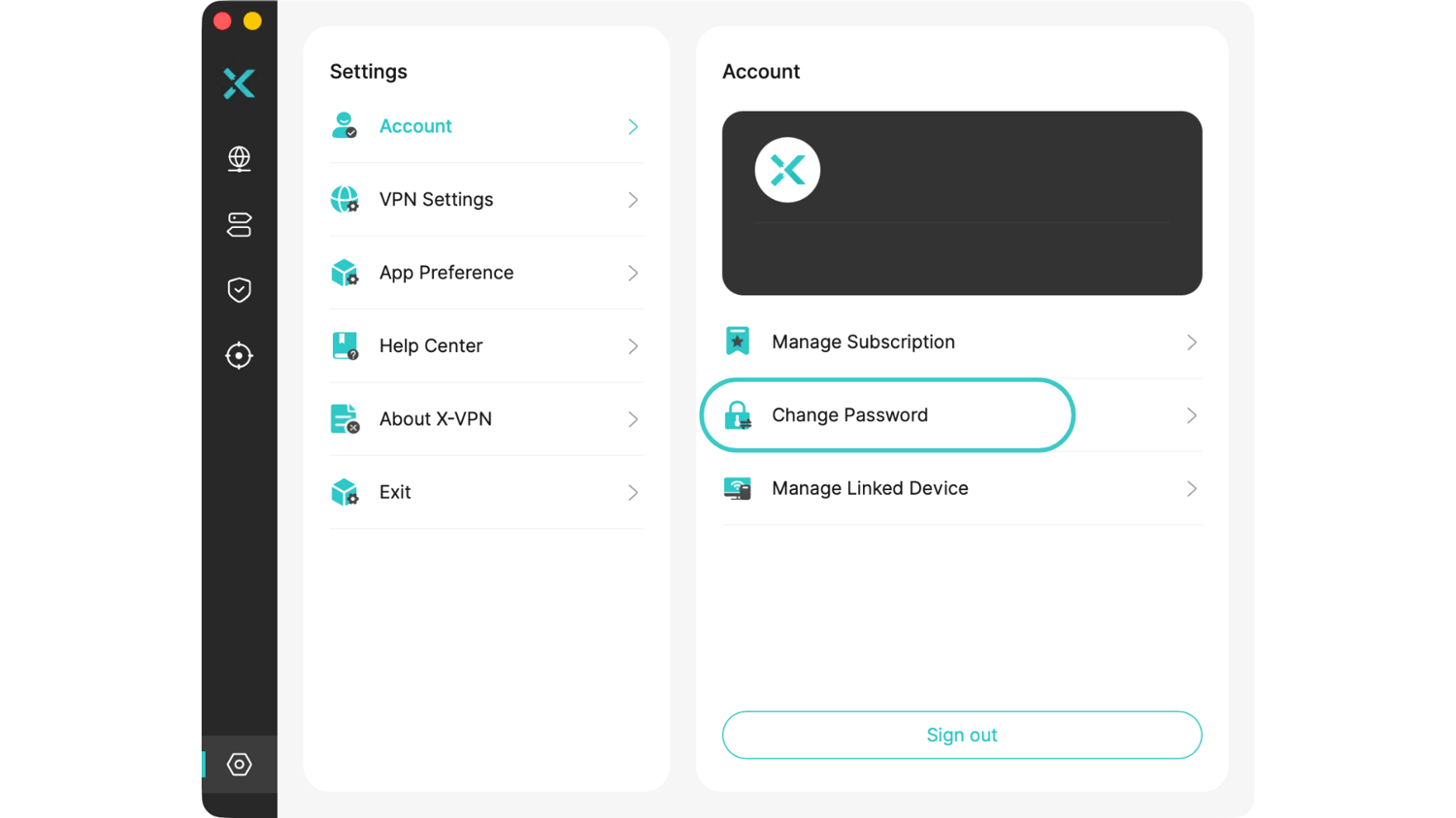
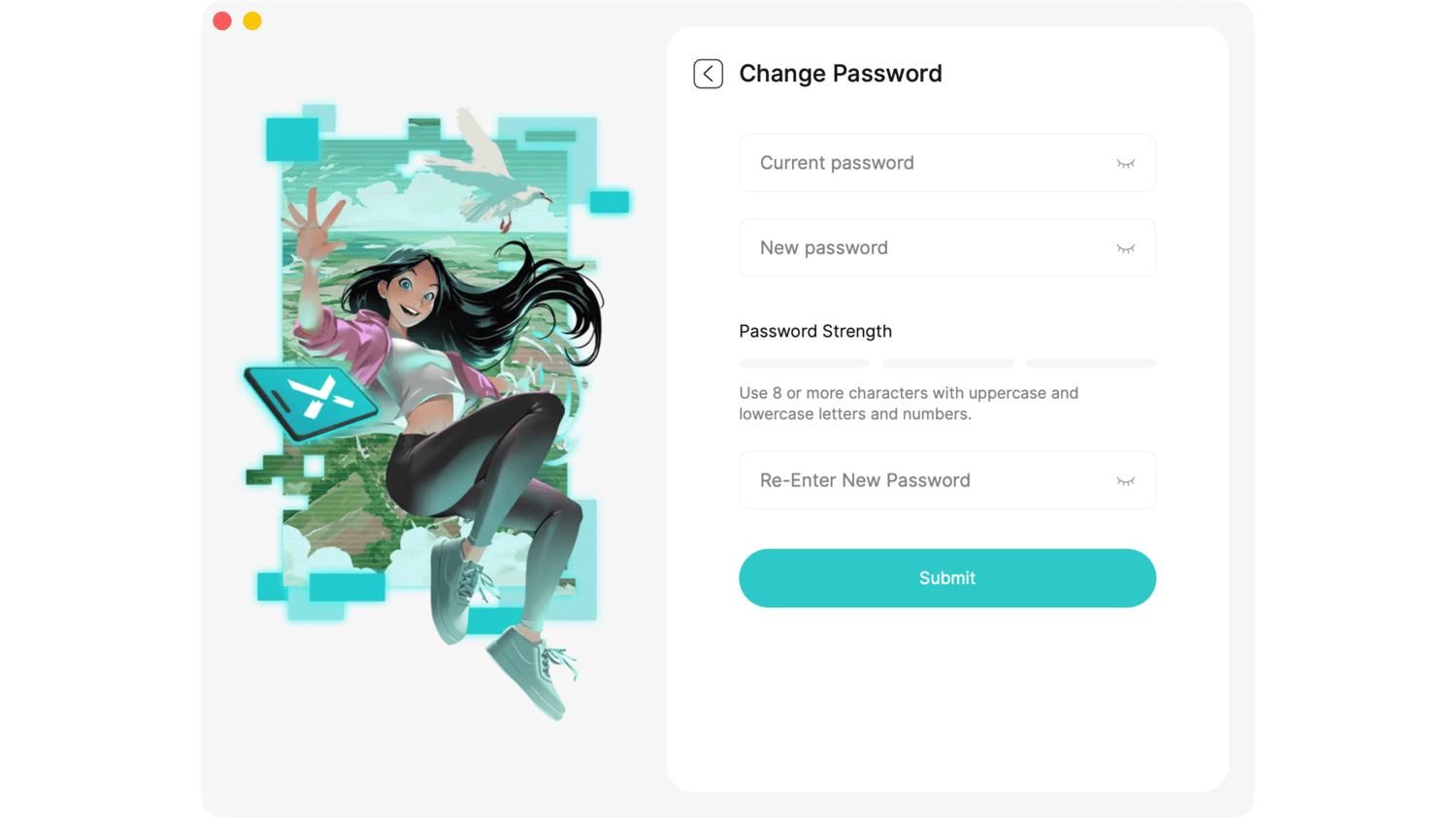
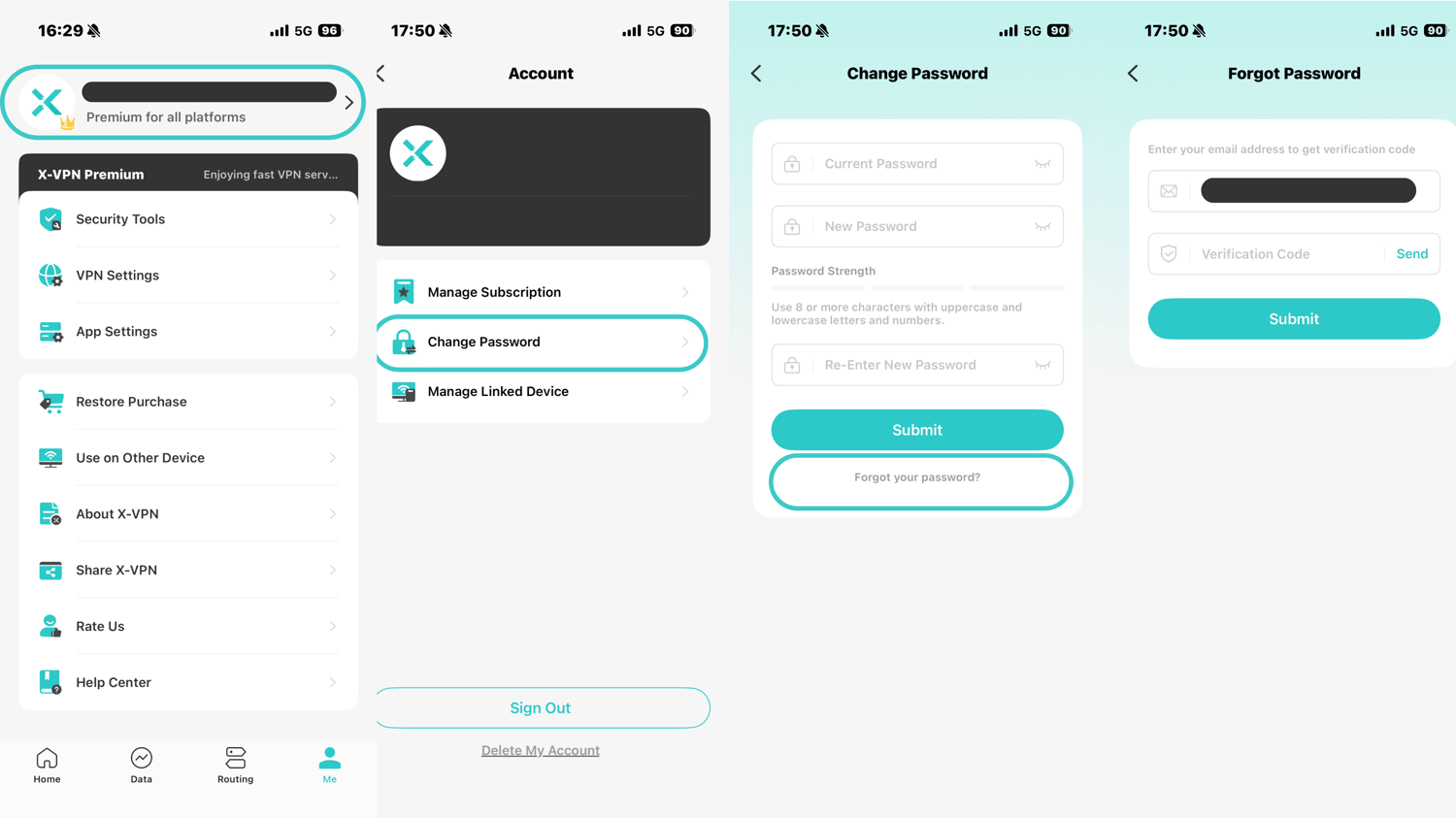
❑ Change the password on your phones or tablets:

Steps: X-VPN home page>Left side bar>Account page>Change password

Note: You can also click "Forgot your password?" directly on the password change page to reset the password (only available for Android 189 and above).

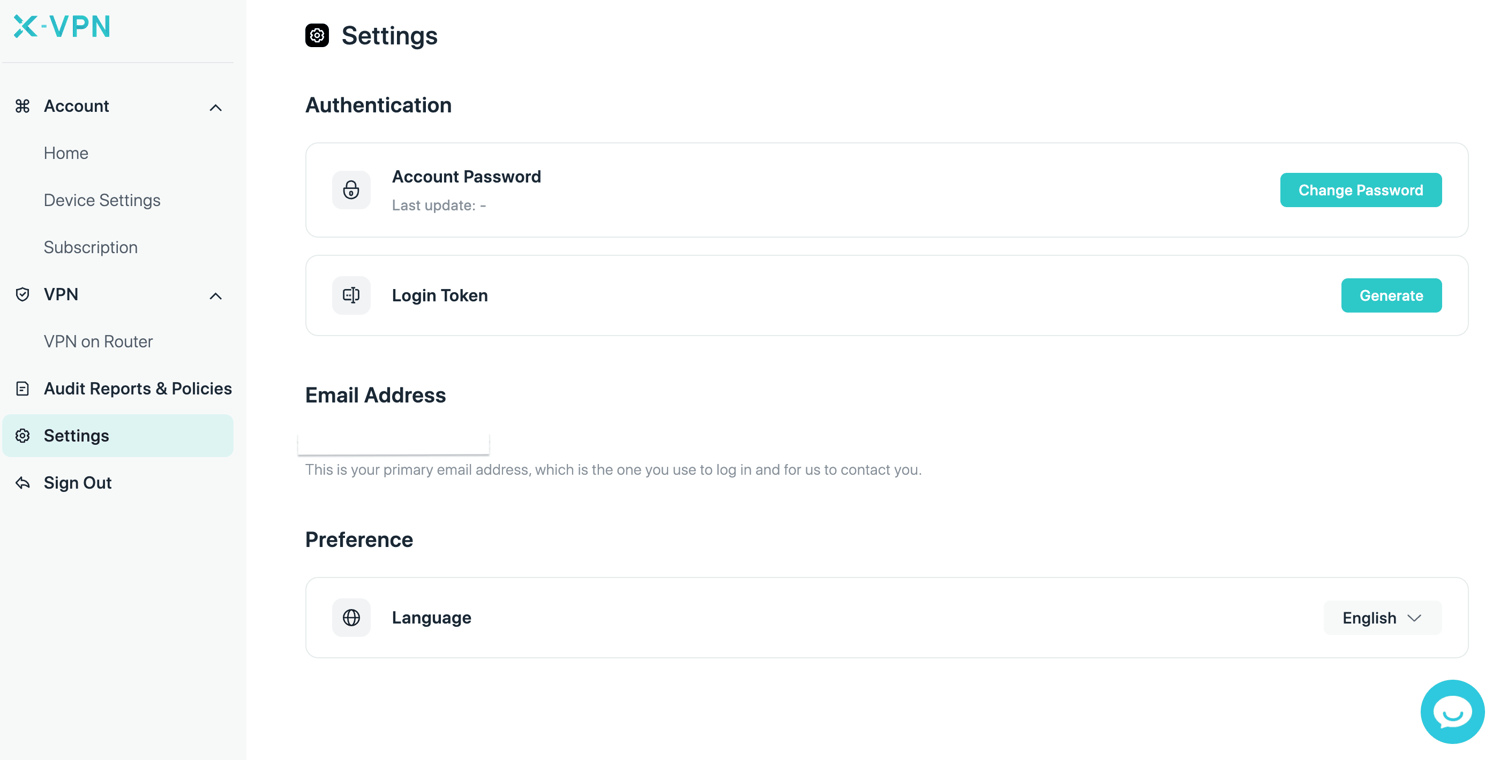
Change the password on the X-VPN website:

Steps: Sign in to your account>Click Change password

If you forget the current password

❑ Change the password on your phones or tablets:

Step 1: Enter the X-VPN app, click the Sign In / Sign Up page in the left sidebar, and then click Forgot.

Step 2: Enter your email and then click Send verification code(you will receive the code in your mailbox), Fill in the code and then click Submit.

Step 3: Enter the new password and click submit. When you see the success page, the new password is set.

Change the password on the X-VPN website:

Step 1: Visit the X-VPN sign-in page>Click Forgot password

Step 2: Enter your email and then click Send(you will receive the code in your mailbox).

Step 3: Fill in the code and then click submit.

Step 3: Enter the new password and click submit. When you see the success page, the new password is set.

Need further help? Please contact us or write to support@xvpn.io.

Questo articolo è stato utile?

Grazie per il tuo feedback!

Perché questo articolo non è stato utile?