How to disable IPv6 on Windows?
Ultima modifica il 2026-09-04
Currently, X-VPN doesn't support IPV6. So if your current network is IPV6, X-VPN will connect fail. This tutorial will teach you how to disable IPv6 on Windows.
Please remember that the steps might be slightly different depending on the version of Windows you have. Let's get started.
Windows 10:
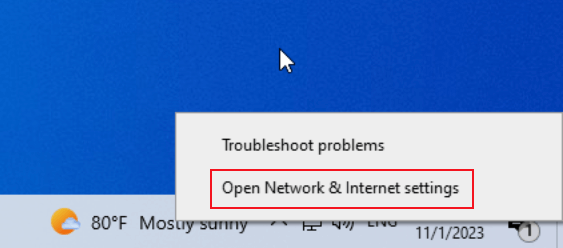
1. Right-click the network icon in the notification tray and select Open Network & Internet settings.
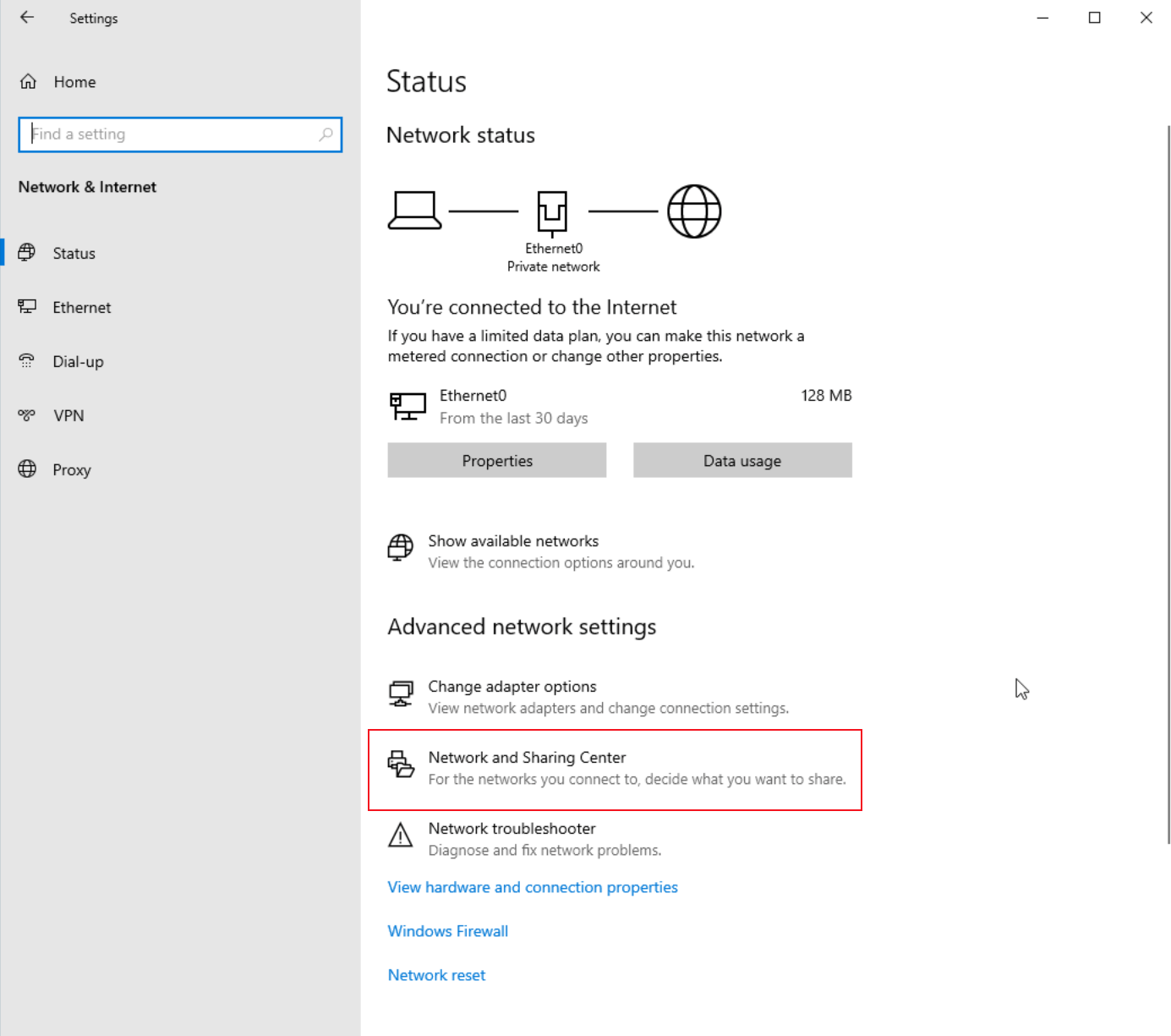
2. Open Network and Sharing Center.
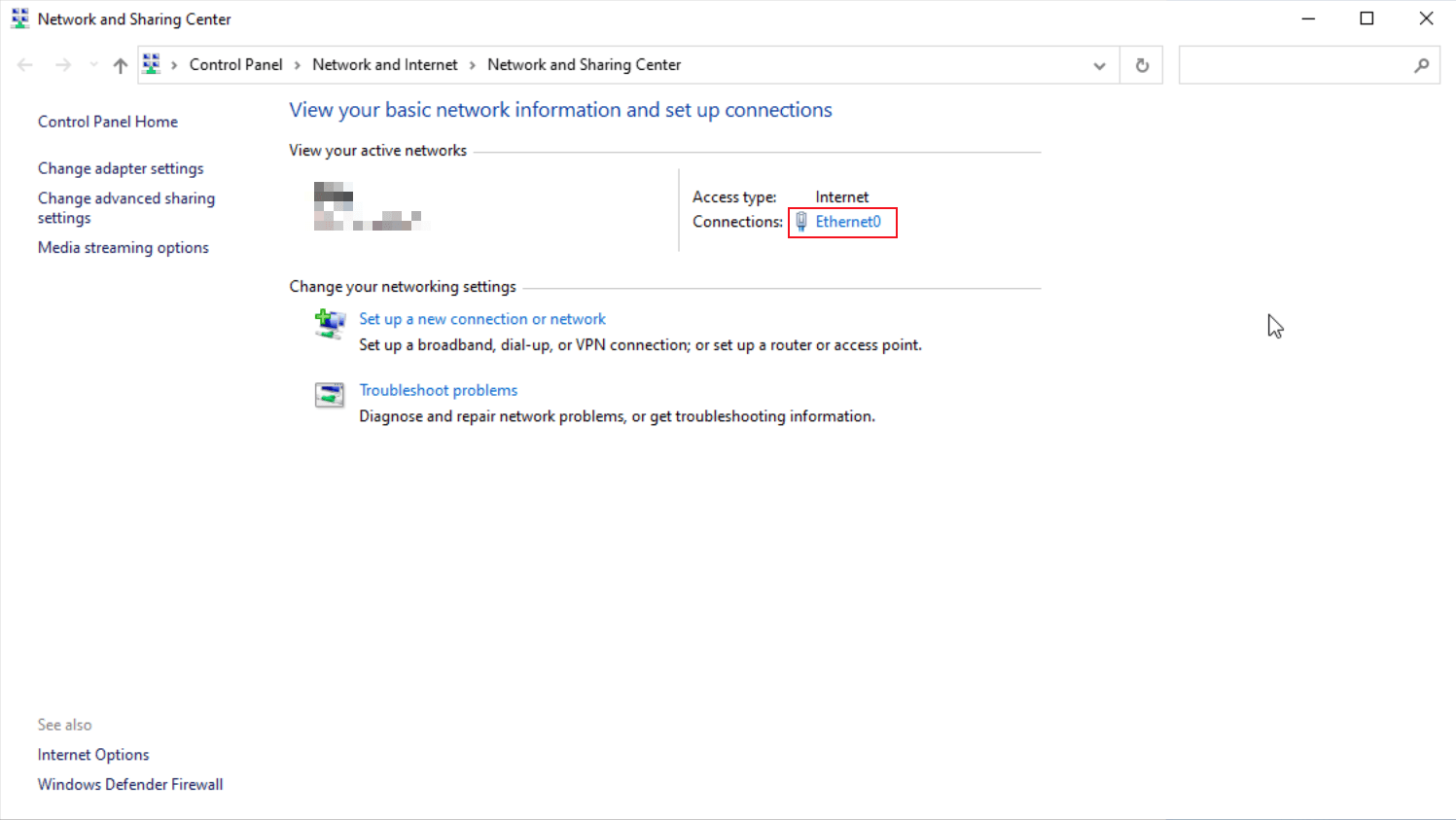
3. Click on your network adapter.
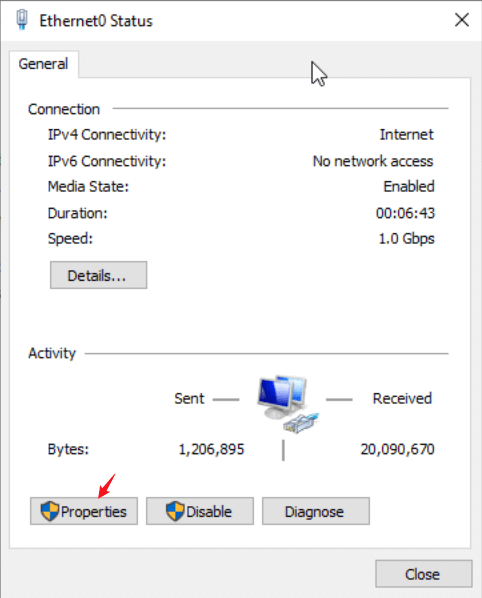
4. Click on Properties.
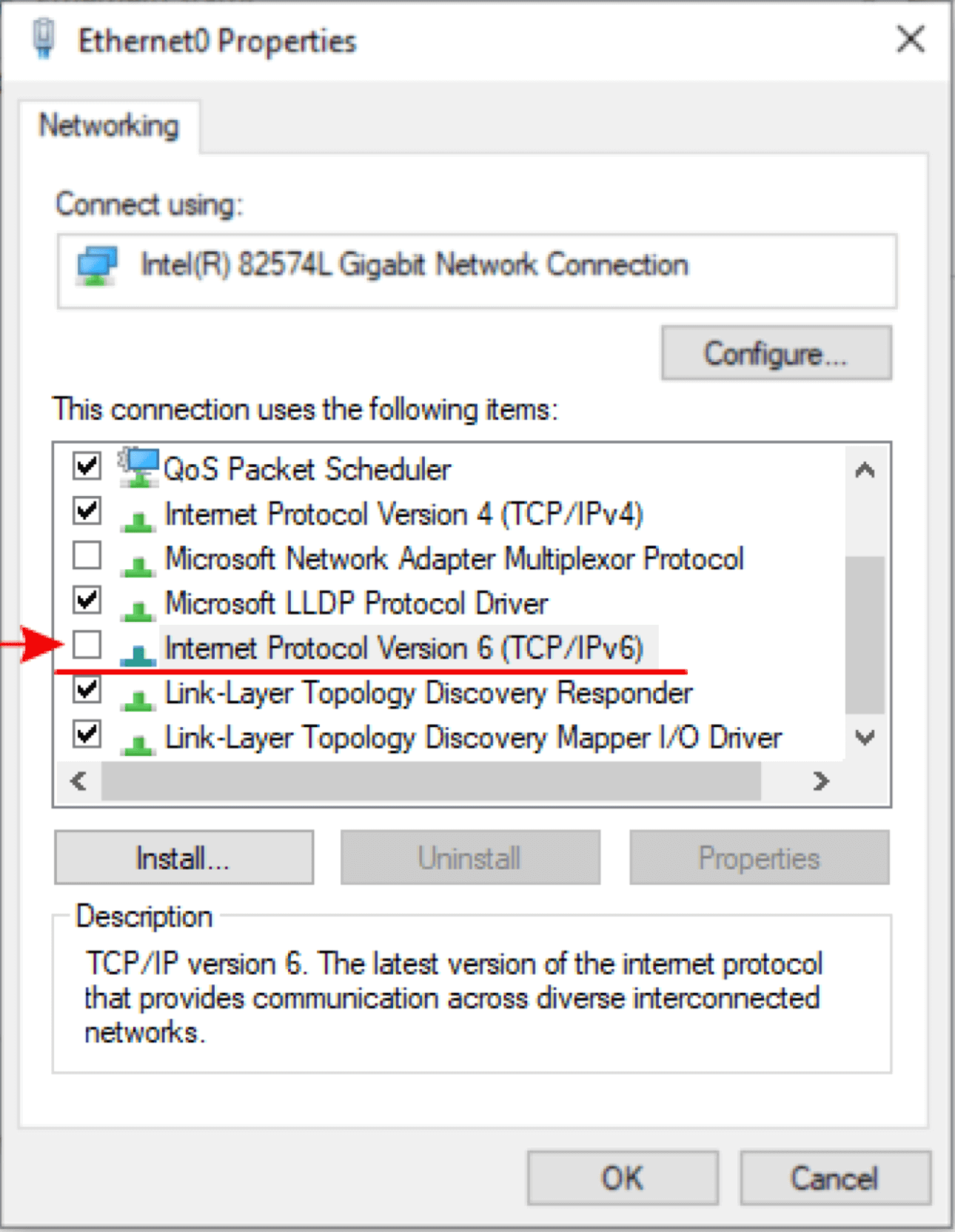
5. Uncheck Internet Protocol Version 6 (TCP/IPv6) on the list. After that, click OK and Close.
Windows 11:
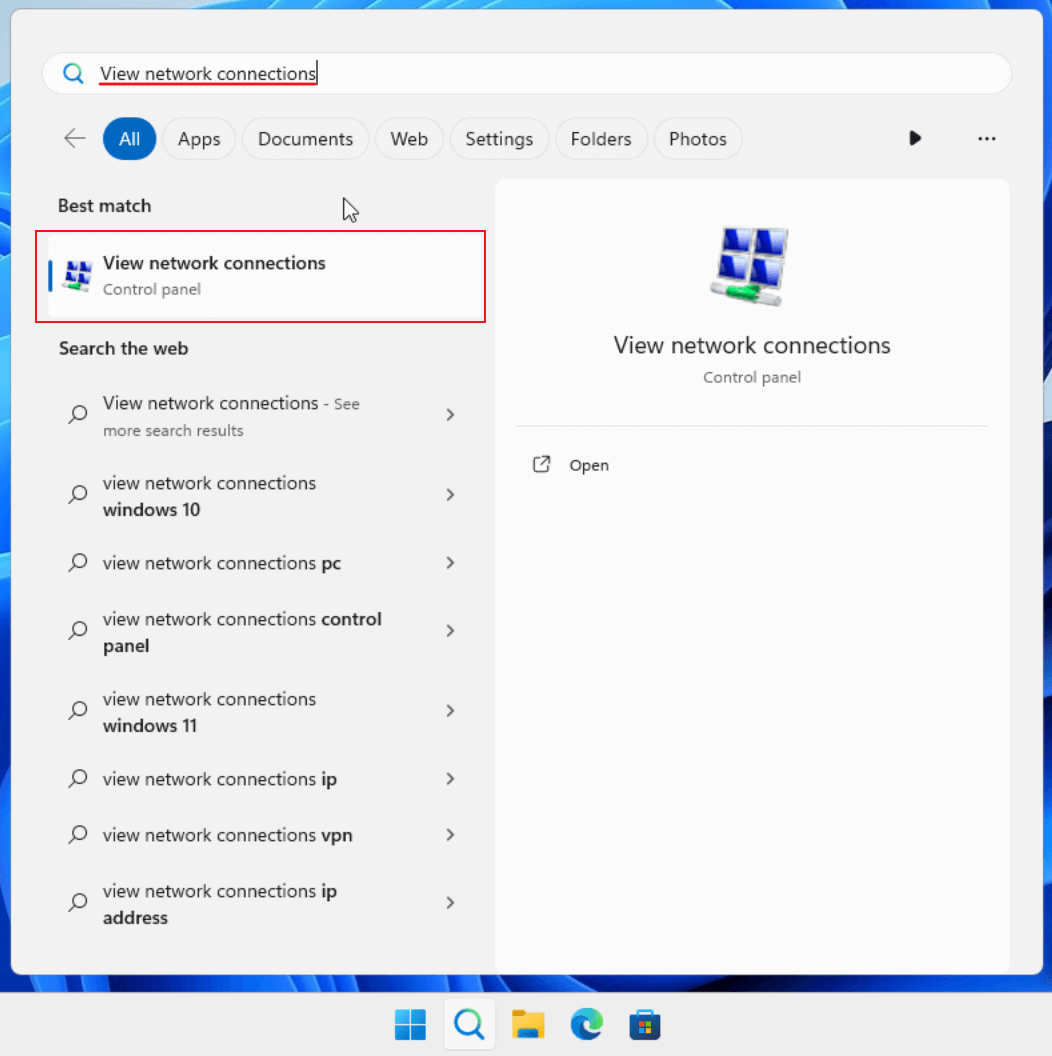
1. At the bottom of your screen, find and press on the magnifying glass icon.

2. A window with a search bar will appear. Type in "View Network Connection" and open the matching result.
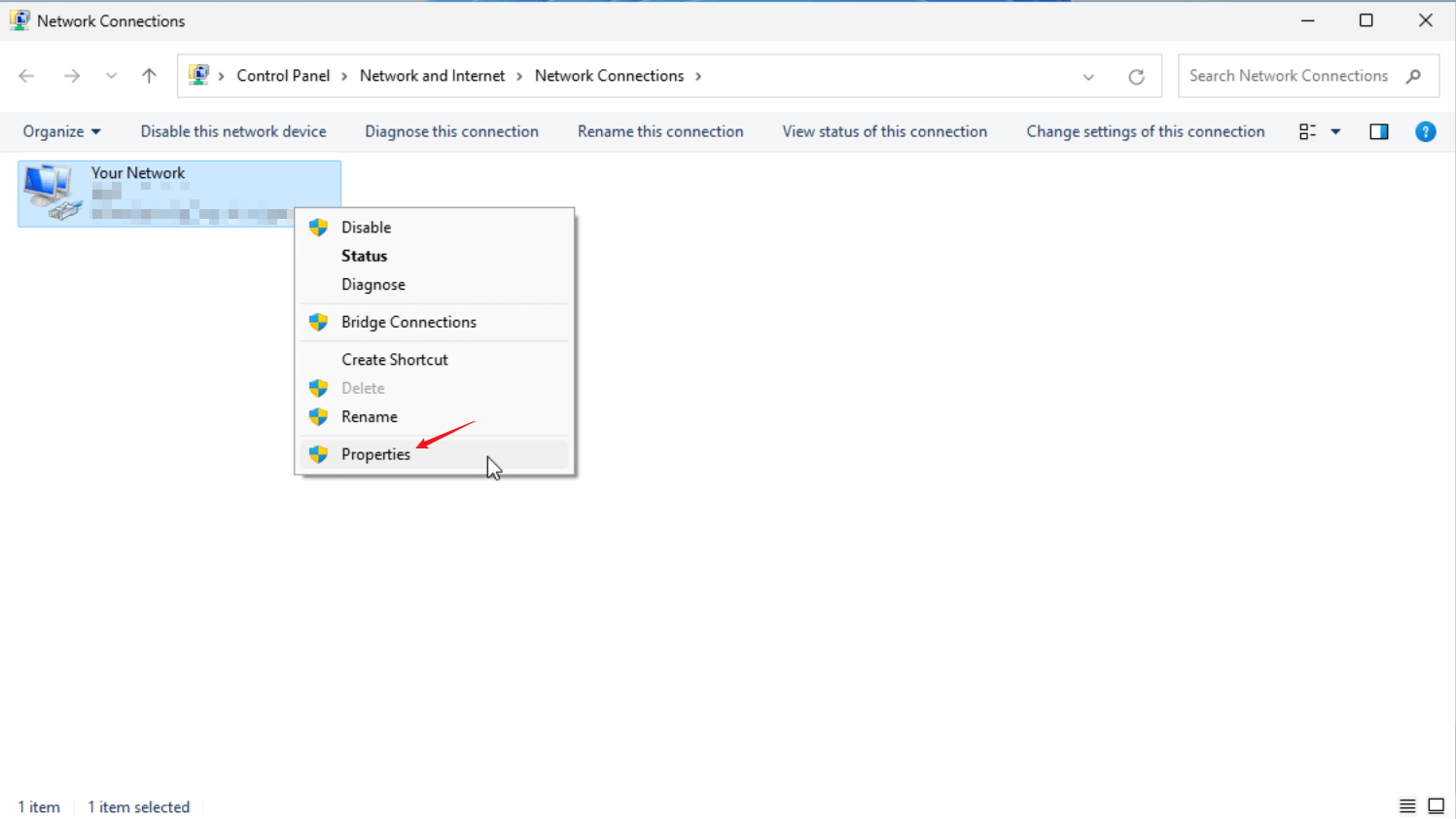
3. Find your network adapter, and right click on it. Then, press on Properties.
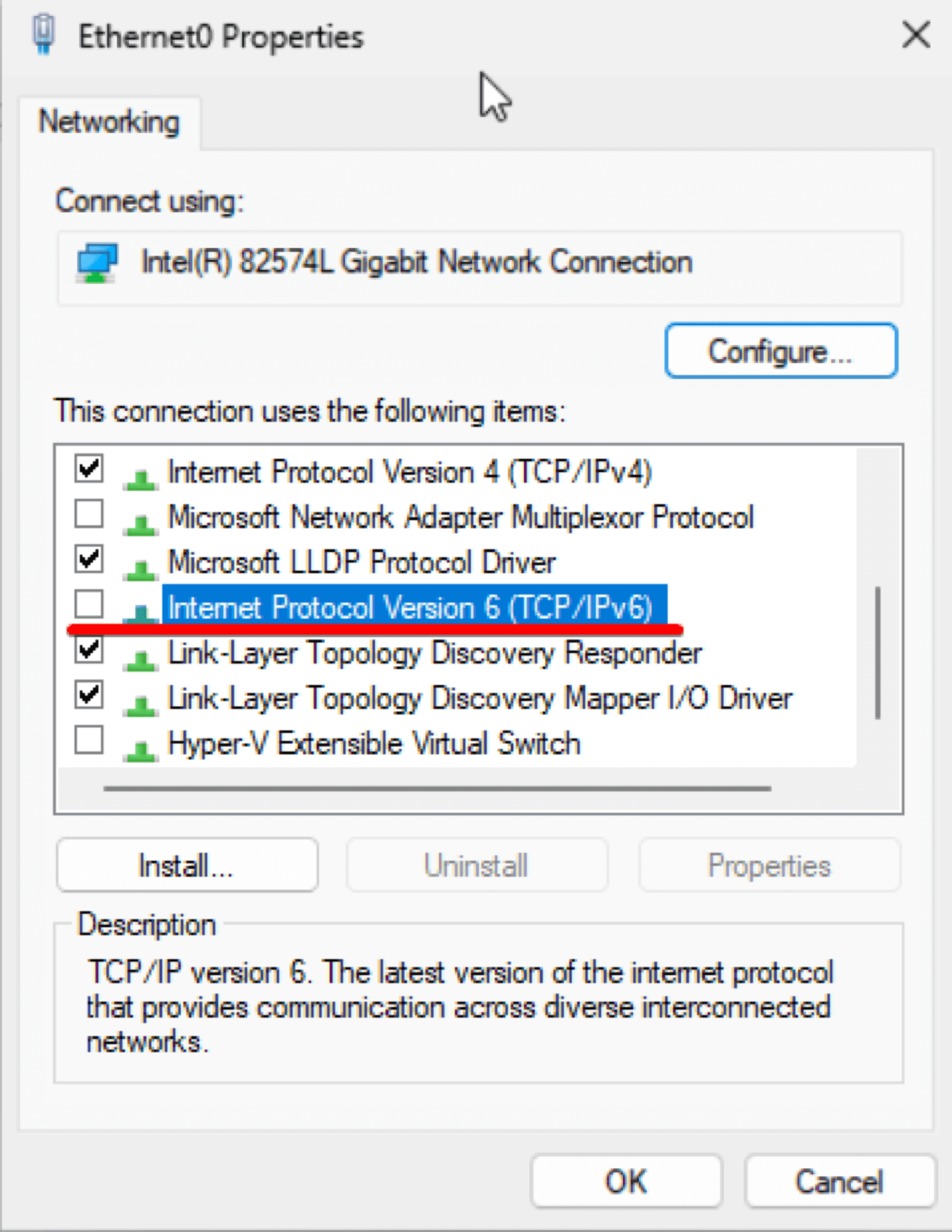
4. Find and uncheck Internet Protocol Version 6 (TCP/IPv6) on the list. After that, click OK and Close.
Questo articolo è stato utile?
Grazie per il tuo feedback!
Perché questo articolo non è stato utile?