Utilizziamo i cookie per offrirti un servizio migliore e analizzare il traffico. Per saperne di più sui cookie, consulta la nostra Dichiarazione sui cookie. Continuando a navigare sul nostro sito web, accetti il nostro uso dei cookie.

Accetta
Gestisci

Impostazioni dei cookie

Utilizziamo i cookie per offrirti un servizio migliore e analizzare il traffico. Per saperne di più sui cookie, consulta la nostra Dichiarazione sui cookie.

Essenziale

Il nostro sito web si affida a questi cookie per un corretto funzionamento.

Funzionalità

Questi cookie sono utilizzati per conservare le tue preferenze, come la selezione della lingua.

Statistiche

I cookie ci permettono di ottenere informazioni sui nostri visitatori e migliorare la loro navigazione.

Pubblicità

Cookie utilizzati per tracciare le conversioni per le piattaforme pubblicitarie.

Conferma
La politica No-Logs di X-VPN è stata verificata da professionisti indipendenti!
Entra Ora

How to quickly log in to the PC VPN via mobile?

Ultima modifica il 2023-06-09

To use X-VPN on multiple devices, please first confirm that you have a subscription that supports all platforms.

Mobile subscription only? Click here to learn how to upgrade your subscription.

Not subscribed yet? Click here to get X-VPN Premium now. Feel free to try it risk-free, we have a 30-day money-back guarantee.

If you already have a subscription for all platforms, you can quickly log in with a few simple steps.

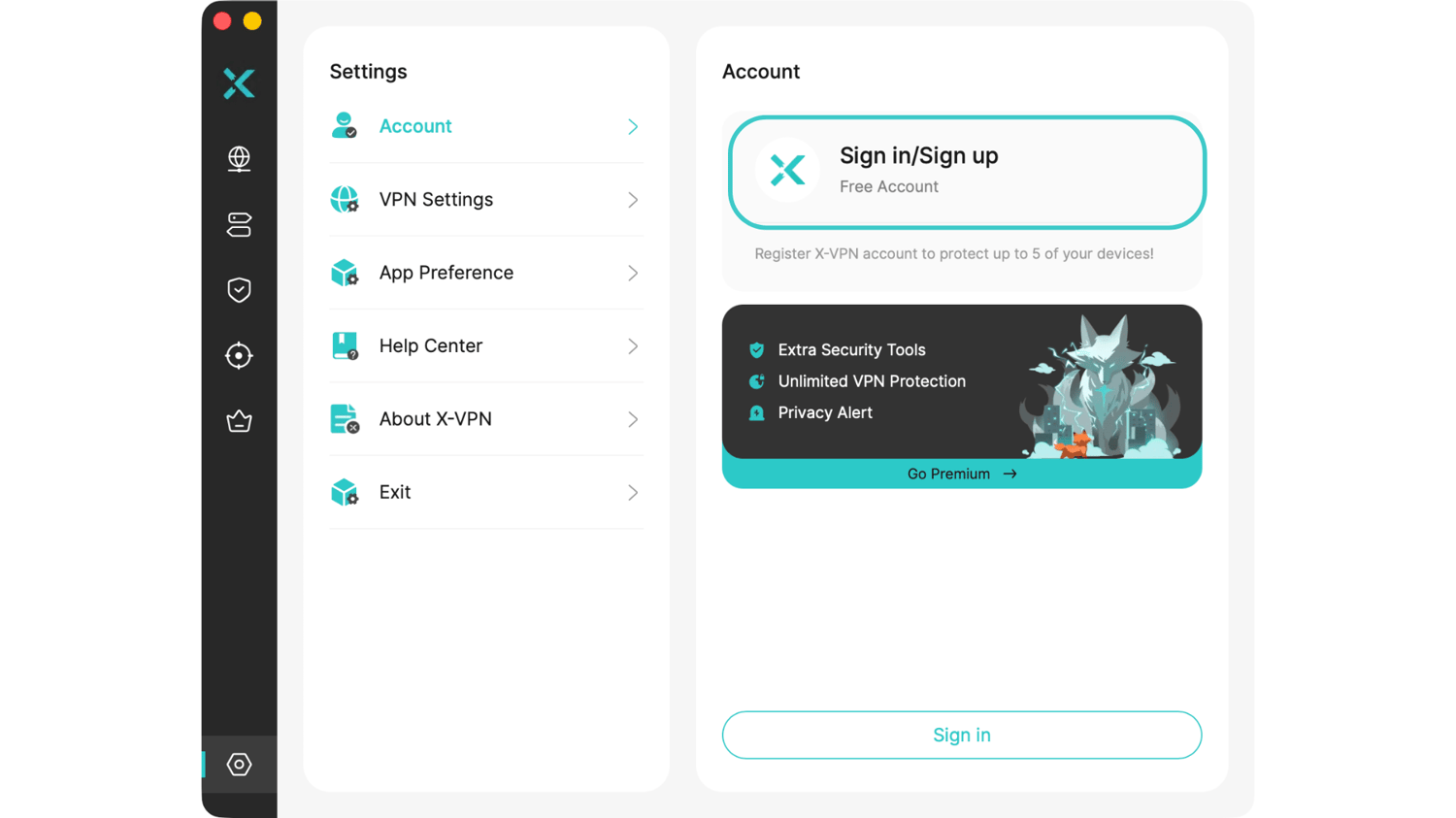
Step 1: Open X-VPN on the computer, click Sign in/Sign up in the upper left corner, and then you will enter the login page.
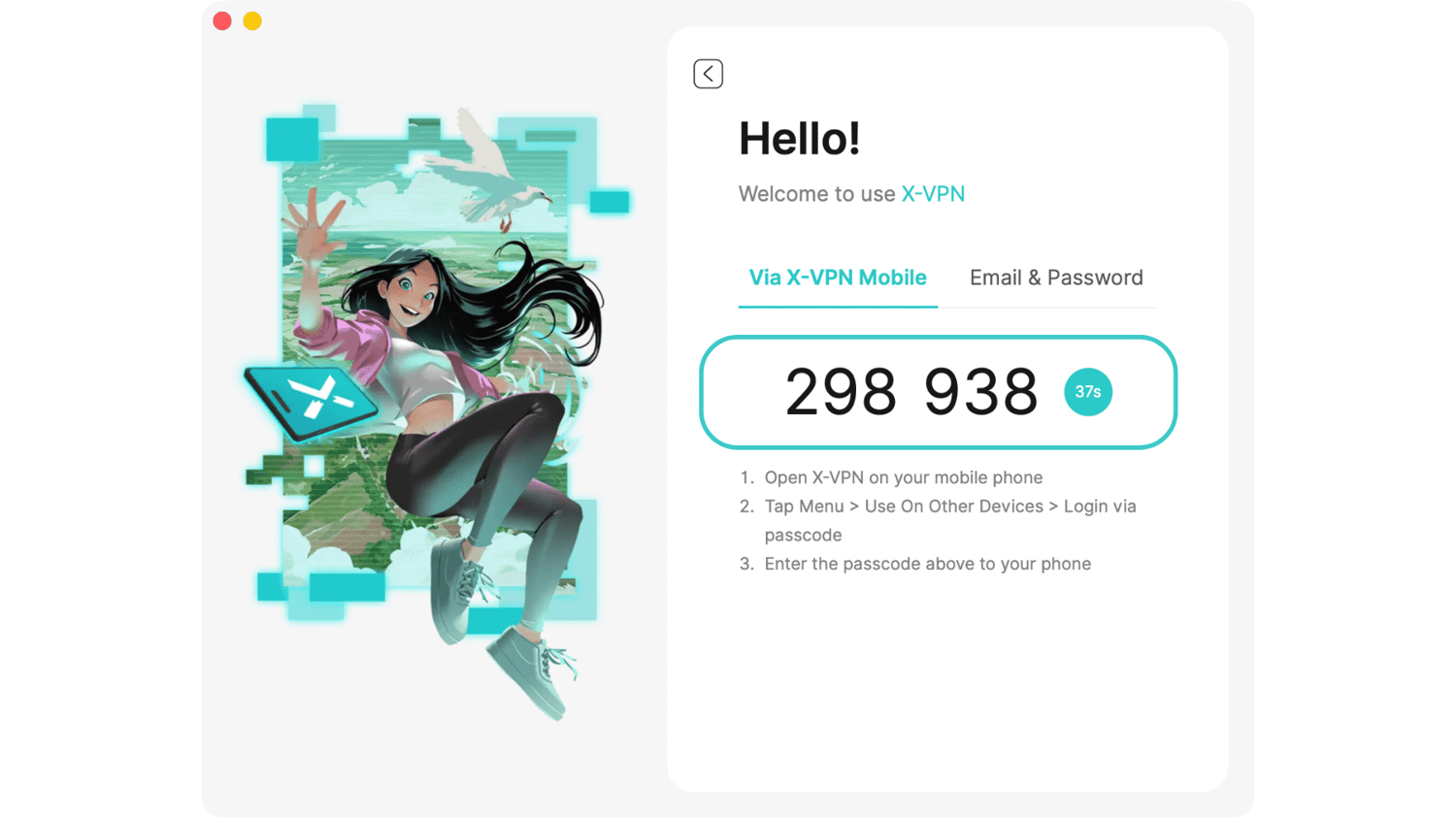
Step 2: Click Login via Mobile Phone and you will get a six-digit passcode.
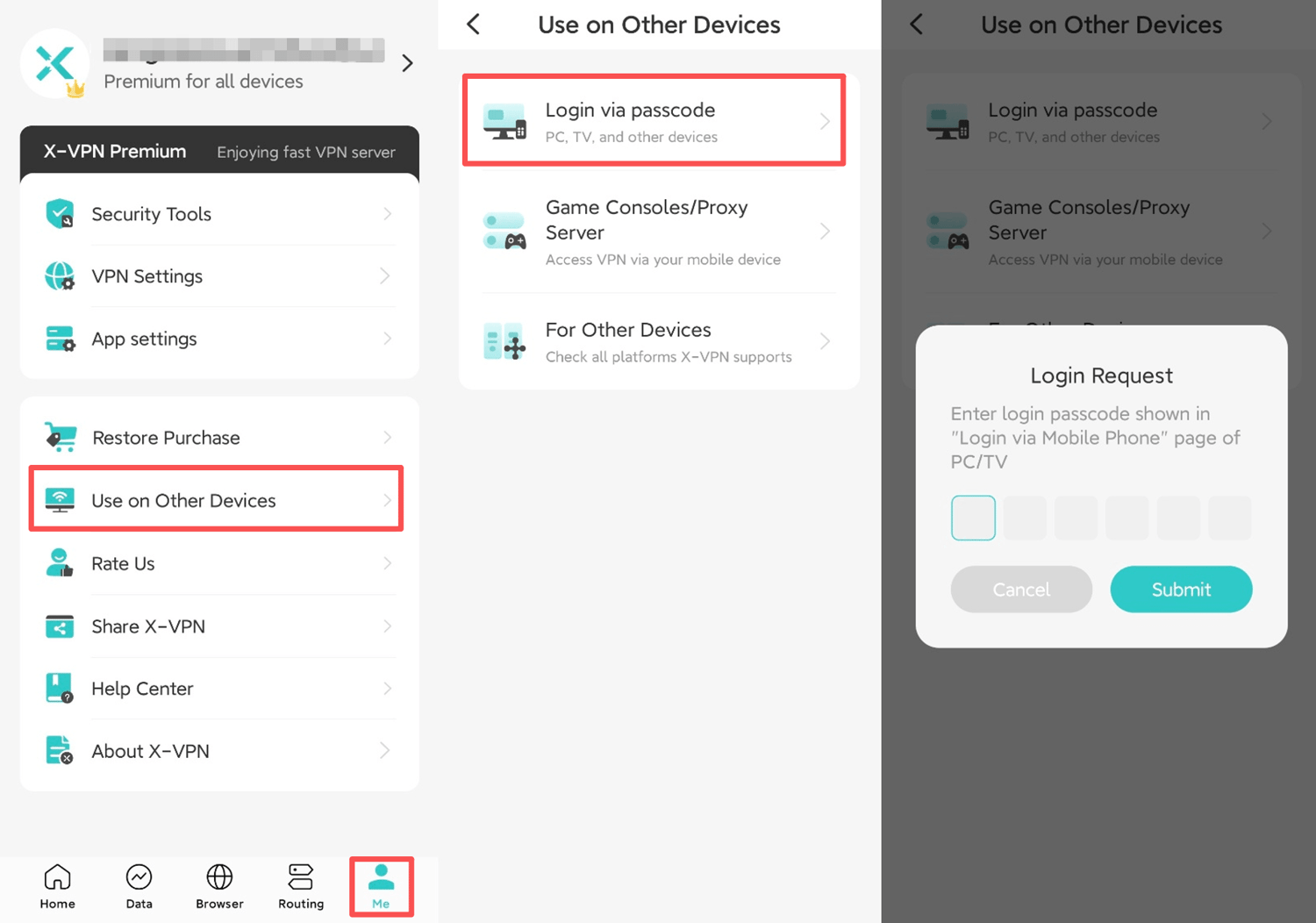
Step 3: Open X-VPN on your phone, click on the left sidebar, click Use On Other Devices, then click Login via passcode, you will get the passcode input box.

Step 4: Enter the passcode you got on the computer in the input box, and then click OK, when you see the Login Success pop-up window, the login is successful! Just enjoy!

Of course, you can also use the most common method: enter your account and password to log in to X-VPN on your computer. When logging in, please make sure to enter the correct account.

Need further help? Please contact us.

Questo articolo è stato utile?

Grazie per il tuo feedback!

Perché questo articolo non è stato utile?