How to use X-VPN on PS4 and PS5?
Ultima modifica il 2026-07-17
Step1 Free download X-VPN for iOS/Android.


Step2 To get Address and Port Number on mobile phone.
· Open X-VPN on your mobile phone, connect to the location required by the game in PS4/5.
· Select Left menu > For Game Consoles/Proxy Server > Allow VPN connection.
· Note down Address and Port number.
You will need to enter the Address and Port Number you got into the relevant fields on the network settings of PS4/PS5 in Step3.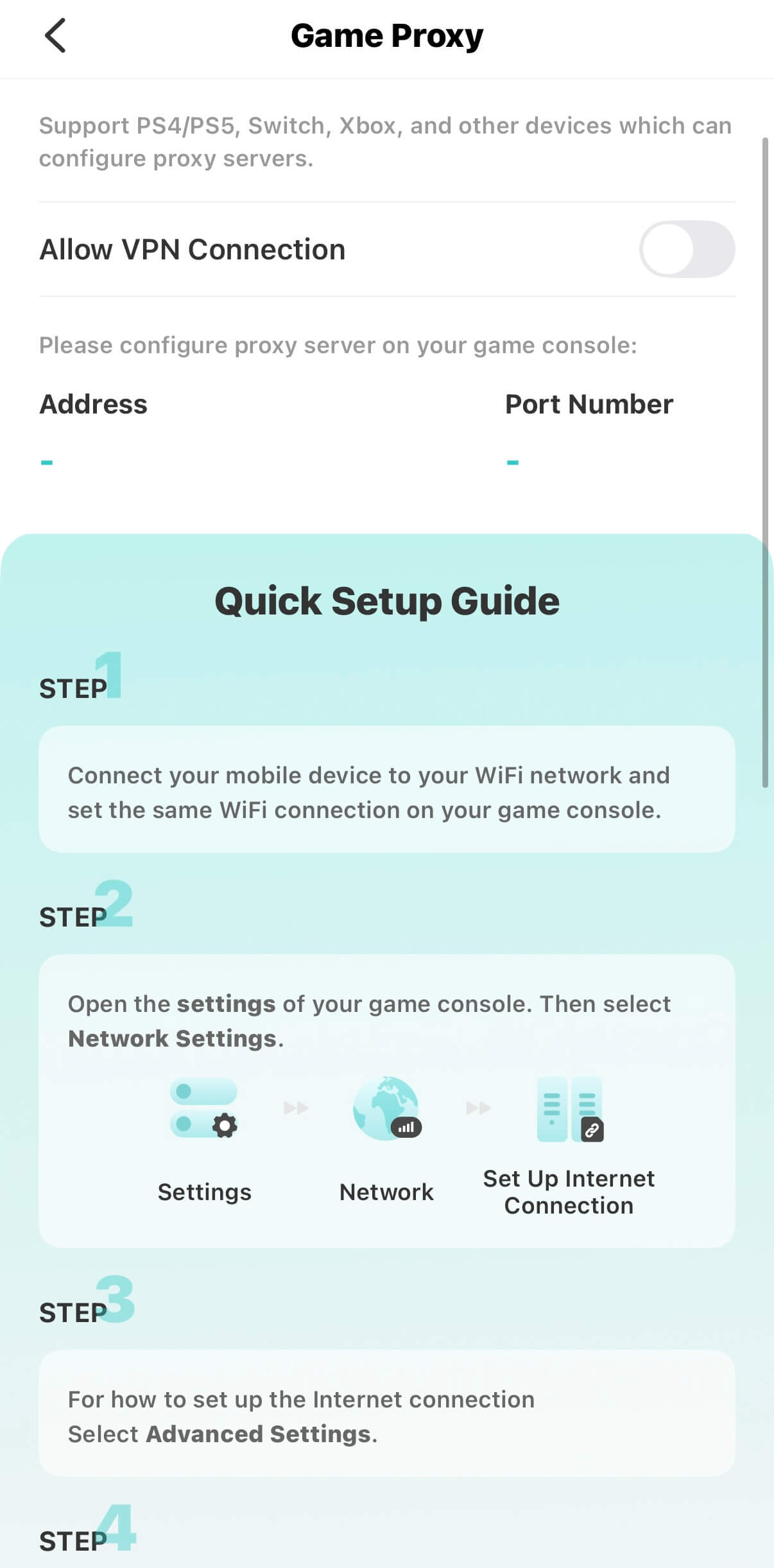
Step3 Configure the Proxy Server on your PS4/PS5 (take PS5 as example):
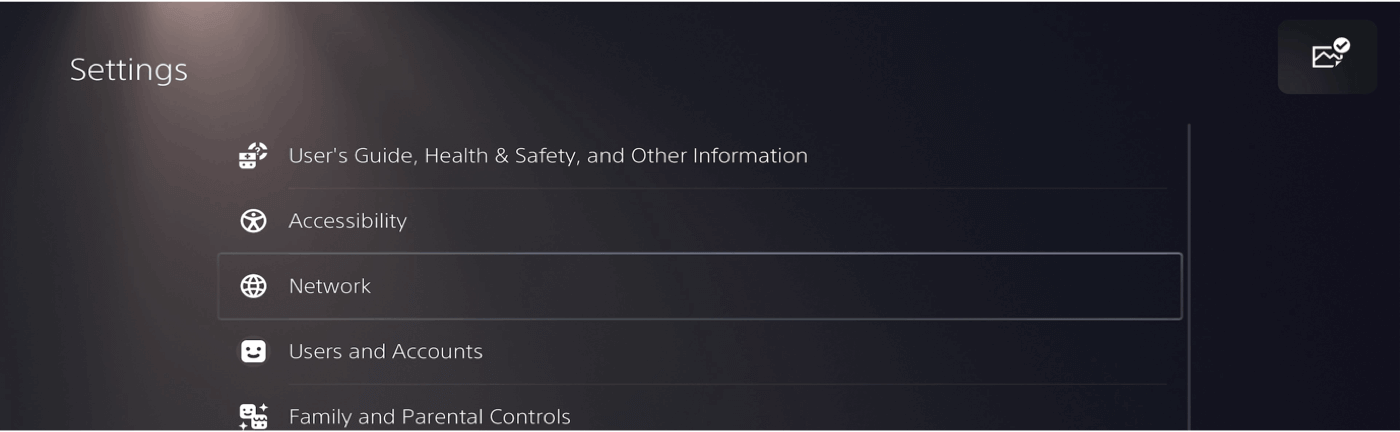
· Open Settings on your PS4/PS5.

· Select Network.
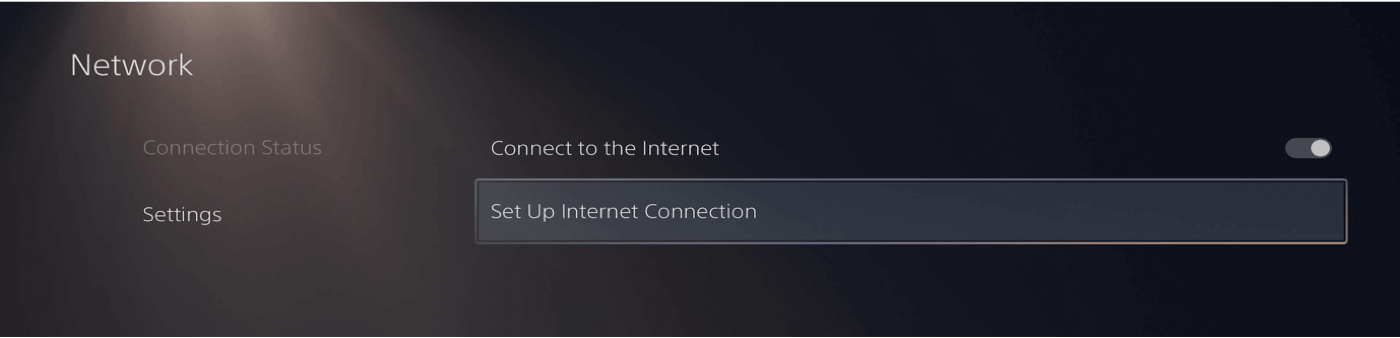
· Select Settings > Set Up Internet Connection.
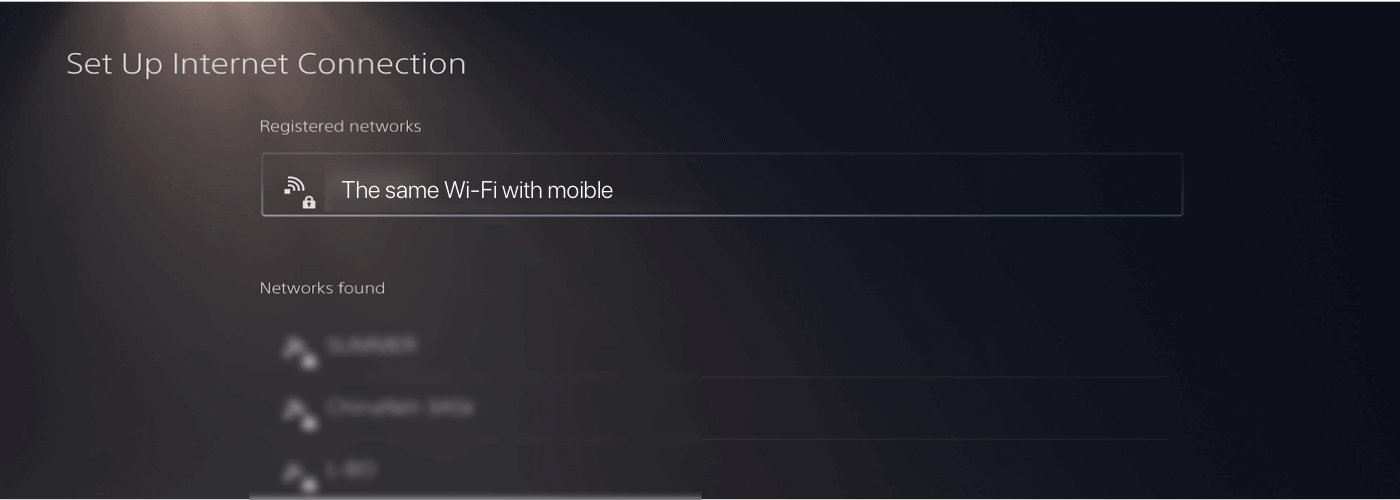
· Connect to the same Wi-Fi with mobile.
· Press the button on the handle to enter the advanced internet settings of selected Wi-Fi.
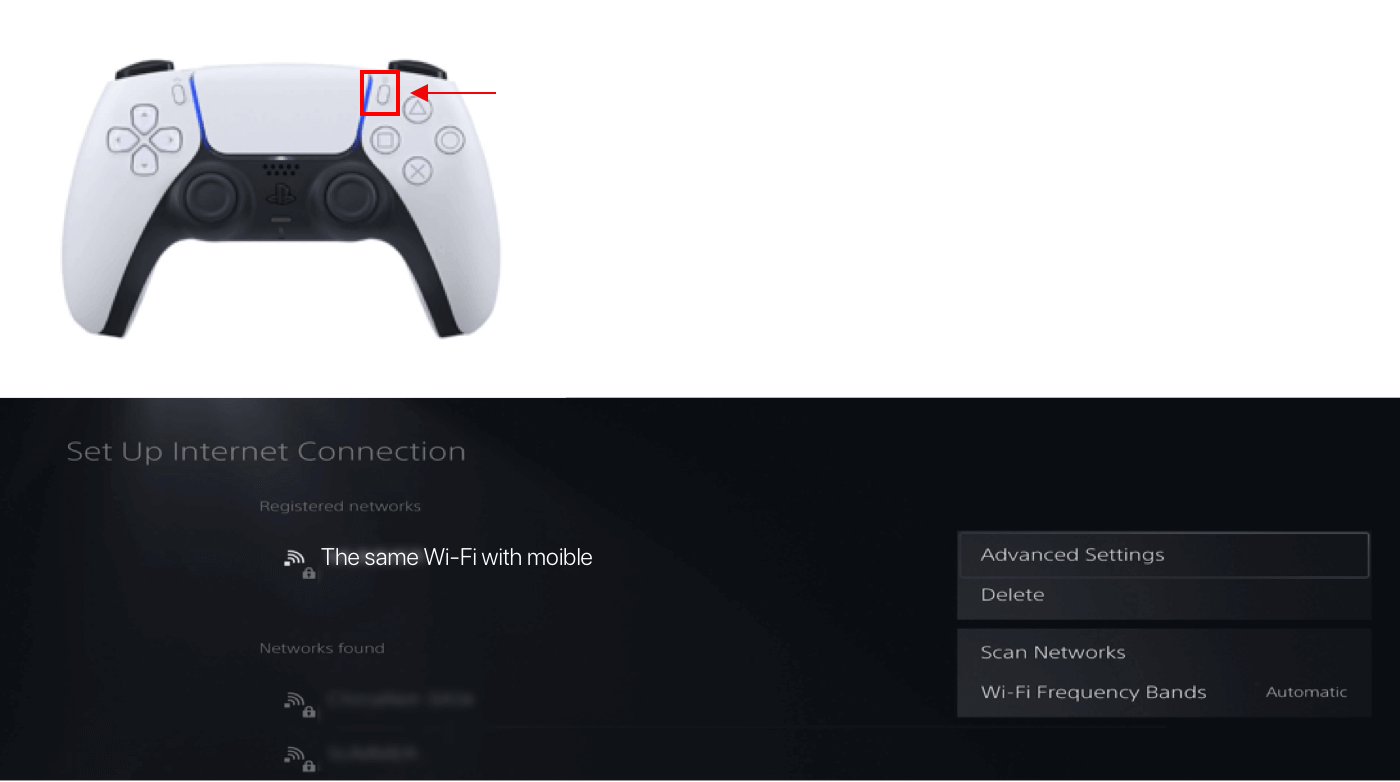
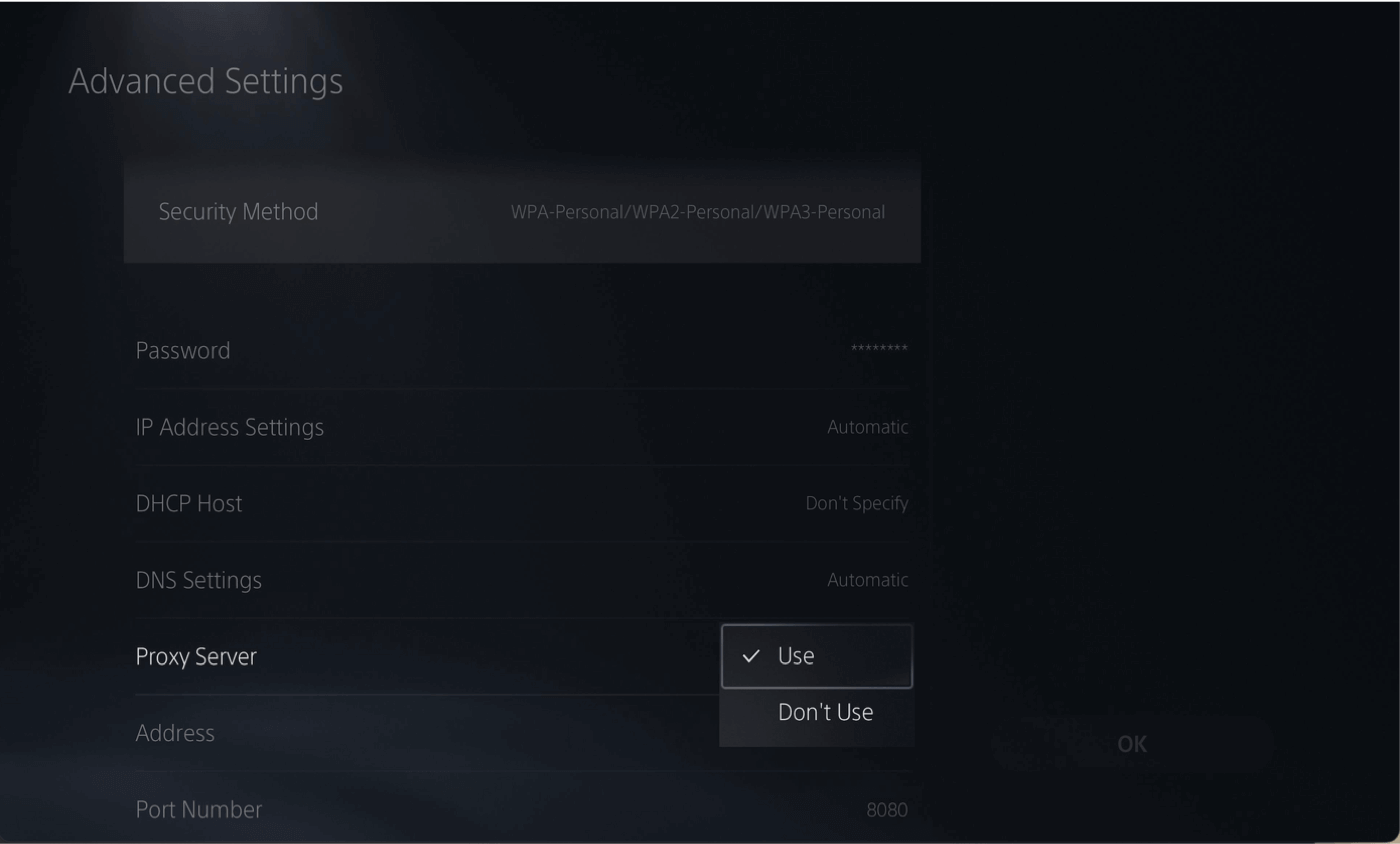
· In the advanced settings, select the following options:
· IP Address Settings: Select Automatic.
· DHCP Host: Select Don’t Specify.
· DNS Settings: Select Automatic.
· Proxy Server: Select Use.
· MTU Settings: Select Automatic.
· Address: Enter the Address got in Step2.
· Proxy Server: Enter the Port Number you get in Step 2.
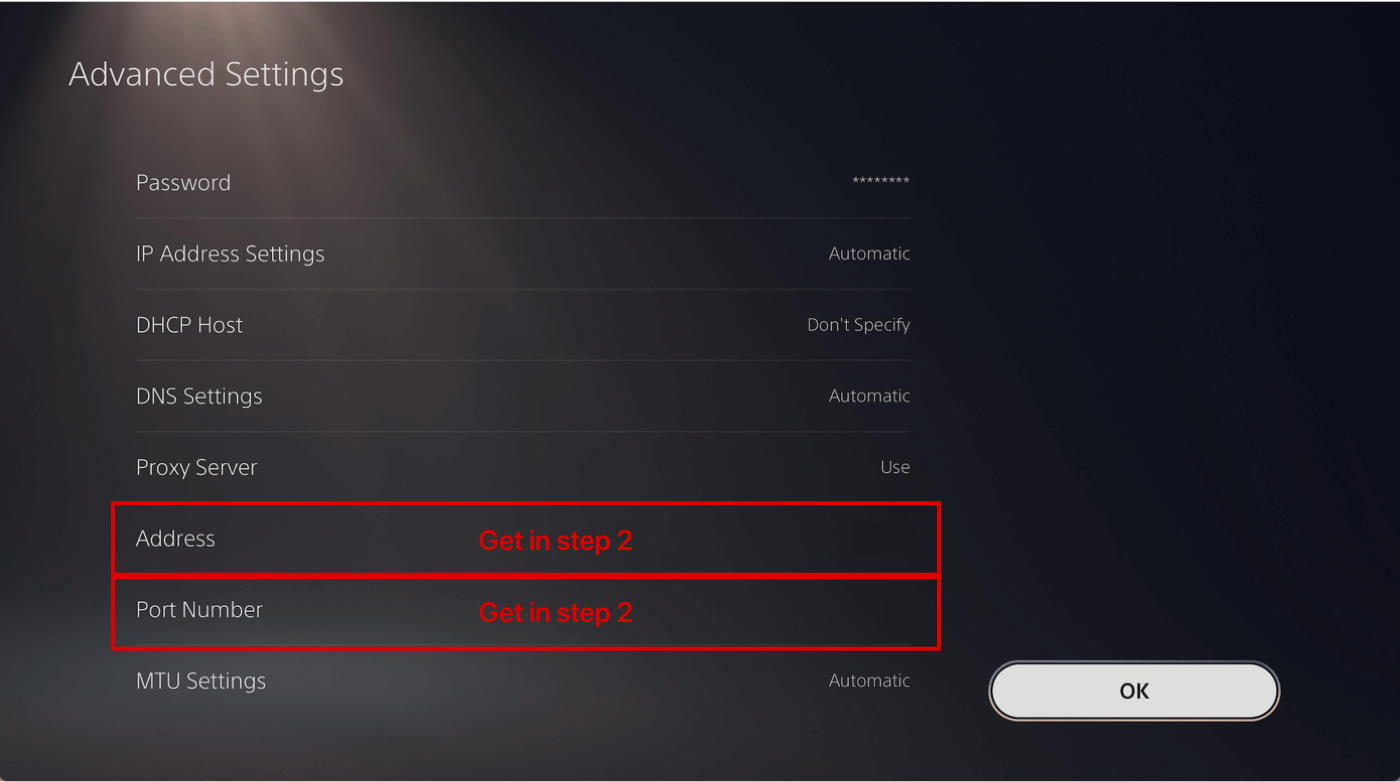
Click OK. Well done! Your game console are connected network via X-VPN now.
If you want to extend X-VPN to more devices, such as Xbox, we recommend using the router version to set up more stable connection.
Questo articolo è stato utile?
Grazie per il tuo feedback!
Perché questo articolo non è stato utile?