Connection issues with School Wifi and Office Wifi
Ultima modifica il 2026-09-04
Specifically, this article will guide you through connection issues when using X-VPN on school WiFi and office WiFi.
Some school WiFi or office WiFi has special restrictions on the applications or websites that network users can access, which may result in unsuccessful connections when using X-VPN. The following two methods may be helpful in bypassing this restriction, which is also applicable to some 4/5G network operators with strict network restrictions.
Method 1: Try the fastest server with protocol TLS and TLS-2
Step 1: Turn off the VPN or proxy on the device
Step 2: Open X-VPN, tap on the Protocols page, and find Protocol TLS and TLS-2
Step 3: Connect to them with the free server/the fastest server
Method 2: Add a domain name for protocol HTTP
Step 1: Turn off the VPN or proxy on the device
Step 2: Open a browser and try to access a website that you can access without a VPN, such as www.google.com
Step 3: Copy down the URL if it can be accessed successfully
Step 4: Open X-VPN, click on the protocol page and slide to the bottom
Step 5: Paste the URL in protocols HTTP&TLS Obfuscate Setting, and click Apply to start connecting
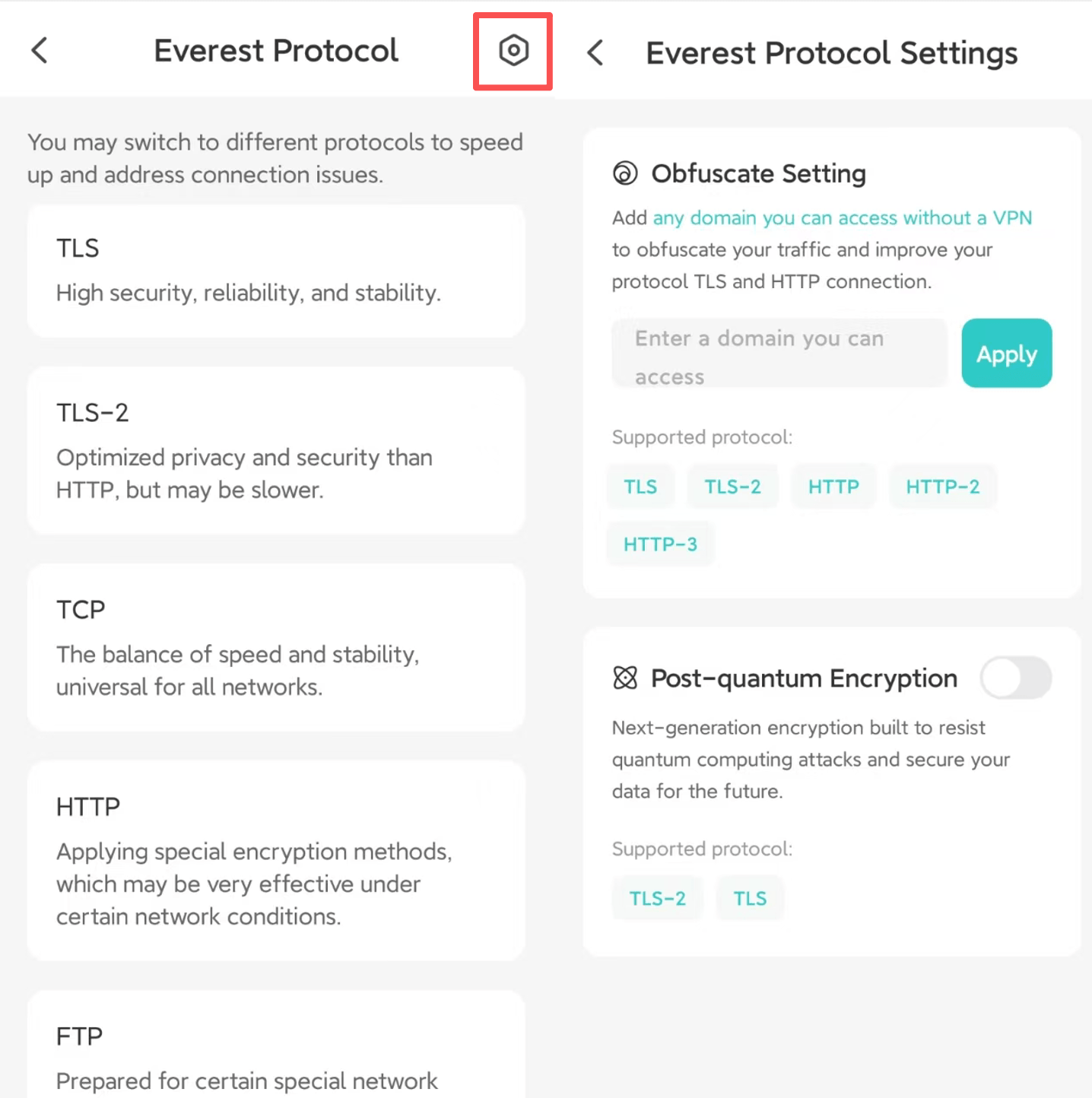
The operations on mobile phones and computers are slightly different but roughly similar. If the above methods don't solve the problem, please update X-VPN to the latest version to try and contact us. We will diagnose your network and provide you with targeted solutions.
Questo articolo è stato utile?
Grazie per il tuo feedback!
Perché questo articolo non è stato utile?