The VPN keeps connecting/takes too long to connect
Ultima modifica il 2026-09-04
This article will walk you through the issue where when you click the connect button, X-VPN keeps connecting and you can't successfully connect
There are many reasons for this problem, such as the Stable Connection feature being turned on will take longer to find the best configuration for you to connect, but in general the following works.
Step 1: Wait in the Connecting state until the error code pops up
Step 2: Find the solution for the Connect Failed issue
Step 3: If the connection takes longer than 2 minutes, we recommend you try the protocols UDP, TLS and TLS-2 (picture1 is for mobile, picture2 is for PC)
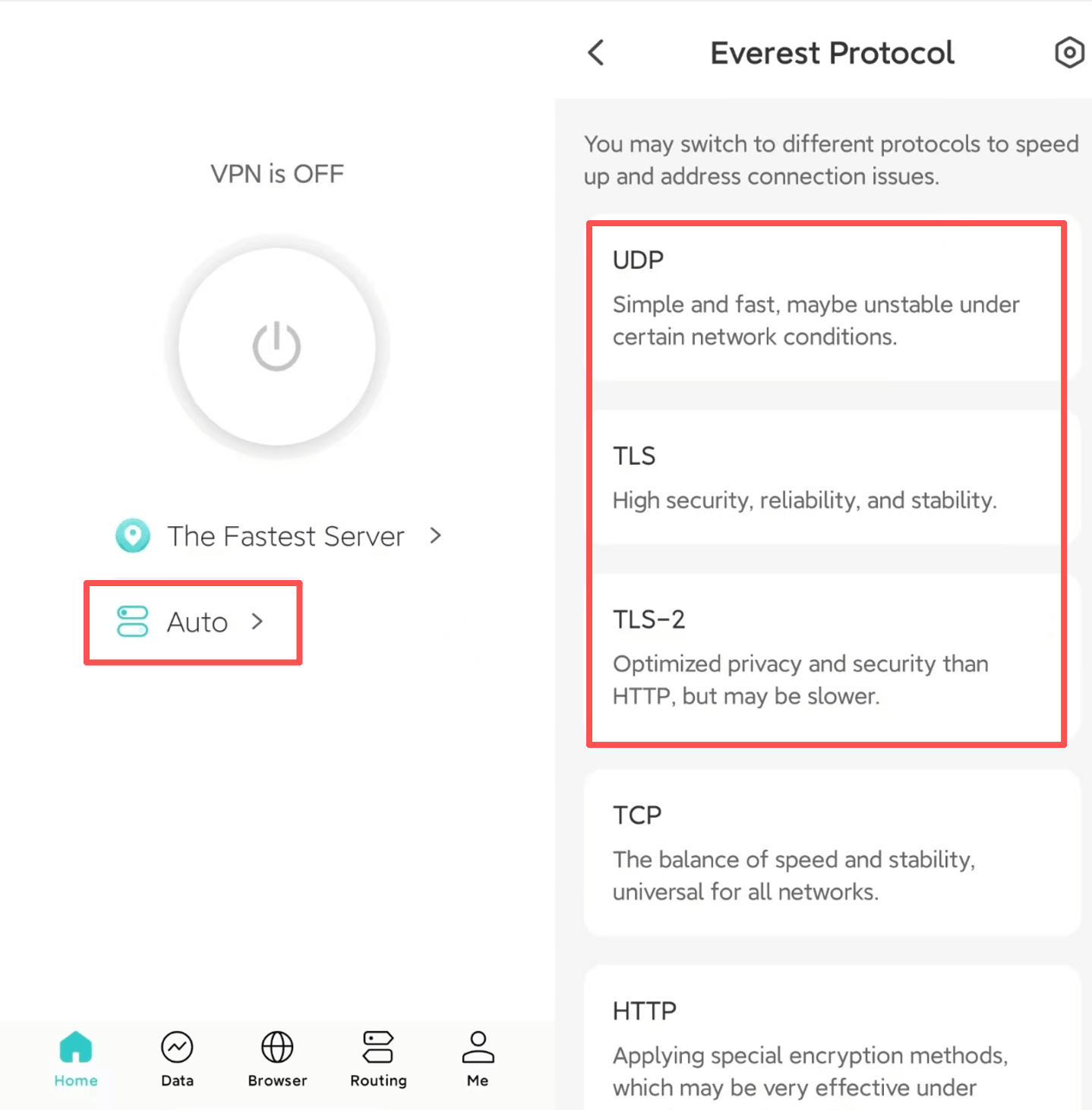
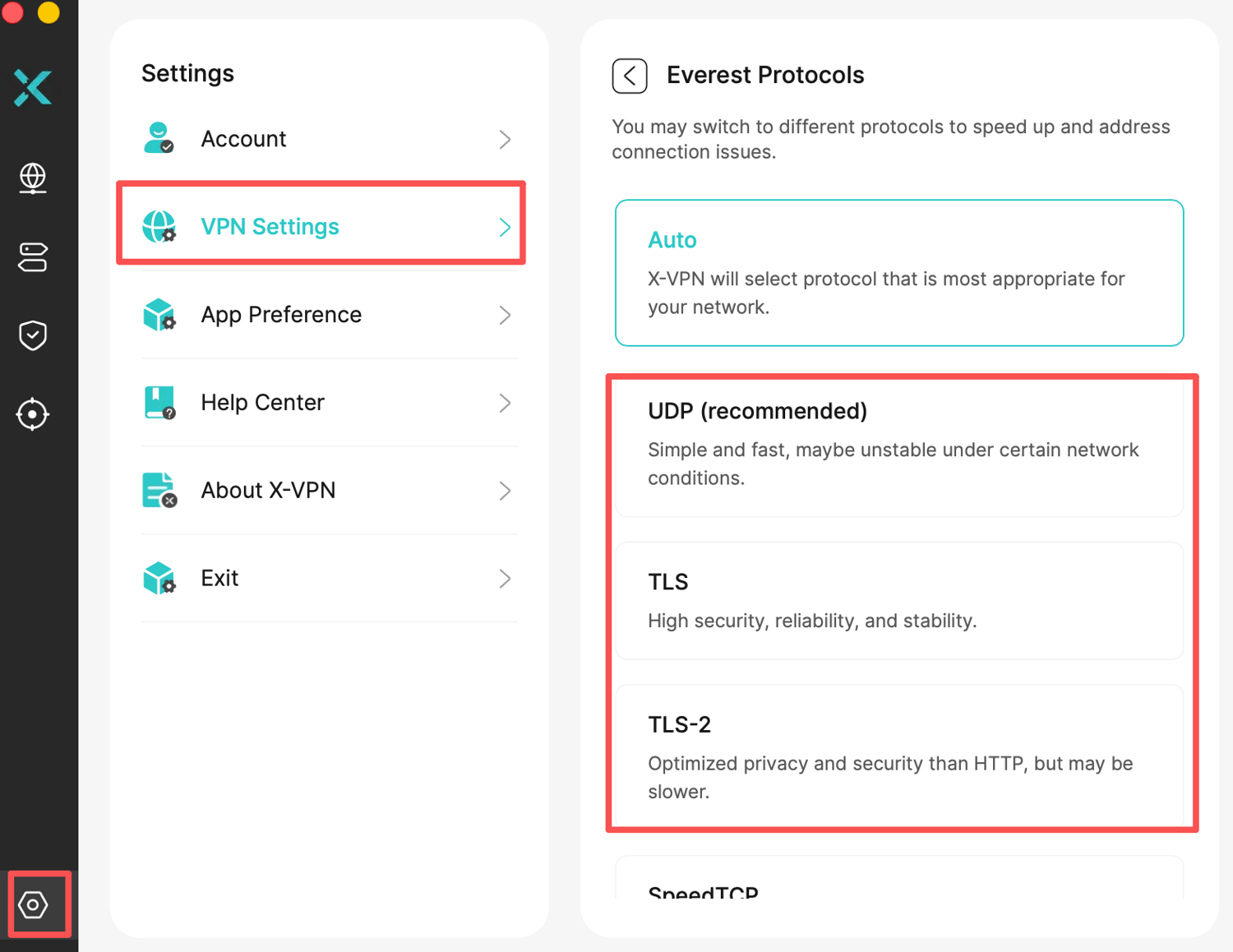
If the above protocols do not solve the problem, please try updating X-VPN to the latest version and contact us. We will check for you and provide you with a targeted solution.
Questo articolo è stato utile?
Grazie per il tuo feedback!
Perché questo articolo non è stato utile?