

How to change language in X-VPN?
Latest edited on 2023-04-13
We understand how troublesome language barriers are, so we have set up multiple languages in multiple scenarios, you can follow the steps below to change the language used.
In the X-VPN app (mobile version)
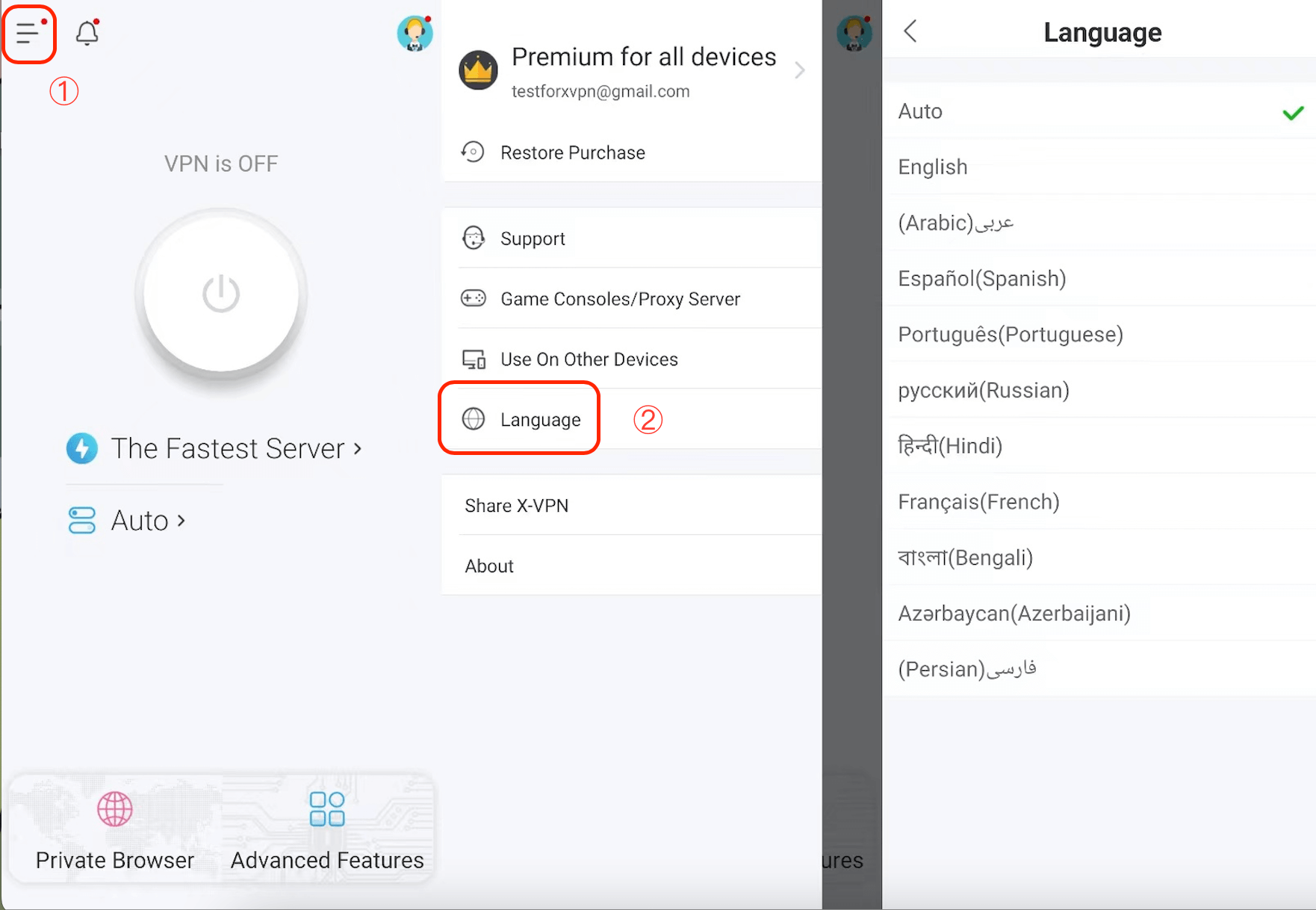
We support 10 different languages in the app, they are English, Arabic, Spanish, Portuguese, Russian, Hindi, French, Bengali, Azerbaijani, and Persian.
Steps: X-VPN home page>Left sidebar>Language>Change
On the X-VPN official website
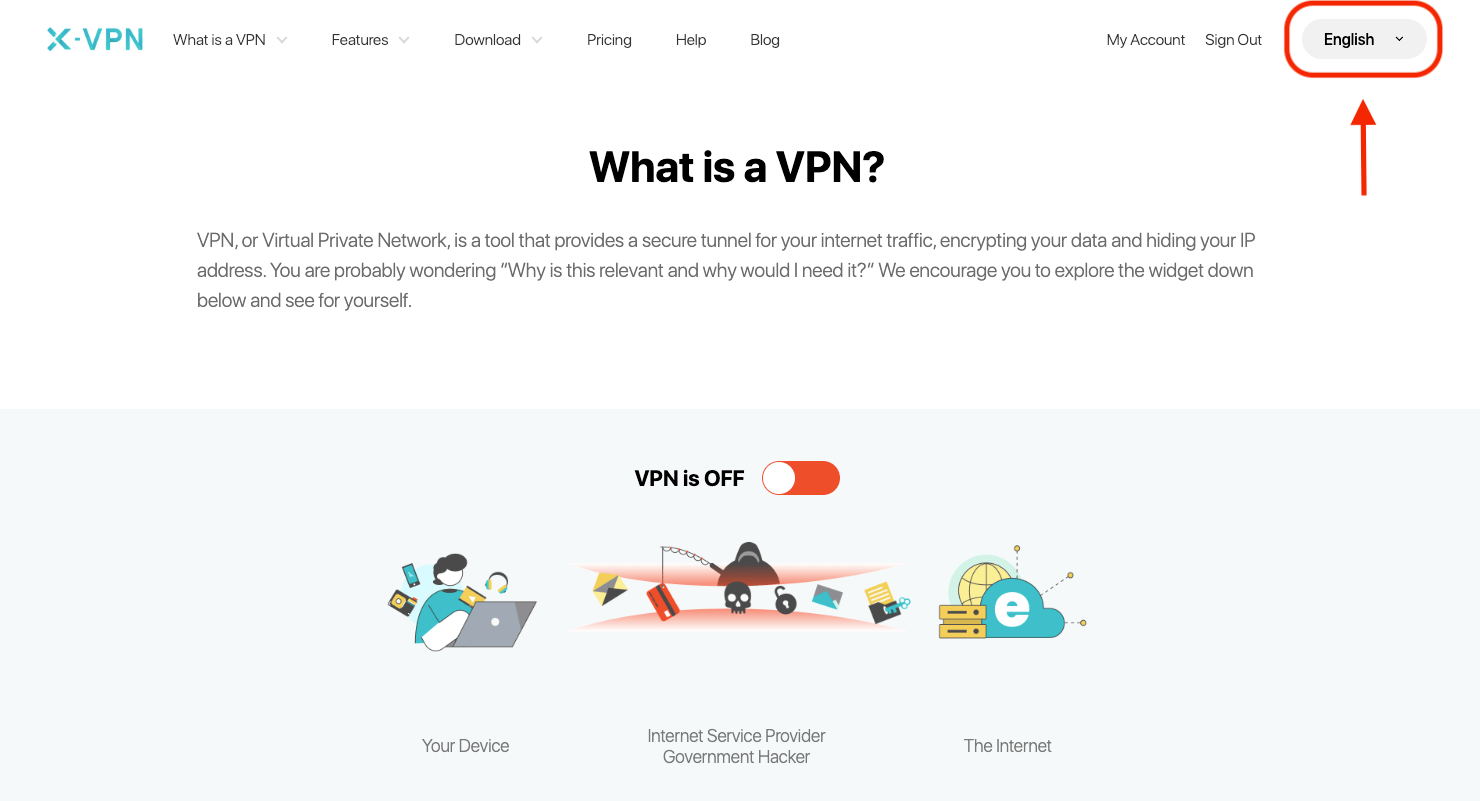
We support 3 different languages on the X-VPN official website, they are English, Russian, and Arabic.
Steps 1: Website home page(https://xvpn.io)> Click "English" in the upper right corner>Change
Steps 2: Website home page(https://xvpn.io)> Scroll to the bottom of the page>Click "English" in the upper right corner>Change
If you can't find the language you want and want to add it, please write to support@xvpn.io.
Was this article helpful?
Thanks for your feedback!
Why wasn't this article helpful?