











We use cookies to provide you a better service and analyze traffic. To find out more about cookies, please see our Cookie Declaration. By continuing to browse our website, you agree to our use of cookies.

Agree
Manage

Cookie Settings

We use cookies to provide you a better service and analyze traffic, To find out more about cookies, please see our Cookie Declaration.

Essential

Our website relies on these cookies for proper functionality.

Functionality

These cookies are utilized to retain your preferences, such as language selection.

Statistics

Cookies enable us to gain insights into our visitors and enhance their browsing.

Advertising

Cookies that are used to track conversions for ads platforms.

Confirm

X‑VPN Premium Giveaway Is Happening Now on Our Subreddit!

X‑VPN Premium Giveaway Is Happening Now on Our Subreddit!
Enter Now

Best VPN for Linux

Download VPN for Linux and upgrade for premium protection.

  • Guard your privacy and secure your Linux.
  • One-click setup on all major Linux distributions.
  • Access to 250+ global locations.

30-Day Money Back, 100% success

Best VPN for Linux
WindowsMacOSiOS/iPhoneAndroidChromeLinuxApple TVAndroid TVAmazonRouterGame ConsoleChromebook

What Is a Linux VPN

A Linux VPN is a Virtual Private Network service specifically built for Linux operating systems. By masking your IP address, routing your data around the globe, and encrypting every terminal session, it extends the security of Linux devices to data in transit. 

One VPN that Works on All Distributions

Built on a multi-architecture universal binary, X-VPN runs on virtually all modern Linux distributions.

Ubuntu
Linux Mint
Kali Linux
Debian
Fedora
Raspberry Pi OS
Rocky Linux
Pop!_OS
CentOS
Arch Linux
openSUSE
Manjaro

How to Download & Set Up X-VPN for Linux

Step 1. Install

Copy and run the command below to download and install X-VPN for Linux.

sh <(curl -sSf https://app.xvpncdn.com/4dzfjmwrjw/cli_install.sh)

Copied

Step 2. Login

Log in with your premium account with the command below.

xvpn login

Copied

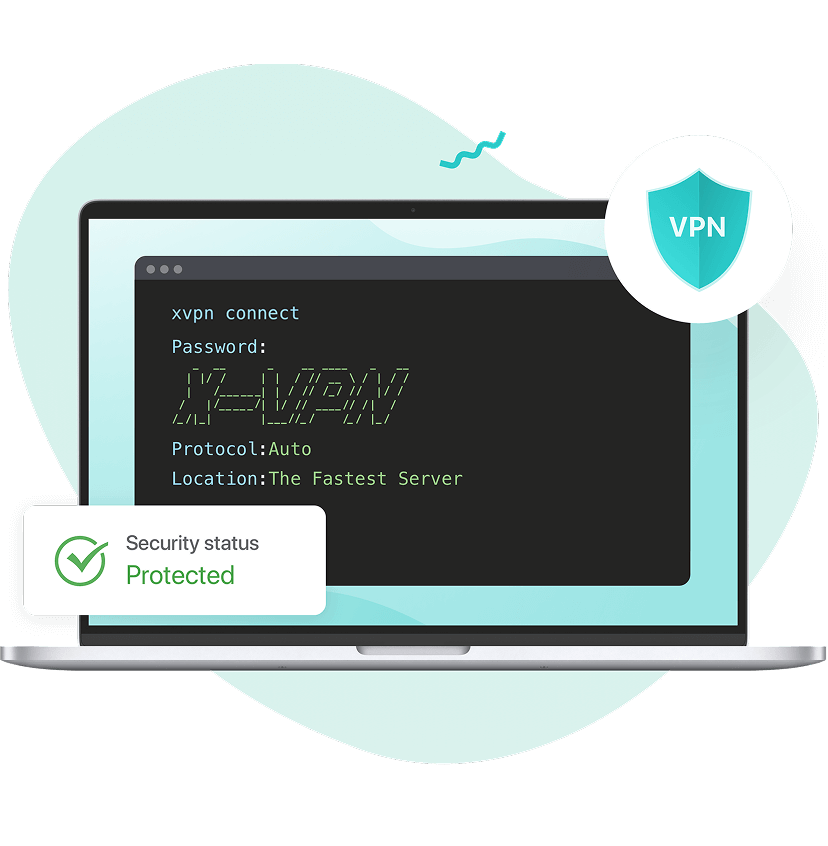
Step 3. Connect

Connect to the fastest server through the following connect command.

xvpn connect

Copied

Step 4. Adjust

Adjust your settings with more commands in our setup tutorial.

💡 We recommend using the curl command above for installation. If you encounter any issues or simply prefer wget, try this command instead:

sh <(wget -qO - https://app.xvpncdn.com/4dzfjmwrjw/cli_install.sh)

Copied

Why Use A VPN for Linux

While Linux is known for being open-source and secure, this protection doesn’t cover data in transit. That’s where a VPN comes in.

Strengthen Online Anonymity

Linux VPN hides your real location and encrypts all data transmitted online. This digital shield prevents websites, trackers, and your ISP from monitoring your online activities, ensuring true anonymity on Linux.

Global Entertainment Reach

A VPN on Linux routes your connection through servers worldwide. This grants you the freedom to expand streaming libraries, websites, and game titles, vastly extending your online reach.

Secure Public Wi-Fi

A VPN on Linux encrypts your traffic on public Wi-Fi. This secure VPN tunnel shields your Wi-Fi history from the Wi-Fi owners and middle attackers, letting you browse securely on any network.

Empower Your Workflow

A VPN creates secure pathways and changes your IP for professional tasks. The huge IP pool gives you the ability to test services as global users, with everything well-encrypted and kept confidential.


Strengthen Online Anonymity on Linux with VPNVPN on Linux Allows Global Entertainment ReachVPN Secures Public Wi-Fi Connection on LinuxVPN Empowesr Linux Workflow

Why We Are the Best VPN for Linux

By saying the best, we mean it. Focusing on the Linux ecosystem, we win on compatibility, VPN performance, security, and complete support.

Why We Are the Best VPN for Linux

One Binary, All Distros

By using a single, universal binary, X-VPN is compatible with all major Linux distributions. This universal compatibility makes us the best VPN for Linux Mint, Kali, Ubuntu, Debian, Fedora, Raspberry Pi OS, etc.

One-Command Setup

Download VPN for Linux suffers in most cases. However, X-VPN provides a single command that helps install and configure everything in seconds. Just copy, paste, and press enter in your terminal. Easier than ever.

Global Server Coverage

Expand your Linux digital reach with our vast server network. There are 10,000+ VPN servers covering 80+ countries. Change your IP to the globe with a single connect command.

Blazing-Fast Speed

X-VPN extends the fast experience on Linux. We offer 10Gbps fast servers, speed-optimized protocols, and special streaming/gaming lines to meet high-speed demands.

Post-Quantum Encryption

Our best X-VPN for Linux applies the golden rules of Linux security to every data transmitted. We combine AES-256 encryption with post-quantum cryptography to further protect your security.

Trusted No-Logs VPN

We earn user trust with transparency, a no-logs policy, and a 0 data breach history. Neither Wi-Fi owners, trackers, your ISP, nor we can know your activities online.

24/7 Expert Support

Get instant and multi-channel help anytime you're confused. Our 24/7 support team offers Linux troubleshooting and any other product-related issues.

Protect 5 Devices at Once

Extend VPN protection from Linux to other devices. Buy once and get the best VPN for Windows, mobile, Chrome extension, and even game consoles. Up to 5 simultaneously.

Easy Connect to the World

Check our 10,000+ global server network. Over 3,000 are located in the US, the world’s largest digital content center.

us map
WashingtonOregonUtahArizonaCaliforniaKansasMinnesotaIllinoisTexasGeorgiaVirginiaWest VirginiaPennsylvaniaNewJerseyNew YorkFloridaMichiganOhio
  • Phoenix

  • Fremont

  • Los Angeles

  • San Francisco

  • San Jose

  • Denver

  • Miami

  • Atlanta

  • Chicago

  • Detroit

  • Saint Louis

  • Newark

  • New York City

  • Dallas

  • Salt Lake City

  • Ashburn

  • Seattle

Try X-VPN Linux Risk-Free for 30 Days

Get peace of mind with our 30-day money-back guarantee. We offer a full refund within 30 days, no reasons needed.

Try X-VPN Linux Risk-Free

Frequently Asked Questions

Does Linux Have A Built-In VPN?

No, Linux itself does not offer a ready-to-use VPN service, but some distributions provide tools to manually set up VPN protocols. A dedicated VPN service like X-VPN makes VPN connections on Linux easy upon installation.

Can I Download a VPN for Linux?

Yes. You can easily download and install X-VPN for Linux in seconds using our one-command installer.

sh <(curl -sSf https://app.xvpncdn.com/4dzfjmwrjw/cli_install.sh)

Copied

Is X-VPN for Linux Free?

No, the VPN service on Linux is premium and requires payment. However, our free VPN is available on Windows, macOS, iOS, Android, Chrome, and Chromebook.

What Linux Distributions Does X-VPN Support?

X-VPN offers universal compatibility across virtually all major Linux distributions, which makes us the best VPN for Linux Mint, Kal, Ubuntu, and many more.
Debian / Ubuntu Family: Ubuntu, Linux Mint, Kali Linux, Pop!_OS, Raspberry Pi OS, etc.
• Red Hat / Enterprise Family: Fedora, Rocky Linux, CentOS, etc.
• Arch / Rolling Release Family: Arch Linux, Manjaro, and more.
• Independent & Others: Debian, openSUSE, and more.

How to Change Locations with X-VPN Linux?

You can change location with "location --set" command. For example, to connect to the United States, run the command below:

xvpn location --set "United States"

Copied

How to Change Protocols with X-VPN Linux?

You can change the protocol with "protocol --set" command. For example, to switch to the UDP protocol, run the command below:

xvpn protocol --set UDP

Copied

How to Disconnect from X-VPN Linux?

To disconnect from an active VPN session, simply run:

xvpn disconnect

Copied

How Can I Get Help on X-VPN Linux?

You can first use the "xvpn" command to get our full command lines. If problems continue, you can also get our expert support through Live Chat or support email "support@xvpn.io".