Why X-VPN Offers a Free Plan: Our Honest Answer
For us, offering a free VPN service is not a compromise. It’s based on three core beliefs we’ve had since day one.


The most cost-effective way to buy a VPN depends on your needs. The plan that appears to offer the “best deal” on the pricing page might actually be the wrong choice for a short-term user. So, figure out how you’ll actually use the VPN first, then calculate how much you’ll end up paying based on four factors. Keep reading, and this guide will teach you how to do that.
Most VPNs offer monthly, annual, and two-year or longer plans, but only the monthly plan usually charges you the amount shown as the monthly rate.
For example, suppose a VPN is priced as follows:
Plan | Price shown on the page | The price you’ll actually pay |
|---|---|---|
1 month | $12.99/month | $12.99 |
12 months | $4.99/month | $59.88 |
24 months + 3 months free | $2.50/month | $67.50 |
When you look at it this way, only the single-month plan’s actual price matches the price displayed on the page. For the other two plans, you need to multiply the monthly price shown on the page by the number of months in the plan and pay the total upfront. The displayed monthly price is simply the total price divided by the number of months.
The advertised monthly rate is therefore the wrong number to compare. Four decisions determine the total you actually hand over. From biggest to smallest impact on your total cost, they are: subscription length, when you buy, where you buy, and how you pay
Before making a purchase, first determine whether you’re a short-term or long-term user. This decision will have a greater impact on how much you actually pay than the other three factors combined.
Long-term subscription discounts are usually the biggest discounts VPN providers offer, and they generally save you a significant amount of money compared to a monthly subscription. If you check the pricing pages of different VPN providers, you’ll notice that the longer the subscription term, the higher the percentage savings.
Let’s use the VPN pricing example from above again:
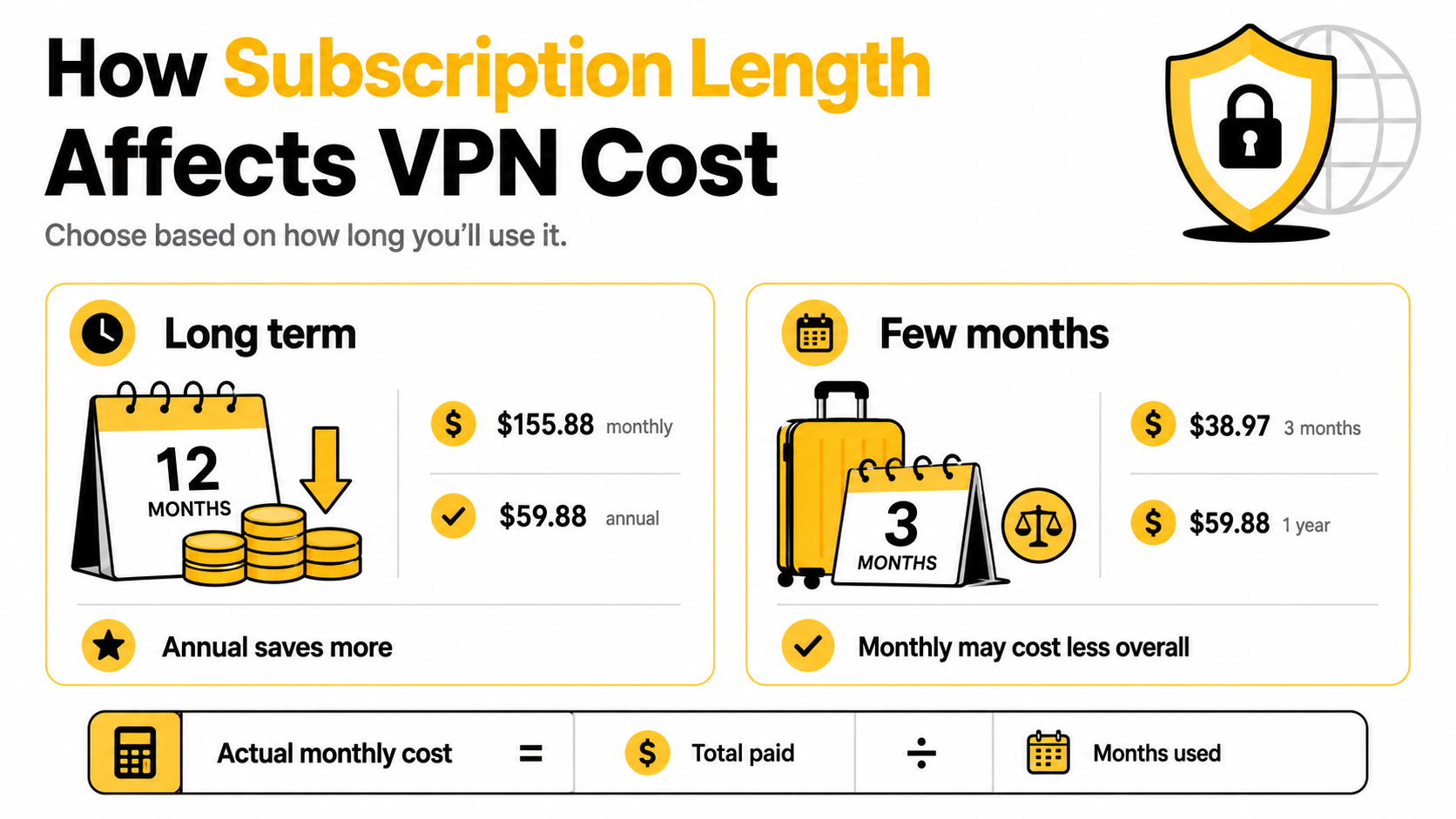
If you were to pay month by month (though almost no one does this) for 12 consecutive months, the total VPN cost would be $12.99 × 12 = $155.88.
However, if you purchase a one-year plan right from the start, it would only cost $59.88. By doing this, you’ll receive exactly the same VPN service over the course of the year. The extra money you pay is essentially just for the flexibility to change your mind every month.
If you just need to stay in another country for a few months and require a VPN during that time, you might find that paying monthly is more cost-effective. For example, if you need a VPN for three months:
If you pay monthly, the total VPN cost would be $38.97, whereas the annual plan costs $59.88. Although the average monthly price of the annual plan is only about one-third of the monthly rate, for someone who only needs it for three months, the total amount you pay is nearly double. And you won’t need the VPN for those extra months at all.
This happens because people tend to compare monthly prices. In reality, what you should be comparing is the total amount you’ll pay ÷ the number of months you’ll actually use the VPN.
You can find the first number on the checkout page. Only you know the second. Using this formula, you can calculate your actual average monthly cost.
Black Friday, Christmas, Easter, and Cyber Monday often feature some of the biggest VPN discounts of the year, and many VPN providers also run promotions during Cybersecurity Awareness Month in October. So, when signing up for a VPN, it’s worth checking to see if any major sales are coming up soon. If you don’t need it right away or plan to subscribe for a longer period, you can wait for one of these seasonal sales before buying.
Some VPNs offer special discounts based on your status, such as:
You can verify your eligibility through discount platforms like Student Beans, then apply the discount to your subscription.

💡Coming Soon: X-VPN is partnering with Student Beans to launch special student rates
Some VPNs allow you to purchase a new subscription period and have the new subscription begin after your current plan expires. This lets you take advantage of promotions to “stock up” on your next subscription period, without having to pay the regular renewal price.
However, before using this method, you should first check with the VPN provider’s customer support to confirm whether the new plan will be added to the end of your current plan or will replace your current subscription.
It’s easy to overlook this price difference because when you purchase a VPN subscription through an in-app purchase, the app store takes a commission first, and the VPN provider only receives the remaining revenue. As a result, some VPN providers charge more for subscriptions purchased in the app than on their official websites.

App stores charge service fees on in-app purchases, but the exact rate varies by platform, subscription type, developer program, and region. For example, Google Play generally charges a 15% service fee on auto-renewing subscriptions.
Take X-VPN’s official website and in-app subscription prices as an example:
Plan | X-VPN Official Website | App Store / Google Play |
|---|---|---|
1 month | $11.99/month | $11.99/month |
12 months | $47.99 (for the first 12 months) | $71.99/year |
24 months | $69.99 (for the first 24 months) | Not available |
For the same 12-month subscription period, the in-app price is 50% higher than the price on the official website. Also, the 24-month plan, which offers the lowest monthly rate, is not available for purchase within the app at all. The same can apply during promotional periods, depending on where the discount is offered.
Another point to note is that subscriptions purchased in-app are essentially transactions between you and Apple or Google, rather than directly with the VPN service provider. Therefore, you generally need to request a refund directly from the app store. The VPN provider usually can’t process an app-store refund on your behalf.
For most users, the payment method makes less difference to the total VPN cost than the subscription plan itself, so you can choose whichever option is most convenient and reliable for you.
The key to saving money isn’t which payment method you choose, but how you use it. Below, we’ll break it down by payment method:
Where available, PayPal’s “Pay in 4” feature allows you to split a payment into four interest-free installments, which lets you avoid paying the full cost of a long-term VPN subscription upfront.
VPN providers generally don’t offer lower subscription prices just because you pay with cryptocurrency, so the real difference in cost here comes from transaction fees.
If the checkout page allows you to select both the currency and the network at the same time, transaction fees for the same subscription can vary significantly depending on the network, so it’s a good idea to check this before making your selection.
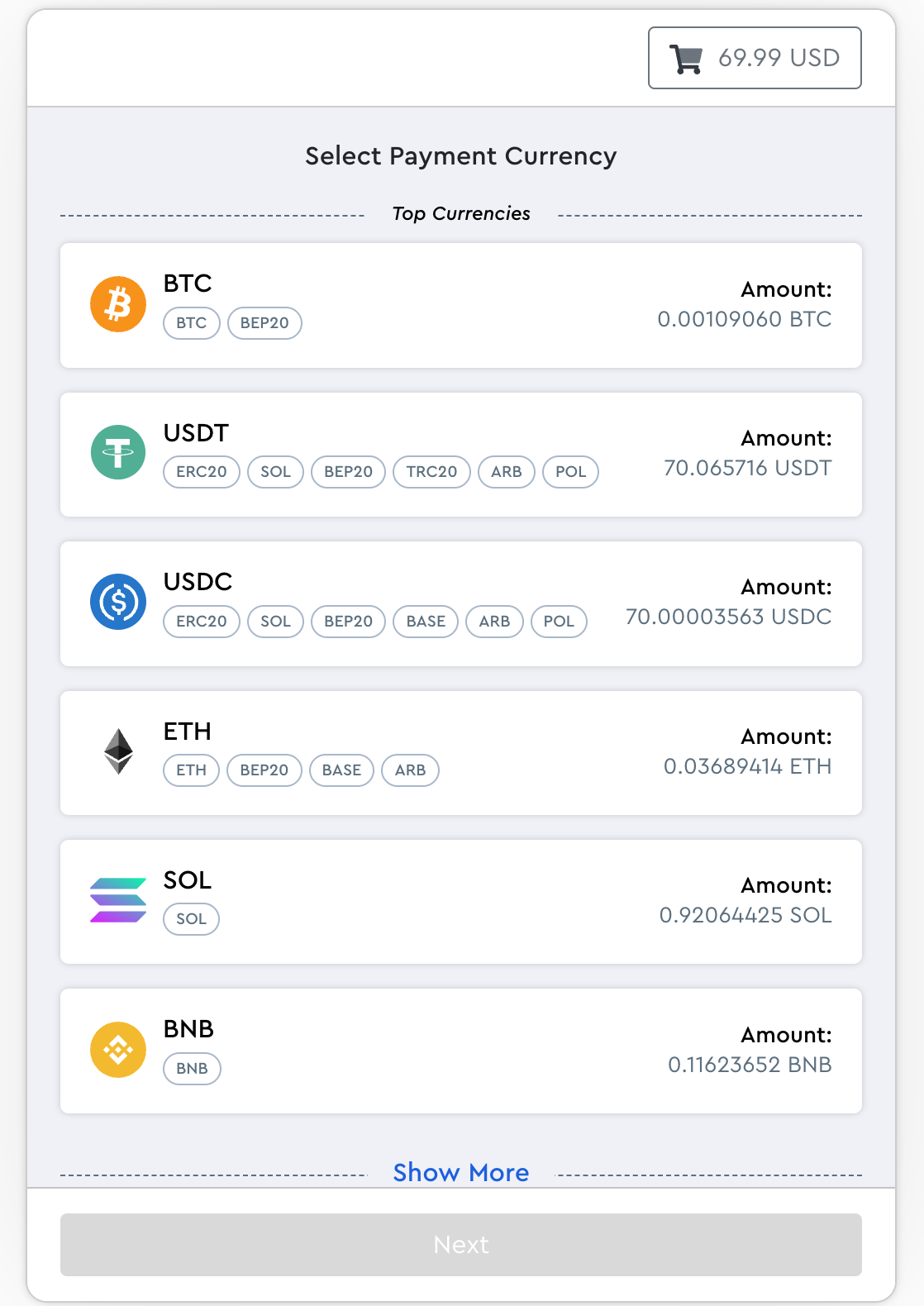
💡 It’s worth noting that the amount displayed on the checkout page does not include on-chain transaction fees, which are deducted separately from your wallet. As a result, while the options on the checkout page may appear to be similarly priced, the actual cost differences aren’t reflected on this screen.
Before comparing plan prices, here’s the ultimate money-saving tip: first figure out whether you need a paid plan at all. If you only need protection occasionally while using public Wi-Fi, the free plan might be all you need, and it won’t cost you a thing.
Take X-VPN as an example: it offers three options:
Free Plan | 7-Day Free Trial | 30-Day Money-Back Guarantee | |
|---|---|---|---|
How to Get It | Available from all official sources | App Store, Google Play, or Microsoft Store | Official website only (eligible payments) |
Duration | Unlimited | 7 days | 30 days after purchase |
Servers | 1,000+ servers in 26 regions | 10,000+ servers across 250 regions | 10,000+ servers across 250 regions |
Feature Restrictions | Basic features only | None | None |
Data Limits | None | None | None |
Ads | Ads on mobile | No | No |
Which option is best for you depends on whether you’re a short-term or long-term user.
The free version and free trial don’t cost anything, so they may be sufficient for people who only need to use a VPN temporarily.
The money-back guarantee gives you more time to decide whether a long-term subscription is right for you.

The “average monthly price” advertised for a long-term plan is essentially just the total price broken down by month, not the amount you’re charged each month.
The official website can be cheaper because app stores charge a commission on in-app purchases. For the same subscription length, the in-app price may be higher.
Introductory discounts generally apply only to the first subscription period. Some multi-year plans may switch to annual billing upon renewal, and the free months included with the initial offer are typically not repeated. For the renewal prices, please check the VPN provider’s subscription terms.
Yes, especially if you know for sure that you only need the VPN for a short period of time. If you’re only using it for a month or two, the total monthly cost may be significantly lower than the upfront cost of a two-year plan. The discount on long-term plans only makes sense if you’re truly committed to using the VPN for the long term.
Price alone is not an indicator of whether a VPN is secure.
We recommend that you focus on the following aspects of the VPN you plan to use:
– Does it have a clear no-logs policy?
– Has the no-logs policy been independently audited?
– Is the company’s ownership transparent?
– Does it support modern, open-source VPN protocols?
While established VPN providers may run regular promotions, you should be more cautious of unfamiliar service providers with no track record that make a lot of privacy claims.
Article by
Sandra Mitchell, X-VPN's writer, is a friendly advocate for online privacy and security with a passion for cybersecurity and the latest tech trends. Through her engaging writing, Sandra empowers readers to control their digital privacy. Beyond exploring VPN intricacies, she enjoys outdoor adventures, literature, and sharing the importance of online security with others.

© LIGHTNINGLINK NETWORKS PTE. LTD. All Rights Reserved