What Open-Source VPN Protocols Does X-VPN Support?
Latest edited on 2026-11-04
X-VPN supports four open-source protocol options: Talaria, WireGuard, OpenVPN, and V2Ray.
Talaria is our in-house VPN protocol, built for speed. WireGuard is lightweight, while OpenVPN offers broad compatibility. V2Ray is an open-source proxy platform with flexible connection options.
Each protocol offers a different way to connect, so you can choose one that fits your device and network needs for everyday browsing, streaming, or gaming.
Open-Source Protocol Options Available in X-VPN
- Talaria: Our in-house open-source VPN protocol, designed for speed and efficient data transfer. It uses parallel channels and batch processing to make more efficient use of available bandwidth. Its source code is also available on GitHub.
- WireGuard: A lightweight VPN protocol with a simple design and modern encryption. It's a good choice for fast, everyday connections.
- OpenVPN: A well-established VPN protocol known for its security and broad compatibility. It works across a wide range of devices, including computers, smartphones, and compatible routers.
- V2Ray: An open-source proxy platform that supports multiple proxy protocols and flexible routing options, offering flexibility across different network environments.
Which Devices Support These Open-Source Options?
X-VPN supports different open-source protocol options across its apps. Here's a breakdown of device compatibility.
| Device | Talaria | WireGuard | OpenVPN | V2Ray |
|---|---|---|---|---|
| Windows | ✓ | ✓ | ✓ | — |
| macOS | ✓ | ✓ | ✓ | ✓ |
| iOS | ✓ | ✓ | ✓ | — |
| Android | ✓ | ✓ | ✓ | ✓ |
| Fire TV Stick | — | ✓ | ✓ | ✓ |
| Android TV | — | ✓ | ✓ | ✓ |
| Routers | — | ✓ | ✓ | — |
For routers, you can manually set up WireGuard or OpenVPN with an X-VPN Premium account. See our router setup guide for instructions.
Note: Available protocols may vary by app version. Talaria is currently unavailable on Windows ARM devices.
How Do I Select an Open-Source Protocol in X-VPN?
You can select an open-source protocol directly in the X-VPN app. Follow the steps below for your device.
On Mobile (iOS & Android)
Step 1: Open the X-VPN app.
Step 2: Tap Auto on the home screen to see the available protocols.
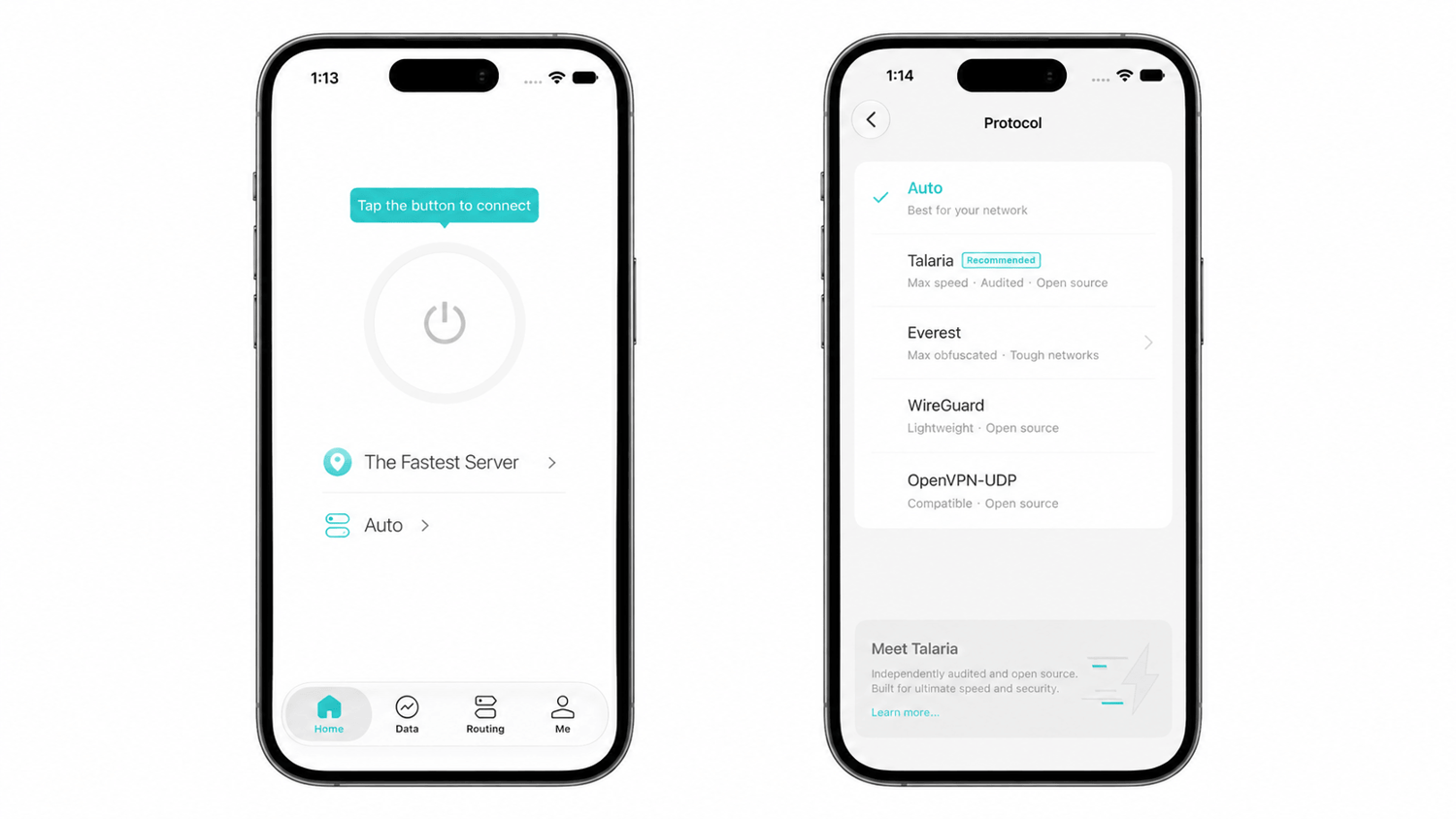
Step 3: Tap the open-source protocol you want to use, and you'll be connected automatically.
On Desktop (Windows & macOS)
Step 1: Open X-VPN.
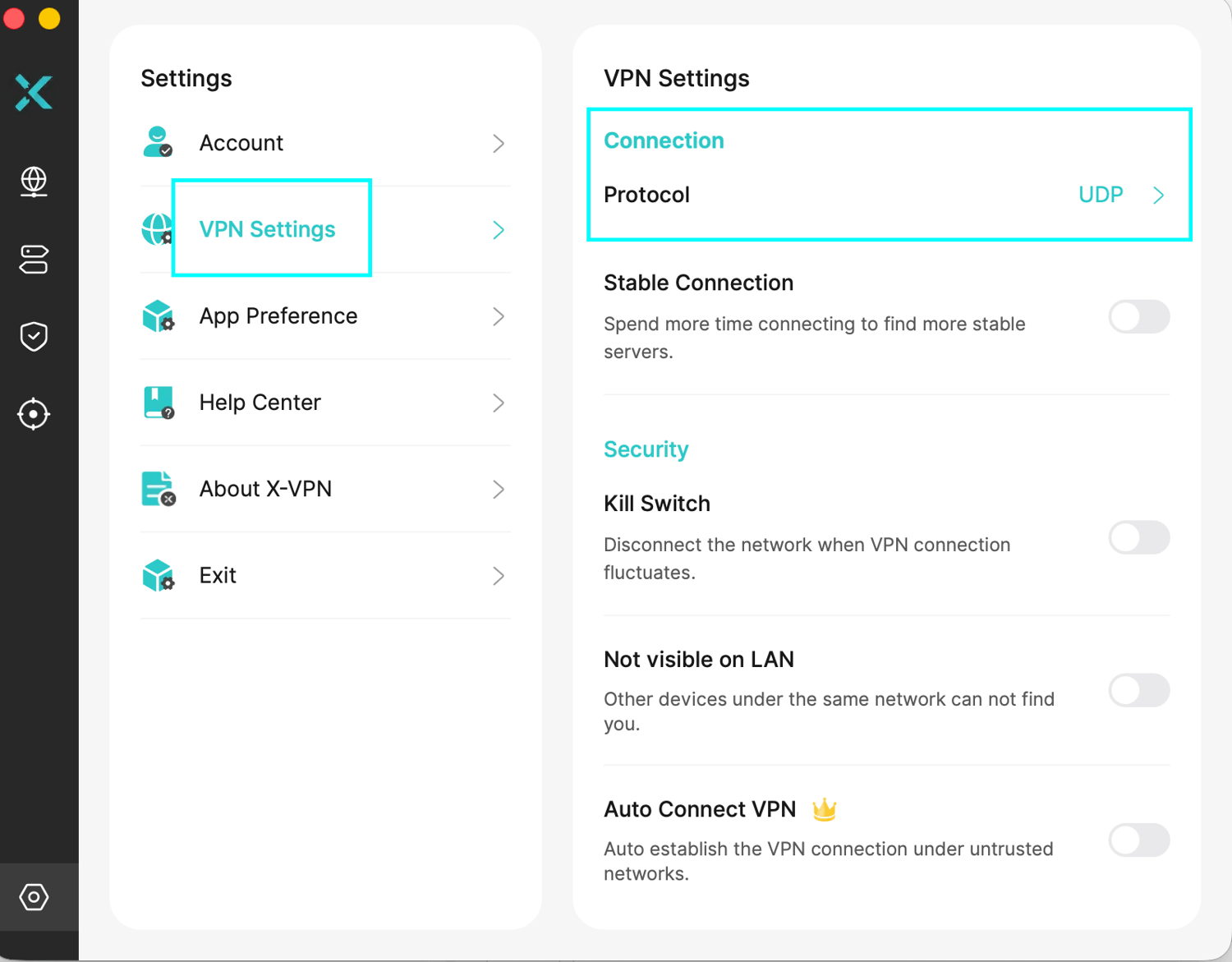
Step 2: Go to Settings > VPN Settings > Protocol.
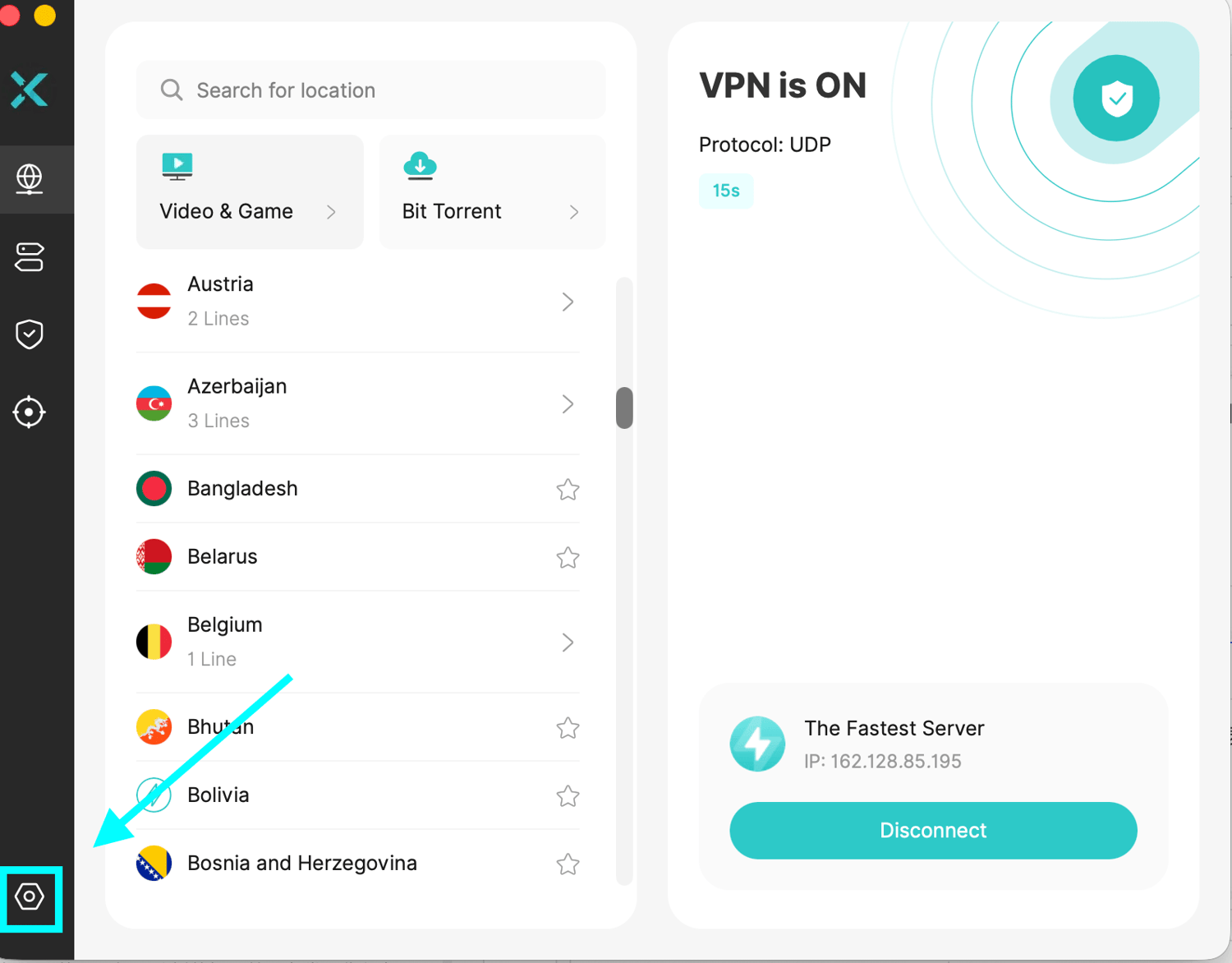
Step 3: Select your preferred open-source protocol from the list.
If you're unsure which protocol to choose, you can visit our VPN Protocols page to learn more about how each protocol works and when to use it.
Frequently Asked Questions
Is the Entire X-VPN App Open Source?
No. The X-VPN app itself is not open source, but it supports several open-source options, including WireGuard, OpenVPN, and V2Ray. Our in-house VPN protocol, Talaria, is also open source and available on GitHub.
Can I Use Open-Source Protocols with X-VPN Free?
Yes. You can use supported open-source protocols with X-VPN Free on compatible devices. For manual WireGuard or OpenVPN configuration on routers, you'll need an X-VPN Premium account.
Why Can't I Find a Specific Protocol in X-VPN?
Available protocols vary by device and app version. Try updating X-VPN to the latest version and checking which protocols your device supports. For example, Talaria is currently unavailable on Windows ARM devices.
Was this article helpful?
Thanks for your feedback!
Why wasn't this article helpful?