What is Web Protection feature?
Latest edited on 2026-09-10
How to Use Web Protection
With Web Protection, you can help make your browsing experience safer and more private by blocking tracking traffic and malicious website traffic.
Where can I find Web Protection?
You can find Web Protection in the X-VPN app:
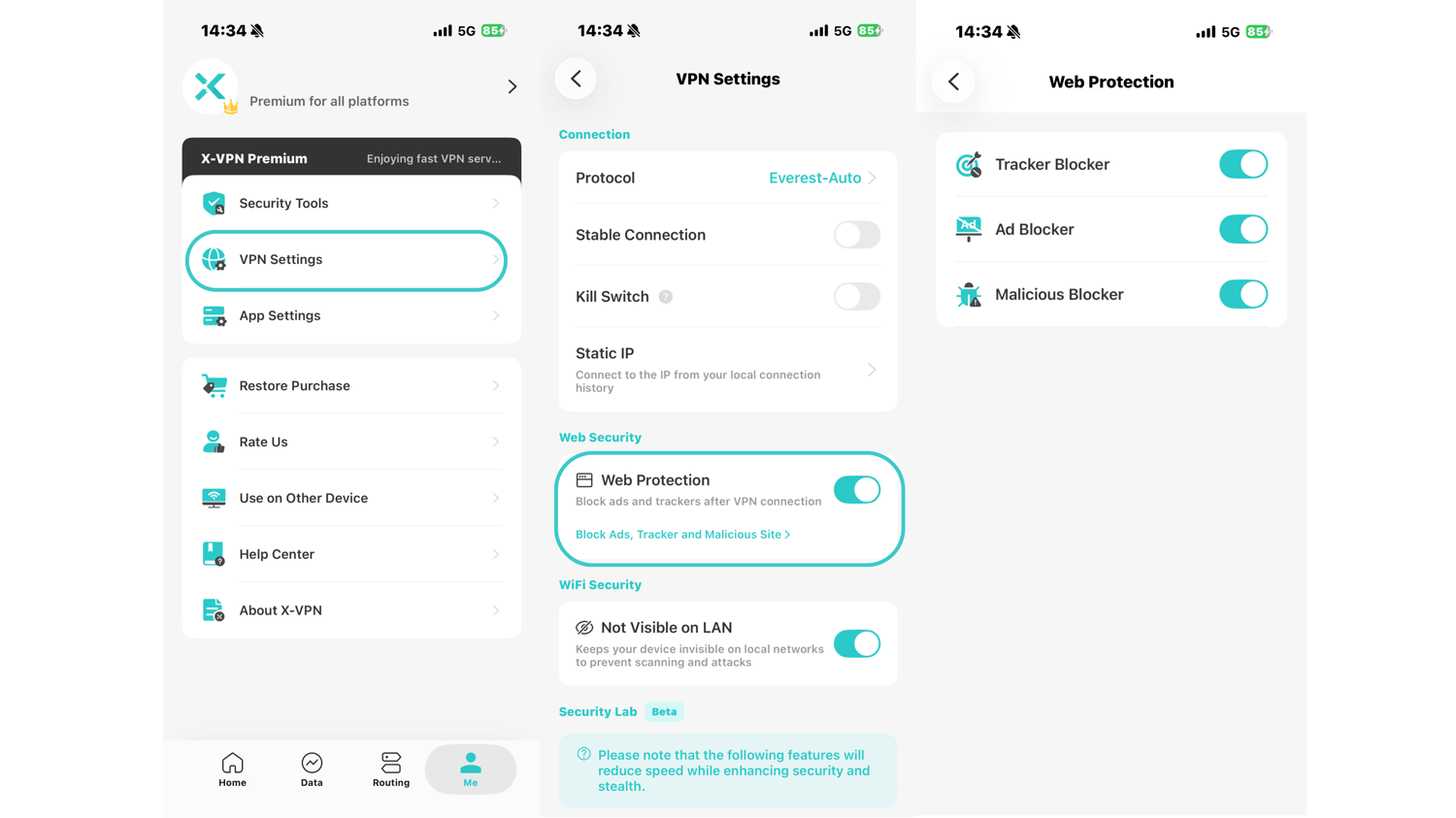
Me → VPN Settings → Web Protection
Open Web Protection to manage the available protection options.
What does Web Protection do?
After enabling Web Protection, you can choose whether to turn on the following features:
Tracker Blocker: Automatically blocks tracker traffic to help reduce online tracking.
Malicious Blocker: Automatically blocks traffic from malicious websites to help protect you from potentially harmful content.
Ad Blocker: Clear away distractions, lighten the pages you visit, and reduce exposure to risky ads.
You can enable or disable each option based on your needs.
Was this article helpful?
Thanks for your feedback!
Why wasn't this article helpful?