
TL;DR
A burner email is a disposable address that keeps signups out of your real inbox. It comes in two forms. Use a self-destructing inbox for one-time codes, and secondary email addresses for accounts you may need to log back into.
Intro
You might reach for a burner email for a few predictable reasons, such as signing up for a free trial, accessing a gated download, or registering on a site you don’t fully trust. The goal is always the same: to keep spam and data leaks out of your real inbox.
Where it gets muddy is that “burner email” refers to several tools that serve different purposes. For example, a self-destructing inbox and a forwarding alias both get called burners, but one disappears in ten minutes, and the other can last for years. That nuance trips people up all the time. A disposable inbox works for a quick signup, then weeks later, the login is dead, and the address is gone. The password reset has nowhere to land, and the account goes with it. This guide lays out what a burner email is, the types worth knowing, and how to pick the one that fits what you’re actually trying to do.
Table of Contents
What Is A Burner Account?
It helps to define the broader term first, because it’s often used loosely.
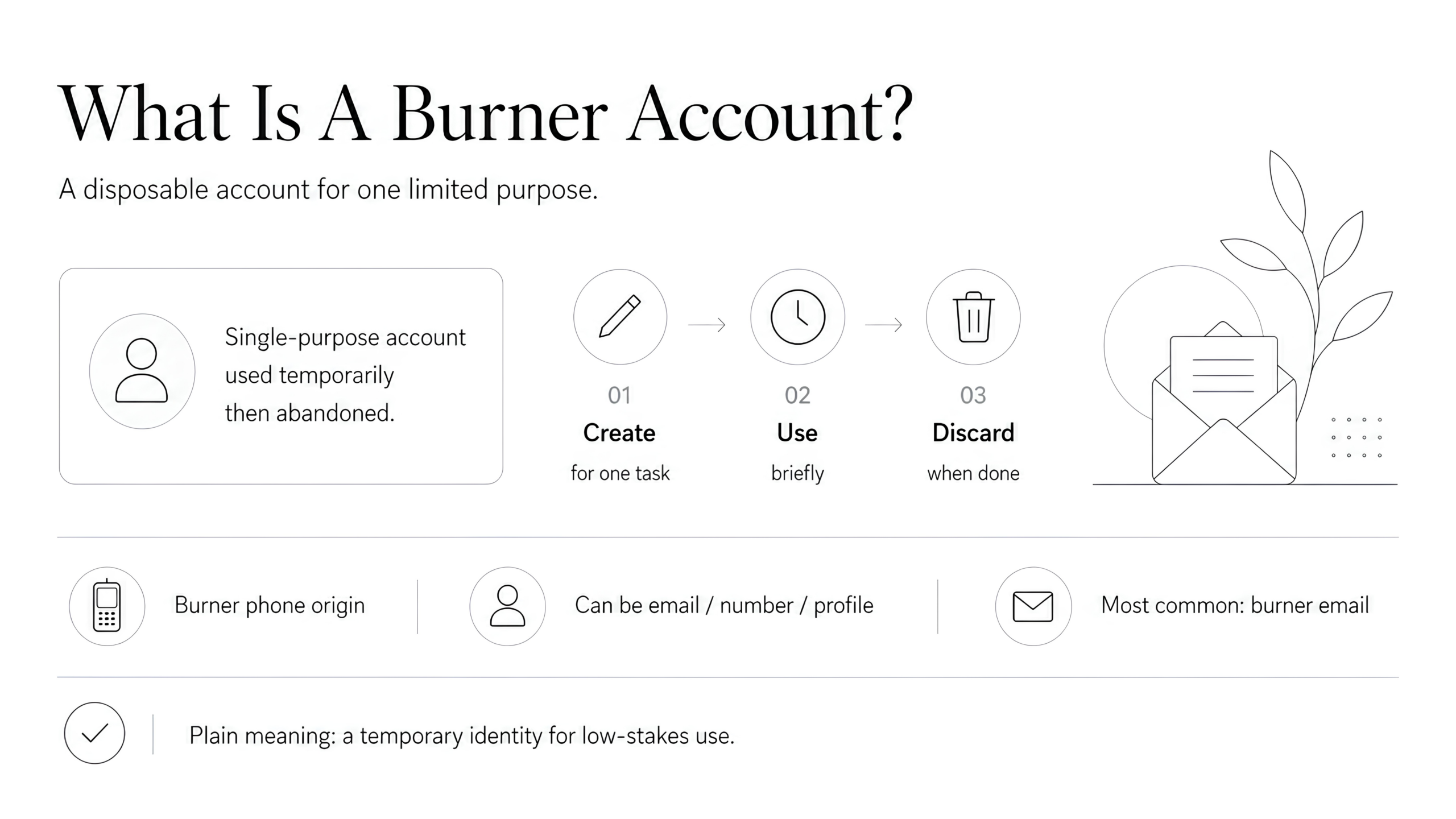
A burner account is any account you create for a single, limited purpose and abandon once it has done its job. The name comes from the burner phone, the prepaid handset you use for a while and then toss. The same logic applies online. A burner can be a social media profile, a phone number, or, most often, an email address you never plan to keep.
So that is the burner account meaning in plain terms: a disposable identity for low-stakes situations where you would rather not attach your real one. Email is the version you will run into most, because almost every site asks for an address before anything else. That is what the rest of this guide is about.
Is A Burner Email The Same As A Throwaway Email?
Terms like burner email, throwaway email, disposable email, temporary email, and temp mail are used interchangeably, and you don’t need to police the difference. If John says he used a burner to sign up for something, you know exactly what that means.
The distinction isn’t in the name, but how the tool works, and it’s easy to pick the wrong one without realizing it. For example, you might choose a temporary email when you actually need something that sticks around for longer. On the other hand, an email account that you think is dead but remains active could put your digital identity at risk.
Different Tools, One Name
Strip away the labels, and there are two broad categories of burner email, built for different purposes.

The first is a self-destructing inbox
- You visit a site like 10 Minute Mail or Guerrilla Mail, it hands you a random address with no signup, and the inbox deletes itself after anywhere from ten minutes to a day. It is perfect for catching a one-time verification code and nothing else. Once it is gone, it is gone, along with everything sent to it.
The other is a secondary email address
- Which can take different forms: forwarding aliases, plus-addressing, spare email accounts, and custom domain addresses. Here is the catch. Plenty of people go looking for a burner email for long-term use, which sounds like a contradiction, but it’s a perfectly valid option. If you want a Discord account that isn’t tied to your main email and still works next year, a self-destructing inbox is useless to you, but secondary address is exactly right. Knowing which category you want saves a lot of wasted effort.
How To Set One Up
Setup depends on the type you picked, and none of it takes long.
Self-Destructing Inbox
- Open a service like 10 Minute Mail, copy the address it shows you, and keep the tab open until your code arrives.
Forwarding Alias
- In a tool like SimpleLogin, addy.io, DuckDuckGo, Firefox Relay, or Apple’s Hide My Email, generate an alias and point it at your real inbox. Switch it off whenever you’re done.
Plus-Addressing
- Add it as you type, like yourname+tag@gmail.com. There’s nothing to set up.
Spare Address
- Create one or more free addresses to use as disposable email accounts.
Custom domain: buy a domain, then create as many addresses for your domain as you like, or enable a catch-all that forwards everything to your main inbox.
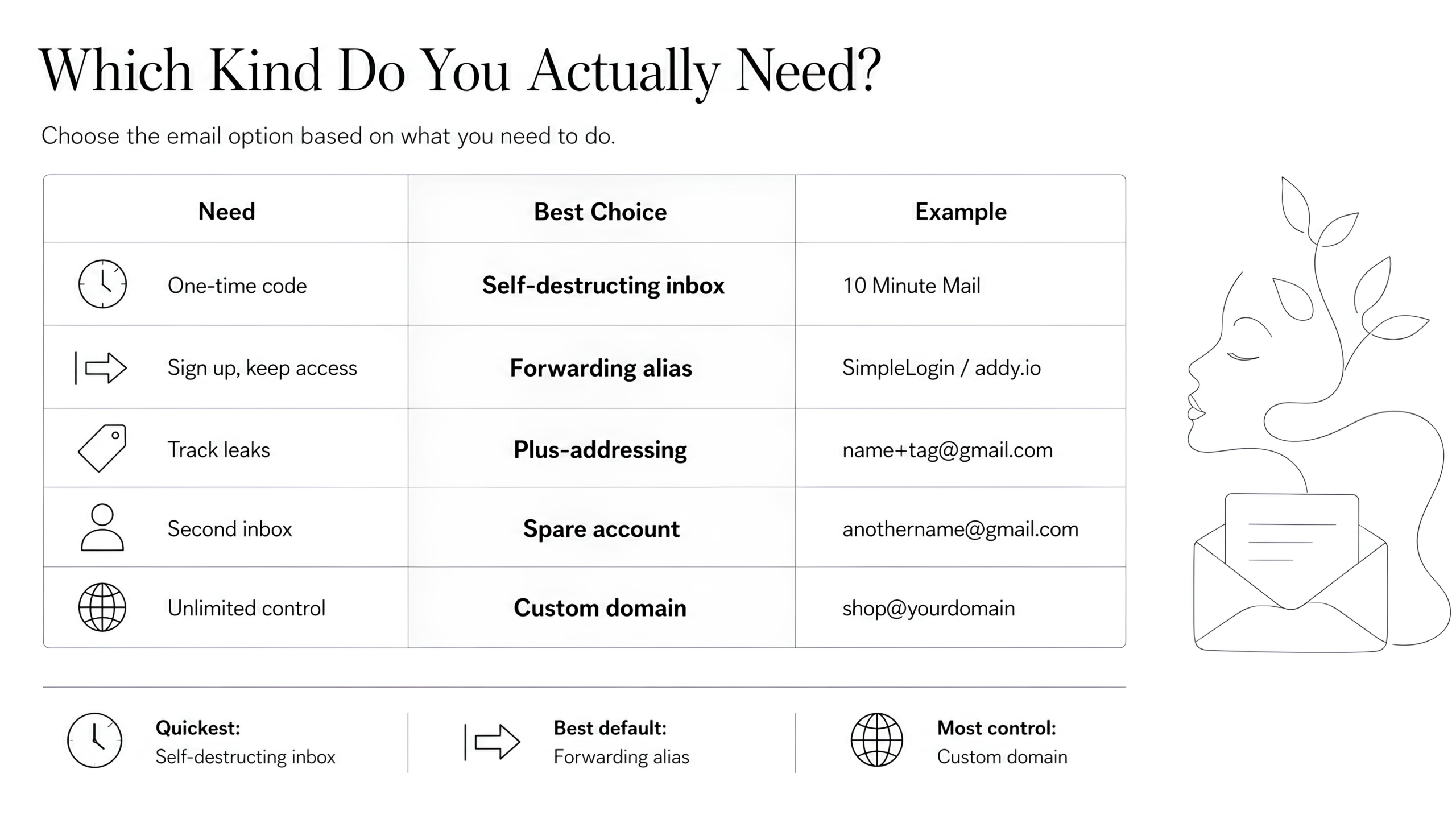
Which Kind Do You Actually Need?
The choice comes down to one question: what are you going to do with it?
If you want to… | Choose | Examples |
|---|---|---|
Grab a verification code and leave | A self-destructing inbox | 10 Minute Mail, Guerrilla Mail |
Sign up for something you will log back into, and be able to cut it off later | A forwarding alias | SimpleLogin, addy.io, DuckDuckGo, Firefox Relay, Apple Hide My Email |
Track who leaked or sold your address without hiding your real inbox name | Plus-addressing | yourname+tag@gmail.com |
Have a fully-functional secondary account | Spare accounts | yourothername@gmail.com |
Create unlimited, durable addresses with more control | A custom domain with catch-all forwarding | shop@yourdomain, trials@yourdomain |
We’ve already discussed a self-destructing inbox. It’s a short-lived email address that helps you receive one-time codes and logins without sharing your primary email address. That’s handy, but only when you’re certain you’ll never need access to that email address again.
A forwarding alias allows ongoing access. Setup requires a bit more effort, but could be worthwhile. Forwarding lets you get rid of an alias whenever you want.
Plus-addressing is great for tracking, since you can easily make a different tag for every site, and it works with popular email accounts like Gmail and Outlook. The tag could help you determine who leaked your address when the spam starts, but it won’t hide anything from an attentive spammer. The “+tag” sits right next to your real username, so anyone can delete it and read your true address straight off the page. On top of that, a growing number of sites reject any address with a plus sign in it. If you want the address itself to give nothing away, that is what a forwarding alias is for: it hands out a random address with no obvious link back to you.
In most cases, the first three options can only receive email. If you also want to send an email from the burner account, the next two options can help.
A spare account is what many actually mean by burner email. Open a second Gmail or Outlook box, point your throwaway signups at it, and keep your main inbox clean. There’s nothing clever about it, but it works fine. The catch is that providers have made it harder to create new accounts on demand, which is its own headache and one we will come back to.
A custom domain is the power-user move. For a few dollars a year, you can buy a domain, so you can create multiple email addresses, or turn on a catch-all rule, and invent addresses on the spot: spotify@yourdomain, dentist@yourdomain, whatever you like. Every message still reaches you, you get unlimited addresses, and a custom domain is much less likely to land on the blocklists that get disposable inboxes rejected. It takes a little setup, which is the only real downside.
When A Burner Email Is Worth It
Burner emails earn their keep well beyond dodging marketing blasts. The common cases:
- Free trials and gated downloads that you don’t want a relationship with
- Dating apps and marketplaces, where you’re handing an address to strangers
- One-off forum or Discord signups
- Testing a product before you commit your real details
- Online stores that treat your address as a marketing channel
There is also a more serious case worth naming. For someone in a place where their identity, beliefs, or sexuality could put them at real risk, a burner email isn’t about keeping a tidy inbox. It is a basic safety measure. The convenience framing fits most readers, but not all of them, and the stakes aren’t always low.
Why Your Burner Email Keeps Getting Rejected
This is the part most guides skip, and it is the thing you’ll run into most. You paste in a throwaway address, the site refuses it, and you’re stuck.
It happens because sites keep blocklists of known disposable domains and run anti-abuse checks to weed out fake signups. Self-destructing inboxes get caught first, since their domains are widely shared and easy to spot. Increasingly, forwarding aliases get flagged too, so the trick that worked last year may not work today.
If you keep hitting walls, here are the fixes, roughly in order:
- Switch from a self-destructing inbox to a forwarding alias, which is harder to detect.
- If an alias is blocked, try a different alias provider, or use your own custom domain, which rarely shows up on blocklists.
- With mainstream providers, expect verification. Some ask for a phone number or a backup email, and creating several accounts in a row from one network, especially over a VPN, can get you temporarily flagged for abuse.
None of this means you’re doing anything wrong. Detection has simply gotten more aggressive, and the more control you have over the address, the better it holds up.
The Upside Nobody Talks About: Spotting Who Leaked Your Data
Here is the benefit you might stumble onto and then never give up. If you use a unique address for every service, with the site’s name built in, your inbox turns into a tripwire.
Sign up for a store as storename@yourdomain. If spam ever starts landing on that exact address, you know precisely who sold or leaked it, and you can kill that one address without touching anything else. You can catch everything this way, from shady newsletters to your own bank’s rewards program. It turns a vague worry about privacy into something you can actually see and act on, which is why it tends to turn casual users into permanent ones.
There is a quieter payoff, too. A single email address used everywhere is one of the easiest ways for data brokers to stitch your activity across sites into one profile. Handing each service a different address breaks that thread, so a unique alias per signup isn’t only about spotting spam, it is about not being so easy to connect in the first place.
Where Burner Emails Fall Short
Burner aren’t a fix for everything, and pretending otherwise sets you up for a bad afternoon.
A self-destructing inbox can vanish before you’re finished with it, taking a download link or a two-factor code with it. If you lose access to an address that an important account depends on, recovery gets painful fast. None of these tools belong anywhere near banking, healthcare, government services, or any account you genuinely need to get back into.
It is also worth being clear about what a burner email doesn’t do. It protects one thing, your real address, by keeping it out of the hands of the site you signed up for. It doesn’t make you anonymous. Your IP, your device fingerprint, and any payment details or real name you hand over still point straight back to you. Treat a burner as inbox hygiene, not a disguise. If real anonymity is the goal, that takes other tools alongside it: a VPN to hide your IP address, a privacy-focused browser to cut down on fingerprinting, and some care about what you actually type into the form.
The other cost is mental overhead. Run enough aliases, and you start losing track of which one went where. The practical answer is to let a password manager generate and store them for you, so the address is saved next to the login the moment you create it. Many people settle on a middle path: their real email for things they use every day, an alias only for trials and one-offs. You don’t have to burn everything to get most of the benefit.
Aliases come with their own trade-off worth knowing. Every address you create runs through one provider, so you’re trusting that company to stay online and to handle your mail responsibly. Not all of them encrypt what they store, and if a service shuts down or locks you out, every alias pointing through it goes dark at once. It’s not a reason to avoid them, just a reason to pick a provider you would be comfortable relying on.
The Low-Effort Version Of All This
Managing temporary inboxes, dodging blocklists, and keeping a mental list of which address went where is a lot of work for what should be a small convenience. An email alias feature folds the whole routine into one step: generate an address for each signup, let it forward to your real inbox, and switch it off the moment it starts attracting junk.
It’s not meant for accounts you will need to recover, like banking or government services, and it doesn’t pretend to be. For the rest of your signups, it is the part of a burner email worth keeping: the privacy, without the address that expires on you halfway through.
FAQ
What Is A Burner Account?
Any account, whether an email, a phone number, or a profile, created for one limited purpose and dropped afterward. A burner email is the most common kind.
Can Burner Emails Be Traced?
Harder, not impossible. A reputable service that keeps no logs makes it tough to connect an address to you, but messages still carry metadata like IP addresses and timestamps, and anything personal you put in the address or the message itself can give you away.
Are Burner Emails Legal?
Yes. Using a disposable or throwaway email to protect your privacy is legal in the US and the EU. What is illegal is fraud, impersonation, or harassment, and that holds true no matter which address you use.
Are They Safe To Use?
For low-stakes signups, yes. Most don’t offer encryption or let you control the stored messages, so keep anything sensitive off them.
Can I Receive Replies?
You can usually read incoming mail. Many self-destructing inboxes won’t let you reply from the address, while forwarding aliases generally handle two-way mail better.
Can I Use A Burner Email For Discord?
You can, but use the right kind. Discord is an account you will log back into, so a self-destructing inbox is a bad fit: once it expires, you lose the address your password resets are sent to. A forwarding alias is the better choice, since it keeps working long-term, and you can shut it off later if you want to walk away from the account.
Is A Burner Email Better Than A Second Gmail Account?
It depends on what you want. A spare Gmail works fine as a long-term junk inbox, and you can log into it whenever you like, but it is a full account you have to maintain, and providers have made it harder to spin up new ones on demand. A forwarding alias is quicker for generating a fresh address per signup and disposing of it later. Neither is strictly better. They serve different purposes.
How Long Does A Burner Email Last?
A self-destructing inbox lasts from about ten minutes to a day, depending on the service. A forwarding alias lasts until you turn it off.
Should I Use One For Important Accounts?
No. For anything you will need to recover or keep long-term, use a permanent address or a managed alias you control.
How Do I Make A Burner Email Without A Phone Number?
Most self-destructing inboxes and alias services never ask for one. Mainstream providers are more likely to request a phone number or backup email during signup.
What Is The Difference Between An Alias And A Masked Email?
Very little in practice. Both forward to your real inbox. “Masked” usually refers to a random, provider-generated address you can switch off per site. People use the two terms loosely.