
Good news, football fans: with the 2026 international football season now underway, we’ve rolled out a dedicated line of servers fine-tuned for the matches — across six countries: the UK, Ireland, Brazil, Austria, Poland, and the Netherlands. Connect to the one in the language you know best and enjoy a secure, uninterrupted, and smooth connection.
Table of Contents
What Makes the Soccer 2026 Line Different
Let’s be honest: getting to a stadium isn’t realistic for most of us this year. With matches spread across three host countries and final tickets reportedly starting north of $4,000, most of the world will be watching from the couch, the desk, or the pub down the road. The Soccer 2026 line is built to make that online experience better. Here’s how.
The countries are picked for the matches
Half the battle is finding a stream that actually works where you are, in a language you follow. So we looked into where the season’s matches are broadcast on free public channels, and in which languages, then built the line around those six countries: the UK, Ireland, Brazil, Austria, Poland, and the Netherlands. You just pick the country whose language suits you best.
Tuned for a smoother, steadier stream
Streaming a match in HD for two hours straight needs a lot more from your connection than checking email does. So these servers are tuned for steady, high-bandwidth streaming, keeping the picture sharp and the action flowing from first whistle to full time. No freezing on the big moment.
How to Set It Up
The Soccer 2026 line is live now on iOS, Windows, Mac and Android, with Apple TV and Android TV coming soon. We’ll use iOS to show you how, but it works much the same on every platform.
Step 1: Update or download X-VPN
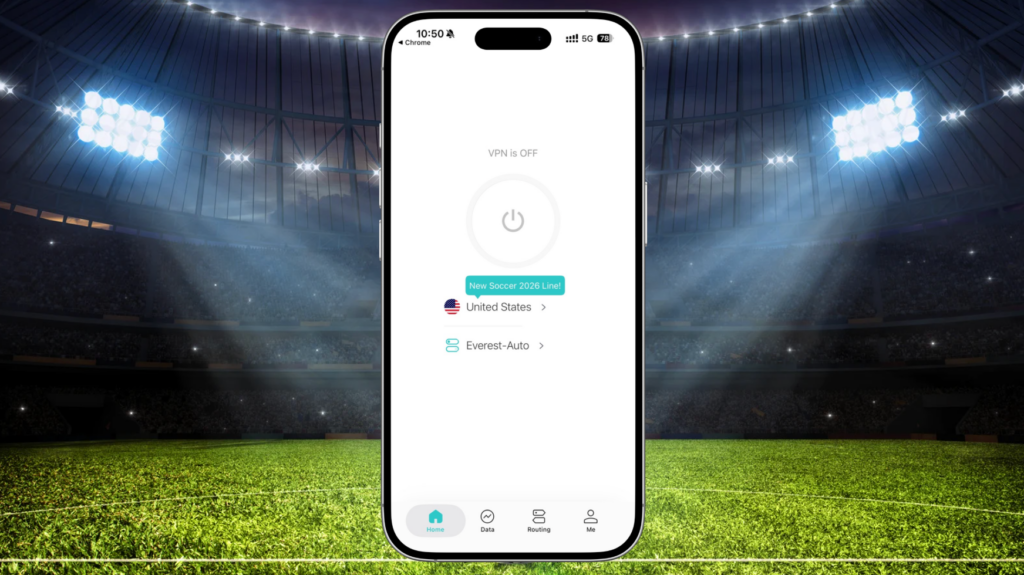
Make sure you’re on the latest version. Update or download X-VPN from the App Store, then open the app and sign in. Once you’re in, you’ll spot a “New Soccer 2026 Line!” tag on the home screen pointing you to the new servers.
Step 2: Find the Soccer 2026 tab
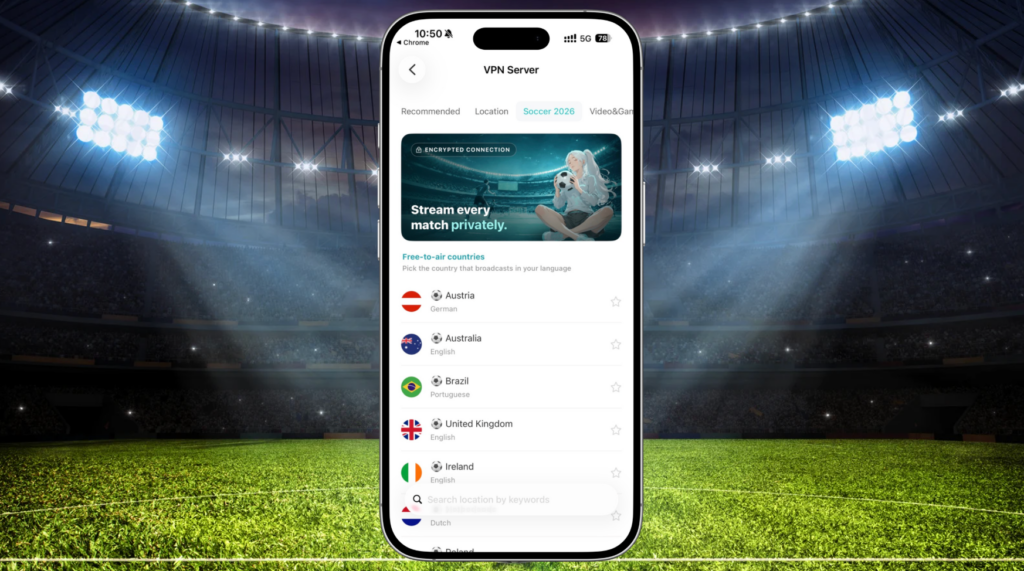
On the VPN Server screen, tap the Soccer 2026 tab along the top. You’ll know you’re in the right place: each country sits under “Free-to-air countries” with a little soccer ball next to its name, and the language it broadcasts in listed just below.
Step 3: Pick your country and connect
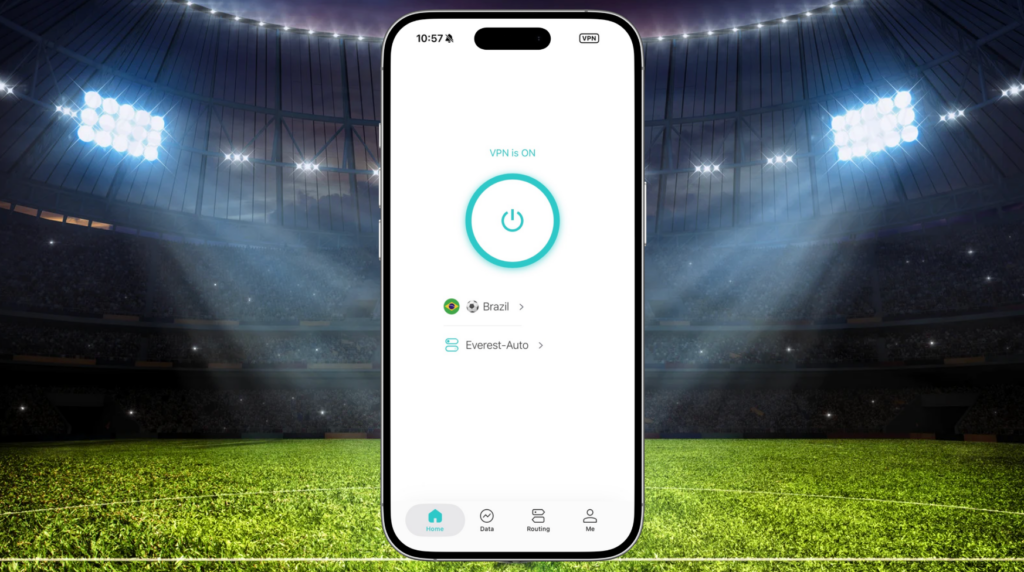
Tap the country whose language suits you best. In this example, we’ve gone with Brazil for Portuguese commentary. Once it shows “VPN is ON,” that’s it. You’re connected and ready for kick-off.

Run into any trouble connecting or streaming? We’re here to help. Drop us a line at support@xvpn.io, or head to our official Reddit community to share feedback.
More Reasons X-VPN Has Your Back This Season
The Soccer 2026 line is just one part of it. As the best VPN built for the 2026 soccer season, X-VPN does a lot more that comes in handy over a long stretch of matches.
Stay private when you post and share
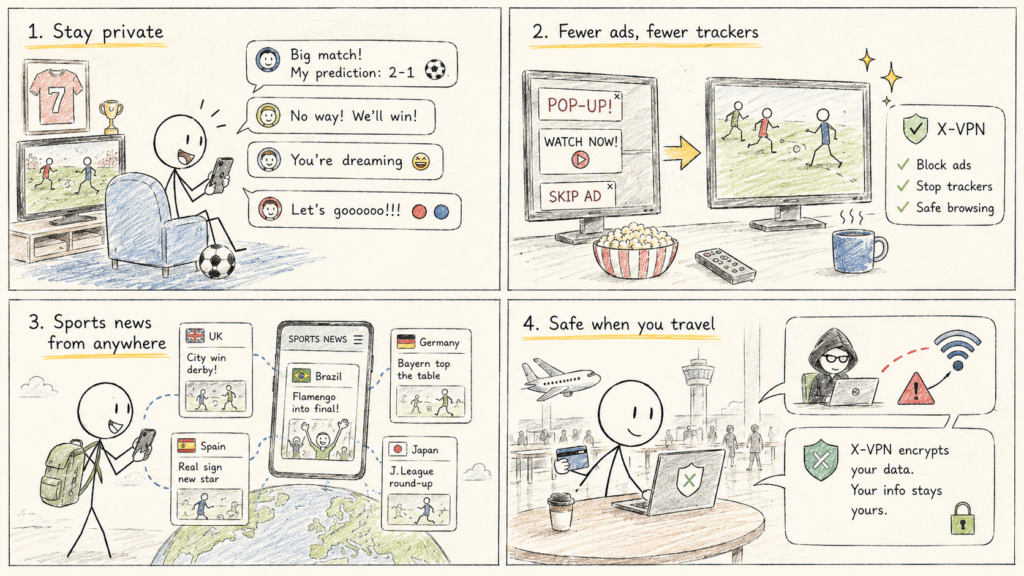
Half the fun is talking football online: sharing predictions, arguing with rival fans, posting in group chats and forums. X-VPN hides your real IP so your location and identity aren’t tied to everything you put out there. Say your piece, share the moment, and keep your private details to yourself.
Fewer ads, fewer trackers
Free streams love to bury you in pop-ups, banners, and video ads. The built-in ad blocker clears out pop-ups, banners, and video ads, while web protection blocks trackers and malicious sites at the network level. Less clutter around the stream, fewer eyes on what you watch.
Browse sports news from anywhere
Following the season is more than the matches. With servers in 80+ countries and 250+ locations, you can keep up with local sports coverage, match reports, and transfer news wherever it’s published, in whatever region it sits.
Safe when you’re buying, paying, and traveling
Heading to a host city for a match? Between booking tickets, paying on the go, and hopping onto hotel or stadium Wi-Fi, you’re putting a lot of personal and payment details through networks you don’t control. On shared Wi-Fi, others on the same network can try to snoop on what you send, which is bad news when you’re typing in a card number or logging into your bank. X-VPN scrambles your internet traffic into unreadable code, so even if someone’s watching the network, all they get is gibberish. Your card details, passwords, and logins stay yours.
Ready for Kick-Off
With the Soccer 2026 line, you connect to the country whose language suits you, enjoy a smooth, steady stream, and keep everything you do private along the way. On top of that, you get everything X-VPN already offers: encrypted connections, ad and tracker blocking, a verified no-logs policy, and coverage across 80+ countries on all your devices.
Already an X-VPN user? Open the app, find the Soccer 2026 tab, and connect. New here? Download X-VPN and join in. Let the season begin.
FAQs
Which devices can I use the Soccer 2026 line on?
The Soccer 2026 line is live now on iOS, Windows, Mac, Android, with Apple TV and Android TV coming soon. Once those roll out, the setup works much the same way across every platform: open the app, find the Soccer 2026 tab, pick your country, and connect.
How do I choose which country to connect to?
Each country in the Soccer 2026 line is listed with the language it broadcasts in, so the easiest approach is to pick the one whose language you follow best. For example, connect to Brazil for Portuguese commentary, or the UK and Ireland for English. Just tap the country and you’re set.
What if the connection isn’t working or the stream keeps buffering?
First, try switching to another country in the Soccer 2026 line, since a different server can often give you a smoother connection. If you’re still running into trouble, reach out to our support team anytime at support@xvpn.io, or share feedback in our official Reddit community.