VPN Encryption: Everything You Should Know
Want to dig deeper into how VPN encryption protects your data? Have a look at this guide.


A VPN tunnel is a key part of any VPN. It helps keep your connection secure and your online activity more private. Here’s how VPN tunnels work, what they actually do, and how to check that yours is working.
A VPN tunnel functions as a secure, encrypted pathway that connects a user’s device to a remote VPN server. During transit, all traffic is scramble-protected, while destination sites only register the IP of the VPN server. This lets you browse, use apps, and access online services with less of your personal information exposed.
A VPN tunnel mainly protects your connection in two ways:
Traffic sent through the VPN tunnel is encrypted. Only the VPN app and VPN server have the keys needed to decrypt it, so anyone else who intercepts the traffic sees unreadable data instead of the original content.
Websites identify the source of a connection by the public IP address they receive. Because your traffic exits through the VPN server, they see the server’s IP address and approximate location instead of your own. This reduces the amount of network and location information exposed through your connection.
Overall, a VPN tunnel reduces the information directly exposed through your internet connection. This is especially useful on public Wi-Fi and other shared networks, where you cannot always be sure how secure the connection is.
The way a VPN tunnel works can be compared to sending a sealed package through a courier service. So, how does this actually play out?

Connecting to a VPN begins with the client app reaching out to your chosen server, requesting a secure communication channel between the two ends.
Your device and the VPN server then perform a handshake. They verify each other’s identity, agree on the encryption method, and create the keys used to protect your data.
Once the handshake is complete, the VPN tunnel is ready to carry your internet traffic.
Before the traffic is sent, the VPN encrypts it with a session key. The VPN server can decrypt it, while anyone who intercepts it sees only unreadable data. The encrypted traffic is then placed inside another packet so it can reach the server.


Serving as a bridge, the server decodes your encrypted incoming traffic and forwards the request to your target site. To the destination website, the incoming request originates entirely from the VPN server, so your personal IP remains hidden.
The response from the website first goes back to the VPN server. The server encrypts the data and sends it through the tunnel to your device, where the VPN app decrypts it for use.
All of this happens automatically in the background, so you can browse websites, use apps, and access online services as usual—only with greater privacy.
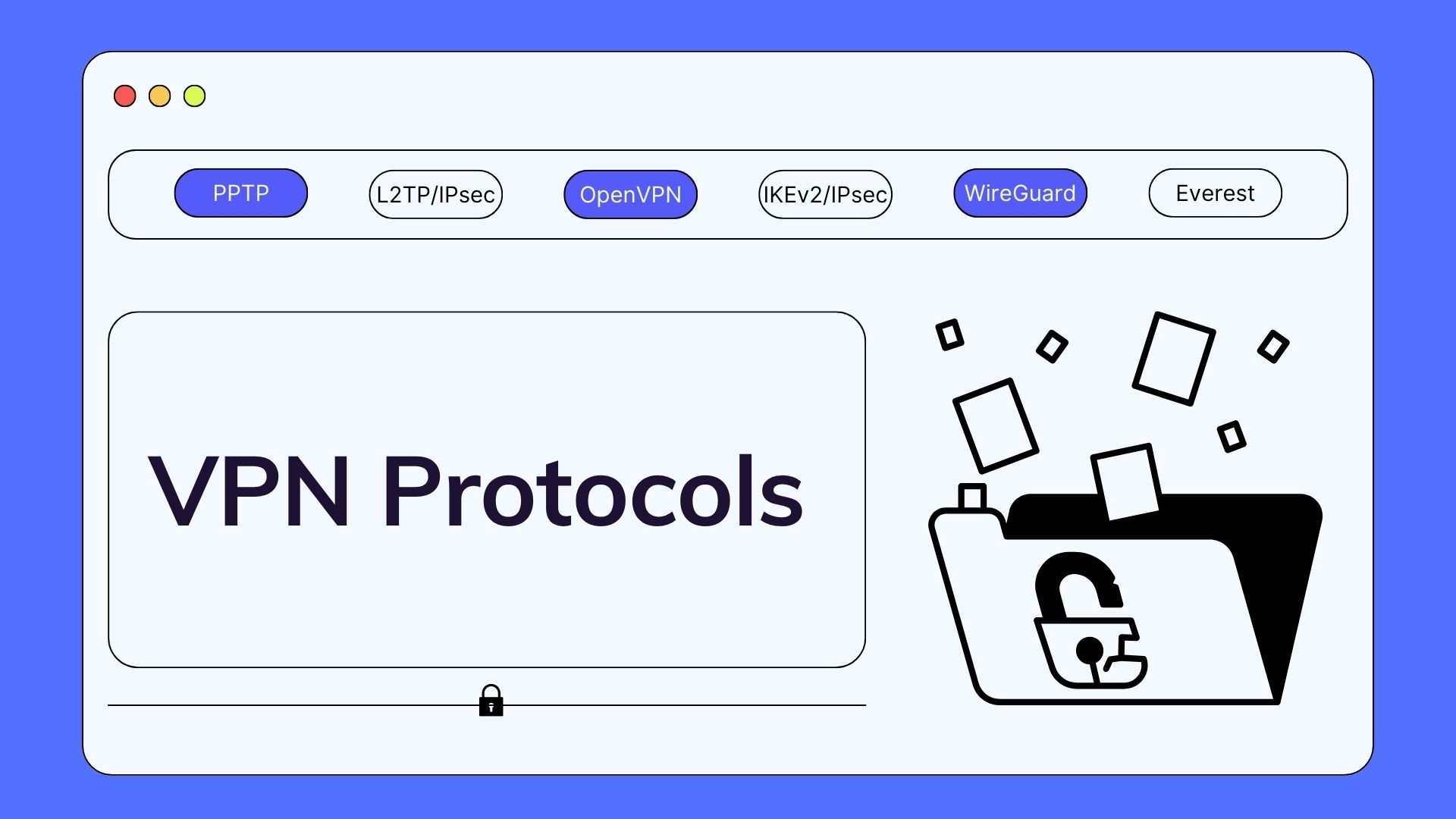
VPN protocols determine how a VPN tunnel is created and how the data traveling through it is protected. Some protocols focus on speed, while others are better suited to specific devices or network conditions.
| Protocol | Pros | Cons | Best Use Case |
| OpenVPN | Security and compatibility | May be slower | Cross-platform use |
| WireGuard | Speed and efficiency | Limited support on some older systems | Everyday use and performance |
| IKEv2/IPsec | Stable network switching | Limited support on some devices | Mobile devices |
| L2TP/IPsec | Built-in compatibility | Slower and less efficient | Older systems |
| SSTP | Windows integration | Limited cross-platform support | Windows users |
As an industry-standard protocol, OpenVPN remains a primary choice across many platforms. Its support for both UDP and TCP connections helps it balance security, reliability, and compatibility across different devices and networks.
Compared to legacy VPN protocols, WireGuard features a streamlined architecture with significantly fewer lines of code. This helps reduce overhead and deliver fast, efficient connections.
IKEv2 establishes and maintains the tunnel connection, while IPsec encrypts all data passing through it. It is commonly supported on mobile platforms and designed to reconnect efficiently when network conditions change.
L2TP/IPsec pairs L2TP tunneling with IPsec encryption. It is commonly found on older devices and operating systems. However, it tends to be slower and use more processing power than newer VPN protocols.
SSTP was developed by Microsoft and uses SSL/TLS to protect VPN traffic. It works especially well on Windows, where built-in support makes it easy to set up and use.
Many people assume a VPN uses a single tunnel for all their internet traffic, but that is not always the case. Instead, split tunneling allows you to divide your connections—routing sensitive data through the encrypted VPN while letting routine activity use your standard internet.
You can keep work apps or private resources on the VPN, while streaming and local services use your regular connection. This keeps unnecessary traffic off the VPN and may help maintain better speeds.
By contrast, full tunneling routes all internet traffic through the encrypted VPN by default.
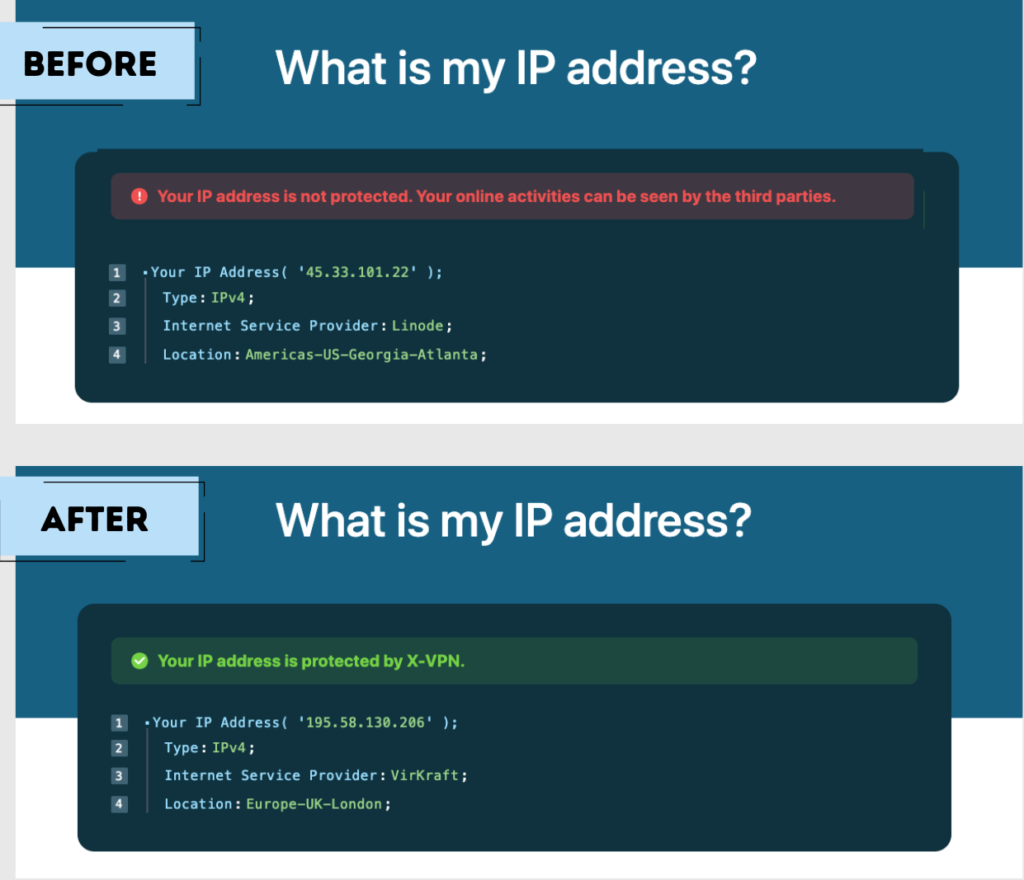
Once the VPN is connected, you can run a few quick checks to make sure the tunnel is active. Start by checking whether your IP address has changed and whether your DNS requests are going through the VPN.
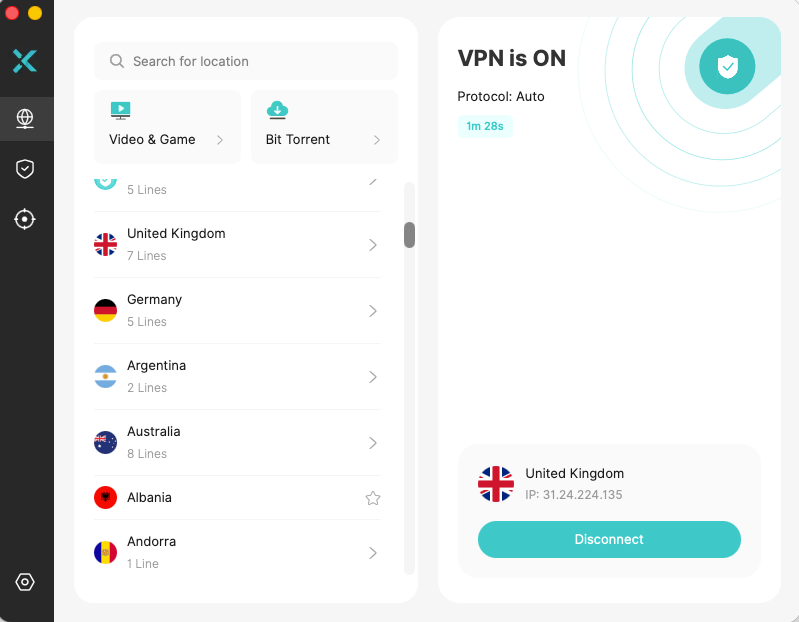
Using X-VPN as an example, we connected to a UK server and checked the IP location again. It changed to the UK, indicating that our traffic was going through the selected VPN server.
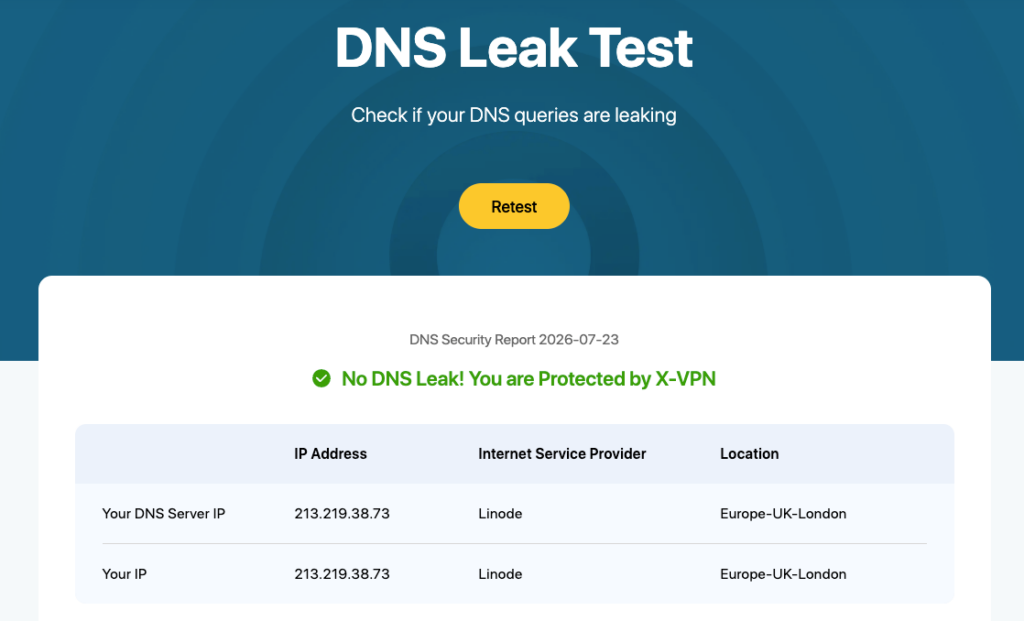
You can also run a DNS leak test to check how your DNS requests are being routed. Although this test cannot confirm the VPN tunnel on its own, a result showing no leaks generally means your DNS requests are going through the VPN rather than your regular network.
A VPN tunnel provides a protected connection for your internet traffic and masks your original IP address. The way it works can vary depending on the protocol and settings, but the goal is always to give you a safer, more private connection.
Not exactly. A VPN refers to the complete service or technology, while the tunnel is the protected route used to carry your traffic. In other words, the tunnel is one part of the VPN connection.
For most users, there is no need to set one up manually. Install a VPN app, choose a server, and tap Connect. The app handles the protocol selection and tunnel setup in the background.
It can. Encrypting your traffic and sending it through an additional server adds some overhead. How noticeable the slowdown is will vary with the protocol, server location, server load, and your original internet speed.
Your device may switch back to its normal internet connection, which can reveal your real IP address. A kill switch helps avoid this by cutting off internet access until the VPN reconnects.
A properly configured VPN tunnel is generally safe. The level of protection still depends on the protocol, the VPN software, and the provider behind it. Outdated apps, weak settings, and unreliable services can all introduce risks.
A VPN does not make you anonymous or impossible to trace. It can hide your IP address from websites, but investigators may still rely on account information, device records, website logs, provider data, and other evidence.
VPN use is legal in many parts of the world, although some countries restrict or regulate it. Using a VPN also does not make illegal activity legal, so local laws and platform rules still apply.
You normally do not pay for the tunnel separately. It is included as part of the VPN service, which may be free, subscription-based, or offered as a custom business solution.
Article by
Juli Cooper is a content writer at X-VPN with 7 years of technology and VPN writing experience. Juli excels at explaining technological concepts from the perspective of everyday users with little or no tech background. She is dedicated to helping people better enjoy the conveniences of technology while ensuring their online security.

© LIGHTNINGLINK NETWORKS PTE. LTD. All Rights Reserved