

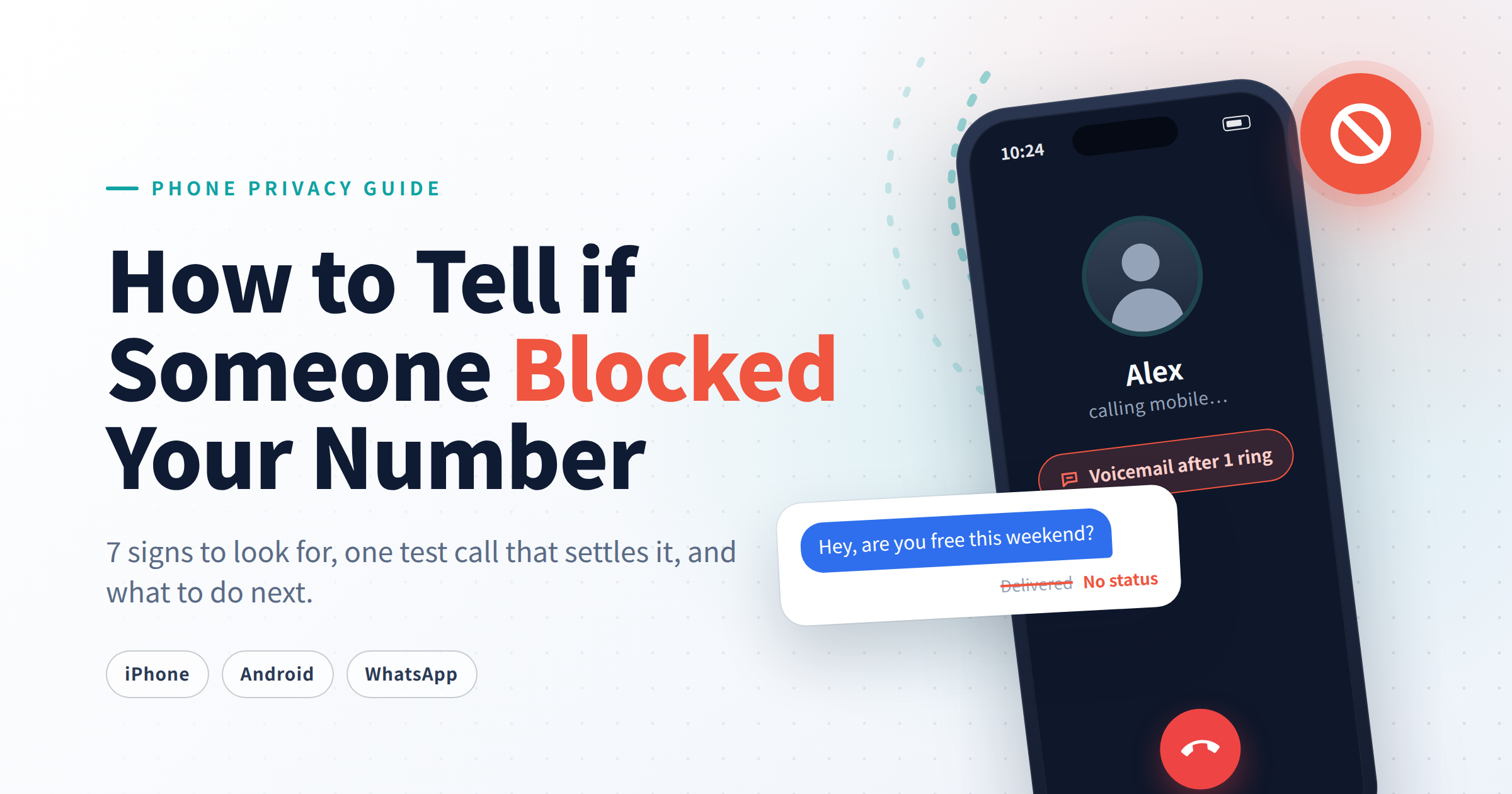
Your calls ring once and then go straight to voicemail. Your last text has no “Delivered” receipt beneath it. Smartphone operating systems never come out and tell you when someone has blocked your number, but block filters do leave consistent digital patterns, and a simple test call can get you close to a definitive answer.
This guide covers how to diagnose a block on iPhone, Android, and WhatsApp, how to run an accurate test call in Australia, and what to do once you know where you stand.
Table of Contents
30-Second Diagnostic Checklist
Facing an unresponsive screen, uncertainty is often the most agonizing aspect. Before making a final judgment, consider using this 30-second quick diagnostic checklist to clarify the signals and meanings hidden in the details of the communication:
Diagnostic Marker | Reliability / Weight | What It Indicates |
|---|---|---|
Call rings once, then goes to voicemail | 🔴 High | The recipient’s handset active-rejected your Caller ID. |
iMessage/RCS shows no Delivered status for 24+ hours | 🔴 High | The network accepted the text, but the recipient device rejected delivery. |
iMessage bubble turns Green | 🟡 Low | The message reverted to SMS. Happens when blocked, but also happens during poor data service or cross-platform texts. |
WhatsApp message stuck on a single grey tick | 🟠 Medium | Text reached WhatsApp servers, but recipient handset hasn’t acknowledged delivery. |
WhatsApp avatar and Last Seen vanish simultaneously | 🟠 Medium | Points to a block when combined with a persistent single tick. |

💡One missed call or unanswered text could simply mean the other person has a dead battery or poor signal. That said, if several of these signs keep showing up consistently over two or three days in a row, there is a very strong chance that you have been blocked.
How to Tell if Someone Blocked Your Number on iPhone
iPhones provide some of the clearest evidence of a block because iMessage features built-in delivery receipts and iOS handles blocked incoming calls with rigid consistency.
Check Your iMessage for “Delivered” Status
Look directly underneath your latest blue message bubble:
- Normal Status: When the recipient’s phone is on and able to receive messages, the word “Delivered” will appear shortly after you send your message. If the recipient has read receipts turned on, you may see “Read” instead.
- Blocked Status: If you have been blocked, the message will appear to send as usual on your end, but no delivery text will ever show up beneath the message bubble. That space simply stays blank.
- Missing “Read” Status: Try not to mistake a missing “Read” label for a sign that you have been blocked. Read receipts are an optional feature, and any user can choose to turn them off at any time.
💡A normal thread displays “Delivered” under the blue bubble; a blocked thread leaves the area beneath the blue bubble completely blank despite hours passing.

Does a Green Text Mean Someone Blocked Your Number?
Not necessarily. A green bubble simply means your iPhone transmitted the message via standard cellular SMS/MMS instead of Apple’s internet-based iMessage protocol. This happens when:
- The recipient has blocked your number (iOS falls back to SMS, which then fails silently).
- The recipient turned off iMessage or has no cellular data/Wi-Fi connection.
- The recipient switched from an iPhone to an Android device.
Counting a green bubble as proof of a block is only valid if it accompanies an instant drop to voicemail during a phone call.
What Happens When You Call an iPhone That Blocked You?
When you dial an iPhone that has blacklisted your number, the call is routed to the device, identified by iOS, and terminated locally before the screen lights up or rings.
- The Call: You will hear one brief ring, followed immediately by a transfer to voicemail.
- The Voicemail: You can still record a voice message, but iOS deposits it directly into a hidden Voicemail > Blocked Messages folder at the bottom of the recipient’s app. They receive no notification that you called or left a recording.
- FaceTime: FaceTime audio and video calls will instantly fail or display “FaceTime Unavailable” without ringing on their end.
How to Know if Someone Blocked Your Number on Android
Because Android manufacturers (Samsung, Google Pixel) customize their dialer apps, call behaviors can vary slightly, making a combination of text and call checks necessary.
Check Delivery Reports on Android
Modern Android devices use Google Messages running Rich Communication Services (RCS) to handle advanced texting.
- RCS Chats: Look at the checkmark icons on the bottom right of your message bubble. A single outline checkmark (○) means sending; a single solid checkmark (✓) means sent to the server; double solid checkmarks (✓✓) mean delivered. If your text stays on a single checkmark for days while other chats function normally, you are likely blocked.
- SMS Delivery Reports: If you send standard SMS, open Google Messages, go to Settings > Advanced, and toggle on Get SMS delivery reports. Note that an SMS delivery report confirms the message hit the recipient’s mobile tower, which can sometimes mark “Delivered” before the device OS silently discards it.
Use the Suggested Contacts Trick
If you both use Android devices synced with Google Contacts, this quick interface check can offer a subtle clue:
- Copy the contact’s phone number to your clipboard and back up their details.
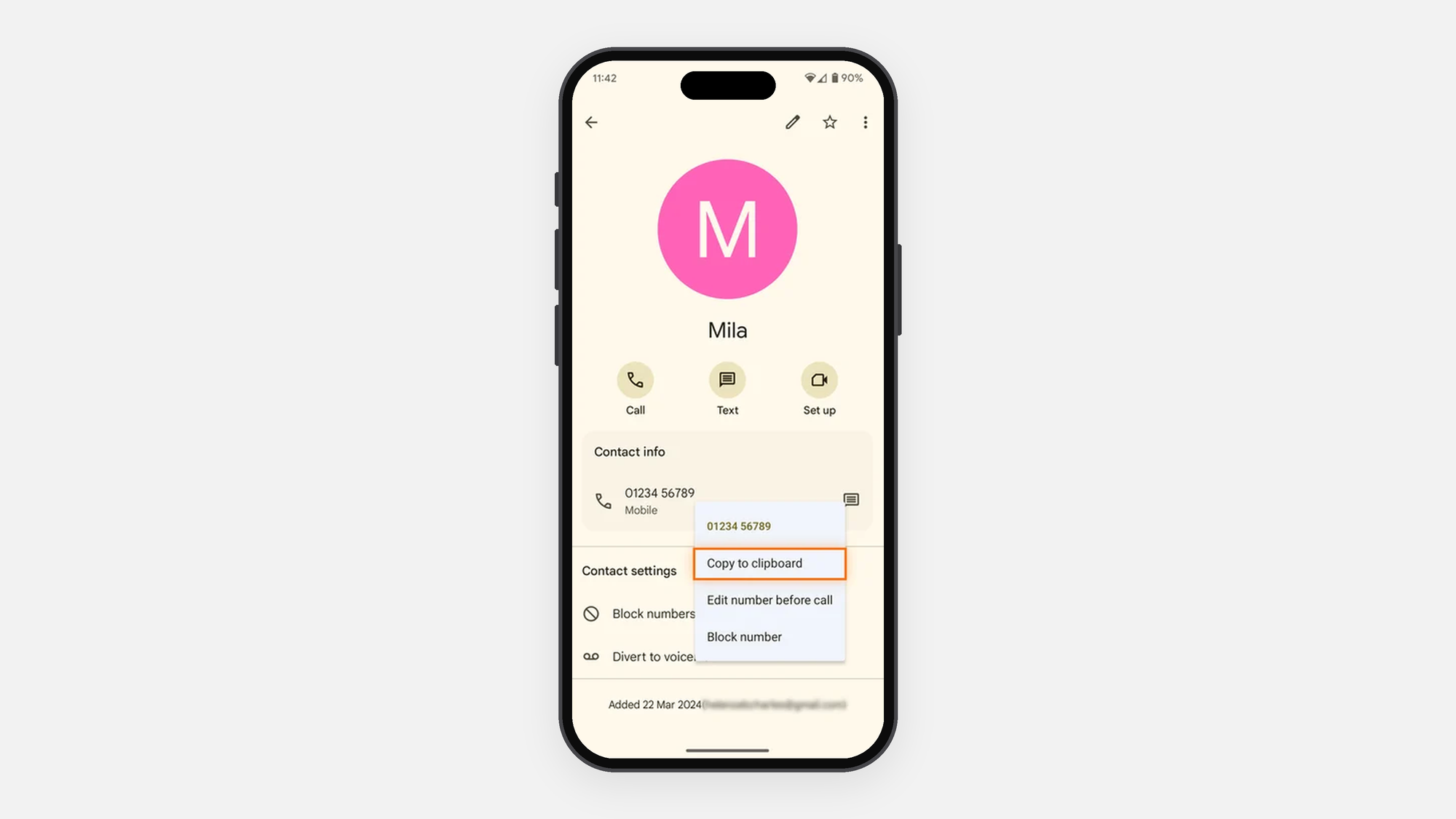
- Delete the contact from your device.

- Open your Contacts app and paste their phone number into the search bar.
- Interpretation: If their name and profile pop up under Suggested Contacts, your number is likely not blocked. If only the raw unformatted digits appear, the system may be restricting account synchronization due to a block.
💡This requires Google Contact Sync to be enabled on both ends.
What Happens When You Call an Android Phone That Blocked You?
When you block a call on an Android phone, it typically goes straight to voicemail after zero to one ring. However, the exact behavior can vary depending on your carrier settings and any blocking apps you have installed, you might experience:
- One ring followed by voicemail.
- A rapid busy signal (reorder tone) before the line automatically hangs up.
- An automated recorded message stating the caller is “busy” or “not accepting calls.”
Signs You’re Blocked on WhatsApp and Social Media
If someone blocks your phone number in their native contact book, they frequently apply the same restrictions across third-party messaging and social media applications.
The WhatsApp Diagnostic Protocol
WhatsApp relies entirely on phone numbers for contact matching. If you are blocked on WhatsApp, you will notice three distinct changes:
- Single Grey Tick Only: Messages sent to the contact show one grey tick but never turn into two grey ticks.
- Profile Changes Vanish: Their profile picture reverts to the default grey silhouette, and their “Last Seen” timestamp or “Online” status becomes invisible.
- Group Add Failure: If you attempt to add the contact to a new WhatsApp group chat, the app will return an error stating “Couldn’t add contact.”
Social Media Profiling
If someone wants to cut off all contact completely, they typically combine phone blocks with social media blocks across multiple platforms. You can verify this by searching for their username on Instagram, Facebook, or X — if their profile vanishes, shows “User Not Found,” or conceals their follower list, it confirms you’ve been blocked across platforms.
How to Test if Someone Blocked Your Number in Australia
To test whether your number is blocked on Australian networks, hide your Caller ID using local dialing prefixes. Use these Australia-specific methods to check your call status across Telstra, Optus, and Vodafone:
Use #31# to Test Your Call Status
In Australia, prefixing a phone number with #31# suppresses your Caller ID for that specific outgoing call across Telstra, Optus, Vodafone, and MVNO networks.
Example dialing format: #31#0412345678
- The Test: Dial #31# followed by the recipient’s full mobile number.
- The Result:
- If the call rings normally (4 to 5 times), your regular number is blocked.
- If the call goes straight to voicemail after zero rings, their phone is simply turned off, in a dead spot, or set to “Silence Unknown Callers” (which automatically rejects hidden numbers).
Call From Another Phone or Landline
Borrow a friend’s mobile or use a landline to make a single verification call. On a Telstra home landline, you can dial 1831 before the number to make the call private. If their phone rings normally from an unblocked secondary line while dropping instantly from your primary phone, the block is confirmed.
Why Missing “Delivered” Receipts Vary in Australia
Between two iPhones, the absence of a “Delivered” tag can provide a useful clue, but it is not definitive proof of blocking.
Between an iPhone and an Android phone, delivery indicators are even less conclusive. Cross-platform messaging can use RCS or fall back to standard SMS depending on device, carrier, and messaging settings.
For that reason, avoid relying on a single delivery indicator when determining whether someone has blocked your number.
Free VPN for Australia
Unlimited bandwidth. No sign up. No speed limit.
Other Reasons It Looks Like Someone Blocked Your Number
Four everyday technical situations mirror the exact symptoms of a block. These issues clear up within hours or days, whereas a block remains constant.
- Phone is Powered Off, Flat, or Out of Coverage: Calls go directly to voicemail with zero rings. Texts sit undelivered until the handset connects to a tower.
- Focus Mode or Do Not Disturb (DND) is Active: Calls route to voicemail, and notification chimes are silenced. On iPhone, an active Focus mode may display a small prompt reading “He has notifications silenced” inside your iMessage thread.
- Silence Unknown Callers is Enabled: Both iOS and Android provide built-in tools for handling unknown callers. If unwanted or suspicious calls are the real problem, learn how to block suspicious calls and reduce potential spam. If they deleted your contact entry, your calls will behave as if blocked.
- Network Outages: Carrier disruptions (such as localized tower maintenance or major network outages) prevent call routing entirely. Check your carrier’s official service status page before assuming you have been blocked.
What to Do if Someone Blocked Your Number
Can You Still Text or Call Someone Who Blocked You?
When someone blocks you, your messages and calls are silently intercepted at the network level, with texts dropped and calls sent to voicemail without notification. Attempting to avoid the block using hidden numbers or burner apps is ineffective and unlikely to produce a positive result.
Does Being Blocked Mean It’s Final?
Blocking someone can be either temporary or permanent depending on the situation. While some people block others during heated moments and later unblock them once emotions settle, others intend it as a lasting boundary. If urgent practical matters need addressing, a single polite message through alternative means is appropriate before stepping back.
Conclusion
Determining if someone has blocked your number requires observing multiple signs together, such as how many times a call rings, whether text delivery notifications disappear, and the behavior of messaging apps like WhatsApp. A test call using a hidden ID can help rule out technical issues, but consistent patterns across these indicators likely confirm a block.
FAQs
Will a text message say “Delivered” if you are blocked?
Not on iMessage, RCS, or WhatsApp. The protocol server receives the message from your device but blocks the delivery confirmation handshake that would normally come back from the recipient’s phone.
How many times does a phone ring if you are blocked?
Usually you will hear just one short ring, or even half a ring, before the call goes straight to voicemail. If you hear three, four, or five full rings, the call connected normally and was either not answered or deliberately rejected.
If someone blocked your number, does it show as busy?
On modern smartphones, a busy signal is uncommon. Both iPhone and Android are set up by default to send blocked calls quietly to voicemail rather than producing any audible signal. If you hear an immediate busy tone, it typically means the person you are calling is already on another call, or that a call restriction has been applied at the carrier level.
Can you leave a voicemail if someone blocked your number?
On iPhone, the answer is yes. The voicemail records as usual, but iOS stores it in a hidden “Blocked Messages” folder within the Phone app and does not send the recipient any notification. On Android, how voicemail is handled depends on the carrier settings in the user’s area.
Will you know immediately if someone blocks your number?
No. Smartphone operating systems do not issue alerts or error messages to blocked contacts. You can only confirm a block by observing consistent patterns over several days or using a hidden Caller ID test.
How do you unblock a number on iPhone or Android?
iPhone: Open Settings > Phone > Blocked Contacts, tap Edit, select the red minus icon next to the number, and tap Unblock.
Android: Open the Phone app, tap the three dots (⋮) > Settings > Blocked numbers, and tap the X icon next to the number you wish to remove.