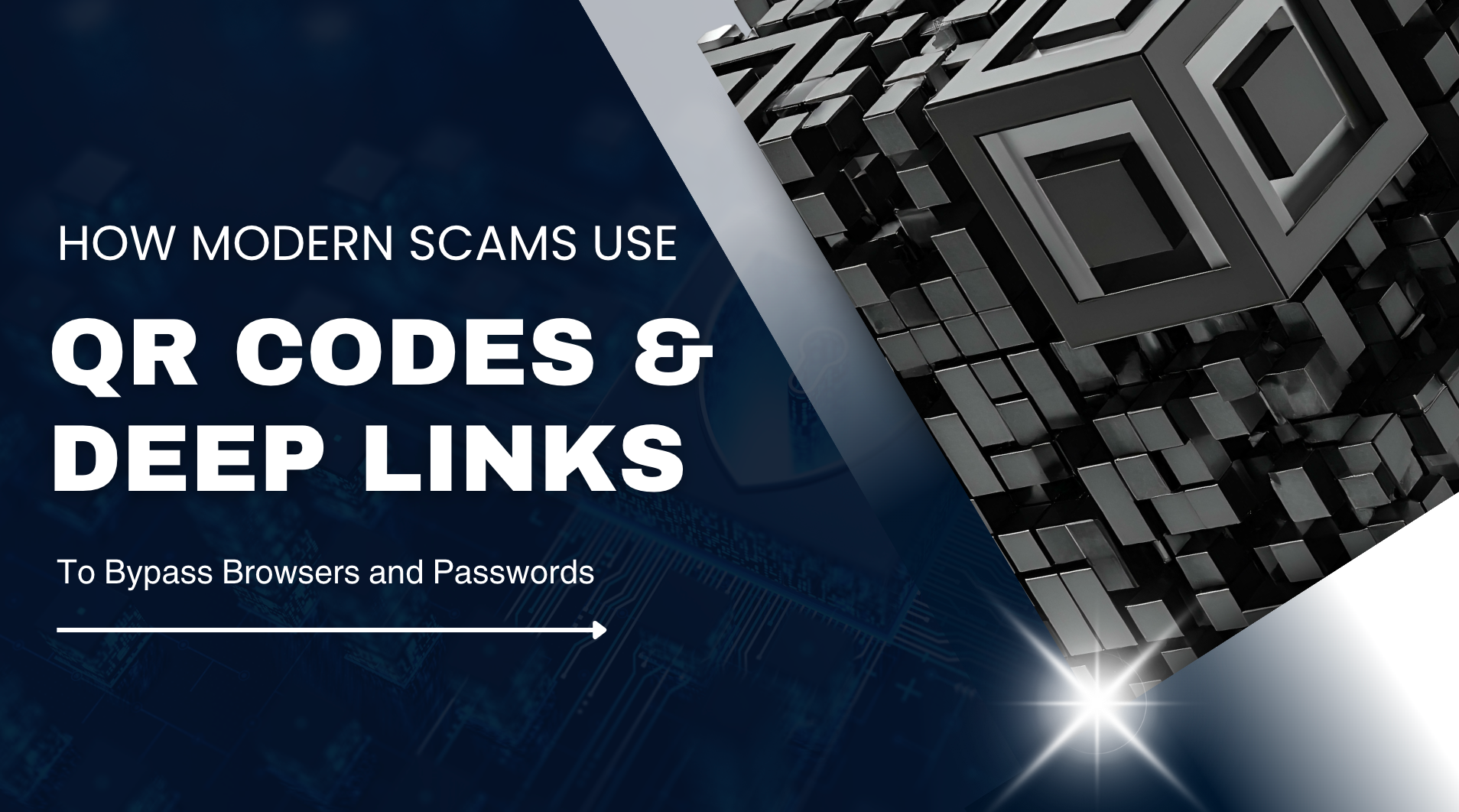
How Modern Scams Use QR Codes and Deep Links to Bypass Browsers and Passwords
Learn more about how these attacks work and how to protect yourself.


WhatsApp is safe enough for most everyday conversations, but it is not completely risk-free.
This article explains how safe WhatsApp really is in 2026, where the main risks lie, and how to protect yourself.
To evaluate whether a messaging app is safe and private, we assess it from the following perspectives:
WhatsApp includes several built-in security features that protect your account automatically.
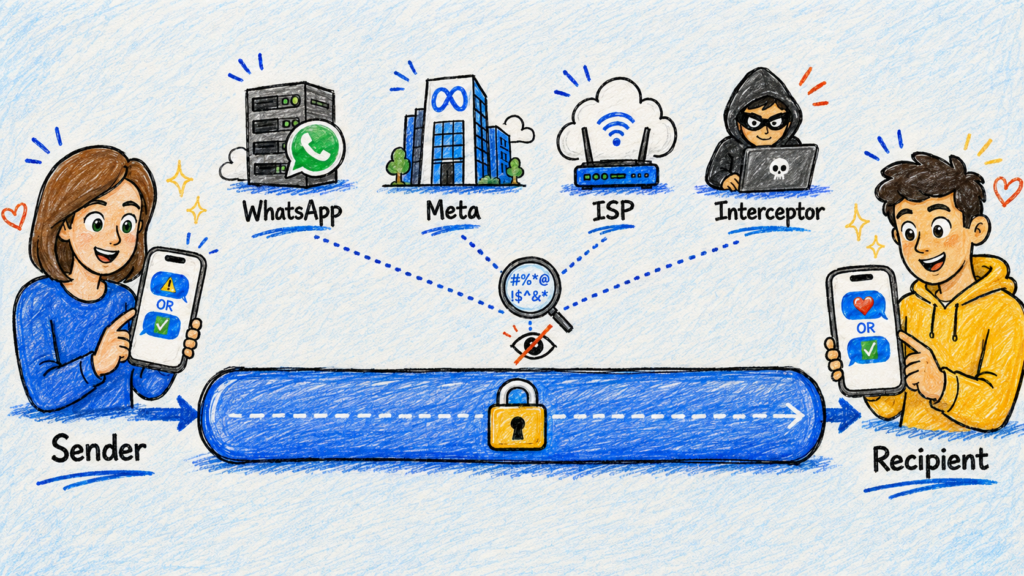
End-to-end encryption means your content is encrypted on your device and can only be decrypted by the person or group you send it to. This prevents intermediaries—including WhatsApp, its parent company Meta, internet service providers, and anyone who intercepts the connection—from reading your messages or listening to your calls.
WhatsApp uses end-to-end encryption by default for all personal and group chats, voice and video calls, and shared files. Two important mechanisms support this protection:
The same level of protection can also apply to chat backups when end-to-end encrypted backups are enabled.
From login verification to proactive background defenses, WhatsApp uses multiple layers of security to help prevent account hijacking and unauthorized device linking.
To keep your chats safe from scams and spam, WhatsApp combines automated threat detection with real-time safety warnings to spot and stop abuse early.
These measures can reduce common abuse, but they cannot identify every scam or replace careful user judgment.
WhatsApp uses an encrypted system called Identity Proof Linked Storage, or IPLS, to securely save contacts created within the app. This allows users to access those contacts across linked devices and restore them after changing or losing a phone.
Contact names are encrypted before leaving the device, and only authorized devices can access or restore the contact list.
While WhatsApp’s end-to-end encryption protects your messages in transit, it can’t guard against every risk. In fact, most real-world threats originate outside the encrypted channel—targeting your phone, your account, or your trust.
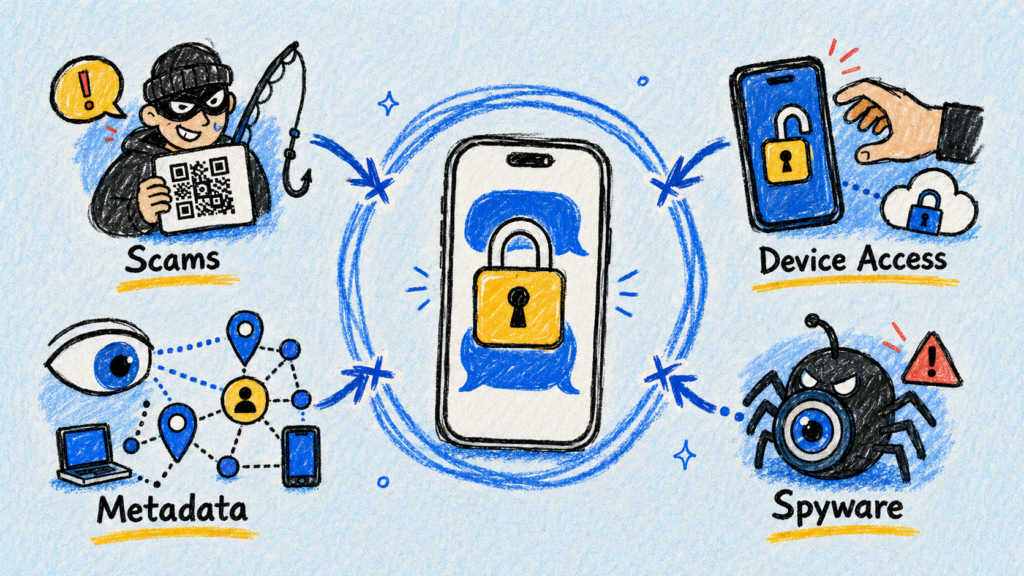
Scammers may impersonate friends, family, or support staff to steal money, send malicious links, or obtain login details. They may also use fake QR codes or device-linking pages to access your account and pose as you to scam your contacts.

While messages are secure in transit, they can still be exposed once they reach a device. Anyone with access to an unlocked phone, a linked session, or an unencrypted cloud backup could view your chats.
End-to-end encryption protects message content, but not your anonymity. Meta still collects metadata—like your phone number, IP address, and device details—to track when and how you use the service.
No app is immune to software flaws. In rare cases, advanced spyware can exploit zero-click vulnerabilities to access your device and data. Regularly updating WhatsApp and your operating system helps patch known security issues.
To lower your security risks, follow these practical steps to better protect your account, backups, and personal data.
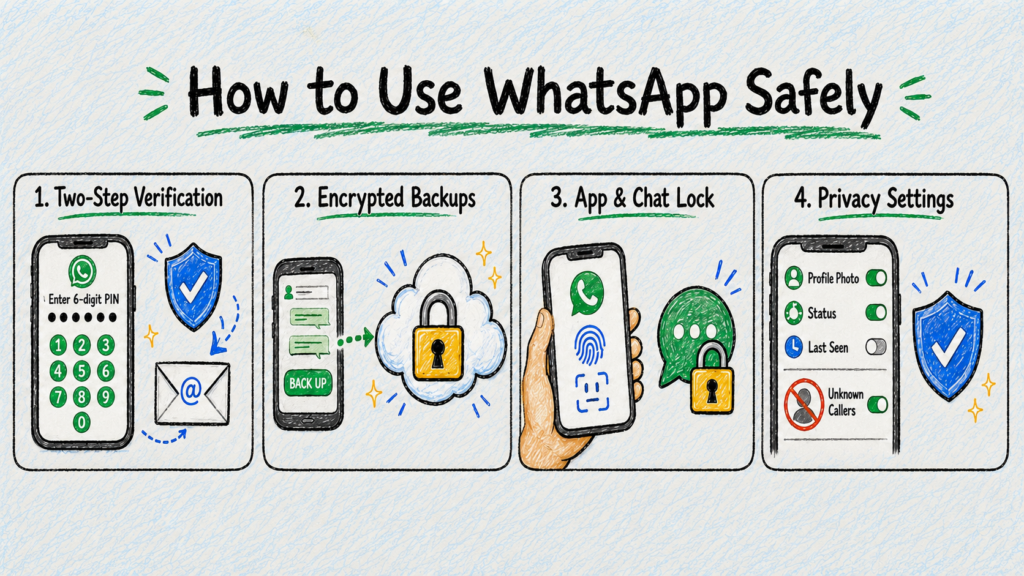
Go to Settings > Account > Two-step verification to set a 6-digit PIN and recovery email. This adds a secondary passcode during phone number setup, preventing scammers with your SMS code from hijacking your account.
Turn on End-to-end encrypted backup in Settings > Chats > Chat backup and follow the prompts to complete the setup.
If you back up your WhatsApp chats to the cloud, standard storage providers (like iCloud or Google Drive) may offer platform security, but enabling this feature adds WhatsApp’s end-to-end encryption on top of it. Once turned on, future WhatsApp backups and updates are encrypted so that neither WhatsApp nor your cloud provider can read them.
Turn on App Lock in Settings > Privacy to lock the WhatsApp app, and lock individual chats by tapping a contact’s profile and selecting Chat Lock. This ensures nobody can view your private messages if they physically hold your phone.
Go to Settings > Privacy, or run Privacy Checkup, to control who can see your profile photo, status, last seen, and online activity. You can also enable Silence Unknown Callers to stop calls from unfamiliar numbers from ringing, while still keeping them visible in your call history.
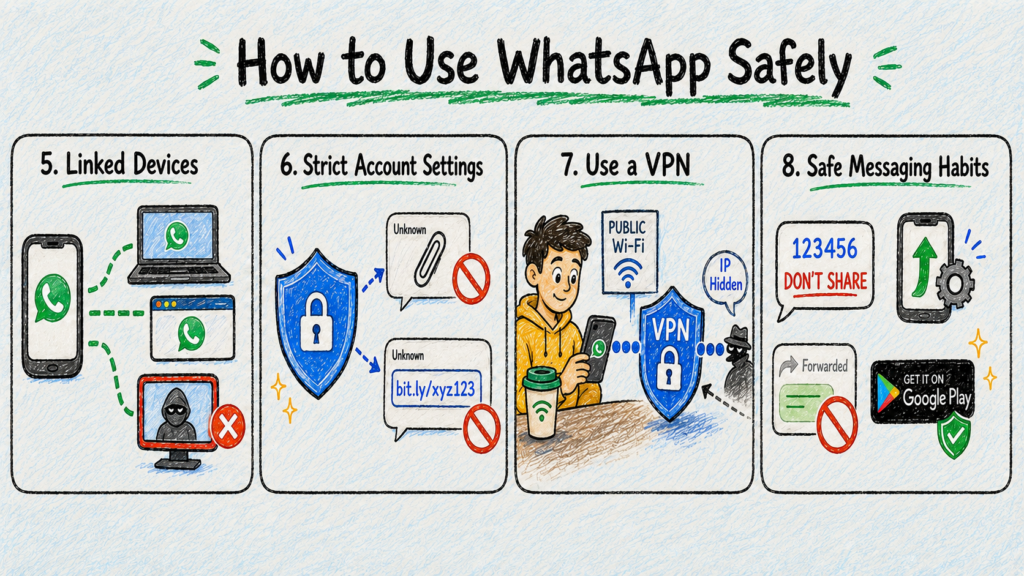
Check Linked Devices to view all active browser and desktop sessions, and log out of any unfamiliar devices. This stops unauthorized users from silently monitoring your account from secondary devices.
High-risk users (like journalists or activists) can turn on Strict Account Settings under Settings > Privacy > Advanced. This auto-blocks suspicious attachments and link previews from strangers to shield against targeted malware attacks.
While WhatsApp encrypts chat content, it doesn’t hide network details like your location or IP address. A VPN fills this gap by encrypting network traffic and masking your real IP.
You can choose a reliable provider like X-VPN, which offers network encryption plus features to block ad trackers and scan risky links.
Never share verification codes, update your app regularly, and download WhatsApp only from official stores. Remember, encryption secures message transit, but it cannot prevent recipients from screenshotting, saving, or forwarding your content.
To explore any of these security features in more detail, check the official guide on WhatsApp Security Features.
Security features and privacy settings can improve your overall protection, but practical limitations can affect how safe WhatsApp is in specific scenarios.
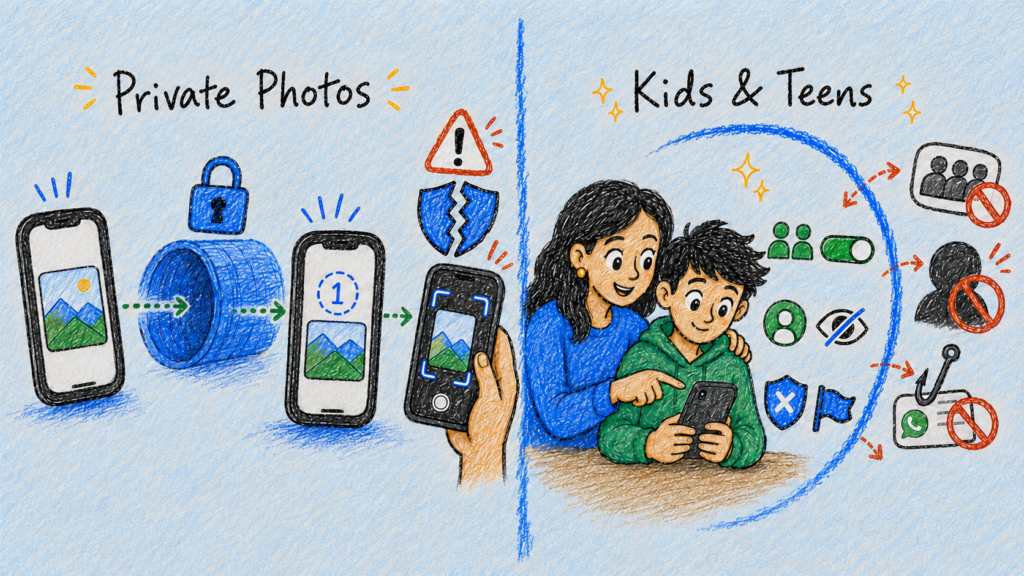
WhatsApp is generally safe for everyday media sharing, but it cannot guarantee complete privacy for sensitive photos. While encryption protects photos in transit and tools like View Once restrict repeat views, they still can’t prevent recipients from taking a photo of the screen with a second device.
💡 What to do: Use View Once to limit how long media remains accessible, but avoid sharing highly sensitive content with anyone you do not fully trust.
Since private messages are end-to-end encrypted, WhatsApp can’t automatically monitor chats to filter out harmful content. As a result, younger users can still face online harassment and scams, or get added to random groups by strangers.
💡 What to do: Restrict group invites and profile visibility, and teach children to block and report suspicious contacts. Combine these settings with active parental guidance.
The following quick comparison shows how WhatsApp stands against other leading messaging apps in terms of security and privacy.
Feature | WhatsApp | Signal | Telegram |
|---|---|---|---|
Default E2EE for private chats | ✅ | ✅ | ❌ |
Default E2EE for group chats | ✅ | ✅ | ❌ |
Default E2EE for one-to-one calls | ✅ | ✅ | ✅ |
End-to-end encrypted backups available | ✅ | ✅ | ❌ |
Contact without revealing a phone number | ❌ | ✅ | ✅ |
Regular chat content inaccessible to the platform | ✅ | ✅ | ❌ |
Designed to minimize service metadata | ❌ | ✅ | ❌ |
WhatsApp and Signal provide a similar level of protection for message content. Both use end-to-end encryption by default for private chats, group chats, and calls.
The main difference lies in privacy beyond message content. Signal follows a stricter data-minimization approach and offers stronger phone-number privacy, while WhatsApp allows Meta to process a broader range of account, device, contact, and usage data.
WhatsApp and Telegram both support encrypted calls and multi-device messaging.
However, they protect regular chats differently. WhatsApp applies end-to-end encryption by default to private and group chats, while Telegram limits this protection to Secret Chats. Telegram offers greater phone-number privacy, but its regular Cloud Chats remain accessible to the platform.
WhatsApp is generally safe for everyday use, but privacy depends as much on user habits as it does on encryption.
Enabling core security settings and staying alert to online risks makes it a reliable messaging choice.
Yes, but they usually access the account or device rather than break WhatsApp’s encryption. Stolen verification codes, malicious device-linking requests, spyware, and unlocked phones can all expose chats.
Normally, no. Personal messages and calls are end-to-end encrypted, so WhatsApp and Meta cannot normally read or listen to their content while they are being delivered.
Yes. Common risks include scams, account hijacking, malicious links, exposed devices, insecure backups, metadata collection, and occasional software vulnerabilities.
No. Message content is strongly protected, but WhatsApp still processes account, device, connection, and usage data. Recipients can also save, copy, or share anything they receive.
Its main drawbacks are limited anonymity, reliance on phone numbers, metadata collection, exposure to scams, and the need to enable some protections—such as encrypted backups—separately.
Not always. Deleting a message can remove it from the chat, but copies may remain in screenshots, forwarded messages, device storage, notifications, or older backups. Deletion therefore reduces access but cannot guarantee permanent removal.
Article by
Juli Cooper is a content writer at X-VPN with 7 years of technology and VPN writing experience. Juli excels at explaining technological concepts from the perspective of everyday users with little or no tech background. She is dedicated to helping people better enjoy the conveniences of technology while ensuring their online security.

© LIGHTNINGLINK NETWORKS PTE. LTD. All Rights Reserved