QR codes were supposed to make life easier. Scan a square to skip the typing, get where you’re going. For menus, payments, and event tickets, that convenience stuck. Unfortunately, the same quick-access design that makes QR codes appealing can be leveraged as an unexpected tool by scammers.
The format of scams hasn’t changed, but the path they take has. Instead of luring you to suspicious websites in a browser, modern attacks increasingly move outside the browser entirely. They rely on QR codes, deep links, and app-based login flows to bypass the security cues you’ve learned to trust.
This shift explains why even careful users with strong passwords and multifactor authentication (MFA) can still be caught off guard. Understanding how these attacks work is the first step toward avoiding them.
Table of Contents
Quishing Explained
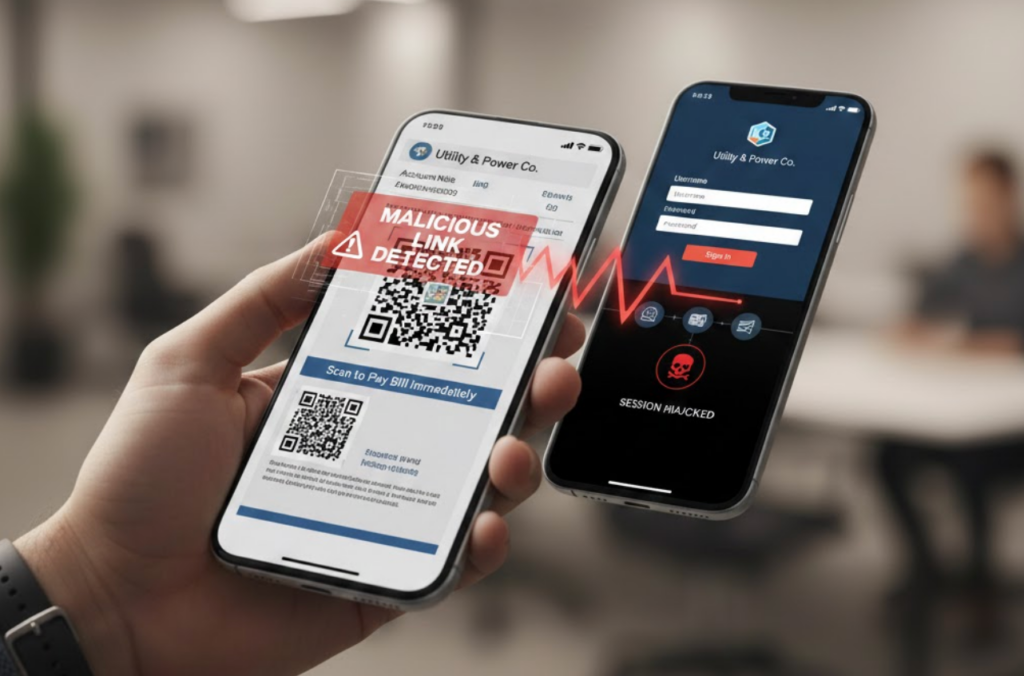
Quishing is short for QR code phishing. Instead of clicking a malicious link in an email or text, the victim scans a QR code that leads to a fake login page, a malicious app flow, or a session-hijacking prompt. While this looks like a small variation on phishing, this subtle yet powerful twist makes it much more effective.
Quicshing changes the flow in several important ways. When you click a link in a browser, you can often inspect it. You can hover over it, see the domain, notice spelling mistakes, or rely on browser warnings. QR codes remove that moment of inspection entirely. You don’t see the destination until after you’ve already acted.
On mobile devices, the destination often opens automatically. Sometimes it launches a website, but increasingly it opens an app or an in-app browser with limited visibility into what’s happening behind the scenes. QR codes don’t create new threats, but they remove the pause you usually rely on to evaluate risk.
It’s worth taking a moment to learn more about the mechanics of phishing attacks and how scammers design convincing lures. There are few experiences worse than realizing you freely gave away your identity or credentials to a cleverly hidden trick.
Why Modern Scams Avoid Browsers Altogether
For years, security advice focused on browsers for good reason. The browser is your portal to the web, an essential app to access online accounts for finance, social media, school, and work. With so much personal data at risk, privacy and security are paramount.
After decades of refinements, modern browsers display URLs, certificates, and warnings to provide feedback on safety. They also support password managers, phishing detection, and other security extensions. Over time, we’ve learned to trust that browsers are protecting us from danger, leading to an overreliance on built-in safeguards.
However, the latest scams are designed to sidestep many browser protections. Scammers are bypassing security systems by rerouting around user awareness.
QR codes and deep links let attackers shift trust decisions away from the browser and into places where people are less cautious. A phone camera scanning a code feels different, a mechanical step, not a risky maneuver. A prompt that opens an app seems familiar, not suspicious.
Of course, this integration makes sense. Mobile devices are optimized for speed and convenience. That’s great for everyday use, but it means fewer pauses where you can reassess what you’re about to approve.
Deep Links, A Silent Assist to Quishing
To understand why QR-based scams are so effective, it helps to explore what deep links are and why they affect security.
A deep link is a link that opens a specific app or screen instead of a website. You’ve seen them when a link opens a banking app, a social media post, or a login screen without ever loading a browser page.
QR codes frequently resolve into deep links, which can be problematic. Deep links trade visibility for speed, and attackers exploit that tradeoff.
From a usability perspective, this is a handy feature. However, from a security perspective, it removes details that might alert you to danger. When an app opens directly, you may never see a full domain name or certificate. The login screen looks exactly like the one you use every day, because in many cases, it’s the same app.
Attackers abuse this by creating QR codes that trigger fake account linking flows, authorization approvals, or password reset screens that look legitimate.
In-App Browsers Make Scams Harder to Spot
Even when QR codes don’t open full apps, they often open links inside in-app browsers. Email clients, messaging apps, and social platforms frequently use their own embedded browsers instead of handing links off to Safari or Chrome.
In-app browsers come with limitations:
- Address bars may be missing or shortened, hiding critical details
- Password managers may not work or could behave inconsistently
- Security extensions that block or flag risks might not run
- Certificate details could be hard to inspect or inaccessible
That matters because we rely on those alerts to spot scams. Without them, it becomes harder to identify whether a login page is legitimate or not. That’s why mobile scams often succeed even when desktop security is solid.
QR codes combined with in-app browsers create a perfect storm. The user never sees the destination beforehand, and once the page loads, it’s harder to verify what they’re looking at.
MFA Isn’t Broken, But Trust Can Still Be Hijacked
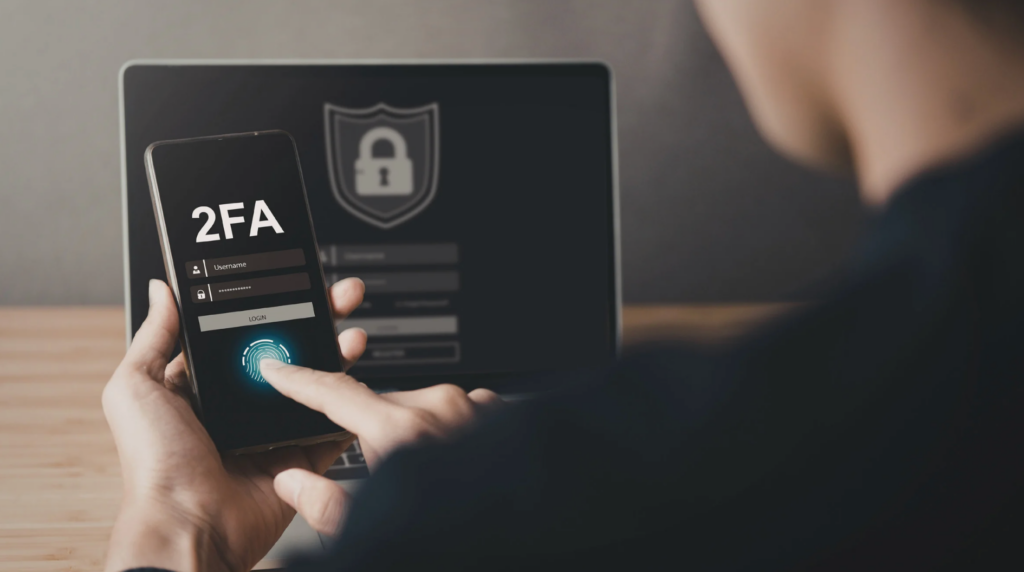
One of the most confusing developments in recent scam campaigns is the rise of QR-based MFA takeovers. These attacks don’t crack MFA or bypass encryption. Instead, they trick users into approving access themselves.
Consider how MFA works. It protects against stolen passwords by requiring a second confirmation, such as a push notification, code, or biometric check. It assumes the person approving the request understands why they’re approving it.
QR-based MFA scams exploit that assumption. MFA still works, but it can’t protect against approvals you knowingly grant. Never authenticate an MFA request that you didn’t initiate.
In a typical attack, the victim is prompted to scan a QR code that appears to be part of a legitimate login or security check. Scanning the code links the attacker’s session to the victim’s account or authorizes a new device.
Session Hijacking vs Password Theft
Traditional phishing focuses on stealing passwords. Modern scams increasingly aim for something more valuable: active sessions. A session token represents a logged-in state.
If an attacker captures your account’s session token, they don’t need your password or your MFA code. They’re already inside.
QR codes and deep links are well-suited to session-based attacks because they rely on mobile approval flows and pre-authenticated apps. This also explains why account takeovers sometimes happen without any suspicious login alerts. The attacker didn’t log in. They inherited access.
For a deeper look at how credentials and session data can be exposed outside obvious login screens, learn more about how apps and trackers can bypass your VPN.
Why VPN Users Are Attractive Targets

Recent attacks targeting enterprise VPN accounts highlight the uncomfortable truth that businesses that use privacy tools are often more attractive targets. The same is true of individuals who need stronger security.
VPN users tend to have multiple accounts, subscriptions, and stored payment methods. They also could be more likely to trust security-themed prompts, assuming they’re part of routine protection. Attackers know this, so it’s important to be vigilent.
Quishing and deep-link attacks aren’t exploiting weaknesses in VPN encryption or tunneling. They’re exploiting identity and trust at the account level.
A VPN protects traffic and identity, but the decisions you make about access remain critically important to avoid scams and prevent accidentally authorizing access to your accounts.
Stay One Step Ahead of Attackers
Protect Your Identity and Accounts with X-VPN

30-Day Money Back,100% success
Where A VPN Helps, and Where It Doesn’t
A VPN still plays an essential role in protecting against modern scams. It helps by encrypting traffic on public Wi-Fi, preventing local interception, and reducing exposure to malicious hotspots. It also protects session data from network-level snooping, especially on shared or unsecured connections.
Think of a VPN as a strong privacy foundation, not an identity firewall. A VPN doesn’t verify QR codes, validate login prompts, or prevent users from approving access. To explore this topic further, read our guide on how VPN tunnels and end-to-end encryption work.
Practical Ways to Reduce Risk
QR codes aren’t inherently bad. They can be quite useful for gaining more information about a business or accessing apps and user manuals. You don’t need to give up scanning a QR code to avoid quishing. Just stay aware and use this checklist.
Finally, keep devices updated and use layered protection. Tools like VPNs, password managers, and MFA reinforce each other when used correctly. X-VPN’s guide on daily habits to protect your digital identity ties these layers together well. Security works best when tools and behavior align.
Final Thoughts
Modern scams don’t always look like the phishing emails people learned to avoid years ago. Often, they look like normal mobile interactions, quick scans, familiar prompts, and routine approvals.
QR codes and deep links didn’t create this problem, but they accelerated it by shifting trust decisions out of browsers and into places where scrutiny is lower.
Security today isn’t about one perfect tool, it’s about recognizing when a system asks you to trust it and deciding whether that trust is deserved.
Strong passwords, MFA, and VPNs still matter. They just work best when paired with an understanding of how trust is being manipulated.
FAQs
Are QR codes inherently unsafe?
No. QR codes are neutral. The risk comes from scanning codes you didn’t expect, or blindly trusting QR codes that ask for logins, payments, or approvals without context.
If I use MFA, am I still at risk?
MFA dramatically reduces risk, but it can’t protect against approvals you knowingly grant. Treat unexpected prompts as warnings.
Does a VPN protect against quishing attacks?
A VPN protects your connection, not account-level trust decisions. It reduces network risks but can’t validate QR codes or login requests.