
You’ve probably heard of the Tor Browser, a popular way to surf the internet that’s supposed to be really secure. But do you know what it actually is and how it works? The short answer: the Tor Browser is a free web browser that connects to a distributed network to protect your privacy.
So, why do you need it? What can you use it for? And how can you use it safely? Let’s dig in and explore everything you want to know about the Tor Browser in an easy-to-understand way.
Table of Contents
What is the Tor Browser?
The Tor Browser is a free web browser designed to connect to the Tor network, which helps you browse the internet privately and with greater anonymity.
At first glance, it doesn’t look special. In fact, it looks and works just like browsers you already use, such as Chrome, Safari, or Firefox. You can open tabs, search for answers, and visit websites just like normal.
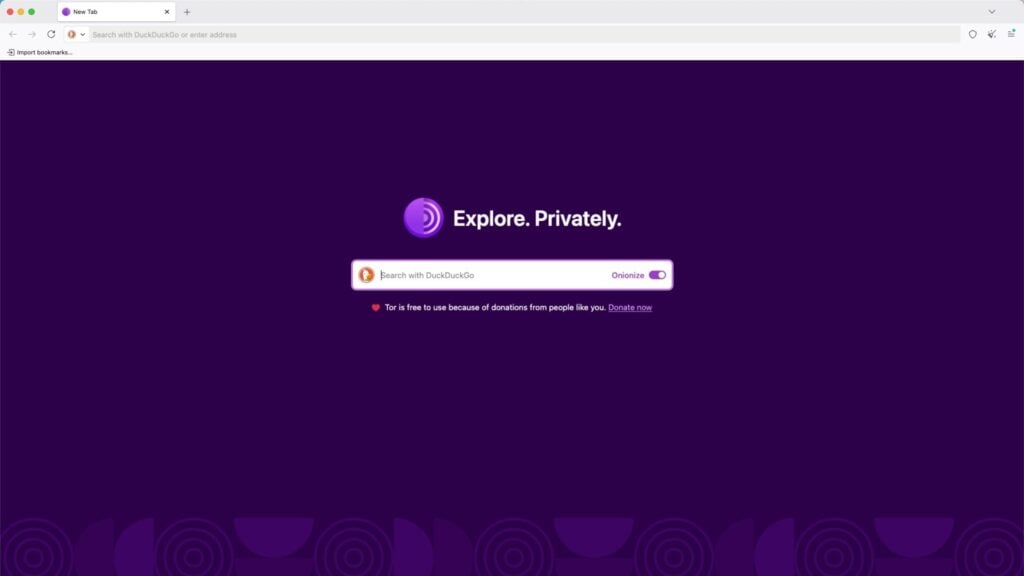
So, what’s the difference? It all comes down to what the browser was built for.
- Standard Browsers (Chrome, Safari, Edge): These are built for speed and convenience. To give you a “personalized” experience, they typically save your browsing history, accept cookies, and let advertisers track your every move.
- The Tor Browser: It does the exact opposite. Its main goal is to protect your privacy. It actively blocks trackers and hides your digital footprint, making it much harder for websites to know who you really are.
Well, how does the Tor Browser actually do that? Next, we’ll explain it in a simple way.
How Does the Tor Browser Work?
Tor stands for The Onion Router, and that name fits perfectly. The Tor network is like an onion with many layers. It wraps your data in multiple layers of encryption, then sends it through several volunteer-run relay servers around the world.
To make this easier to understand, let’s compare it to how browsing usually works.
- Regular Browsing: When you use a normal browser, you usually connect directly to a website. You → Website
- Tor Browsing: When you use Tor, your connection takes a detour with multiple stops. You → Relay 1 → Relay 2 → Relay 3 → Website
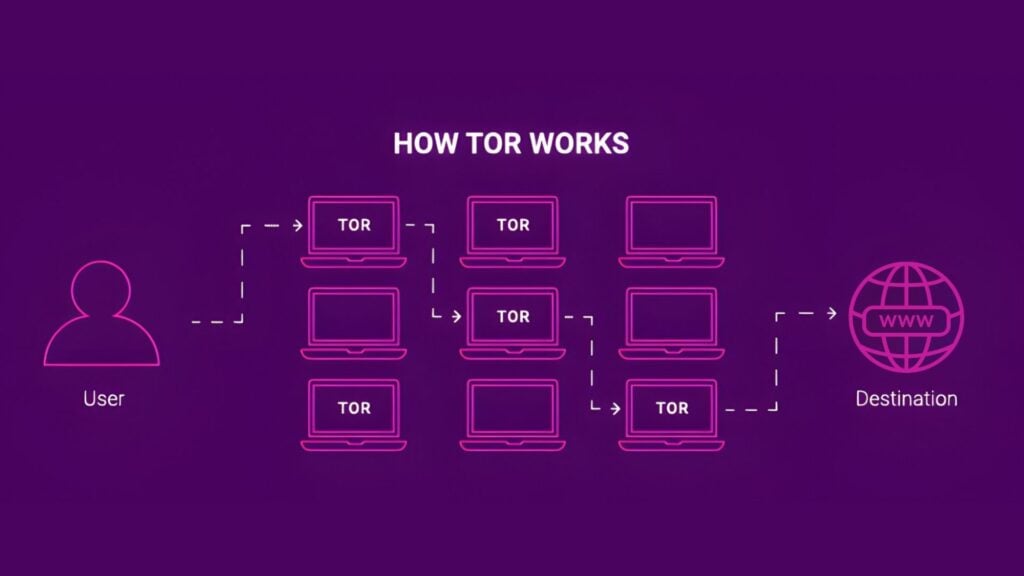
What stands out is the Tor Browser doesn’t take a straight line like a normal connection. It takes a secret, winding path. Because of this, each relay only knows the stop before and the stop after. No single server knows the whole path and no single relay can figure out who you are or what site you’re visiting.
That separation of who you are from where you’re going is the core value of Tor. Your traffic is no longer a simple, traceable straight line, which greatly lowers the chance of being tracked or linked back to you.
What Is the Tor Browser Used For?
A lot of people think Tor is only for hackers, criminals, or people with something to hide. But actually, most Tor users are just regular people who care about their online privacy. Here are the 5 main reasons people use Tor.
1. Protect Online Privacy
This is the main reason. If you hate being followed by ads or you don’t want your internet provider (ISP) watching what you do online, Tor is a great solution. The Tor Browser keeps each website you visit separate, blocks many trackers, and deletes cookies as soon as you close your window.
2. Free Access to the Internet and Information
If you live somewhere with strict internet censorship, Tor can act like a digital tunnel. It helps you get around firewalls and reach the open internet, while your local network can’t easily see where you’re going.
3. Research Sensitive Topics
When you search for personal topics like health, legal issues, money, or relationships, you may not want to leave a clear trail online. Tor makes it harder for your searches to be tracked, saved, or tied to your identity over time.
4. Protect Your Identity in High-Risk Situations
Journalists, whistleblowers, and activists often use Tor. It can help them communicate and organize with less risk of being watched. Onion routing makes it extremely difficult to track your real location.
5. Accessing .onion Sites (The Dark Web)
Some websites end with .onion, and normal browsers can’t open them. The Tor Browser can reach these hidden onion services, since it connects directly to the Tor network.
Disadvantages of the Tor Browser
By now, you might be thinking: the Tor Browser sounds perfect! Should I just use it for everything online? But before you make it your go-to browser, you should know about some common drawbacks:
1. It Is Noticeably Slower
Because it sends your traffic through several relay servers, the Tor Browser is usually much slower than a regular browser. It’s fine for reading, email, or quick searches, but it’s not great for streaming videos or gaming.
2. Constant “I Am Not a Robot” Checks
Get ready to hit a lot of traffic lights or roadblocks when using the Tor Browser. This doesn’t mean it’s unsafe. Website security systems go on alert when many users share the same exit-node IP addresses.
3. Many Websites Block Tor Completely
Some platforms block traffic from Tor exit nodes to prevent fraud. This includes streaming services like Netflix or Hulu, and financial sites like banks. Using the Tor Browser for online banking or watching movies can be problematic.
4. Your ISP Knows You Are Using Tor
Even though your ISP can’t see what you’re doing on Tor, it can still tell that you’re connecting to the Tor network. In places with strict internet control, the Tor Browser could draw unwanted attention. That’s one reason some users choose to combine Tor with a VPN that disguises traffic patterns.
5. Tor Can’t Protect You from Your Own Actions
Tor can hide your IP and reduce tracking, but it doesn’t erase your identity. If you log in to real accounts like Google or Facebook, or share personal info, your identity can still be exposed. Tor protects your connection, but what you do online still matters.
6. It is Not Foolproof
Tor doesn’t make you totally invisible. For example, if you visit a non-HTTPS website, traffic between the exit node and the site can still be seen by network operators and the website. Also, Tor recommends you avoid adding lots of add-ons or customizing your browser, to protect your privacy.
That means Tor is useful, but it’s not perfect. It’s a powerful privacy tool, but it comes with real trade-offs in speed, convenience, and website compatibility.
How to Use the Tor Browser? Step-by-Step Guide
If you know how to install Google Chrome, you can install Tor. You don’t need to be a computer expert or know any code. Using the Tor Browser is easy. Just follow these four steps:
Step 1: Download It from the Official Tor Website
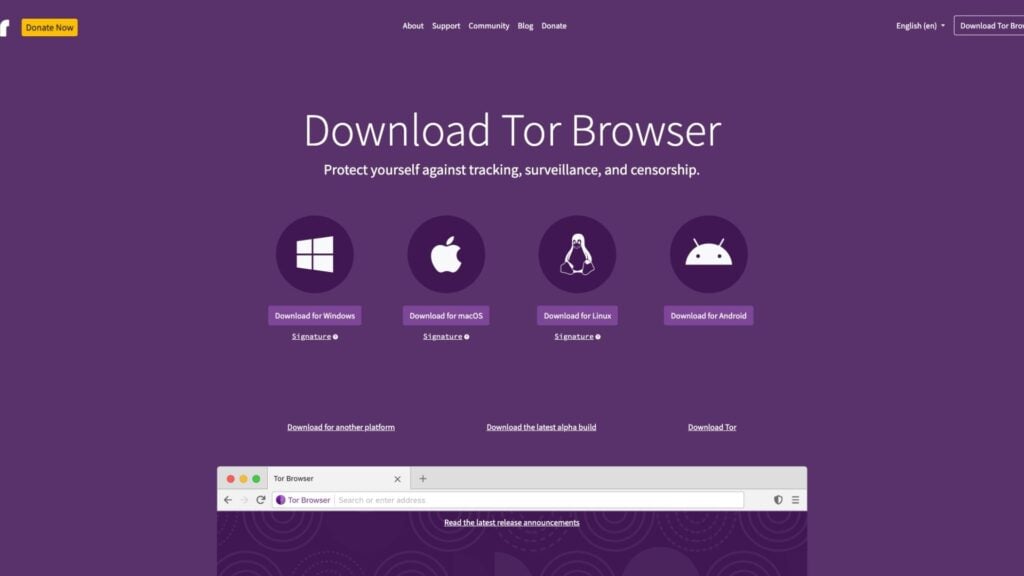
Make sure you download Tor from the official site, not a random third-party site. This is important because hackers often bundle fake versions of Tor with malware.
Step 2: Install and Open It Like a Regular Browser
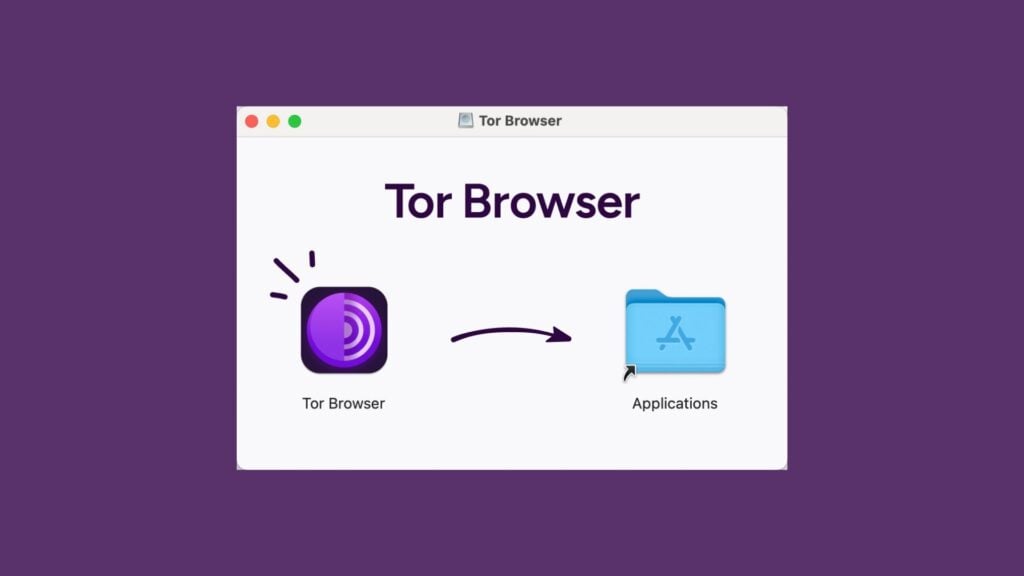
Run the installer you just downloaded. The setup is simple, just like installing Chrome or Firefox. Follow the instructions on the screen.
Step 3: Click Connect to Join the Tor Network
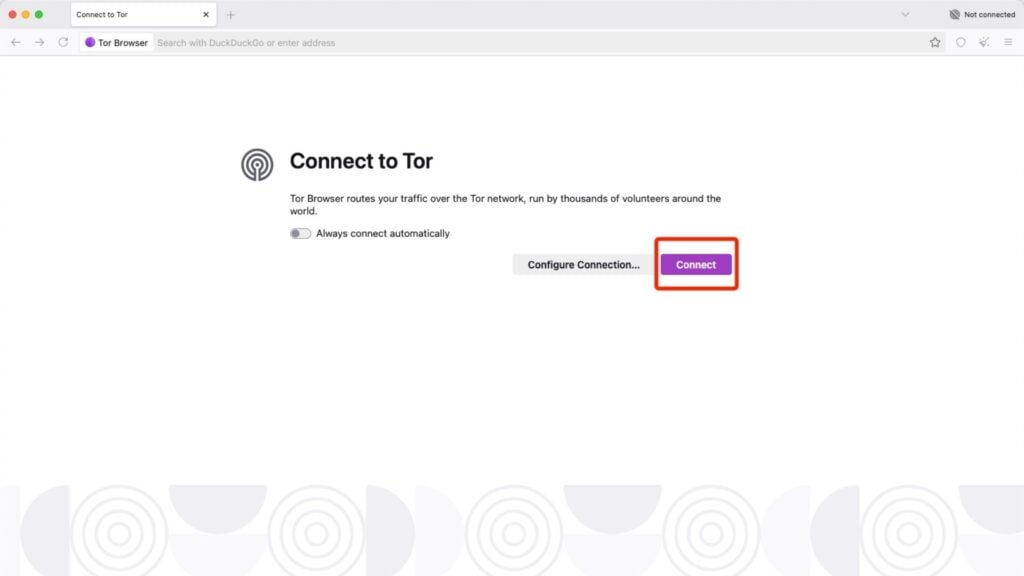
The first time you open the Tor Browser, you won’t see a search bar right away. Instead, you will see a Connect button. Click it, and Tor will automatically establish a private connection through its network.
Step 4: Browse Normally
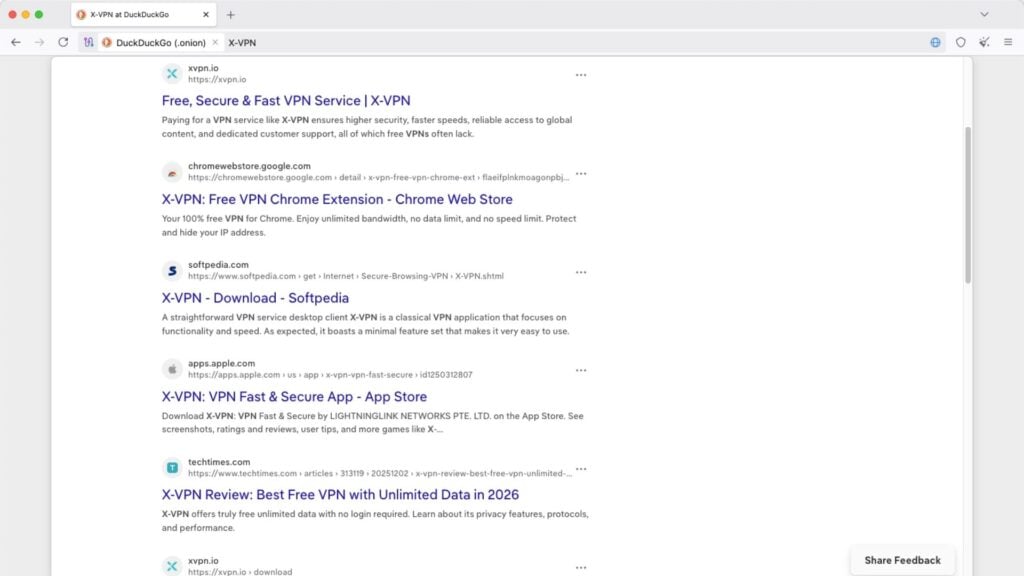
Once connected, you can browse just like you always do. If you want stronger protection, you can increase the security level in the settings. Just keep in mind that higher settings may cause some websites to stop working properly.
When you’re done, close the Tor Browser like any other app. Tor will automatically clear most of your browsing data when you exit, which helps keep your activity private.
Tor vs. VPN: What’s the Difference and Which Is Better?
The Tor Browser and VPNs are both popular tools for protecting your online privacy. They can both hide your IP address and encrypt your data, but they aren’t the same. They work differently and each has its own strengths.
Feature | Tor Browser | VPN |
|---|---|---|
Main Goal | Anonymity + less tracking | Privacy + security + convenience |
Your Traffic Route | Bounces through multiple relays | Most pass through one VPN server (some offer multi-hop) |
Speed | Slow | Fast |
Who You Trust | You don’t have to trust any one company | You must trust your VPN provider |
Anonymity Level | Very high | Medium to high |
What It Protects | Only covers the browser | Covers your entire device |
Ease of use | Easy | Easy |
Best for | Maximum privacy and anonymity | Everyday use (privacy, streaming, gaming, shopping, etc.) |
Which is better depends on what matters most to you. If you want speed and everyday convenience, a VPN is usually the better choice. If you care more about staying anonymous and want your browsing to be as private as possible, the Tor Browser is the way to go.
Of course, you don’t have to choose. You can either individually and sometimes both at the same time.
Can I Use Tor and VPN Together? Tor over VPN
Tor over VPN means you connect to a VPN first, and then use the Tor Browser while still connected to the VPN. Your traffic goes like this: You → VPN → Tor Network → Website
This gives you extra privacy protection and helps you bypass certain internet restrictions.
For users who want stronger anonymity without exposing Tor usage to local networks, Tor over VPN can add an extra layer of protection. X-VPN offers a built-in Tor over VPN feature on iOS.
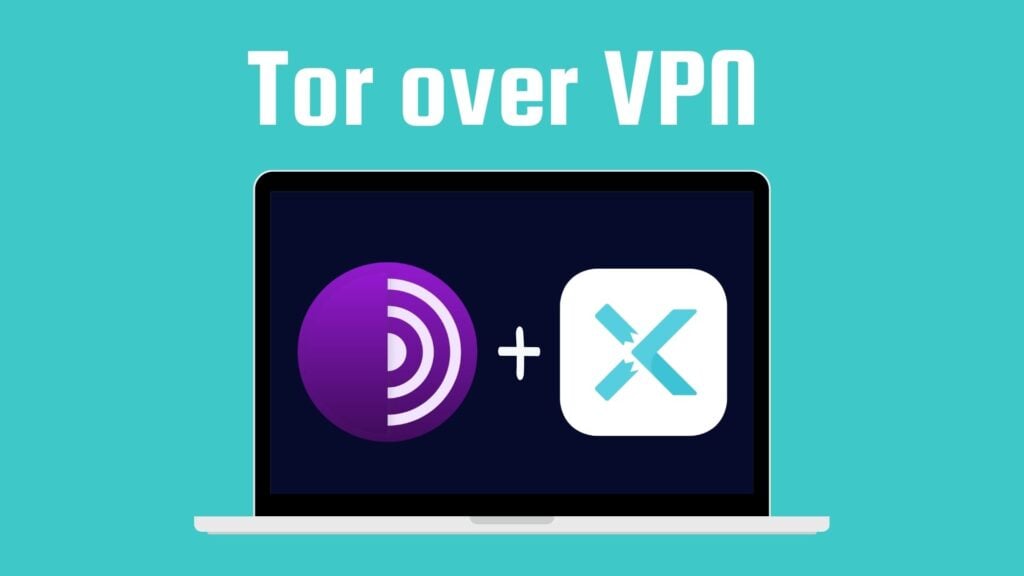
For other platforms, X-VPN’s Double VPN is a good solution, routing traffic through two VPN servers. More platforms are coming soon.
Here’s what you get with X-VPN’s Tor over VPN:
- Hide Tor usage from your ISP: Your ISP can only see that you’re connected to X-VPN, not that you’re using Tor.
- Bypass Tor Blocks: Even if Tor is blocked by your school, workplace, or country, X-VPN can help you access it.
- Reduce Tor Blocking and Throttling: Some networks treat Tor traffic as suspicious, but VPN traffic is a lot more common and less likely to be singled out.
- One More Layer of IP Protection: The first Tor server (entry node) will see X-VPN’s IP address, not your real one.
- Safer Browsing on Public Wi-Fi: X-VPN secures your connection before it reaches the Tor network, making risky public Wi-Fi safer to use.
- Device-Wide Protection: The Tor Browser only protects browser traffic, but X-VPN protects all traffic on your device.
Of course, Tor over VPN also comes with trade-offs you should know:
- Trust in the VPN provider: You need to trust X-VPN, since all your traffic goes through us first.
- It can be slower: Using both Tor and a VPN together is usually slower than using either one alone.
- Some risks still remain: If you give away personal info (like your account, photo, or email) while using Tor, you can still lose anonymity.
In X-VPN, you can turn this feature on or off anytime. In this case, you can enable Onion over VPN when you need stronger anonymity, and turn it off for everyday use and a faster, stable VPN experience.
Conclusion
The Tor Browser is one of the strongest free privacy tools today. It hides your IP and makes your activity harder to track. However, it can be slow and may be blocked by some websites. That’s where a VPN can be a great backup option. And whether you choose Tor, a VPN, or Tor over VPN, we hope you can enjoy a more private online life without constant tracking.
FAQs
1. Is the Tor Browser legal?
Yes, the Tor Browser is legal in most countries, including the US and most of Europe. But in some countries with strict censorship, it might be blocked or restricted, so always check your local laws.
2. Is Tor actually the dark web?
No. Tor is a privacy network, and the dark web is a small part of it (websites ending in .onion). Many people use the Tor Browser to access that part, but Tor itself is not the dark web.
3. Is Tor 100% untraceable?
No. Tor makes tracking you much harder, but nothing is 100% untraceable. Mistakes, malware, or advanced monitoring can still expose your identity.
4. Why is the Tor Browser so slow?
Tor can feel slow because your data has to be encrypted and sent through several relays all over the world before it gets where it’s going. All this extra hopping takes time.
5. Is DuckDuckGo a Tor Browser?
No. DuckDuckGo is a search engine and it also has a browser app, but it’s not a Tor Browser.