

In the age of big data, many of us have had this creepy moment: You just talk about something with a friend, and suddenly, you see ads for it everywhere online.
That feeling of being watched has made many people look into anonymous browsing. Many think incognito or private mode keeps them anonymous, but actually, that is far from the truth. So, this article will explain what anonymous browsing really means, common myths, and practical ways to keep protecting your identity.
Table of Contents
What is Anonymous Browsing?
Anonymous browsing basically means going online while sharing as little personal information as possible.
Being anonymous doesn’t mean you are completely invisible online. Instead, it means making it much harder for third parties (like websites and advertisers) to identify, track, or connect data to you. This information usually includes:
- Your identity and location: Who are you? Where are you?
- Your behavior and interests: What do you usually browse or click on?
- If you’re the same person: Is today’s visitor the same person as yesterday?

Each piece of data may seem small and harmless on its own. But over time, these bits get combined, creating a detailed digital profile that knows you surprisingly well, even better than you know yourself. That’s pretty scary, right?
The goal of anonymous browsing is to break this chain of tracking. It’s like wearing a mask online, making it much harder for the internet to see who you really are. This helps protect you from being watched and analyzed all the time.
How to Browse the Internet Anonymously: 7 Easy Ways
You don’t need to be a tech expert to browse the web anonymously. By using the right tools and building good habits, you can avoid most privacy problems. Here are 7 simple and practical ways to help you stay anonymous online. You can mix and match them based on what you need.
1. Use a VPN
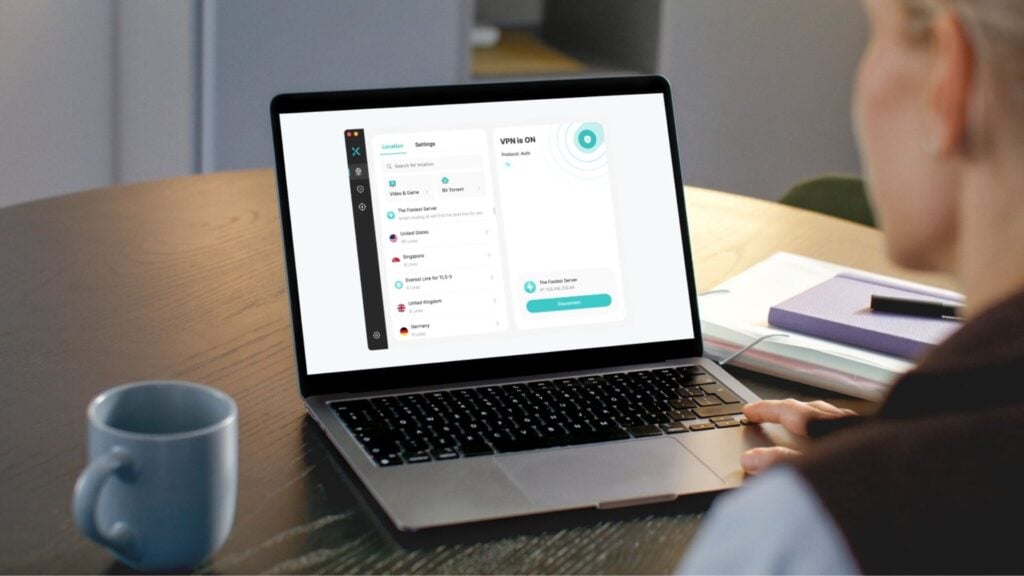
A VPN is one of the most basic and popular tools for anonymous browsing.
Normally, your IP address reveals your general location and acts as a key way to track you. Using a VPN changes that and offers three main benefits:
- Hides your real location: Websites see the VPN server’s IP, not your real IP.
- Encrypts your internet traffic: A VPN encrypts everything you do online. Snoopers (like your internet provider) can see that data is moving, but not what you’re actually doing.
- Reduces long-term tracking: Since your real IP is replaced, it’s much harder for websites to link multiple visits to the same person.
Just keep in mind: A VPN doesn’t make you 100% anonymous, but it does make IP-based tracking much harder.

Tip: When choosing a VPN, look for one like X-VPN that follows a strict no-logs policy. This means the provider promises not to record your online activity. Even if someone asks for data, there’s nothing to hand over, making it more secure and trustworthy.
2. Choose Privacy-Focused Browsers and Search Engines
Not all browsers take your privacy seriously. Some of them collect large amounts of user data for business purposes.
You can choose browsers like Brave, Firefox, Tor Browser, or a privacy-focused antidetect browser like GoLogin and pair them with search engines such as DuckDuckGo or Startpage, which don’t track your searches. This helps reduce data exposure at the source.
3. Use Incognito or Private Mode

Most browsers (like Chrome, Firefox, and Safari) come with a built-in Incognito or Private mode.
When you turn it on, the browser won’t save your history, cookies, or form data on your device. This prevents other people who use the same computer from seeing which websites you visited. It is perfect for shared devices or when you are using a shared or public computer.
However, private mode doesn’t hide your IP address like a VPN does, and it can’t stop websites or your ISP from seeing your activity. So, it’s best to use private mode as an extra layer of privacy, not as your main tool for staying anonymous.
4. Use the Tor Browser for Higher Anonymity

If you need extreme privacy, a regular browser might not be enough.
Tor is a browser designed specifically to keep you anonymous. It bounces your internet traffic through multiple servers around the world, making it extremely hard for anyone to track you.
However, this high security comes with a trade-off: speed. Tor is much slower than normal browsers, so it is not great for watching HD videos or daily entertainment. It works best for reading text or handling sensitive information.

Pro tip: Use Tor with a VPN (Onion over VPN)
If you want even more privacy, you can connect to a VPN first and then use Tor. This way, your internet provider won’t know you’re using Tor, and the Tor network won’t see your real IP address. It’s like having double protection.
5. Install Ad Blockers and Anti-Tracking Extensions

Even if you switch browsers, many websites still collect your data through embedded third-party scripts.
That’s why it’s a good idea to install trusted free ad blockers like uBlock Origin Lite on your computer or AdBlock on phones. These tools block many ads and tracking scripts, helping reduce how much of your browsing behavior is collected by third-party advertisers.
6. Regularly Clear Your Cookies and Cache

Cookies and cache can leave traces on your device that identify you. By clearing this data regularly, you make it harder for websites to keep tracking you over time and improve your privacy. It’s kind of like cleaning up dust and footprints in your room from time to time.
7. Avoid Logging In to Personal Accounts While Browsing Anonymously

If you use these anonymous browsing methods but log in to your social media or email accounts, you are basically undoing your hard work. A simple rule is: only log in when you need to use a service. If you’re just browsing, try to stay logged out. This makes it less likely your online activity will be linked directly to your real identity.
Extra Tips to Protect Your Online Privacy
Anonymous browsing is just the first step. Here are some simple habits to build a stronger defense against data leaks and misuse.
- Change passwords regularly and enable 2FA: Don’t use the same password for everything. Change them regularly. If a website offers “Two-Factor Authentication” (2FA), turn it on. It adds an extra safety layer even if your password gets stolen.
- Keep your system and apps up to date: Don’t ignore those update notifications on your phone or computer. Updates usually fix security holes that hackers have found. Installing them is one of the easiest ways to block viruses and attacks.
- Don’t click on suspicious links: Most hacks happen because of one careless click. Don’t click links in strange texts or emails, and never enter bank info on a site you don’t trust. Watch out for phishing emails that look official but have small mistakes.
- Avoid using public Wi-Fi: Free public Wi-Fi is risky. If you have to use it, turn on a VPN first and avoid sensitive activities like online banking or payments.
- Be careful with personal information: When signing up for things, only fill in what is absolutely necessary. Avoid giving your real name or phone number if you don’t have to.
- Manage app permissions: After installing apps, check and turn off permissions you don’t need. A streaming app doesn’t need your contacts, and a photo editor doesn’t need precise location access. Many apps ask for too much, so turn off permissions they don’t need.

- Check for HTTPS encryption: Always look at the address bar. Make sure the website starts with https:// and has a little lock icon. If it’s just HTTP, your passwords and credit card numbers are being sent as plain text and can be easily stolen.
- Don’t autosave sensitive info: Browsers love to save your passwords and credit cards. It’s convenient and browser security is much better than it once was. Still, it’s safer to say “No” to auto-save and type them in manually, especially for banking sites.
- Limit what you share on social media: Don’t publicly post high-quality photos of personal stuff, like boarding passes, work badges, or your home address. Scammers can use these details to steal your identity or trick you.
- Check social media privacy settings: Regularly review who can see your profile and posts. Adjust your settings to lower the chances of strangers collecting or misusing your info.
- Use apps with end-to-end encryption for messaging: When chatting, choose apps that offer end-to-end encryption like Signal, WhatsApp, and iMessage. This ensures only you and the person you are talking to can read the messages, and not even the app company can peek.
- Cover your webcam: When you’re not using your webcam, cover it with a sticker to prevent malware from recording you without permission.
These tips are simple to follow, and you don’t have to do them all at once. The goal isn’t to be overly cautious, but to reduce risks that are easy to avoid in everyday internet use.
Use a Strong VPN for Safer and More Private Browsing
As mentioned earlier, a VPN is a powerful tool for privacy, but only if the VPN itself is trustworthy.
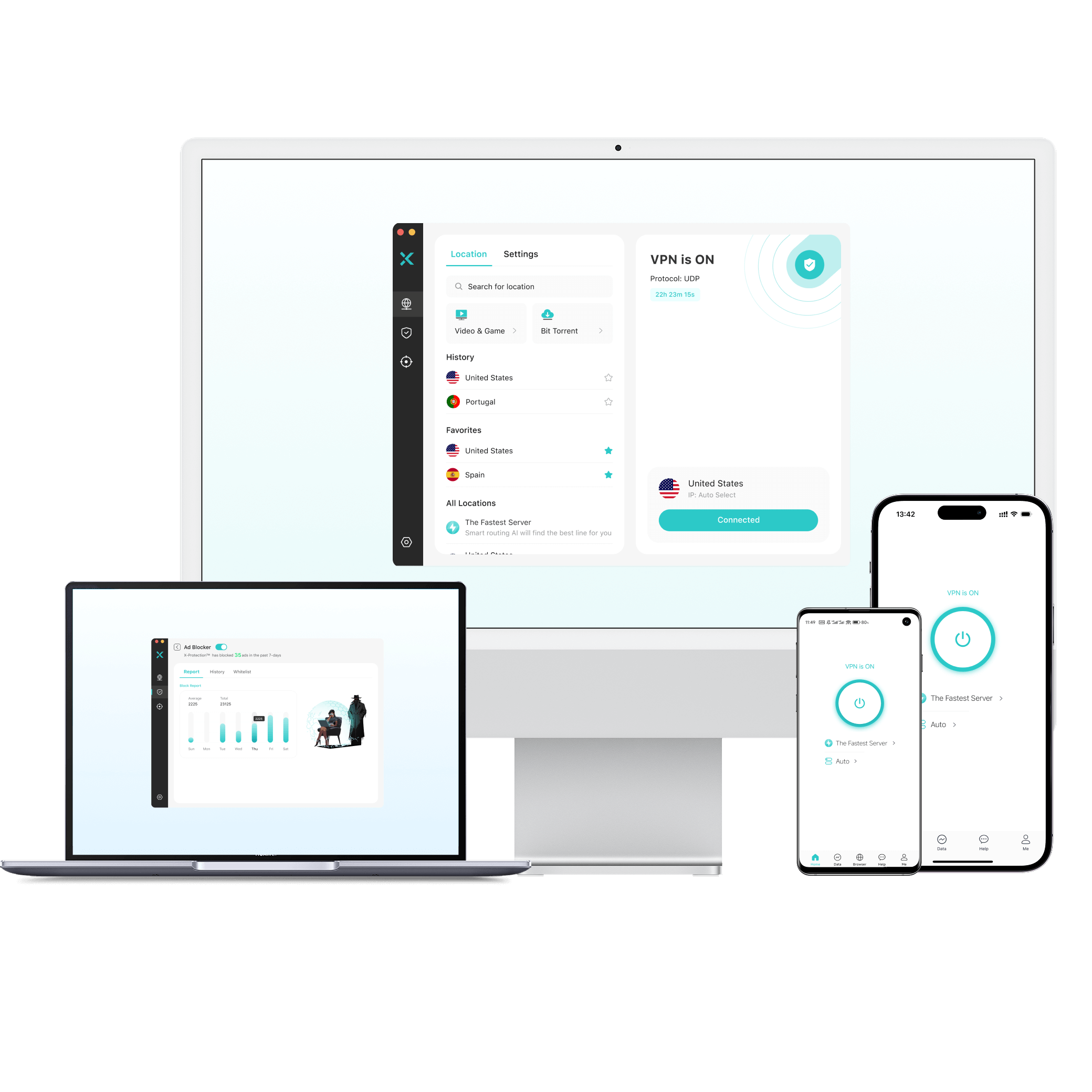
X-VPN is a good example. Designed for a safer and more private internet experience, X-VPN offers powerful features to help you stay safe online.
That’s where X-VPN stands out
- Strict No-Logs Policy: From product design to technology, and even with partners, X-VPN follows the highest standards to make sure none of your personal data or online activity is collected or stored.
- AES-256 Encryption: X-VPN uses the industry’s top encryption standard. Even on unsafe public Wi-Fi, your data is locked down so hackers can’t read it.
- Powerful Everest Protocol: Our self-developed technology disguises your VPN traffic to look like normal web browsing. This helps stop your internet provider from detecting or blocking your connection.
- 10,000+ Servers to Hide Your IP: With a massive server network, you can switch your virtual location easily. Changing your IP addresses often makes it way harder for trackers to identify you or build a profile on you.
- X-VPN’s Exclusive Multi Tunneling Feature: Connect each app and website to different server locations at the same time. This spreads out your online activity, making it less likely for anyone to link it all back to you.
- Advanced Security Tools: Packed with built-in security features like a Kill Switch, DNS Leak Protection, Split Tunneling, and an Ad Blocker for all-around protection.
- Protect All Your Devices: One account covers up to 5 devices, so your whole digital life stays private and secure.
- Easy to Use for Beginners: No complicated setups. With just one click, you get a safer, more private internet in seconds.
Is It Possible To Be Totally Anonymous?
After learning about all these tools and methods, you might be wondering if these precautions will make you 100% invisible online.
Unfortunately, the answer is: Almost impossible. Given how the internet works today, being absolutely anonymous is basically a myth. Here are three main reasons why:
1. How the Internet is Built
The internet is all about connections. Whenever you go online, data has to travel back and forth.
For a website to send information (like a webpage) back to your screen, it needs a path to find you. Even if you use a VPN or Tor to hide your IP address, your data still has to enter and exit the network somewhere. This means there is always a theoretical chance that someone could trace that path.
2. Digital Fingerprints are Hard to Erase
Your IP address isn’t the only thing that gives you away. Your device does too.
Details like your operating system, browser version, and even your screen resolution combine to create a unique digital fingerprint. Advertisers and websites can use these details to guess who you are, even if you think you are well-hidden.
3. The Biggest Risk Is Often Human Error
If you have your VPN on but log into your Google account, or accidentally type your real name while in Incognito mode, you instantly blow your cover.
So, is anonymous browsing still worth it? Absolutely. The goal isn’t to be a ghost. It’s to make it much harder and more expensive for anyone to track you. Going from being completely exposed to hard to identify is the best protection we can get.
Conclusion
Perfect online security might not exist, but being “safer” is always a goal worth chasing. When you start using tools like X-VPN to limit your exposure, you stop being just a passive source of data for others. Instead, you become a smarter, more secure internet user.

FAQs
Does using a VPN make you completely anonymous online?
No. A VPN can improve your privacy, but it doesn’t make you completely anonymous. It hides your IP and encrypts your internet traffic, but websites can still identify you through cookies, browser fingerprinting, or your account logins. For stronger anonymity, a VPN should be combined with other privacy tools and habits.
Is Tor 100% untraceable?
No. Tor makes tracking much harder, but it’s not perfect. Advanced attacks or simple mistakes can still expose your identity. Also, your ISP can see that you’re using Tor, even if they don’t know what sites you visit. For extra privacy, it’s best to use Tor together with a VPN.
What’s the most private browser?
There’s no single browser that’s the most private for everyone. However, Tor Browser is often considered the most anonymous option because it routes traffic through the Tor network and blocks most tracking by default.
Is Incognito mode 100% private?
No. Incognito mode only stops your browsing history and cookies from being saved on your device. It doesn’t hide your IP address or prevent websites, your network, or your ISP from seeing what you’re doing online.