
Recently, through routine security monitoring by white-hat researchers from our user community and X-VPN’s built-in Dark Web Monitor, we identified unusual matches related to some user accounts in external databases.
To ensure user safety, our security team immediately launched an investigation, and we are transparently sharing our investigation results and recommended actions with all users.
Table of Contents
Our Findings
Following cross-verification through our internal monitoring systems and collaboration with white-hat members, we have confirmed that email and password combinations for a total of 276 X-VPN accounts appear in these third-party dark web datasets.
Here, we wish to confirm 2 key facts for all users:
1. Credential Leaks Result from Malware Compromising User Devices
All credentials found in black-market databases originate from malware(also called Infostealer) infections on users’ local devices, enabling attackers to access X-VPN account passwords stored in browsers.
Common infection vectors include:
Any of these behaviors may allow Infostealers to exploit vulnerabilities and extract browser-stored credentials without the user’s knowledge.
2. The Malware Targets More Than Just Browsers
It is important to emphasize that while the stolen credentials were retrieved from browser password storage, this does not indicate a security vulnerability in Chrome, Edge, or any other browser.
Advanced Infostealer scans and steals local data across the entire infected device, with browser-stored credentials being just one of many high-value targets. Beyond login credentials, some attackers can directly access local databases on user devices, obtaining various sensitive data, including chat logs, files, and banking details.
If You Were Affected: Immediate Steps You Should Take
For the 276 users whose information appeared in the leaked data, we have already verified the authenticity of the records and issued individual security notifications via Live Chat.
If you have received an alert from X-VPN, or suspect your account may have been leaked, please immediately execute the following steps to minimize the risk of continued account misuse or further privacy exposure:
1. Change Your X-VPN Account Password Immediately
Since the stolen passwords were stored in plaintext within browsers, it is critical to replace them with a new, stronger password as soon as possible.
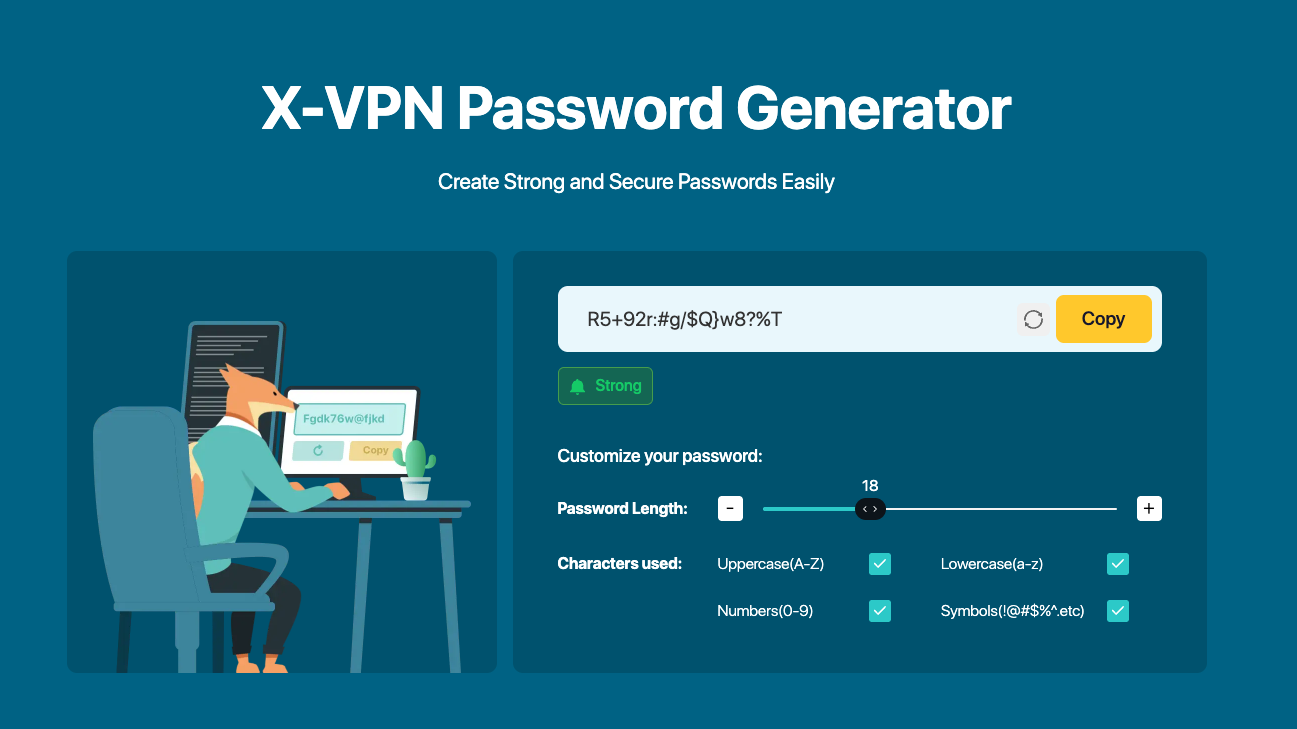
- We recommend using X-VPN’s official free password generator to create a strong password that is longer, incorporates more character types, and is completely random and unpredictable.
- After changing your password, X-VPN will automatically invalidate all old sessions. Remember to log back in with your new password on all devices that have used X-VPN, including computers, phones, and tablets, to ensure all devices are protected by the new password.
2. Perform a Full Scan of Your Device and Remove Malware
Because the stolen credentials primarily originate from Infostealer infections, cleaning your device is a critical step to prevent further attacks.
- Use professional antivirus software or anti-malware tools to conduct a full system scan, focusing on detecting trojans, keyloggers, injection scripts, and unknown background processes.
- If you’ve installed cracked software, pirated apps, game cheats, or unverified packages, just uninstall them as soon as possible.
- Clear browser caches, cookies, local storage, and other abnormal data.
- For devices exhibiting unusual behavior, like frequent pop-up ads, abnormal system lag, or programs opening on their own, reinstalling the operating system is often the most thorough way to clean things up.
3. Review and Update Passwords for Other Important Accounts
If your device was infected with an infostealer, the X-VPN account is unlikely to be the only credential exposed. Email accounts, social media profiles, online shopping accounts, and payment services accessed on the same device may also have been compromised.
- Change the passwords for these accounts one by one, ensuring every password is unique and not similar to others.
- Enable two-factor authentication to further enhance security.
4. Remove All Browser-saved Passwords
At last, if you’re accustomed to using a browser password manager, you need to:
- Manually delete all saved passwords from Chrome, Edge, Firefox, Safari, or other browsers.
- Stop using the browser’s built-in password manager and disable features like auto-saving passwords, auto-login, and form auto-fill.
By following these steps, you’ll significantly reduce the risk of credentials being misused, accounts being compromised, or further privacy breaches.
If You Were Not Affected: Preventive Measures You Can Use
Even if your account is not currently listed in any known data breach datasets, we strongly recommend establishing more robust security habits starting now to reduce the likelihood of encountering similar threats in the future.
1. Consider Using a More Secure Password Manager
For password management, we recommend first deleting sensitive service passwords saved in your browser, especially those associated with VPNs, email accounts, financial services, and social media platforms.
If you need assistance remembering complex passwords, consider adopting a professional password manager. Unlike browser-based tools, these typically employ a security architecture combining a master password with independently derived keys. Even if the operating system suffers a partial compromise, the password vault remains protected by independent encryption, forming a second line of defense.
2. Download Software Only from Trusted and Official Sources
All software downloads and updates should be restricted to official channels or trusted platforms whenever possible. Avoid using pirated software, cracked tools, or any installation packages from unknown sources. Numerous instances of Infostealer infections are closely linked to such unofficial channels.
3. Keep Systems and Applications Updated
Maintaining timely updates for operating systems, browsers, and security software is also critical. Patching known vulnerabilities significantly reduces the success rate of malware exploiting weaknesses in outdated systems.
4. Enhanced Protection: How Does X-VPN Safeguard You?
Beyond the standard security measures mentioned above, as an X-VPN user, you can also gain access to a suite of security tools that deliver more comprehensive risk protection than traditional VPNs.
X-VPN has always been committed to delivering robust data encryption and IP address masking services. However, we recognize that VPN encryption alone cannot prevent virus intrusions, phishing attacks, or harmful downloads.
Therefore, in early 2025, X-VPN officially launched a complete security protection system covering “problem detection—threat blocking—infection prevention.” This solution helps users reduce the likelihood of such security incidents occurring in real-world network environments.
Dark Web Monitor
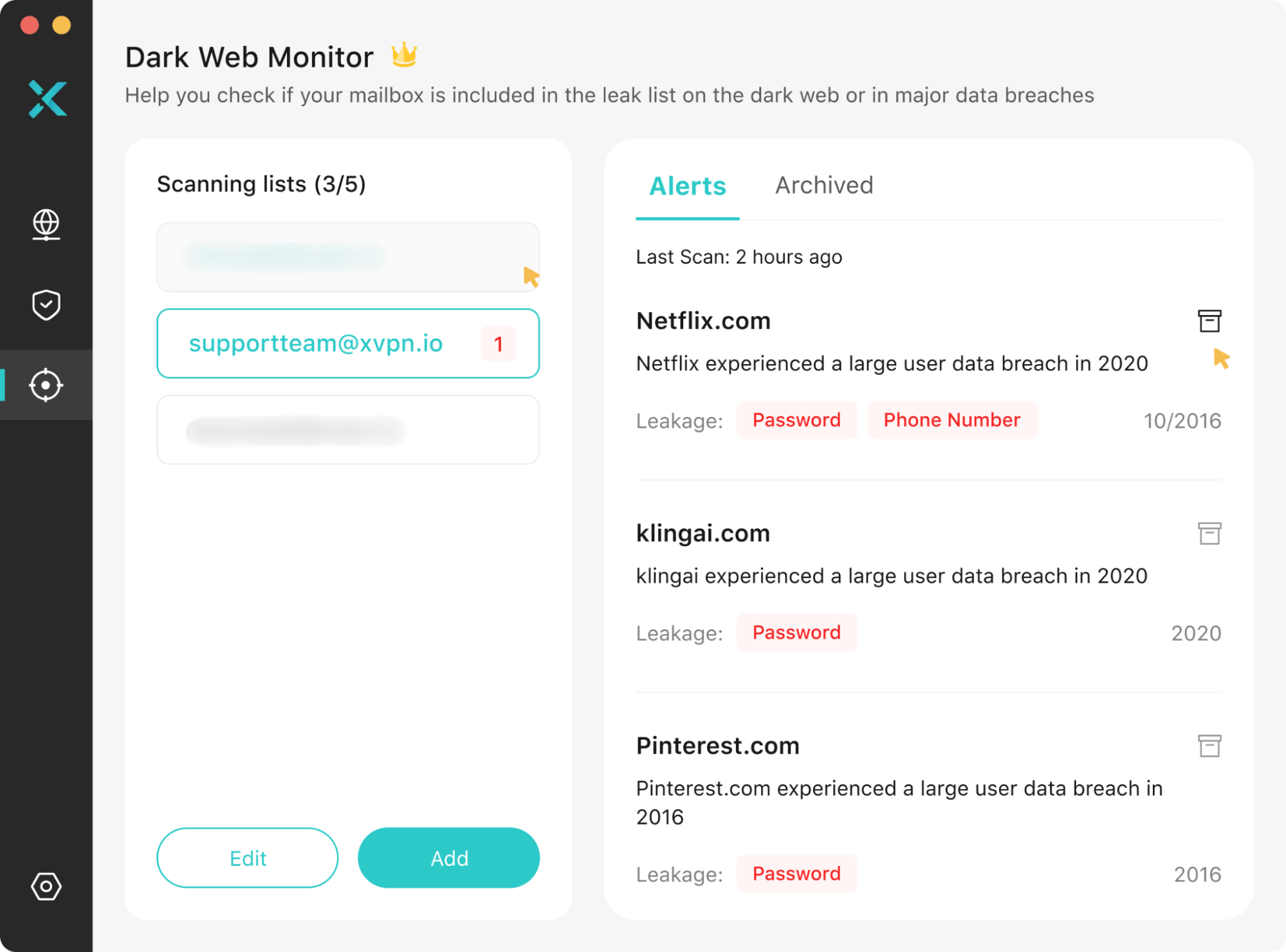
Dark Web Monitor is the key component that enabled us to detect user data breaches immediately during this incident.
This feature continuously monitors dark web leak databases, matching account info against users’ registered email addresses. Upon detecting potentially compromised data, the system promptly issues security alerts urging you to immediately change passwords, review login activity across affected services, and take further remedial actions as needed to prevent further data exposure or financial loss.
The current user-facing version supports binding up to 5 email addresses. This means you can establish unified dark web risk monitoring for your VPN account, primary email, and other critical services simultaneously.
Browser Protection
Browser Protection is a comprehensive security suite provided by X-VPN, comprising 4 core tools designed to proactively intercept potential risks in everyday safe browsing, reduce malware infection vectors, and provide an enhanced privacy shield for your online experience.
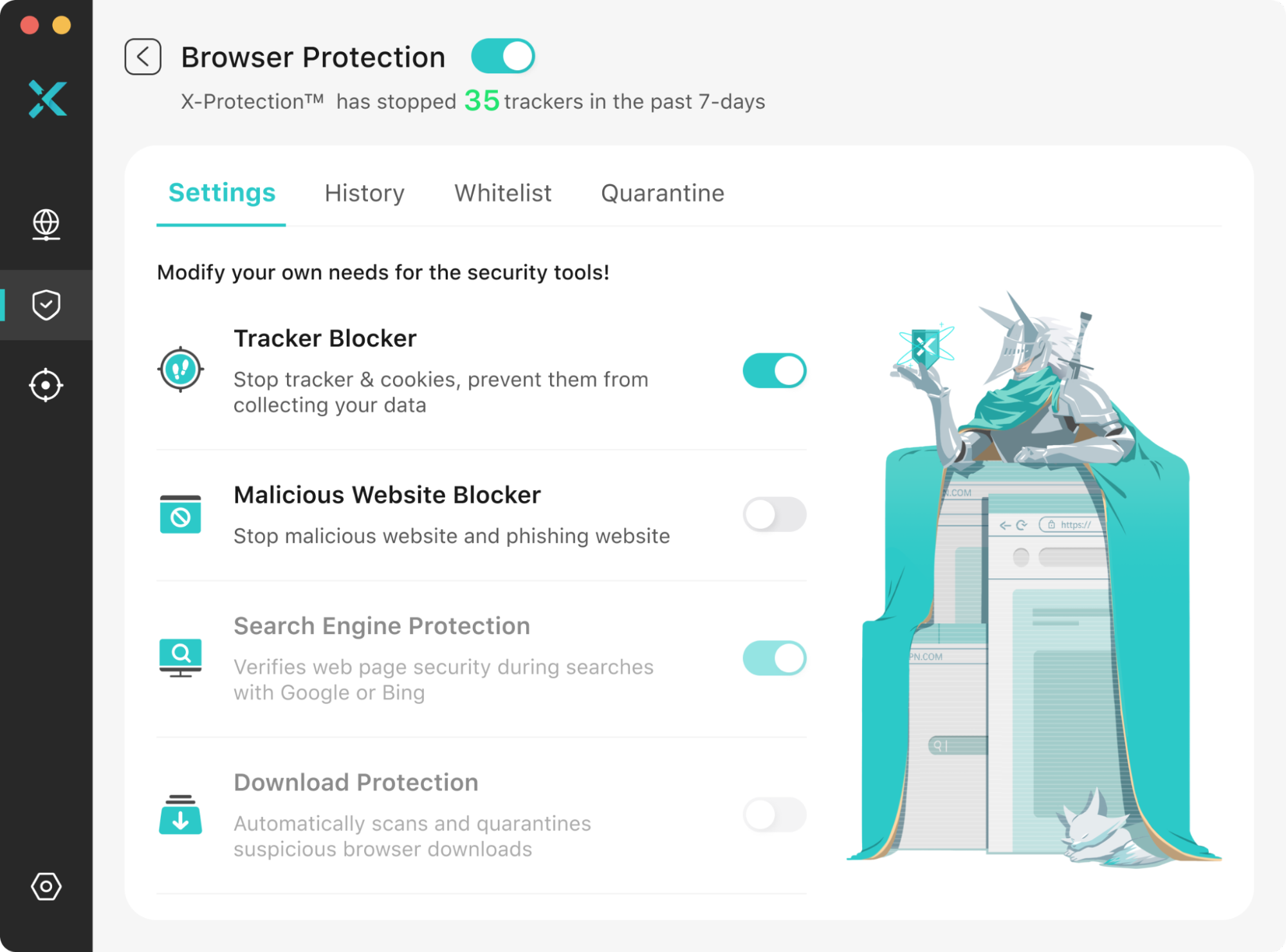
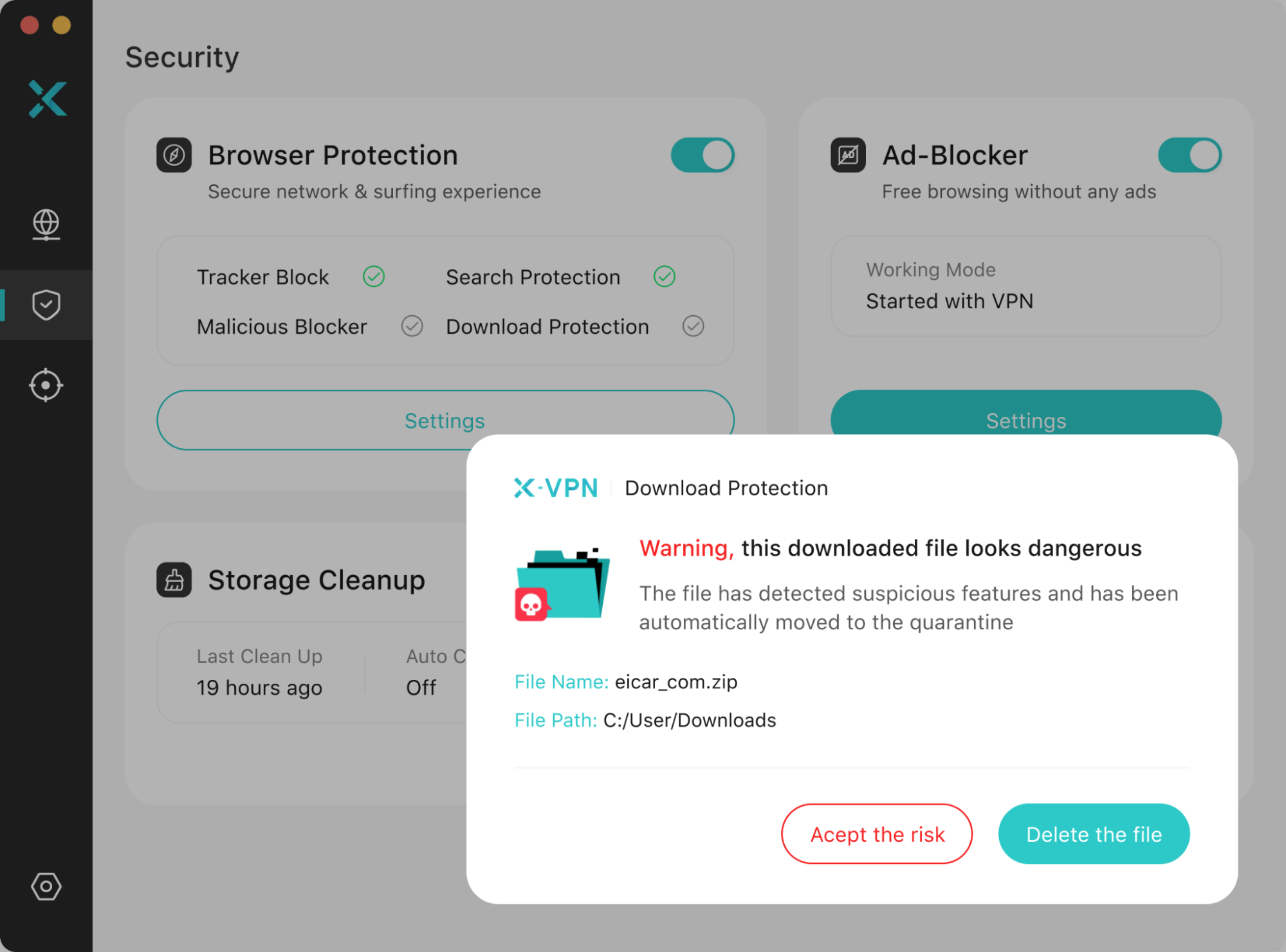
Within this suite, Download Protection is particularly critical to the incident discussed in this report. The most common entry point for Infostealer is disguised as ordinary software, cracked tools, or seemingly harmless download files. Download Protection automatically intervenes the moment you download a file online, performing real-time scans on all downloads and comparing their characteristics against an extensive malware database.
Upon detecting suspicious installation packages or files exhibiting trojan-like characteristics, it isolates them before they land on your system and immediately issues a security alert to prevent you from unknowingly installing programs containing Infostealer or other malicious scripts. By blocking dangerous files at the download stage, Download Protection significantly reduces the likelihood of account credentials being stolen at the source.
Beyond download filtering, X-VPN Browser Protection’s other features provide essential safeguards for your device and privacy:
- Tracker Block: Helps shield you from various trackers deployed by other websites, preventing third parties from analyzing your online behavior through cookies, scripts, or URL parameters.
- Malicious Blocker: Proactively blocks access to websites known to be harmful or high-risk, significantly minimizing your exposure to virus downloads and phishing attacks.
- Search Protection: Pre-labels the safety status of search engine results, giving you greater clarity before clicking a link.

These protective mechanisms do not rely on the VPN encryption ability, meaning they can all function independently, whether the VPN connection is turned on or off. We strongly recommend that users keep the Browser Protection suite enabled during everyday web browsing. This allows X-VPN to continuously shield your device from tracking attempts, malicious sites, and potential malware infections.

Please note that these additional security tools are currently only available in X-VPN’s Windows and macOS clients and are included within the premium plan.
Free users wishing to access the full suite, including Dark Web Monitor, Browser Protection, and more tools like Ad Blocker and Storage Cleanup, can upgrade to a paid plan—just starting from $2.99/mo. This allows you to enjoy fast, stable VPN service while gaining more systematic security protection.

Background: A Global Surge in Credential Theft Driven by Malware
In recent years, a category of malicious programs specifically designed to steal users’ sensitive information has rapidly gained popularity. Commonly referred to as Infostealers, and known in Russian cybercrime circles as stylers(стилеры), these threats do not represent a single virus but rather a vast and constantly evolving family of malware, including but not limited to RedLine, Raccoon, and Vidar.
These trojans operate in highly similar ways, typically involving the following steps:
Step 1. Infect computers or browsers via phishing links, cracked software, malicious installers, or other harmful downloads.
Step 2. Export local data, including browser-stored login credentials, autofill information, cookies, and browsing history.
Step 3. Scan system info such as IP addresses, operating system versions, and hardware fingerprints.
Step 4. Gather user application and file details, including chat logs, email data, and even credit card info.
Step 5. Finally, package all stolen data into log files and transmit them back to the attacker’s server.

These log files are called Stealer logs and are sold as products on the dark web, underground forums, and Telegram channels, and are frequently used for financial fraud, fund theft, and other malicious criminal activities.
Around February 2025, a Telegram channel named Alen Txtbase drew the attention of the security community. This channel consistently published various stealer logs and sold them through a subscription model for profit. According to The Register, the total recorded data volume has reached a staggering 1.5TB, containing 23 billion lines of stolen log data. Each line typically consists of an email/username, password, source website or application, and other metadata.
However, it is crucial to emphasize:
Prior to Alen Txtbase, a similarly controversial collection of Stealer logs emerged in 2023, known as Naz.API. Its contents were subsequently analyzed by the security community and imported into various data breach query platforms, such as Have I Been Pwned.
A significant portion of the current 1.5TB Alen Txbase dataset consists of repackaged Naz.API and other older leaked data. After deduplication by HIBP, the Alen Txbase Stealer logs identified a total of 284 million unique email addresses.
Given the database’s massive scale and diverse origins, numerous enterprises and service providers discovered their users’ credentials within these logs. It was during this incident that X-VPN identified that some user login credentials were compromised, prompting us to proactively issue this security notice.
Further Reading: Potential Risks of Browser Password Managers
Although this credential exposure was not caused by any browser vulnerability, it does highlight an important reality: habitually using the built-in password managers in browsers like Chrome, Safari, Edge, and Firefox can indeed amplify the losses incurred when malware successfully exploits vulnerabilities.
The core purpose of browser-based password managers is to assist users in remembering credentials and enabling swift logins, not to withstand attacks from malware and trojans. Compared to professional password managers, the biggest drawback of browsers’ built-in tools—aside from lacking many advanced security features and strict access controls—is their relatively simple security model.

Many browsers rely on system accounts or browser accounts as the encryption root rather than a dedicated master key for protecting user password vaults. For example:
- Chrome and Edge utilize operating system encryption mechanisms like Windows’ DPAPI and macOS Keychain.
- Safari depends on macOS/iOS Keychain.
- Cross-device sync features are built upon Google, Apple, or Microsoft accounts.
From a security architecture perspective, this means the encryption protecting browser password stores is often directly bound to the security of the system login account itself. Once an attacker gains system privileges through a Trojan or successfully steals system login credentials, they can typically decrypt the browser password vault locally, thereby accessing all stored account credentials.
This architectural characteristic is one of the core reasons behind the widespread exposure observed in the Third-Party Browser Credential Breaches. Once a device is compromised, the browser’s password storage becomes an easy and valuable target for infostealers, regardless of how secure the user believes their browser to be.
Therefore, we consistently advise all users to never save passwords in any third-party browser, especially those associated with critical accounts.
Our Ongoing Commitment to User Security and Privacy
This Third-Party Browser Credential Breaches incident serves as a stark reminder: the security of your devices, password management habits, and overall privacy protection are inextricably interconnected. Even when a VPN service maintains stringent security standards, credentials stored locally on a compromised device can still be stolen unnoticed.
In the future, X-VPN will continue to rely on Dark Web Monitor, Browser Protection, and a multi-layered security collaboration framework to provide our users with more proactive, transparent, and verifiable security protection. We are always committed to taking immediate action whenever potential risks are detected, providing timely alerts and clear, actionable solutions.
Our mission extends far beyond offering a VPN product, but to consistently do our utmost to help every user better protect their privacy and security in the complex and ever-changing online environment.
If you encounter any security concerns or wish to share suggestions, please feel free to contact us at:security@xvpn.io.
Sincere thanks to all users for your support,
The X-VPN Team