We use cookies to provide you a better service and analyze traffic. To find out more about cookies, please see our Cookie Declaration. By continuing to browse our website, you agree to our use of cookies.

Agree
Manage

Cookie Settings

We use cookies to provide you a better service and analyze traffic, To find out more about cookies, please see our Cookie Declaration.

Essential

Our website relies on these cookies for proper functionality.

Functionality

These cookies are utilized to retain your preferences, such as language selection.

Statistics

Cookies enable us to gain insights into our visitors and enhance their browsing.

Advertising

Cookies that are used to track conversions for ads platforms.

Confirm

X‑VPN Premium Giveaway Is Happening Now on Our Subreddit!

X‑VPN Premium Giveaway Is Happening Now on Our Subreddit!
Enter Now

Can't press the "OK" button in connection request(Android version)

Latest edited on 2023-10-18

If you are unable to press the "Okay" button, please simply turn off all the running applications and reboot your device, then try to press the "Okay" button again.
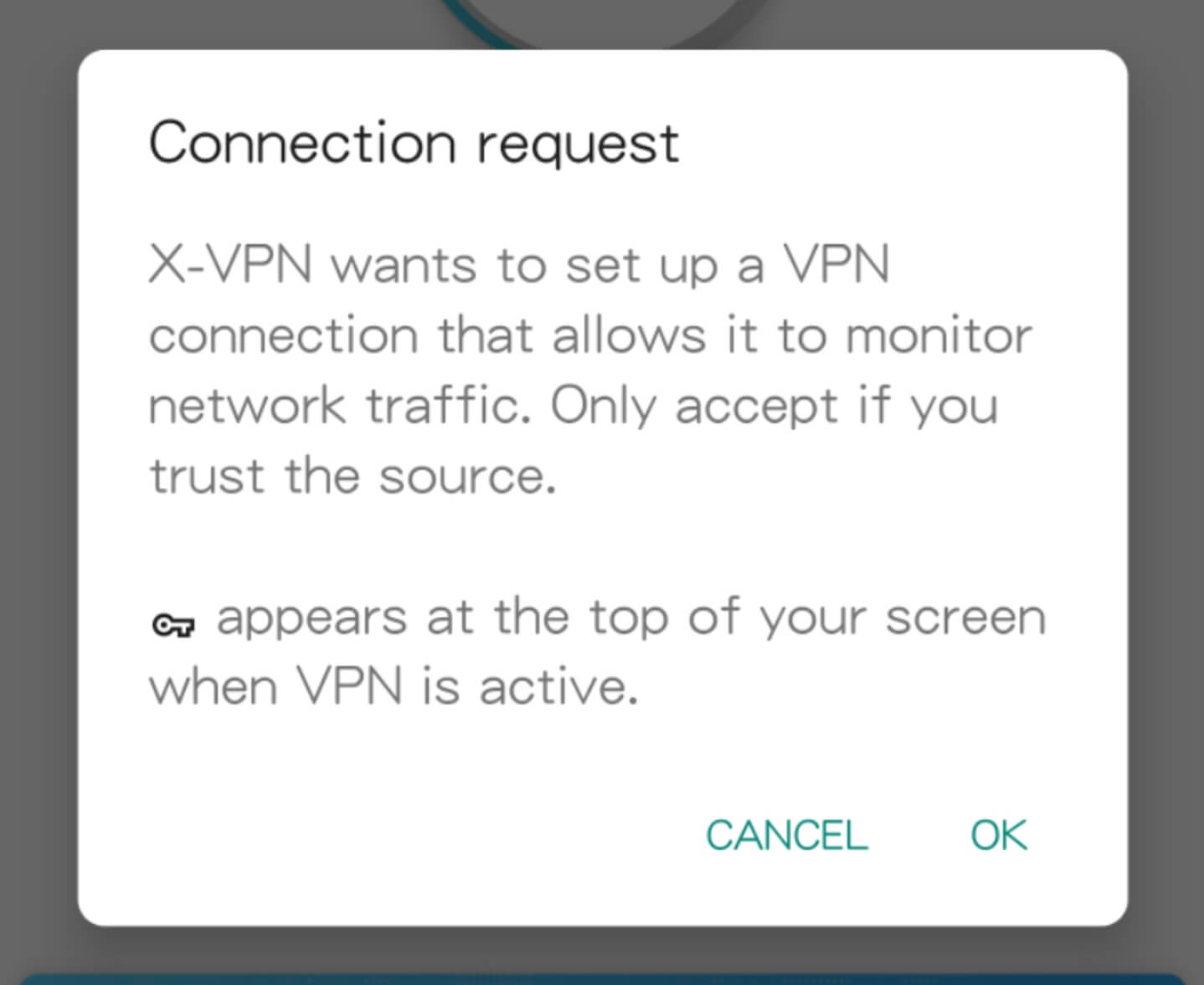

There might be a third-party app with "Night mode", "Landscape view" or "Lux Brightness" feature that was interfering with your screen so you were unable to press the "Okay" button.


Was this article helpful?

Thanks for your feedback!

Why wasn't this article helpful?