We use cookies to provide you a better service and analyze traffic. To find out more about cookies, please see our Cookie Declaration. By continuing to browse our website, you agree to our use of cookies.

Agree
Manage

Cookie Settings

We use cookies to provide you a better service and analyze traffic, To find out more about cookies, please see our Cookie Declaration.

Essential

Our website relies on these cookies for proper functionality.

Functionality

These cookies are utilized to retain your preferences, such as language selection.

Statistics

Cookies enable us to gain insights into our visitors and enhance their browsing.

Advertising

Cookies that are used to track conversions for ads platforms.

Confirm

How to watch Youtube TV with X-VPN?

Latest edited on 2026-09-10

YouTube TV is a live TV streaming service that offers channels, sports, news, and entertainment. It is mainly available in the United States.

If you are outside the US, X-VPN can help you access it. How?

1. Connect to the US-Youtube server in X-VPN.
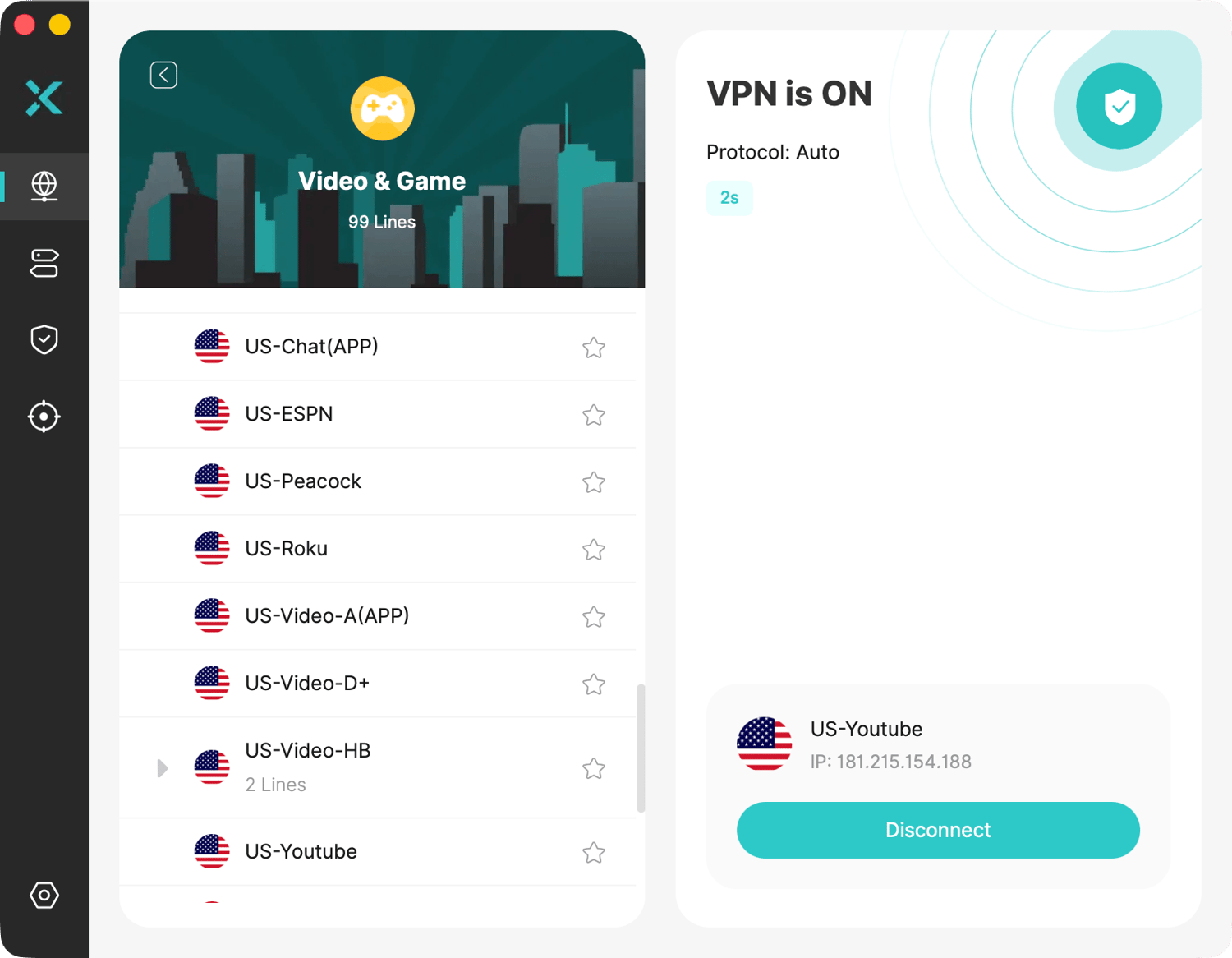
US-Youtube server

2. Quit and reopen the YouTube TV app or website and enjoy watching.

If you have any issues while watching YouTube TV, please try different US server locations, such as New York. If the issue persists, please contact our Live Chat or email support.

Was this article helpful?

Thanks for your feedback!

Why wasn't this article helpful?