




We use cookies to provide you a better service and analyze traffic. To find out more about cookies, please see our Cookie Declaration. By continuing to browse our website, you agree to our use of cookies.

Agree
Manage

Cookie Settings

We use cookies to provide you a better service and analyze traffic, To find out more about cookies, please see our Cookie Declaration.

Essential

Our website relies on these cookies for proper functionality.

Functionality

These cookies are utilized to retain your preferences, such as language selection.

Statistics

Cookies enable us to gain insights into our visitors and enhance their browsing.

Advertising

Cookies that are used to track conversions for ads platforms.

Confirm

X‑VPN Premium Giveaway Is Happening Now on Our Subreddit!

X‑VPN Premium Giveaway Is Happening Now on Our Subreddit!
Enter Now

Multi Tunneling

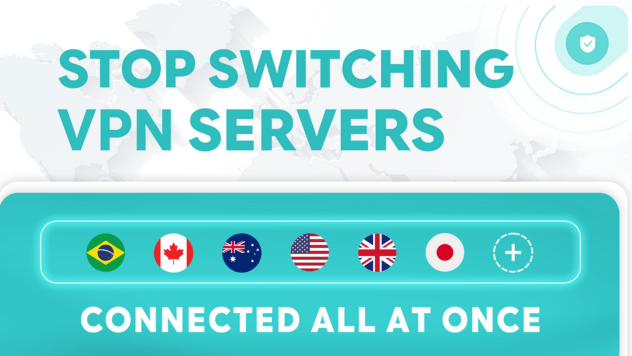
Access multiple countries at once with one connection.

  • Get global access without switching servers.
  • Customize where each service connects.
  • Enjoy faster speeds across all apps and sites.
  • Isolate sensitive apps for maximum security.

30-Day Money Back, 100% success

What Is Multi Tunneling?

Multi Tunneling is an exclusive feature of X-VPN. It lets you assign different server locations to different apps and websites at the same time.
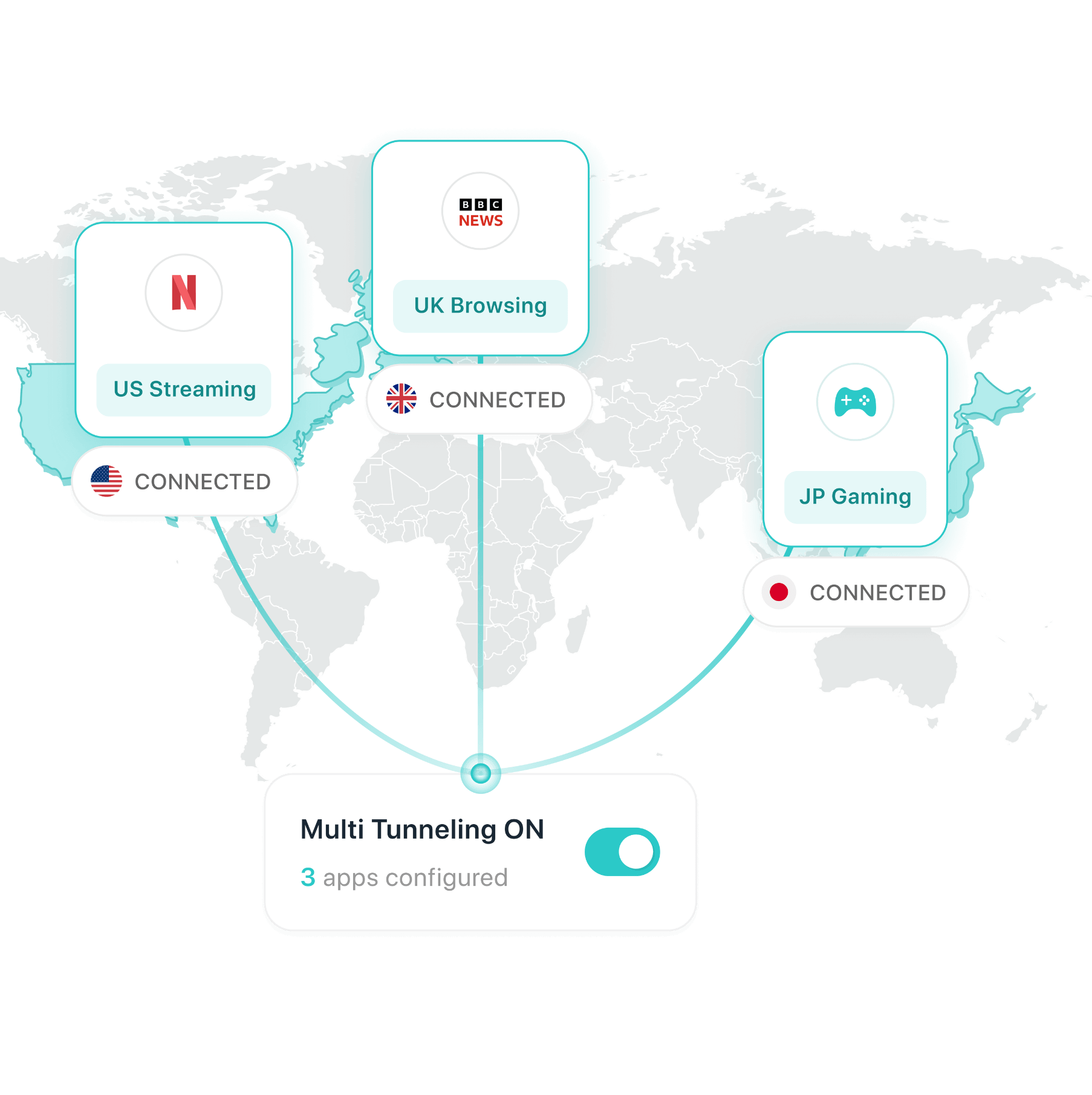
For example, you can watch Netflix on a US server, stream BBC iPlayer from the UK, and play games on Japanese servers all at once, without switching servers.

What X-VPN Multi Tunneling Can Do for You

Global access in one connection. No switching needed.

Unlock Multiple Regions at Once

No more switching servers back and forth.
Use apps and sites from different countries at the same time. For example, you can enjoy US streaming, UK browsing, and Japan gaming all running together without switching servers.

Enjoy Top Speeds for Every Service

Your apps no longer compete for the same route.
Stream videos on a local server for maximum speed, while playing games on a nearby server for lower latency. Everything stays smooth and fast.

Enhanced Security for Your Data

Route sensitive apps through secure local servers while everything else uses separate routes. Keep your private data isolated and protected at all times.

Full Control Over Your Traffic

Choose exactly which server each app or website uses. Simple, flexible, and fully under your control.

Set Once, Auto Sync

Just set your rules once. X-VPN automatically applies them across all your devices. Switch devices anytime, no need to reconfigure.

How to Use X-VPN Multi Tunneling

Step 1: Turn on Multi Tunneling

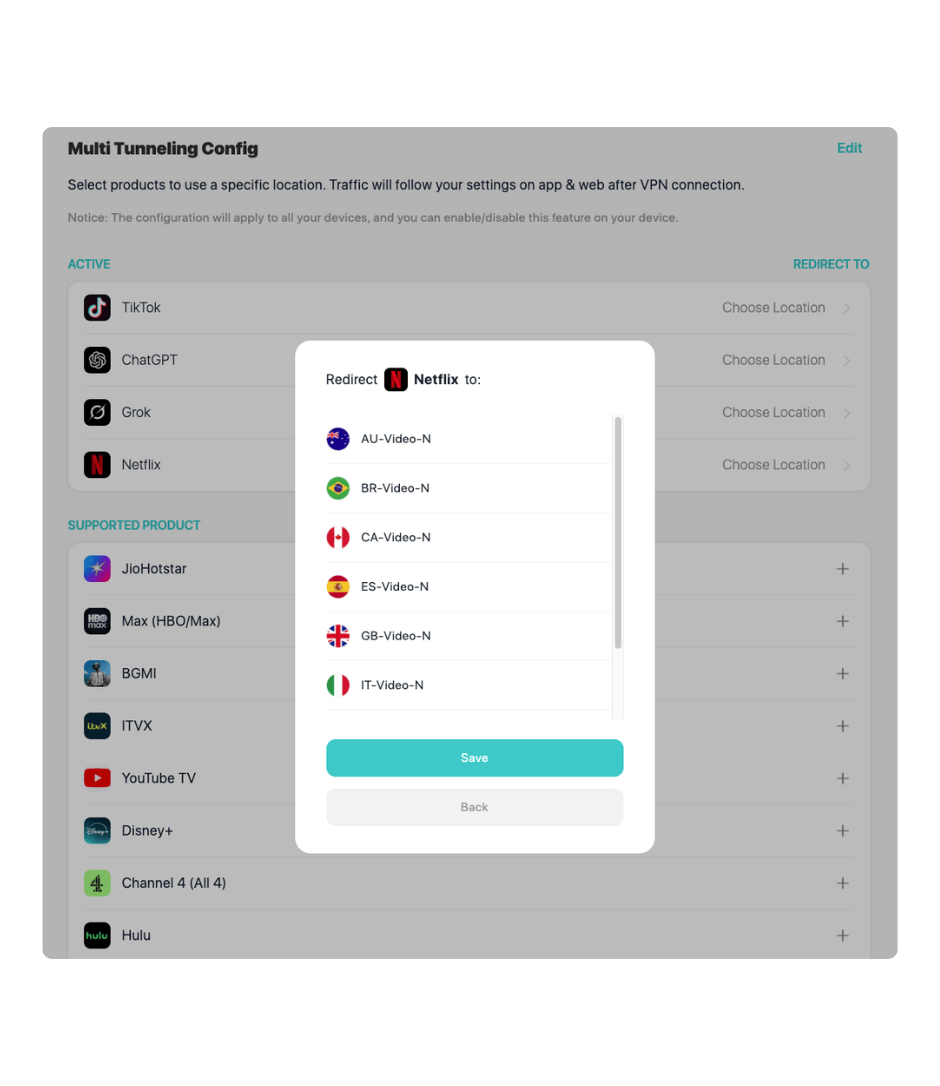
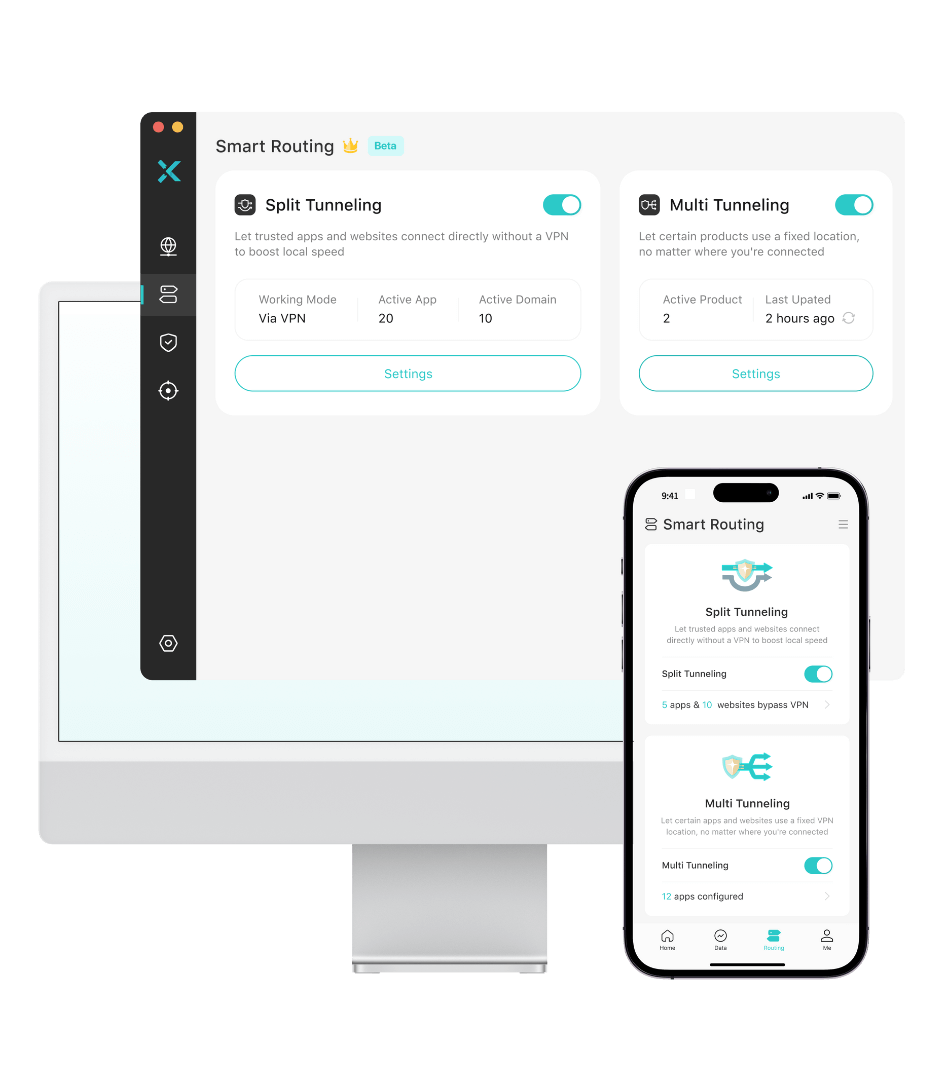
Download the X-VPN app for your device. In the app, go to "Smart Routing", switch on "Multi Tunneling", and click "Settings" to open the configuration page.

Step 2: Customize Your Routing

Click the "+" next to any supported app or website, select its server location, and click "Save" to confirm.

Step 3: All Set

X-VPN will now apply your routing rules and sync them across all your devices.
Try It Now

Smarter Routing Than a Normal VPN

Features

Multi Tunneling X-VPN Exclusive

Normal VPN

How traffic is routedRoutes each service through its own optimal serverRoutes all services through one server
Encrypt all your traffic
Access multiple regions at once
Different servers for apps/sites
Faster speeds for each service
Sync settings across devices
Flexibility★★★★★★★★☆☆

More X-VPN Features for Faster, Safer Browsing

Split TunnelingChoose which apps use the VPN while others stay on your faster local network.Ad BlockerRemove ads from webpages for a cleaner, faster, and safer browsing experience.Link CheckerCheck a website's safety before opening it. Link Checker flags links as safe or risky.Double VPNSend your traffic through two encrypted VPN servers for an extra layer of protection.ObfuscationHide your VPN usage so it can't be detected by DPI or strict networks. Stay connected even in heavily restricted environments.Kill SwitchIf your VPN connection drops, Kill Switch instantly blocks your internet to prevent your real IP or data from leaking.

Understand Multi Tunneling Better with One Video

30-Day Money-Back Guarantee

Try X-VPN with complete confidence. If we don't meet your expectations, we'll refund your payment.
No pressure, no worries.

Frequently asked questions

Is X-VPN's Multi Tunneling feature free to use?

No. Multi Tunneling is a premium feature available only to X-VPN Premium users.

Is it safe to use X-VPN Multi Tunneling?

Yes. Each tunnel you use (no matter how many) is protected by X-VPN's industry-leading encryption. Our Multi Tunneling keeps you flexible and secure at the same time.

What is the difference between Multi Tunneling and Split Tunneling?

Split Tunneling lets you choose which apps go through the VPN and which stay on your local network.
X-VPN Multi Tunneling goes much further. It lets each service use a different VPN server at the same time.

Can Multi Tunneling make my internet faster?

Since different apps and websites can use the best server for them, your traffic is spread out instead of all going through one line. This can give you smoother streaming, lower-latency gaming, and better overall performance.

What if the app or website I want isn't on the supported list?

You can contact our support team and request that it be added. We're always expanding the list.

How many services can I assign specific servers to?

There's no limit. You can set a specific server for every app or site in the Supported Apps list.

What happens to apps or websites I didn't set any rules for?

They'll use your main VPN connection, the server you connected to in the X-VPN app.