


Yes, DuckDuckGo is safe to use. It’s a privacy-focused search engine that doesn’t track your searches or build personal profiles based on your activity.
DuckDuckGo also offers a browser with built-in privacy and security features. But how much protection does it actually provide? Let’s look at how DuckDuckGo works, its privacy risks, and how it compares with Google.
Key Takeaways
- DuckDuckGo protects your search privacy by not tracking your searches or creating personal search profiles.
- Its browser blocks many third-party trackers and helps protect you from known scam websites.
- Websites you visit can still see your IP address when you use DuckDuckGo, so using it with a VPN can give you more privacy while browsing.
Table of Contents
What Is DuckDuckGo?
DuckDuckGo is a free search engine launched in 2008. Like Google or Bing, it lets you search for websites, images, videos, and news. You can use it directly at duckduckgo.com or set it as your default search engine in other browsers.
DuckDuckGo is also the name of the company behind the search engine. Over the years, it has expanded its products to include browser extensions, a standalone browser for Windows, Mac, iOS, and Android, and an AI chat service called Duck.ai. It also offers a paid subscription that includes a VPN and other privacy tools.
Why Is DuckDuckGo Safe to Use?
DuckDuckGo is generally safe for everyday searching. Its privacy and security features work in different ways, from keeping searches private to blocking trackers and warning about suspicious websites. Here’s how they work.
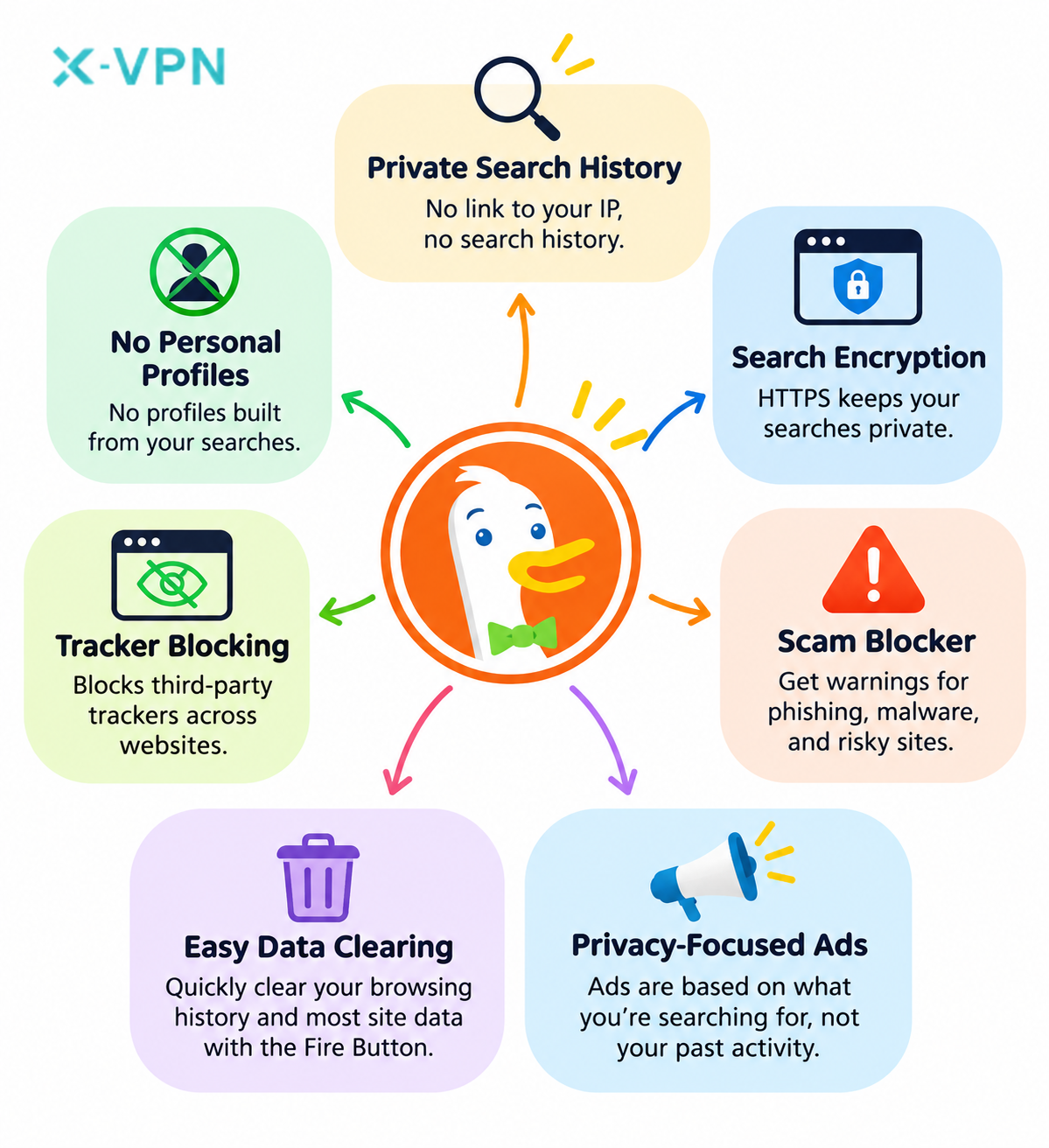
- Private search history: Your searches aren’t linked to your IP address or saved in a way that could identify you later.
- No personal profiles: Unlike search engines that personalize results based on past activity, DuckDuckGo doesn’t use your search history to build a profile of your interests.
- Search encryption: DuckDuckGo uses HTTPS encryption to protect your searches, so others monitoring your network can’t read your search terms.
- Scam Blocker: You’ll get a warning in DuckDuckGo Browser before visiting websites known for phishing, malware, and online scams.
- Tracker blocking: DuckDuckGo Browser blocks many third-party trackers that follow your activity across websites.
- Easy data clearing: The Fire Button lets you quickly clear your browsing history and most stored website data.
- Privacy-focused ads: The ads you see on DuckDuckGo are based on what you’re searching for at the moment, rather than your browsing history or a profile of your interests.
What Are the Limitations of DuckDuckGo?
DuckDuckGo has its strengths, but there are a few trade-offs to consider.
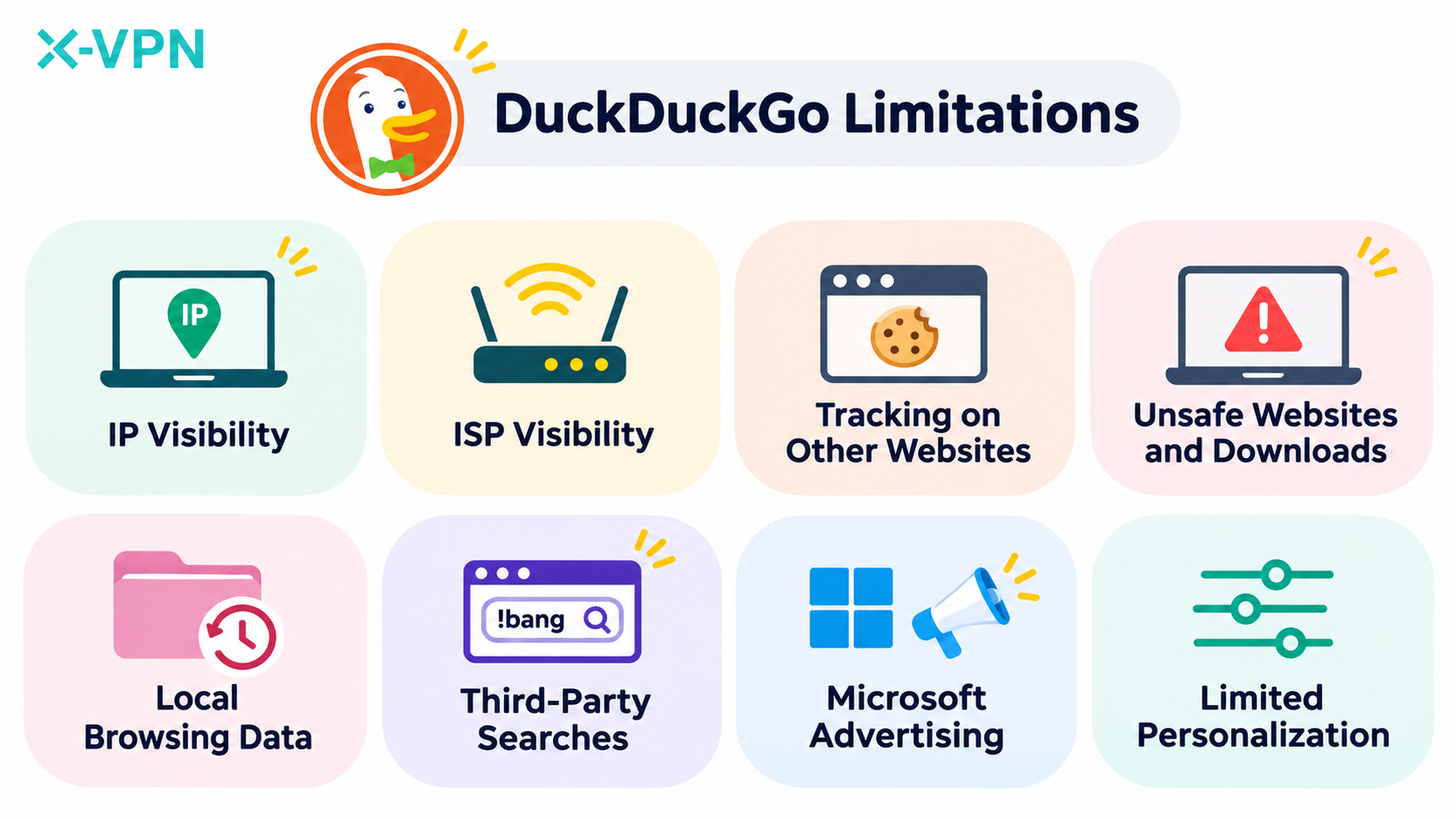
- IP visibility: DuckDuckGo Search doesn’t hide your original IP address from websites you visit.
- ISP visibility: Your internet provider can’t read your encrypted searches, but it may still see which websites or services you connect to.
- Tracking on Other Websites: When you open a website from DuckDuckGo’s search results, that site may still recognize you through cookies or your logged-in account.
- Unsafe websites and downloads: Search results may lead to scam websites or harmful downloads that haven’t been flagged yet.
- Local browsing data: Your browser may still save browsing history and cookies on your device, depending on its settings.
- Third-party searches: DuckDuckGo’s !bang shortcuts let you search directly on sites like Wikipedia or Amazon, where your searches may be tracked.
- Microsoft advertising: When you click a Microsoft ad on DuckDuckGo, Microsoft Advertising receives your IP address and browser information to process the click.
- Limited personalization: DuckDuckGo doesn’t personalize search results based on your search history, so the results may not always match your preferences.
Past Privacy Concerns: In 2022, DuckDuckGo faced criticism after researchers found that its browser allowed certain Microsoft tracking scripts. The company expanded its tracker blocking later that year. Today, certain Microsoft ad-conversion tracking requests are still allowed when users visit an advertiser’s website after clicking a Microsoft ad on DuckDuckGo.
The controversy centered on tracking protection in DuckDuckGo Browser, rather than how its search engine handles search history.
How to Use DuckDuckGo More Safely
DuckDuckGo helps keep your searches private, but your privacy also depends on the websites you visit, the networks you use, and how you protect your accounts.
- Use a VPN: A VPN encrypts the traffic between your device and the VPN server and hides your original IP address from websites you visit. It’s especially useful on public Wi-Fi, where you may be sharing a network with strangers. DuckDuckGo offers a VPN through a paid subscription, while X-VPN’s free version lets you connect without creating an account.
- Watch out for phishing attempts: Fake websites can look almost identical to legitimate ones. Always check the website address before entering passwords or payment details, and avoid downloading files from suspicious links.
- Use strong, unique passwords: Reusing passwords makes it easier for someone to access multiple accounts if one is compromised. Use a different password for each account, and consider a password manager to keep track of them.
- Clear your browsing data: If you’re using DuckDuckGo Browser on a shared device, use the Fire Button when you’re done and sign out of any accounts you opened.
- Update your software and use antivirus protection: Update your browser and operating system regularly to get the latest security fixes. Reputable antivirus software can also help detect malicious downloads and other threats.
DuckDuckGo vs. Google: Which Is Safer?
DuckDuckGo and Google are both popular search engines, but they handle your data differently. DuckDuckGo focuses on keeping searches private, while Google can use your search activity to personalize results, depending on your settings. Here’s how they compare.
This content is only supported in a Feishu Docs
If search privacy matters most to you, DuckDuckGo has the advantage. Google may be a better choice if you prefer search results tailored to your interests.
DuckDuckGo vs. Other Search Engines
Google isn’t the only search engine worth comparing with DuckDuckGo. Bing, Yahoo Search, and Brave Search handle user data in different ways, too. Here’s how they compare with DuckDuckGo in terms of search privacy and features.
DuckDuckGo vs. Bing
Bing is Microsoft’s search engine, and it can use your search activity to personalize results and suggestions, depending on your settings. Unlike Bing, DuckDuckGo doesn’t use your past searches to build a personal profile or personalize future results.
DuckDuckGo vs. Yahoo Search
Yahoo Search works with outside search partners and collects information about your searches. That data may be used to personalize suggestions and ads. DuckDuckGo doesn’t use your past searches to build a personal profile.
DuckDuckGo vs. Brave Search
Brave Search is another option for people who care about search privacy. Like DuckDuckGo, it doesn’t use your searches to build a personal profile. The two differ in how they get their results: Brave has its own search index, while DuckDuckGo uses Bing as one of its main sources for web search results.
The Final Verdict
If you’d rather search without having your activity used to build a personal profile, DuckDuckGo is worth trying. It offers a familiar search experience with a stronger focus on privacy. Pair DuckDuckGo with a VPN, and you can keep your searches private while hiding your original IP address from the websites you visit.
Frequently Asked Questions
What Are the Downsides of DuckDuckGo?
One downside is that DuckDuckGo offers less personalized search results than Google. Since it doesn’t use your search history to learn your preferences, some results may feel less relevant to your interests. It also has fewer integrated services than Google.
Can Anyone See What I Search on DuckDuckGo?
Your internet provider and others on the same Wi-Fi network can’t read your DuckDuckGo searches because they’re encrypted. However, someone with access to your device may still find your search history if your browser saves it locally.
Is DuckDuckGo Legit?
Yes. DuckDuckGo is a legitimate, independent company founded in 2008. Its search engine and browser are used by millions of people worldwide, and the company isn’t owned by Google.
Is DuckDuckGo Free?
Yes. DuckDuckGo Search and DuckDuckGo Browser are completely free to use. The company also offers paid subscriptions with additional features, including a VPN and other privacy tools.
What Is the Safest Search Engine?
There’s no single safest search engine. DuckDuckGo, Startpage, and Brave Search are all good options for people who value search privacy.
Does DuckDuckGo Hide Your IP Address?
DuckDuckGo doesn’t store your IP address alongside your searches, but websites you visit can still see your original IP address. You can use a VPN to hide it from those websites.
Is DuckDuckGo Safe on iPhone and Android?
Yes. DuckDuckGo is safe to use on both iPhone and Android. Its free mobile browser includes built-in privacy features such as tracker blocking and encrypted connections to supported websites.
Can DuckDuckGo Give You a Virus?
DuckDuckGo itself won’t install a virus on your device, but some search results may lead to websites or downloads containing malware. DuckDuckGo Browser’s Scam Blocker helps warn you about known threats.
Does DuckDuckGo Have a VPN?
Yes. DuckDuckGo offers a VPN through its paid Plus and Pro subscriptions. The VPN encrypts your internet connection and hides your IP address from websites you visit. It isn’t included with the free search engine or browser.