How to Use Talaria in X-VPN
Latest edited on 2026-10-29
X-VPN's latest speed upgrade introduces Talaria, our new open-source protocol developed in-house for faster, smoother connections. Whether you're streaming, gaming, or downloading files, Talaria helps you make better use of your internet speed. It's also available to both free and premium users.
How to Use Talaria on Mobile (iOS & Android)
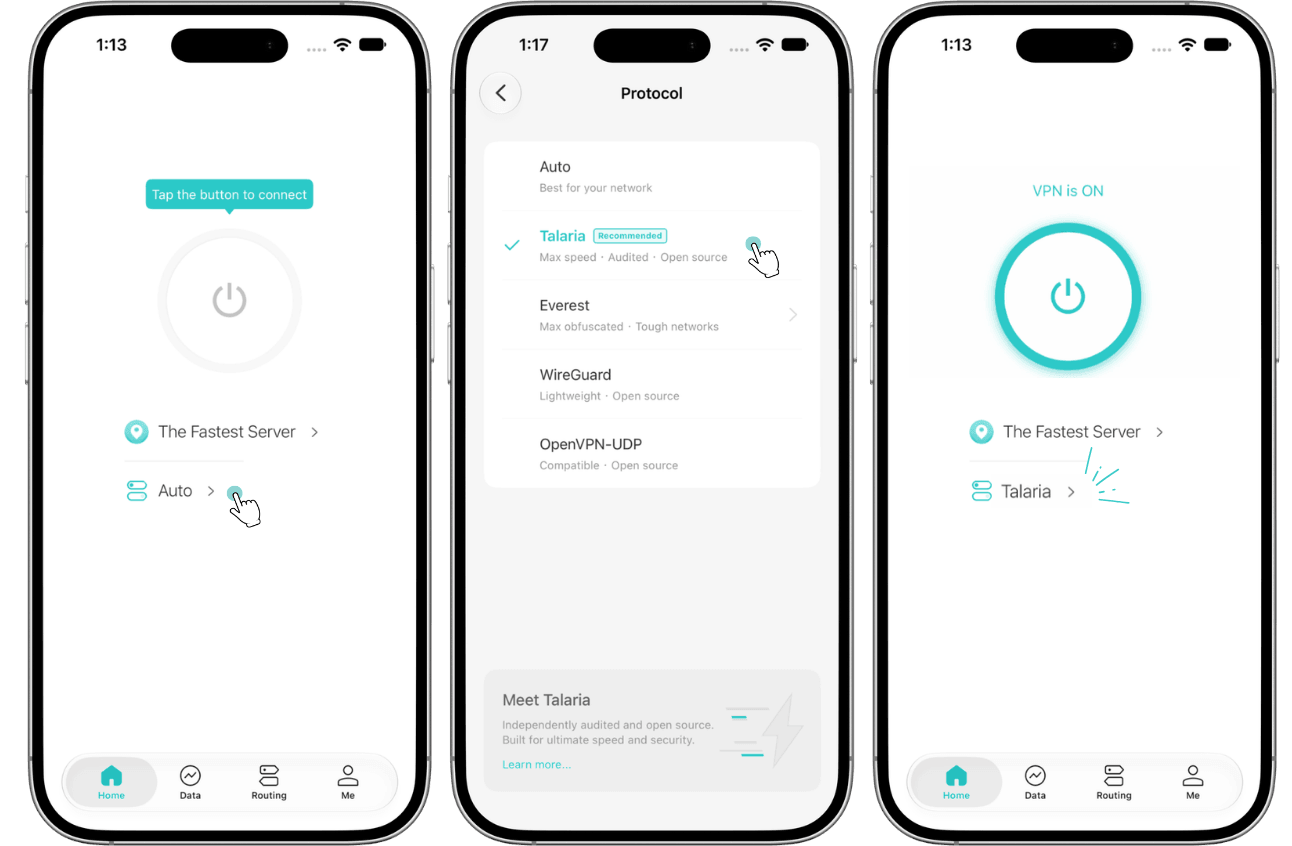
- Open the X-VPN app on your phone.
- Tap Your current protocol name on the home screen.
- Find Talaria in the protocol list.
- Enjoy the lightning-fast speeds with Talaria now!
How to Use Talaria on PC (Windows & Mac)
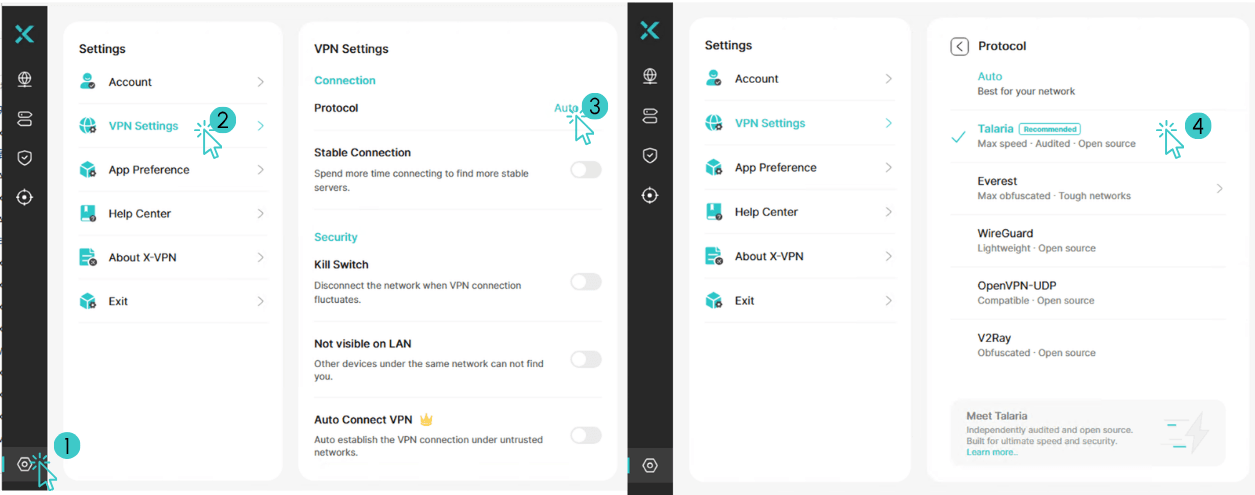
- Open X-VPN on your computer.
- Go to Settings > VPN Settings > Protocol.
- Select Talaria protocol.
- Enjoy the lightning-fast speeds with Talaria now!
That's it! You're ready to experience smoother streaming, faster downloads, and more responsive browsing with Talaria.
Ready to try Talaria?
Talaria has been independently assessed by Vantage Point Security, with no vulnerabilities found at any severity level. You can try it with added confidence. Available on Windows, macOS, iOS, and Android, Talaria is free to use.
Download the latest version of X-VPN and enjoy faster, smoother connections today.
Others you may be interested in
Was this article helpful?
Thanks for your feedback!
Why wasn't this article helpful?