

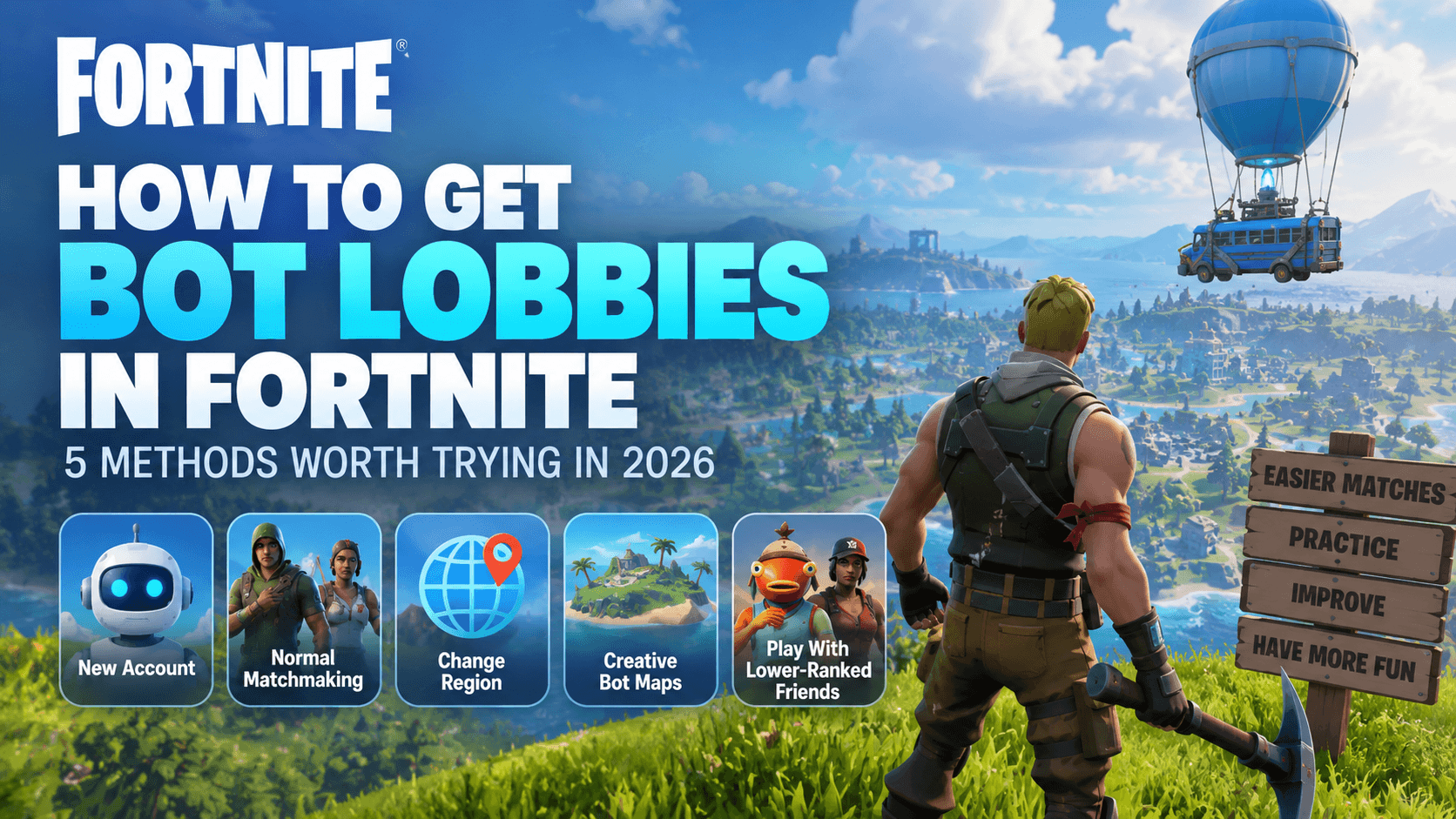
Fortnite doesn’t offer a dedicated “bot lobby” setting — instead, bots are integrated into the game’s matchmaking system, with higher-skilled players encountering fewer AI opponents. Players looking for easier matches have several options depending on their goal, whether that’s softer matchmaking, a different regional player pool, or an AI-focused practice environment.
Since Epic regularly adjusts bot behavior between updates, any related guidance applies specifically to the version it was tested on, in this case Chapter 7 Season 4: Override (patch v42.00, August 2026).
Table of Contents
What is a Fortnite bot lobby?
Bot lobbies in Fortnite are standard public Battle Royale matches where AI-controlled opponents fill most of the 100 player slots, introduced by Epic in late 2019 alongside skill-based matchmaking to help newer players find beatable opponents.
The number of bots in a match is determined by the matchmaking system based on a player’s assessed skill level, meaning higher-skilled players will encounter fewer bots. There is no in-game indicator to identify bots, and Epic does not publicly disclose bot allocation details per account.
Here is a breakdown of several related bot lobby terms in Fortnite to help you tell the difference between the various types of bot lobbies.
| Lobby type | Who you face | Best use | Predictability |
| Bot lobby | A large share of opponents appear to be AI | A calmer Battle Royale match | Variable in public queues |
| Bot-heavy lobby | AI opponents plus human players | Normal looting, storm movement, and rotations | Common, yet it can shift by session |
| Creative bot map | AI opponents inside a creator-made island | Aim drills, warm-ups, and repeated practice | More predictable than public matchmaking |
Method 1: Try a New Account
Creating a new Fortnite account is a popular method for accessing easier lobbies, as the game’s matchmaking system considers player skill history. Since new profiles lack performance data, they may face more bot opponents in early matches, given that Epic Games acknowledges stronger players encounter fewer bots — though no specific bot percentage for new accounts is officially disclosed.
Step 1: Create another Epic Games account.
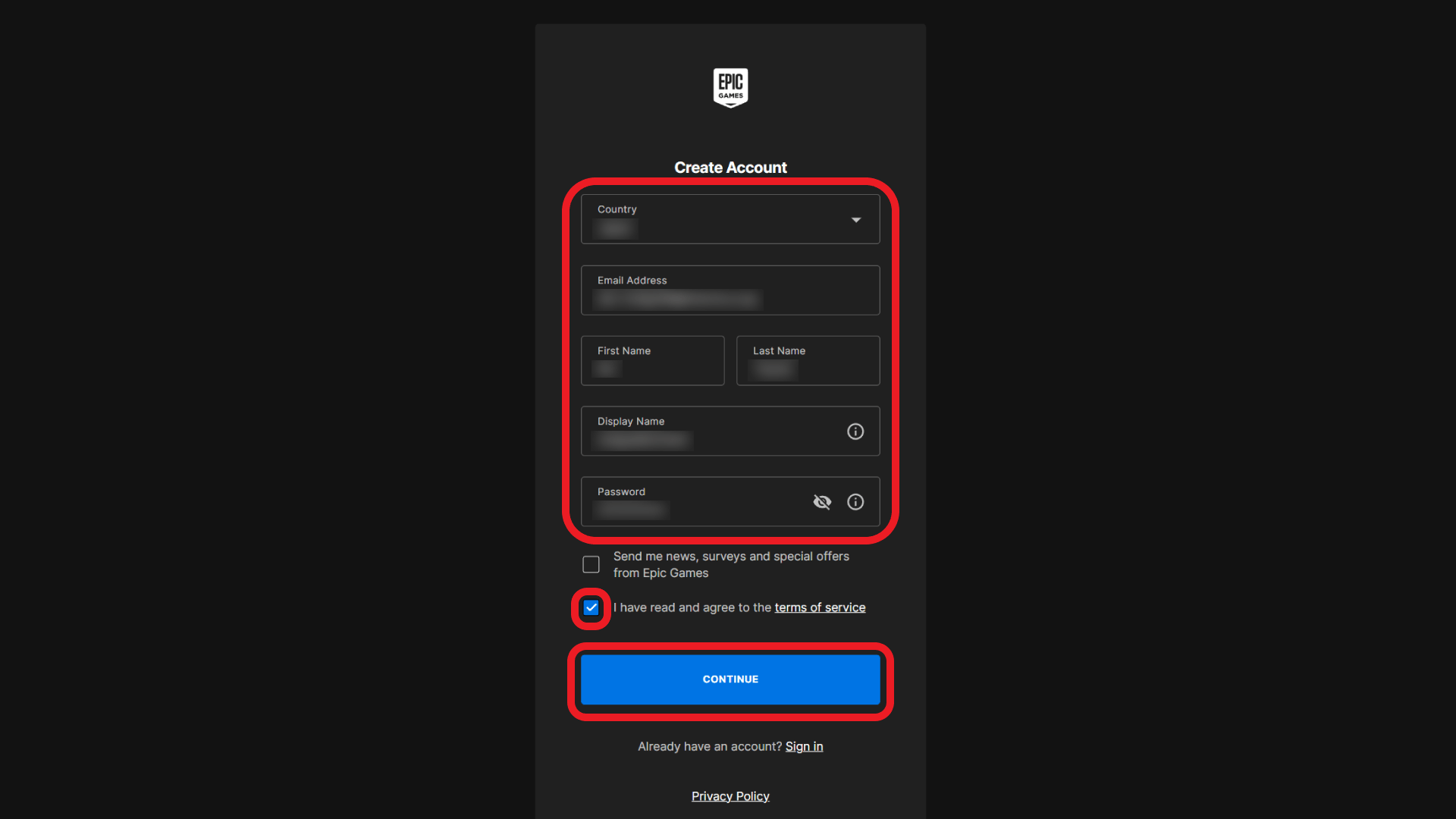
Step 2: Sign in to Fortnite.
Step 3: Choose an Unranked Battle Royale playlist.
Step 4: Play a few matches.
Step 5: Compare the difficulty with matches from your regular account.
The opponents may initially seem easier to handle, with slower reactions and simpler patterns, but this difficulty level won’t remain constant as you continue playing.
Method 2: Change Your Fortnite Region
Changing your region or IP address directly affects Fortnite’s matchmaking system.
The game assigns players to lobbies based on regional active player counts, skill levels (SBMM), and current local time. Switching to a less populated region—especially during its off-peak hours—increases your chances of joining a low-density server. When Epic Games cannot gather enough live players, it fills the remaining slots with AI bots.
Step 1: Open Fortnite and select your Player Icon.
Step 2: Go to Settings (the gear icon).
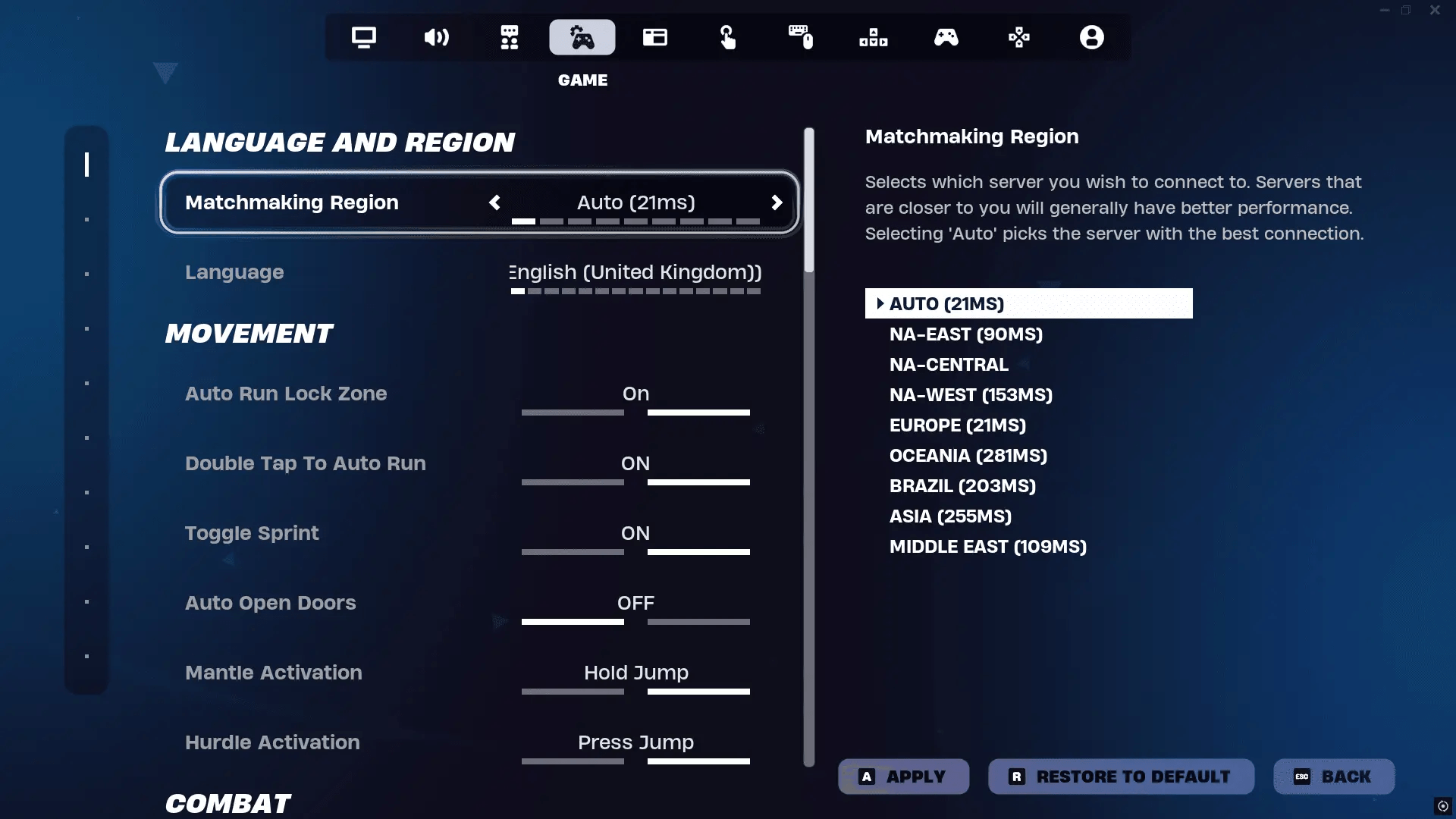
Step 3: Open the Game tab.
Step 4: Scroll to Language and Region.
Step 5: Under Matchmaking Region, pick a region manually, or leave it on Auto to let Fortnite choose the one with the best ping.
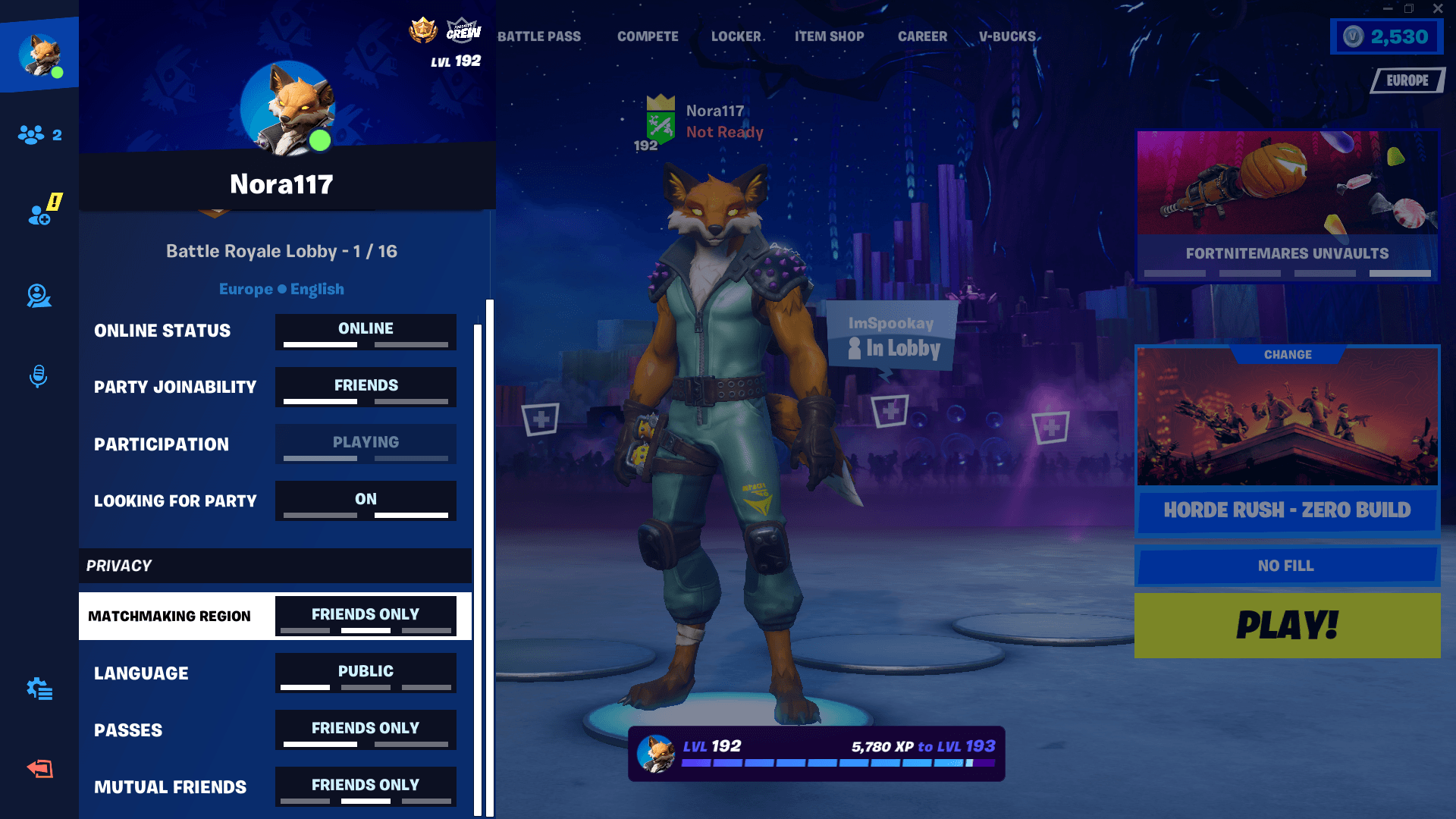
Step 6: Select Apply to save the change, and check the top right corner of the main lobby to confirm the selected server and latency .
Safely Change the Fortnite Region with VPN
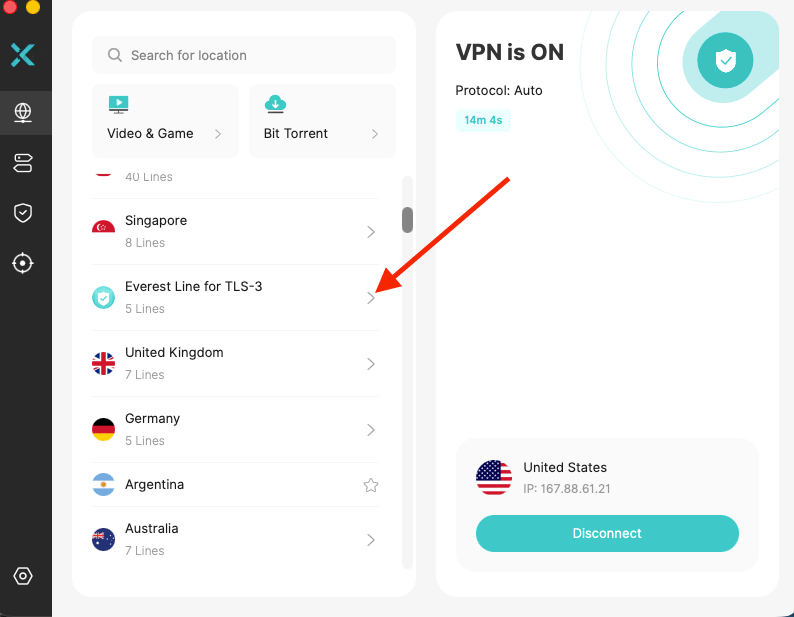
A VPN can complement Fortnite’s in-game region settings by allowing players to test different network routes and compare connections through various locations. Tools like X-VPN offer free access to multiple server locations across different countries. Let’s how to set up with 3 easy steps:
Step 1: Fully exit Fortnite and close the Epic Games Launcher to clear cached network settings.
Step 2: Download and open X-VPN, then tap your target region’s server to connect.
Step 3: Launch Fortnite, open the main menu, and go to Settings.
Step 4: Under the Game tab, change the Matchmaking Region to match your VPN location, then click Apply.
Step 5: Enjoy your gaming experience right away

It’s crucial to understand that a VPN does not reset your Fortnite skill profile or manipulate the game into providing bot lobbies.
Method 3: Perform Badly in a Few Games
Fortnite’s matchmaking system factors in your skill level and past match performance. By deceiving the matchmaking system into believing you are a low-skilled player, the game may subsequently place you into lower-difficulty Unranked lobbies filled with more AI opponents.
Step 1: Drop into quiet areas in Battle Royale, avoiding combat, building nothing, and getting zero kills.
Step 2: Jump off the map to eliminate yourself quickly instead of engaging enemies.
Step 3: Repeat this process for 5–10 consecutive matches to lower your hidden skill rating (SBMM).
Step 4: Enjoy your next few games, as the system automatically places you into low-skill bot lobbies.
Avoid overusing this method, as it takes advantage of system exploits and may violate Epic Games’ Fair Play Policy.
Method 4: Use Fortnite Creative Bot Maps
Using Creative Mode is a predictable, stress-free way to practice against AI opponents without relying on public matchmaking tricks. Maps like 99 Bots Royale recreate the authentic Battle Royale experience entirely filled with bots—making them ideal for warming up, tweaking your aim, refining builds, or testing weapon rotations at your own pace.
How to Access 99 Bots Royale:
Step 1: Launch Fortnite and open the game mode selection screen from the main menu.
Step 2: Navigate to the Island Code tab (or use the Search bar in Discover).
Step 3: Enter the map code 4806-7634-5237 (or try alternate community maps like 0193-7747-3132).
Step 4: Select 99 Bots Royale from the search results.
Step 5: Hit Play to load into a full Battle Royale-style match filled exclusively with low-skilled AI bots.
Method 5: Add a Bot Account to Your Friends List
Adding a bot account to your friend list is another awesome trick for getting easy lobbies in Fortnite—super handy for warming up your aim, learning the map, or knocking out seasonal quests in no time.
Step 1: Create a secondary Epic Games account or use an existing account with very limited Fortnite playtime.
Step 2: Add the account as a friend using its Epic display name.
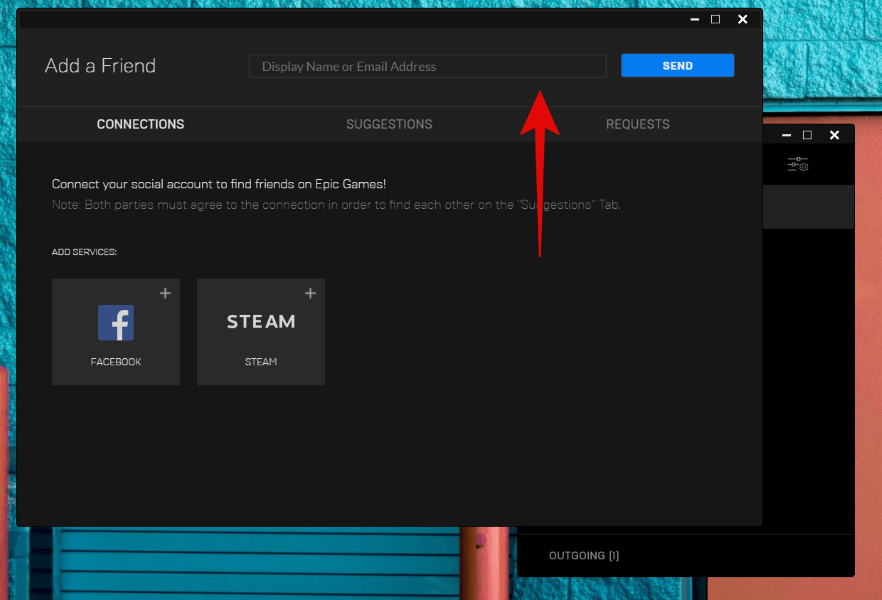
Step 3: Sign in to Fortnite on your main account, then bring the secondary account into the same party using another device.
Step 4: Let the newer account host the party. Fortnite does not publicly explain exactly how party members are weighted in matchmaking, so hosting alone does not ensure easier matches, but this is the setup commonly used by players testing the method.
Step 5: Queue for an Unranked Duos or Squads match and compare the difficulty with your regular lobbies.
Troubleshooting Common Problems
The New Account Now Gets Harder Matches
A profile with sufficient recorded results may undergo changes in its matchmaking, and comparing recent sessions to earlier matches can reveal this shift. Unlike established accounts, a fresh profile does not get locked into a specific lobby type.
Real Players Still Appear
A public bot-heavy lobby can include human players. Region tests and secondary account parties do not create an AI-only queue. If you want a predictable training session, move to a Creative bot map.
The Region Test Feels Laggy
Check the ping for each matchmaking region, and if using a VPN, select a server closer to your chosen Fortnite region. Revert to Auto settings if the new route negatively impacts gameplay.
The Creative Code Does Not Load
If an island code isn’t working, check for typing errors. Creator-made islands may change or go offline, so use Fortnite Discover to find an alternative AI practice map if needed.
Conclusion
While there are several ways to find easier or more bot-heavy Fortnite lobbies — such as using a new account, trying Creative bot maps, or queueing with a newer player — testing your connection with a VPN for gaming can offer a few additional benefits.
Fortnite’s matchmaking and bot systems change between seasons, so if a method above stops working the way it’s described here, it’s worth checking whether a new season or patch has shipped since this guide was last reviewed.
FAQs
Do Fortnite bot lobbies still work?
Yes, Fortnite bot lobbies still work, especially for new or low-level accounts. However, results are not guaranteed because Epic Games can change matchmaking rules at any time.
How to play Fortnite with only bots?
The most reliable way is to use a bot-only Creative map. Regular Battle Royale may include AI opponents, but Fortnite does not guarantee 100% bot-only public lobbies.
Has Fortnite patched bot lobbies?
Fortnite has not permanently or fully patched bot lobbies, but Epic Games frequently tweaks matchmaking, making traditional alt-account methods temporarily break or require updated workarounds.
Can you get banned on Fortnite for using bot lobbies?
Can you get banned on Fortnite for using bot lobbies?
You generally won’t be banned just for playing in a bot lobby. However, Epic says using smurf accounts to manipulate matchmaking can be bannable, and third-party software may also put your account at risk.
What is the code for 99 bots in Fortnite?
Can you get banned on Fortnite for using bot lobbies?
You generally won’t be banned just for playing in a bot lobby. However, Epic says using smurf accounts to manipulate matchmaking can be bannable, and third-party software may also put your account at risk.
How to join a bot server in Fortnite?
Open Discover, select Search, enter a bot-focused Creative island code, and launch the map. Fortnite does not offer a dedicated bot-only server for regular Battle Royale.