

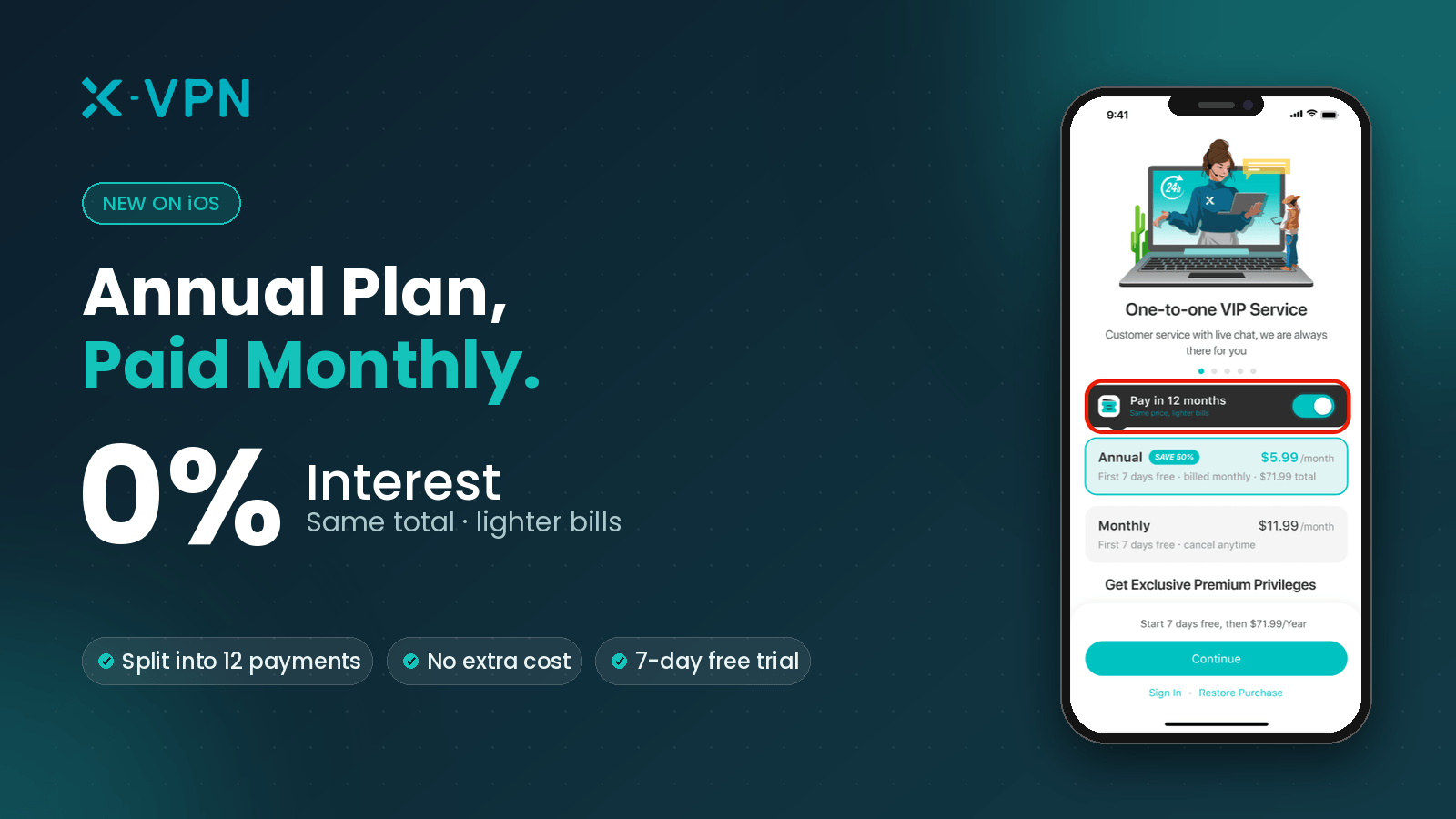
Paying for a full year upfront can feel like a big commitment, and we get that. To give you more flexibility when it comes to premium online security, X-VPN now supports Apple’s “Annual plan, paid monthly” option. You are still signing up for a full one-year membership – Apple simply splits the cost into 12 equal monthly payments.
The total cost is identical to paying upfront for a full year—with zero interest and no hidden fees. This article breaks down exactly everything you might want to know.
How the iOS 0% Interest Annual Plan Works for You?
In short, this is a one-year Apple subscription plan paid in monthly installments. It combines the cost savings of an annual membership with the financial flexibility of a monthly plan.
- Immediate Full Membership: Your first payment unlocks full access to all X-VPN premium features for an entire year—immediately and with no restrictions.
- 12 Equal Payments (0% APR): The annual price is divided into 12 equal monthly payments. The total cost is nearly the same as paying for a full year upfront, with no interest, no fees, and no hidden charges.
- No Credit Checks or Approval: This is a standard Apple Store subscription, not a credit card installment or loan. There are no applications, credit checks, or approvals needed.
- Automatic & Hassle-Free: Apple handles your payments automatically every month, so you do not need to renew anything manually.
- Secure & Transparent: Payments are processed entirely by Apple and charged in your local App Store currency. X-VPN has no access to your payment details and does not store them at any point.
How to Get X-VPN 0% Interest Installments on iOS?
This feature is rolling out in phases to eligible users. To subscribe to X-VPN with 0% Interest Installments, please make sure you meet the following four criteria:
- Available on iPhone or iPad (this feature is not yet available on Android or the web);
- Your device is running iOS 26.4 or later, and X-VPN is updated to the latest version;
- Users in all countries and regions except the United States and Singapore (not supported by Apple in these two regions) are eligible for this offer;
- New X-VPN Users: Anyone who has never bought a paid subscription or plan.

X-VPN 0% Interest Installments on iOS is currently in beta. If it fails to show, this is a rare exception during testing
You can easily get the X-VPN 0% Interest Installment subscription on iOS by following these simple steps:
Step 1: Open the App Store on your iPhone/iPad. Search for and download X-VPN for iOS.
Step 2: Open the X-VPN app and accept the Privacy Policy as prompted. X-VPN strictly follows an audited no-logs policy and never tracks, sells, or discloses user data.
Step 3: Open the subscription page, which typically appears automatically when new users launch the app for the first time.
Step 4: Turn on the “Pay in 12 months” toggle.
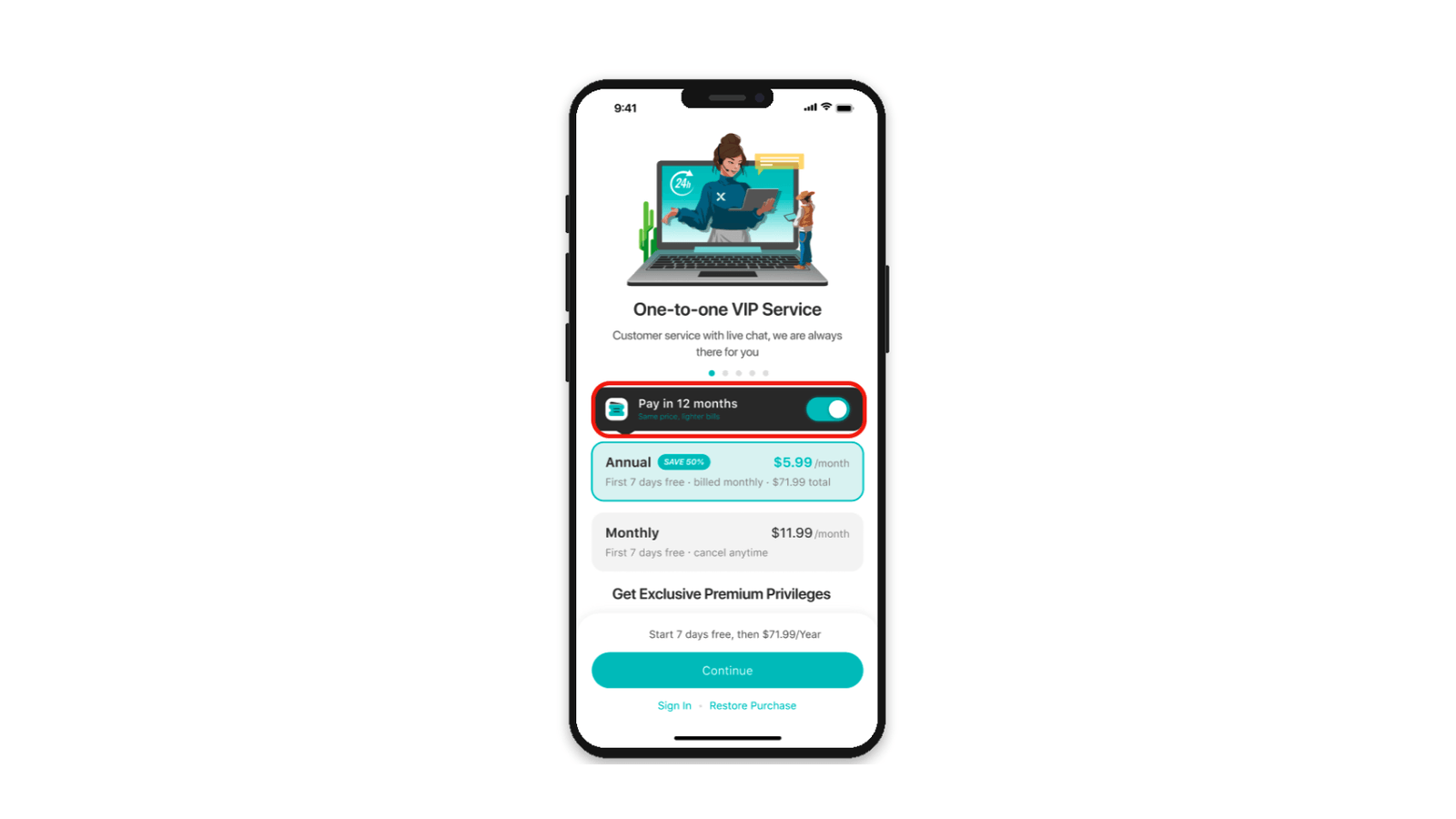
Step 5: Then click the “Continue” button.
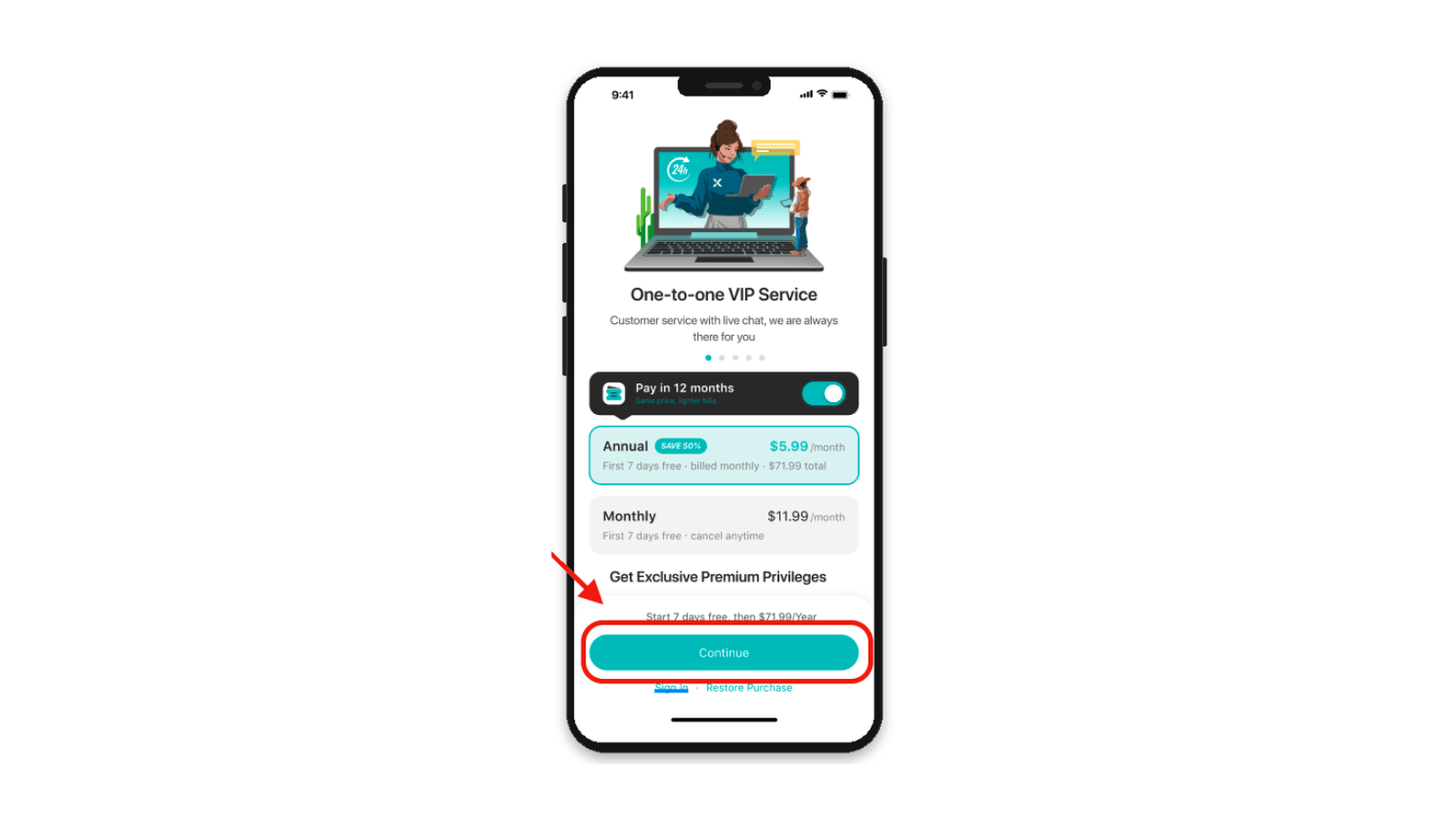
Step 6: Double-click the side button on your iPhone (or follow your device’s instructions) to authenticate via Face ID, Touch ID, or your Apple ID password.
Step 7: Upon successful payment, X-VPN automatically updates your account to VIP, unlocking all premium features.
Terms & Guidelines for the iOS 0% Interest Annual Plan
Automatic Renewal Terms
After the 12-month installment period ends, your plan will automatically renew for another 12-month pay-monthly plan at the original standard price. Apple will send a reminder email prior to renewal. If you do not wish to renew, please cancel at least 1 day before the renewal date.
Post-Expiration Plan Continuity
Renewed subscriptions remain on the 12-month pay-monthly structure and will not automatically convert into a single lump-sum annual charge.
Standard Auto-Renewal Cancellation
You can disable auto-renewal at any time through Apple’s native interface:
Step 1: Open Settings on your iPhone and tap your Apple ID (your name) at the top.
Step 2: Tap Subscriptions and select X-VPN from the list.
Step 3: Tap Cancel Subscription and confirm.
Canceling only turns off auto-renewal for the next year. You will still be charged monthly for your current 12-month term, and your premium access remains active until the end of the term.ips Content
Refund Policy & Operational Scope
Refunds are processed and reviewed directly by Apple. You can request one at Apple refund policy or within your iPhone’s Purchase History / Subscriptions. X-VPN cannot process or approve refund requests directly. Account status changes based on the refunded payment:
- Refunding a past charge: Returns that specific payment only. Your 12-month plan remains active, and future installments will proceed as scheduled.
- Refunding the most recent charge: It will cancel your full 12-month plan immediately, stops all future charges, and revokes premium features right away.
Refund Processing Fees & Timelines
No handling or processing fees are charged for refunds. Approved amounts are credited directly to your original payment method within the standard processing times set by Apple and your bank.
Service Termination Policy
According to Apple Support, users in Germany, Israel, South Africa, and Turkey can cancel their subscription and terminate service immediately during the subscription period. For all other regions, mid-term termination is not available.
Supported Payment Methods
The installment plan supports all standard Apple IAP payment options. Any redeemed Gift Card or Apple Account balance will be debited first, with any remaining balance charged to your linked backup payment method.
Failed Payments & Service Pause
If a monthly deduction fails, Apple will retry charging your payment method automatically. During active retries, your X-VPN membership will be temporarily paused and will resume automatically upon payment success. Your 12-installment end date will extend accordingly.
Mid-Term Plan Switching Rules
- Upgrading to a higher-tier plan: Takes effect immediately. Unused days for the current month will be refunded on a prorated basis, and commitment terms will adjust to the new plan.
- Downgrading/Switching to a standard Monthly plan: Takes effect on a delayed schedule, activating only after all 12 installments are completed.
Localized Billing & Staged Rollout Availability
Charges are billed in the local currency and pricing of your Apple Account’s App Store region. This feature is rolling out in phases; if it is currently unavailable, ensure your iOS system and X-VPN app are updated to the latest versions and check back later.
Why Choose X-VPN to Protect Your Online Security?
Along with flexible payment options, X-VPN gives you industry-leading protection:
- An uncompromising privacy and No-Logs Policy: with top-grade AES-256 encryption and a firm no-logs commitment, we never track or record any of your online activity.
- Our proprietary Everest protocol: purpose-built for complex network environments, with exceptional penetration and anti-interference capability so you stay reliably connected anytime, anywhere.
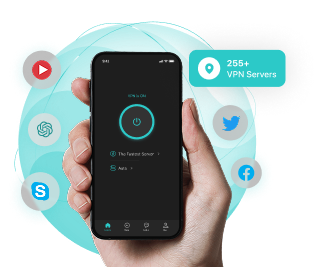
- A vast global network with blazing speeds: Over 10,000 VPN servers across 80 countries and 250+ regions worldwide, with optimized dedicated lines for smooth 4K streaming and low-latency gaming.
- Full cross-platform, multi-device coverage: one subscription protects your iPhone, Mac, Windows, Android, and even your TV and router, keeping every device in your home behind a secure shield.
Try it now: update X-VPN to the latest version, open the paywall, and experience the new iOS 0% Interest installment plan, the easiest way to start all-round online privacy protection!
Conclusion
Same annual membership, same total price, just a more flexible way to pay.
This feature will gradually roll out to more eligible users. If you don’t see it yet, please check back later. If you run into any issues while using it, feel free to contact our customer support team at any time.