

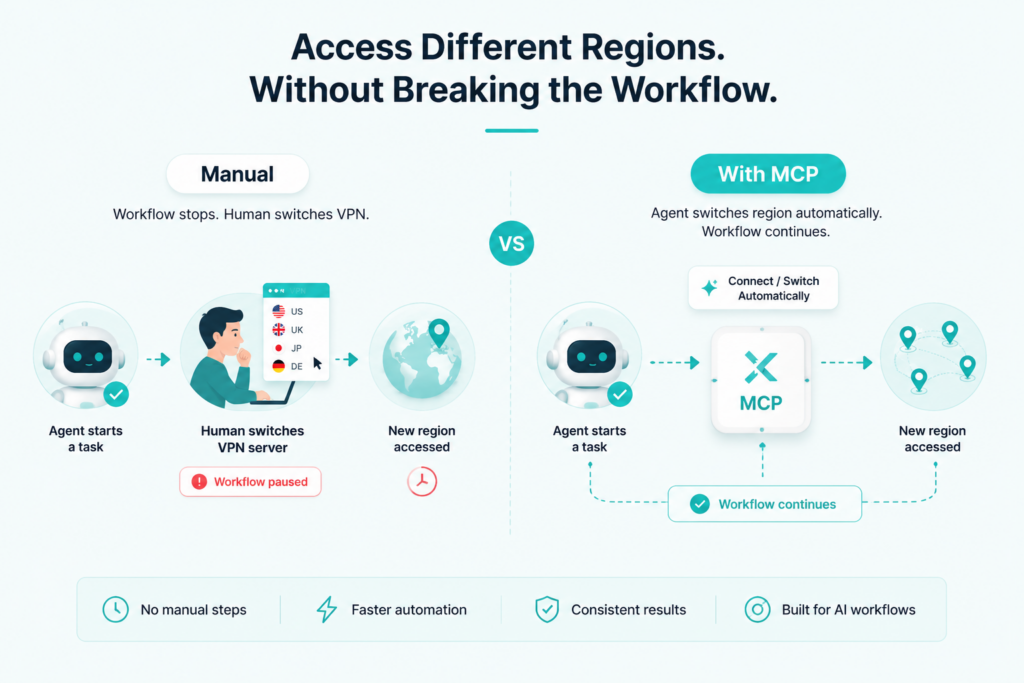
AI agents can research, automate, and test — but every time one needs to access content from a different region, the workflow stops and waits for a human to switch VPN servers manually.
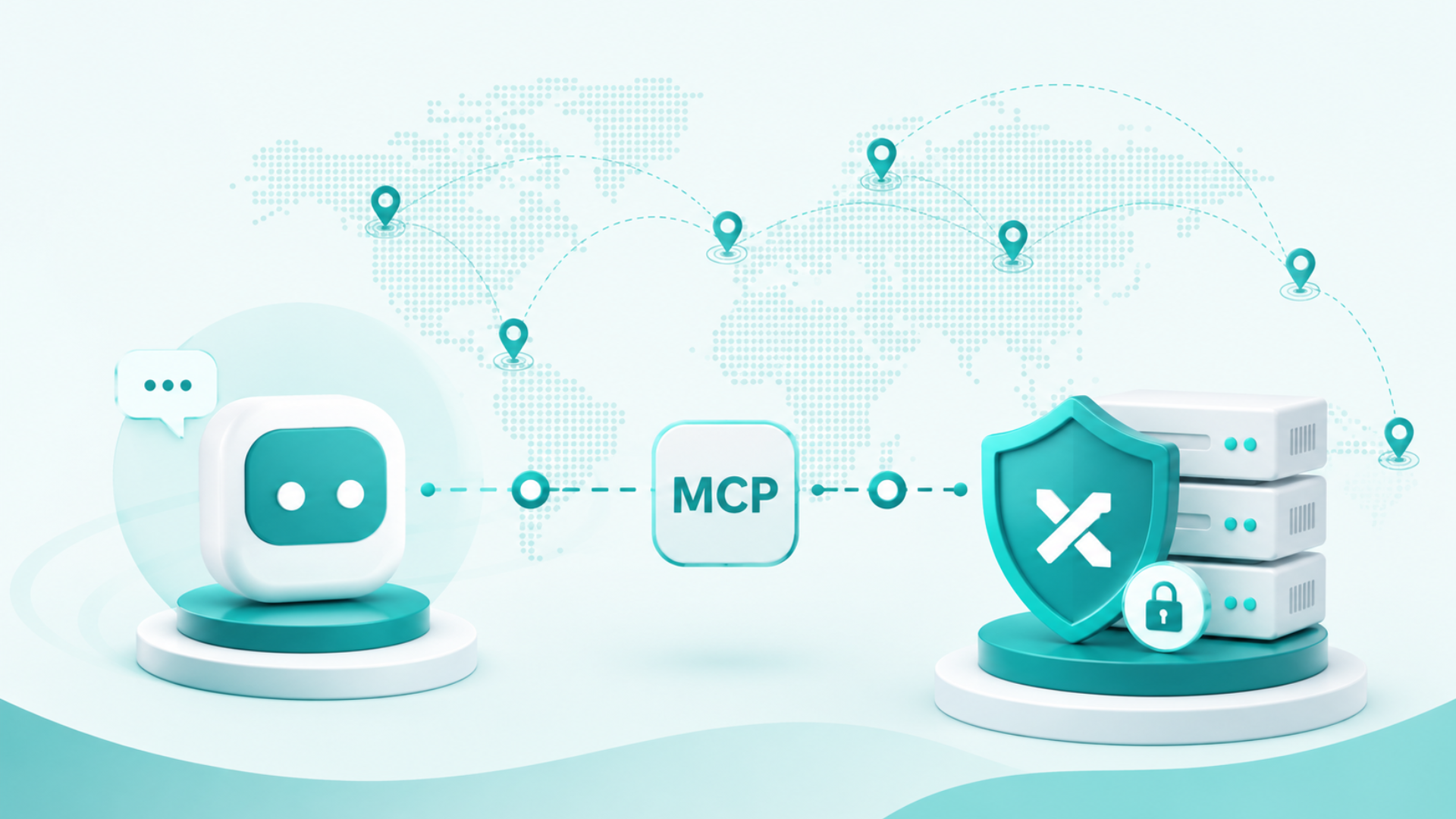
X-VPN MCP fixes that. It is a standalone Model Context Protocol (MCP) server that gives AI agents direct access to VPN actions inside their workflows. Free to start. No account required. One command to install.
- X-VPN MCP is a purpose-built VPN tool for AI agents — not a consumer VPN app, not an add-on, but a standalone CLI tool designed exclusively for agent-driven workflows.
- AI agents can check VPN status, connect to server locations, switch regions, and disconnect — all programmatically, without any manual input.
- The tool runs entirely on the user’s machine, routing local network traffic through the VPN tunnel without requiring any manual configuration.
- Compatible with Claude Code, Cursor, Codex, Gemini CLI, Windsurf, Continue.dev, Antigravity, and any other MCP-compatible client.
- Free to start with no account or sign-up required — install with a single command and your network is private.
Why Agents Need This
The internet behaves differently depending on where a request originates — different search results, pricing, content, and page versions by region. For human users, switching location takes seconds. For an agent mid-workflow, that manual step breaks everything.
The Model Context Protocol — an open standard introduced by Anthropic in 2024 — connects AI models to external tools through a consistent interface. X-VPN MCP plugs VPN functionality directly into that interface, so agents can handle location switching themselves.
What Agents Can Do With It
X-VPN MCP is a CLI tool. No GUI, no desktop app. It runs locally and routes local network traffic through the VPN tunnel — giving agents full VPN-level network control as part of their workflow.
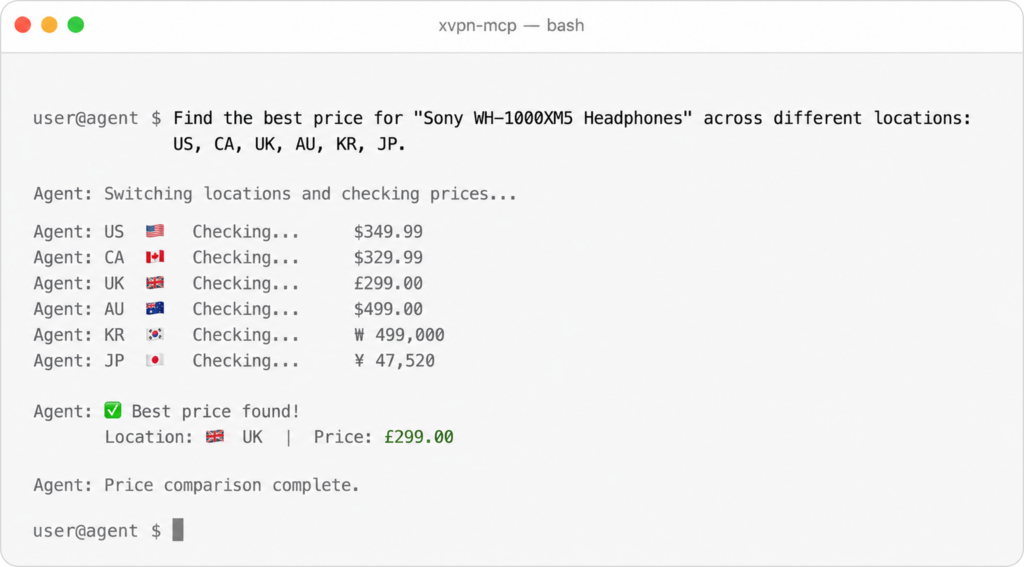
Agents can:
- Check VPN connection status
- List available server locations
- Connect, switch regions, and disconnect — mid-task, automatically
Built to Be Trusted
X-VPN MCP runs entirely on the user’s machine and does not accept remote connections. It operates under a strict no-logs policy — no traffic content, timestamps, or IP addresses are stored or shared. Independent third-party verification of this policy is currently in progress.
VPN Actions, Natively Inside Agent Workflows
X-VPN MCP acts as a VPN server that AI agents can talk to directly. Instead of relying on a human to manage network state, agents can give themselves a VPN layer — connecting to locations, switching regions, and managing their own network environment as part of task execution.
Auto-split protection keeps requests to AI model providers outside the VPN tunnel, preventing connection instability during long-running tasks.
Compatibility
Works with Claude Code, Cursor, Codex, Gemini CLI, Windsurf, Continue.dev, Antigravity, and any other MCP-compatible client. Supports macOS 13+, Linux kernel 5.10+, amd64 / arm64.
Free to Start
No account or sign-up is required. The free tier includes selected free server locations —about 26 in total—with no daily limit. This is enough for most research, testing, and development tasks. Upgrade for unlimited traffic and access to 250+ locations.
Get Started
sh <(curl -sSf https://app.xvpncdn.com/rpc788pbdq/install.sh)
Share your Feedback
Have feedback or a feature request? Join the feedback discussion on Reddit — selected members receive a free Premium account.

Learn More About X-VPN MCP
For full details on X-VPN MCP, including supported tools, available VPN locations, and pricing, visit the X-VPN MCP product page: https://xvpn.io/download/vpn-mcp
As agents take on more web-based tasks autonomously, the infrastructure around them needs to keep up. X-VPN MCP is one piece of that — a small tool that removes a manual step that was never meant to be there in the first place.
Beta Notice
X-VPN MCP is currently in beta. Features, supported clients, and system compatibility are actively evolving — details in this article reflect the product at the time of publication and may not remain current. Our goal is to build a stable, reliable network layer for AI agent workflows. We welcome feedback as the product develops.