


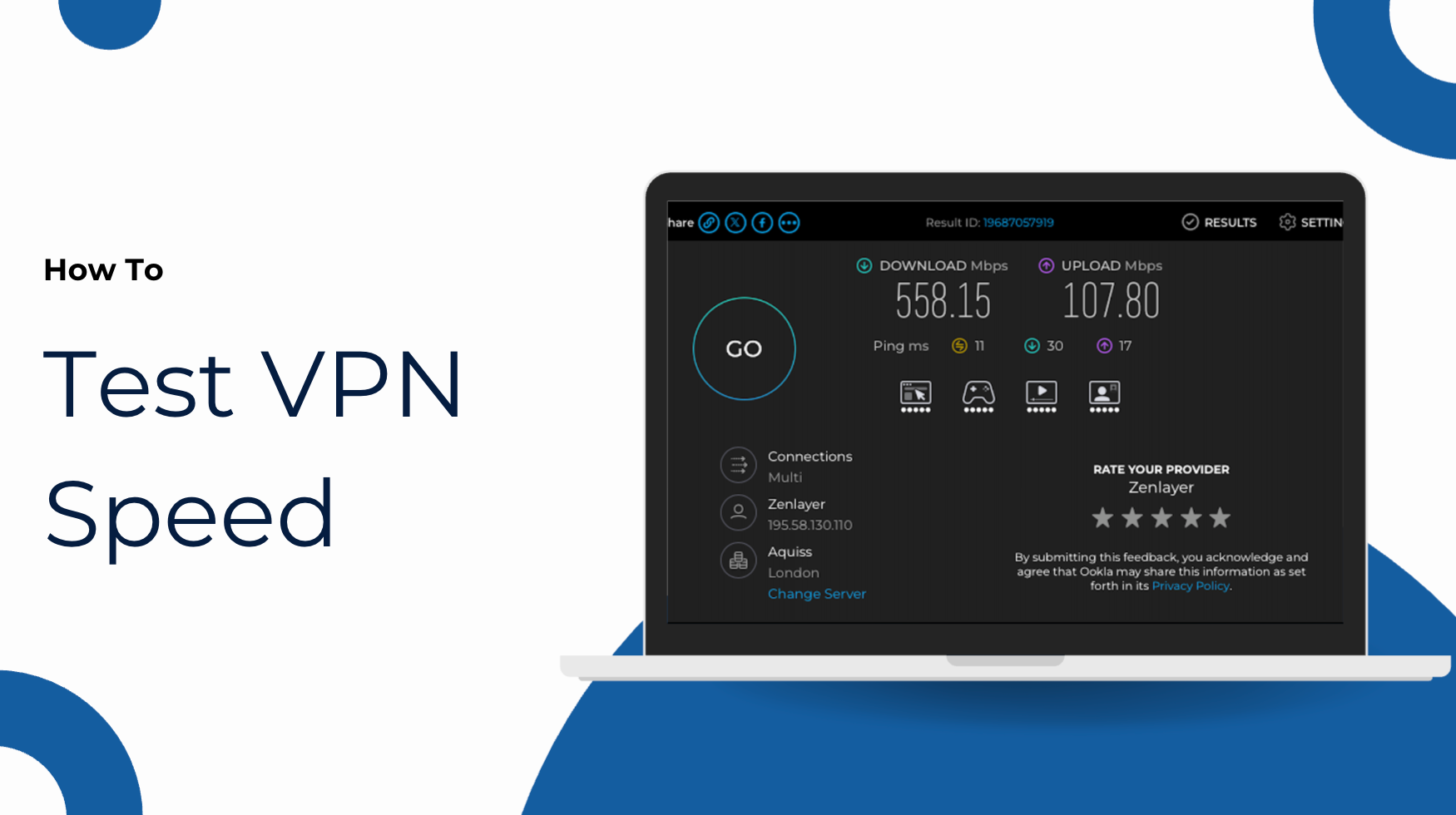
VPN speeds impact almost everything you do online. VPNs are likely to slow down internet speeds to some extent while you’re connected, although some setups are clearly faster than others. Here’s how to properly test VPN speeds for yourself, as well as my experiences after conducting hundreds of these tests over the years.
The easiest way to test VPN connection speeds is to use a free online tool. You’ll be able to test speeds for yourself with a couple of clicks. When testing and comparing VPN speeds, it’s tempting to look at the overall download speed above all else. It’s an important metric, but it’s worth considering everything from the protocol you’ve chosen to your physical distance from the VPN server.
In truth, pure numbers aren’t necessarily as important as you might have guessed. I’d always prefer to have a consistent connection as opposed to speeds that fluctuate wildly.
Table of Contents
How to Test VPN speeds
The process to test your VPN speeds is relatively easy. You’ll be able to pick from various popular free services to do so. I’ve used both Ookla’s Speedtest and Google’s built-in speed test over the years.
Step 1: Choose a speed testing tool
Option 1: Ookla Speedtest
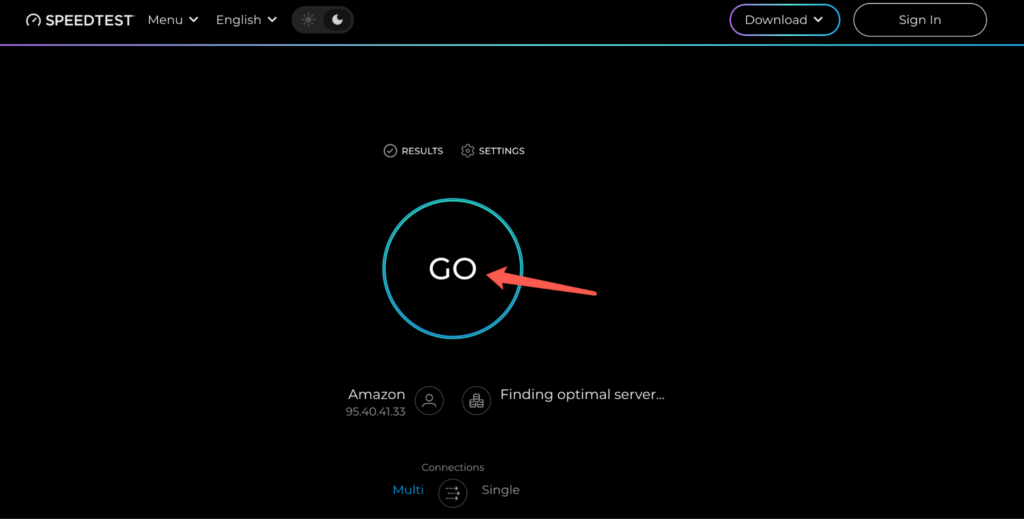
Ookla Speedtest is another popular free option. It also lets you choose a testing server, which can be useful when comparing VPN speeds under similar conditions.
- Visit Speedtest.net.
- Click “GO” to start testing. Ookla will automatically select a testing server.
- Wait for the results, including your download speed, upload speed, and ping.
- If needed, click “Change Server” to select a specific testing server for more consistent comparisons.
Option 2: Google Speed Test
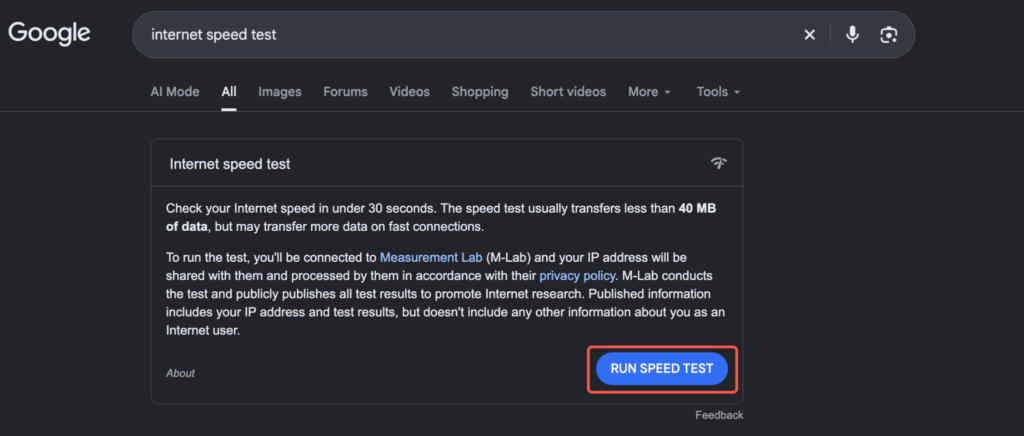
Google’s built-in speed test is one of the quickest ways to check your connection without visiting another website or installing an app. Here’s how to use it:
- Open Google and search for “internet speed test”.
- Click “RUN SPEED TEST” in the results.
- Wait for the test to finish. You’ll see your download speed, upload speed, and latency.
Step 2: Test your speeds with and without a VPN
To test your VPN speeds properly, you’ll first need to figure out your baseline. This means checking how fast your internet connection is without a VPN, then comparing the results after connecting.
- Ensure that the VPN has been disconnected.
- Test your baseline speed. Use your chosen speed testing tool and record your download speed, upload speed, and latency.
- Once the test is complete, connect to a nearby VPN server. Some VPNs recommend a server location based on the fastest connection speeds. For example, you can use X-VPN to connect to a nearby server or choose a specific location for testing.
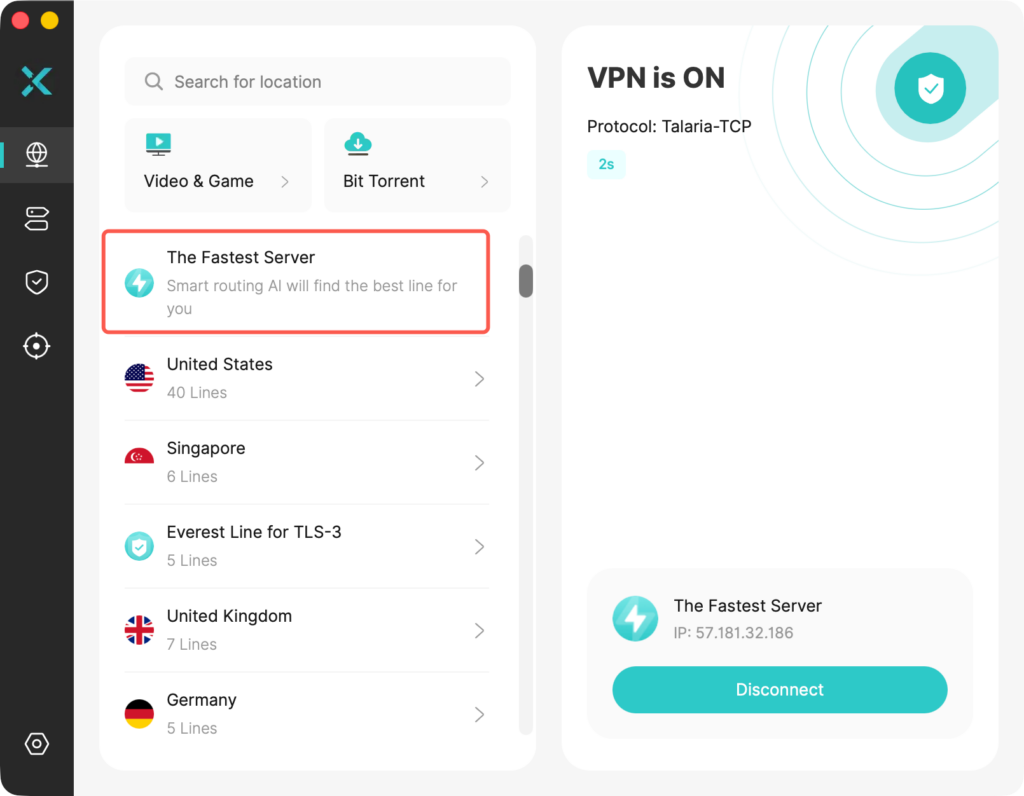
- Run the speed test again. Comparing the results will give you an idea of how connection speeds are being impacted.
- If you’d like a more accurate result, run multiple tests, including checking your baseline speeds again.
- It’s also worth testing other nearby server locations for improved accuracy.
Be aware that results will vary depending on anything from the time of day to the current VPN server load. It’s fair to say that speed tests are quick and easy to conduct, but what does the data actually mean?
What Actually Matters When Testing VPN Speeds?
A reliable connection is generally preferable to faster speeds that tend to fluctuate. The pure numbers are always worth using as a reference point, with the main metrics to look for being:
Download speed: Measured in Mbps, higher numbers help with video streaming, page loading, and more.
Upload speed: Also measured in Mbps, the higher the number the better. Faster upload speeds help with file sharing, video calls, and similar tasks.
Latency (ping): You’ll want the latency/ping to be as low as possible, ensuring faster response times. Ideal for online gaming.
Consistency: Arguably more important than pure numbers. Consistency will give the user a smooth connection, so it’s worth considering how the VPN connection performs over longer periods.
A slow VPN connection is likely to have an immediate, noticeable impact on most online tasks. For example, web pages may take longer to load, while video content is more likely to buffer. If you suspect that your VPN is slowing down your connection, consider the following:
- Is there any noticeable difference in speeds when the VPN is connected?
- Is performance improved when you connect to a different VPN server?
- Are you having issues with a specific site or service?
What Can Affect VPN Speed Test Results?
There’s a long list of reasons why your VPN speeds can be impacted at any given time. For example, your VPN protocol is likely to have a major impact, even if you’re using the same provider and you’re connecting to a nearby server location. Modern protocols such as WireGuard tend to perform well compared to older solutions.
It could be that your internet speeds are slower at a particular time of day, during peak usage in your country. Maybe you’ve opted to connect to your device via Wi-Fi rather than using an ethernet cable. The latter is nearly always a speedier solution. If you’re using Wi-Fi, how many devices are connected? Are there any walls in the way?
The server itself is also important when it comes to VPN speeds. Is it nearby, and how many users are currently connected? Then there’s the testing tool you’re using. The proximity of its servers will have an impact, as well as whether you’ve chosen an app-based solution, or to test speeds within the browser. The point is, there are so many factors at play, and several may be impacting your test results at any time.
Common VPN Speed Testing Mistakes
Here are some of the more common mistakes to avoid when testing VPN speeds.
- Conducting one speed test, and assuming that’s how the VPN performs all of the time
- Running a speed test whilst downloading a file, or during another task that will have an impact on internet speeds
- Forgetting to set a baseline for your speed tests
- Testing a misconfigured VPN
- Picking a distant server location. I’d stick with the closest server for the best results in most cases
How To Make VPN Speed Comparisons Fair
It’s worth noting that most VPN speed tests you see online aren’t conducted in a vacuum. In other words, there’s no guarantee that you’ll be able to replicate results seen during testing. Everything from the current distance to the server to anything else discussed above will have an impact on the final result.
I’ve run my fair share of VPN speed tests, but I’ve always been aware that the average user is unlikely to share my experience even if they connect to the same server. Generally, it’s worth looking at the overall percentage reduction in terms of download and upload speeds, taking an average where possible.
There are times when I’ve seen speed test results that have fluctuated drastically, even when they were conducted within 20 seconds of each other. As such, I wouldn’t worry too much about individual results. Pay more attention to whether or not the VPN works well in the background without affecting performance, as well as consistency across multiple speed tests. It’s worth trying your best to keep the testing environment as similar as possible each time for greater accuracy.
Are VPN Speeds Important?
Yes. VPN speeds are important. If you’re downloading files, faster server speeds lead to quicker downloads, while improved performance is preferable for everything from smooth streaming to everyday browsing. Premium VPN services are a lot faster than they used to be, even a couple of years ago, so slowdown and lag aren’t the issues they once were.
Meanwhile, if your baseline speeds are capped at 100 Mbps to begin with, my test results probably won’t be helpful given my results are anywhere from 550-800 Mbps. If your ISP caps your speeds at 100 Mbps, the most you can hope for is 100 Mbps. It’s probably going to be less.
Realistically, if server speeds are fast enough to perform online tasks without any noticeable impact, the VPN is quick enough for you to use.
Conclusion
I’ve conducted hundreds of speed tests over the years, and while many VPNs are now a lot faster, the methods used to test performance have largely remained the same. Figure out your current internet speeds, run multiple tests, and make a note of the results to paint a broader picture.
There are more scientific methods to measure speeds used by big publications involving automation, but most users will be able to conduct their own tests to figure out whether their VPN is the source of any slowdown. Consistency is generally more important than overall speeds.
FAQs
Should I connect to the fastest server possible?
I’d generally recommend connecting to the fastest server possible, especially if you’re aiming to improve VPN connection speeds. This is usually nearby in terms of your current physical location.
Are some VPNs faster than others?
Some VPNs are faster than others, but a lot will depend on your setup. You can try different servers, protocols, or even testing tools to check out your current speeds.
Why do VPNs slow down connection speeds?
The encryption process tends to be one of many reasons why VPNs slow down connection speeds, along with server distance, protocol selection, and more. It’s a consequence of your data being protected, as traffic needs to be sent to and from the VPN server.