


Quick Answer
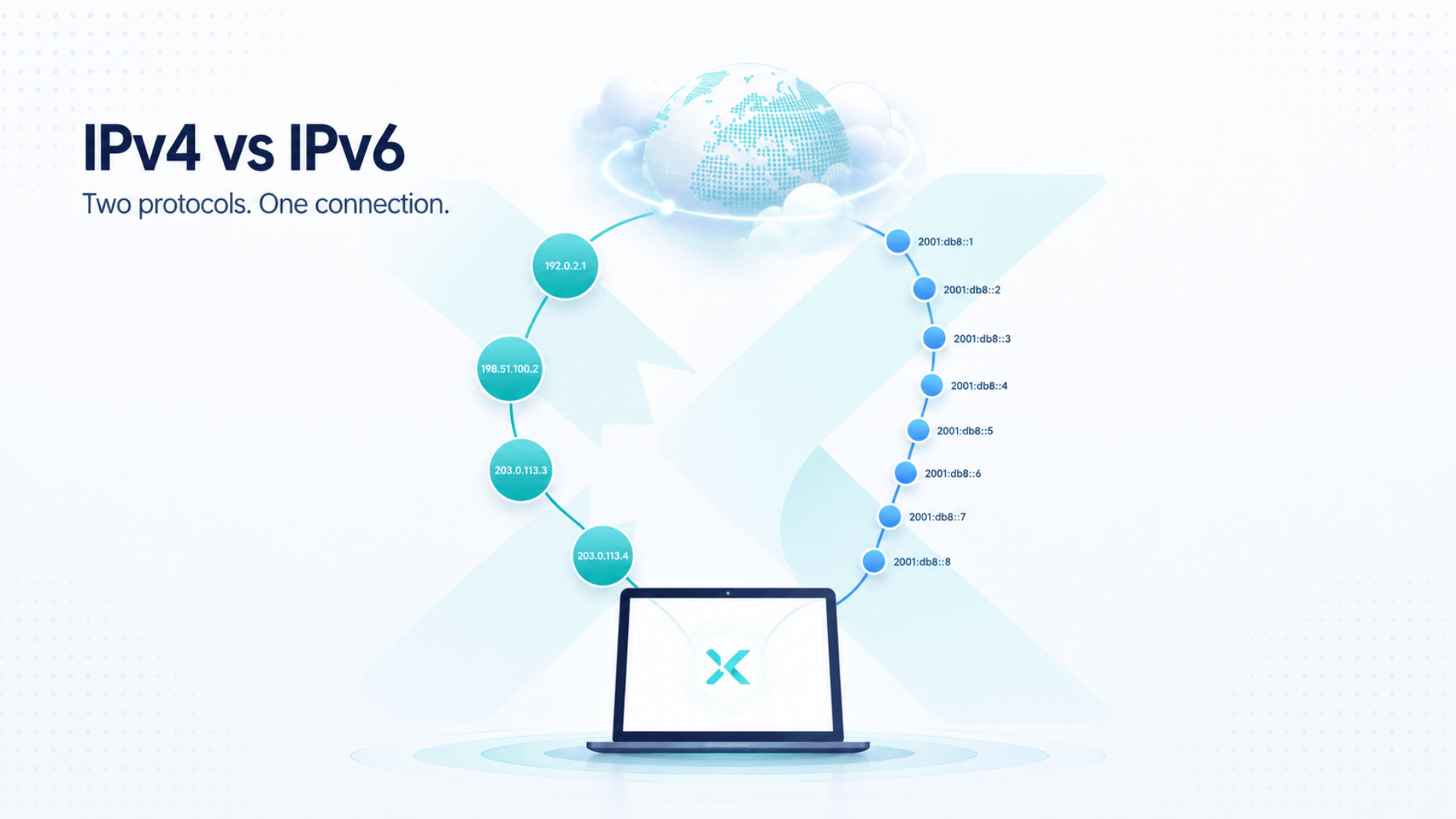
IPv4 and IPv6 are two systems that give devices addresses on the internet. IPv4 is still widely used, while IPv6 was created to provide far more available addresses. Most people use both without realizing it. For VPN users, the important point is not that one version is automatically safer—it is whether your VPN correctly protects IPv4, IPv6, and DNS traffic so your real IP address is not exposed.
Table of Contents
If you only want the practical takeaway: check your IP address before connecting to a VPN, review it again after connecting, and run an IPv6 leak test as well.
IPv4 vs IPv6 at a Glance
| Feature | IPv4 | IPv6 |
| Address length | 32-bit | 128-bit |
| Typical format | 203.0.113.25 | 2001:db8:85a3::8a2e:370:7334 |
| Number of possible addresses | About 4.3 billion | A vastly larger number designed for future internet growth |
| Current use | Still widely used worldwide | Growing steadily alongside IPv4 |
| Automatically more secure? | No | No |
| What matters for privacy | How your network and apps are configured | Whether IPv6 traffic is handled and protected correctly |
The short version is simple: IPv6 is newer, but IPv4 has not disappeared. Today’s internet is still in a long transition period where both systems often work side by side.
What Is IPv4?
IPv4 stands for Internet Protocol version 4. It is one of the main systems that allows devices to find and communicate with each other online.
Every internet-connected device needs an address, but it is helpful to distinguish between two types. Your home router may assign private IP addresses to your phone, laptop, smart TV, and other devices within your local network. Those addresses are not directly visible on the public internet. When you visit a website, the site normally sees the public IP address used by your home, office, mobile provider, or VPN server.
An IPv4 address usually looks like this:
203.0.113.25
It contains four groups of numbers separated by periods. IPv4 has supported the internet for decades, but its main limitation is the number of available addresses. With billions of people now using multiple connected devices, the world has gradually run short of new IPv4 addresses.
That is one of the main reasons IPv6 was introduced.
How NAT Helped IPv4 Last So Long
Network Address Translation, usually called NAT, has helped extend the life of IPv4. A typical home router can give several devices private addresses, then let them share one public IPv4 address when connecting to the internet.
This means a phone, tablet, laptop, TV, and gaming console can all use the same home internet connection without each needing a separate public IPv4 address. NAT has made the limited IPv4 address supply more manageable, but it does not create unlimited public addresses. IPv6 was designed to provide the much larger address space needed as internet use continues to grow.
What Is IPv6?
IPv6 stands for Internet Protocol version 6. It was created to expand the number of available IP addresses and support continued internet growth.
An IPv6 address is longer and often includes letters as well as numbers:
2001:db8:85a3::8a2e:370:7334
It may look intimidating, but most people never need to type or memorize it. Your device and network handle the technical details in the background.
The important difference is capacity. IPv4 uses 32-bit addresses, while IPv6 uses 128-bit addresses. That gives IPv6 enough possible addresses to support an enormous number of future devices, services, and networks.
If you want a more detailed explanation of the protocol itself, see X‑VPN’s guide to what IPv6 is and why it matters.
Why Are IPv4 and IPv6 Both Still Used?
If IPv6 was designed to solve IPv4’s limitations, why has it not completely replaced IPv4?
Because the internet cannot be upgraded all at once.
Millions of websites, networks, routers, apps, and business systems still rely on IPv4. Replacing everything immediately would be expensive, complicated, and unnecessary. Instead, most of the internet has taken a gradual approach.
Many networks now use a setup called dual-stack. This means a device or network can support both IPv4 and IPv6. When connecting to a website or service, the device generally chooses the appropriate available route for that particular connection.
For example:
- Your phone may have both an IPv4 and IPv6 connection.
- Your home internet provider may support both versions.
- A website may accept visitors over either IPv4 or IPv6.
- Your device may automatically choose the available route without you noticing.
This is convenient, but it also matters for privacy. You may review one address type while another remains available through your connection, so VPN protection needs to account for both.
Is IPv6 Faster or More Secure Than IPv4?
Not automatically.
Is IPv6 faster?
Sometimes IPv6 can perform well because it was designed for a more modern internet environment. However, real-world speed depends on much more than the IP version you are using.
Your browsing, streaming, gaming, or download speed can be affected by:
- Your internet provider;
- Wi‑Fi or mobile signal quality;
- Server location;
- Network congestion;
- Device performance;
- Website infrastructure;
- VPN server distance and load.
For most users, switching from IPv4 to IPv6 will not create a dramatic speed difference on its own.
Is IPv6 more secure?
IPv6 includes modern protocol capabilities, but it does not automatically make a connection private or secure.
Neither IPv4 nor IPv6 can independently protect you from:
- Phishing websites;
- Malware;
- Data breaches;
- Browser tracking;
- Unsafe public Wi‑Fi;
- Weak passwords;
- Poorly configured software.
Security depends on how your network, device, apps, and privacy tools are configured. IPv6 should not be treated as a built-in privacy shield.
What Does IPv4 vs IPv6 Mean for VPN Users?
This is where the topic becomes practical.
A VPN helps create an encrypted connection between your device and a VPN server. When it is working correctly, websites should see the VPN server’s IP address instead of the IP address assigned by your home, office, or mobile network.
However, if your device uses both IPv4 and IPv6, a VPN needs to handle both types of traffic properly.
Imagine that your IPv4 traffic is routed through the VPN, but your device also has an active IPv6 connection that is not properly protected by the VPN or device configuration. In that case, a website may still detect your original IPv6 address. This is commonly called an IPv6 leak.
This is commonly called an IPv6 leak.
An IPv6 leak does not mean IPv6 itself is dangerous. It means the protection you expected from your VPN may not be applying consistently across every connection type.
That is why testing only your IPv4 address is not enough. A privacy review should look at the full picture:
- IPv4 address;
- IPv6 address;
- DNS requests;
- WebRTC exposure in your browser.
How to Tell Whether You Use IPv4, IPv6, or Both
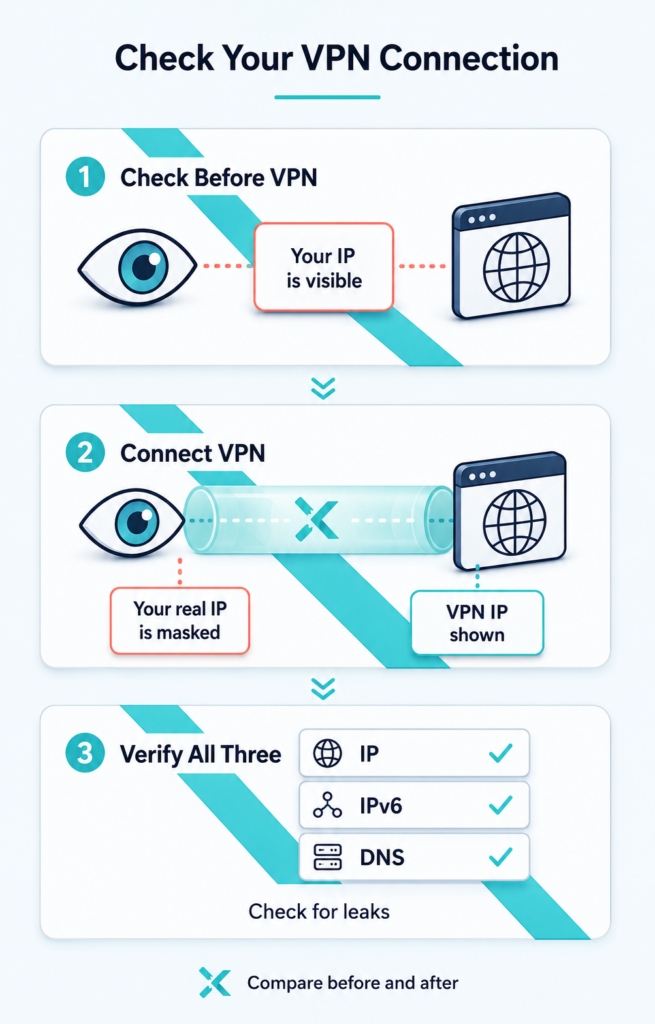
Review your connection before and after you connect to a VPN. A complete privacy check should cover your public IP, IPv6 address, and DNS requests.
You do not need advanced networking knowledge to check this. The process takes only a few minutes.
1. Check your connection before using a VPN
Start by visiting an IP Address Checker while your VPN is disconnected.
Take note of:
- The IP address shown;
- Whether it is IPv4, IPv6, or both;
- Your visible ISP;
- Your visible location or region.
This gives you a baseline for what your connection normally exposes.
2. Connect to your VPN and compare the results
Next, connect to a VPN server and return to the same IP lookup tool.
You should no longer see the same public IP details that appeared before connecting. Depending on the VPN server you choose, the visible region or country may also change.
The goal is not to get one specific result. The goal is to confirm that websites are no longer seeing your original internet connection details.
3. Run an IPv6 leak test
If your network supports IPv6, the next step is important: run an IPv6 leak test.
The test can help you identify whether your original IPv6 connection is still visible after you connect to a VPN.
Should You Disable IPv6 When Using a VPN?
Usually, no.
Some older VPN advice recommends disabling IPv6 entirely to avtoid possible leaks. That may help in a specific troubleshooting situation, but it should not be the default privacy strategy for everyone.
IPv6 is now part of the modern internet, and disabling it can sometimes create compatibility issues with certain networks, devices, or services.
A better approach is to:
- Use a VPN that properly handles IPv4 and IPv6 traffic.
- Keep your VPN app, browser, and operating system updated.
- Test your connection after major updates or network changes.
- Review IP, DNS, and IPv6 exposure instead of assuming everything is protected.
The goal is not to avoid IPv6. The goal is to make sure your privacy tools are protecting your full connection.
IPv4 vs IPv6: Common Questions
Is IPv6 better than IPv4?
IPv6 is better suited for the future because it supports far more unique IP addresses. But it is not automatically faster, more private, or more secure for every user.
Can a device have both IPv4 and IPv6 available?
Yes. Many internet providers and devices use dual-stack connections, which make both IPv4 and IPv6 available. For a particular connection, however, the device normally selects the appropriate protocol and route rather than sending the same connection over both.
Does IPv6 make you easier to track?
Not by itself. Earlier IPv6 implementations could derive part of an address from a device identifier in some situations. Modern IPv6 privacy extensions can use temporary, randomized addresses that change over time, reducing simple address-based tracking. However, IP addresses are only one of many signals websites and networks may use, so IPv6 should not be treated as either a tracking tool or a privacy guarantee.
Does IPv6 reveal my exact location?
No. An IP address can usually reveal your internet provider and an approximate region, but it does not work like GPS and does not automatically reveal your exact street address.
Can a VPN leak IPv6?
It can happen if IPv6 traffic is not properly handled by the VPN, your device, or your network configuration. That is why an IPv6 leak test is useful after connecting.
Should I turn off IPv6 for privacy?
Most people do not need to. First confirm that your VPN protects both IPv4 and IPv6 traffic. Only consider changing network settings if you find a specific issue and understand the possible impact.
What to Remember About IPv4, IPv6, and VPN Privacy
IPv4 and IPv6 are not competing choices that ordinary users need to make. Both are part of today’s internet, and many people use both without noticing.
What matters is knowing that a complete privacy review should go beyond a single IP address. If you use a VPN, review your IPv4 address, IPv6 address, DNS requests, and browser exposure to make sure your real connection details are not visible.
Start by seeing what your current IP address reveals, then repeat the test after connecting to your VPN.
Technical refinements above align with the IETF’s guidance on private IPv4 addressing,dual-stack address selection, and IPv6 temporary privacy addresses.