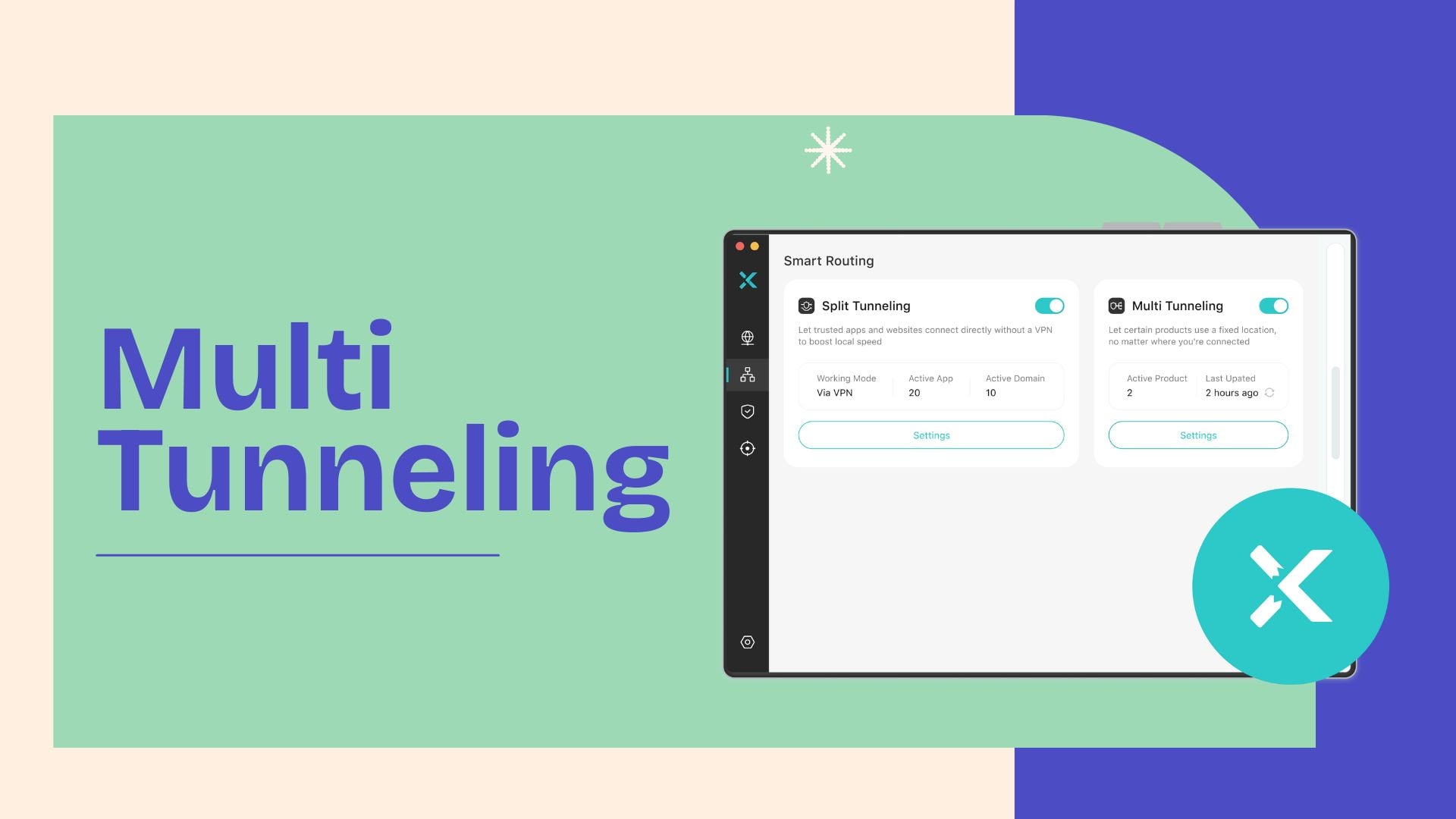
Tired of switching VPN servers to access different regions? Every switch means a disconnect and a wait. X-VPN Multi Tunneling removes that hassle for you. It lets you connect to multiple regions at once, so game, stream, and browse can run separately from their ideal locations, with one VPN connection!
Table of Contents
What Is X-VPN Multi Tunneling?
Instead of connecting to one server at a time, X-VPN Multi Tunneling is an exclusive feature that connects you to multiple locations simultaneously. No more server switching, you can now choose different servers for different tasks with our VPN. For example, watch Netflix from Japan, play PUBG from the US, and keep bank services locally, all at the same time.
How Does X-VPN Multi Tunneling Work?
Upon your request, X-VPN creates multiple VPN tunnels according to your settings. Then, traffic for each app is transmitted through its own tunnel to different servers. This makes it appear as if you are physically located in different places at the same time.
What X-VPN Multi Tunneling Can Do for You?
This is a solution for multitasking within a single VPN connection, bringing you faster VPN speed, always-on protection, and high flexibility.
1. Connects Multiple Regions at Once
Multi Tunneling breaks the rule of “one connection, one place.” It connects you to various locations simultaneously. Once you’ve configured and applied the settings, you’re ready to live across borders!
2. Optimized Speed for Every App
Enjoy top speeds for each app. Multi Tunneling assigns each of your configured services a separate VPN tunnel, avoiding speed loss due to service contention.
3. Never-Drop VPN Shield
Multi Tunneling provides continuous encryption for all your traffic. Unlike partial-coverage methods like Split Tunneling, it ensures every connection is secured within a VPN tunnel, without a single moment of exposure.
4. Customize Your Rule
Let the Internet adapt to your digital habits. By pairing your frequently used apps with their ideal servers, your every subsequent connection will be properly configured. And you can adjust any time! All in your control.
How to Config X-VPN Multi Tunneling?
Ready to put this enhanced control to work? Follow these steps to set up Multi Tunneling on Mac in just a few taps.
Step 1. Download X-VPN to your MacBook and log in with your premium account.
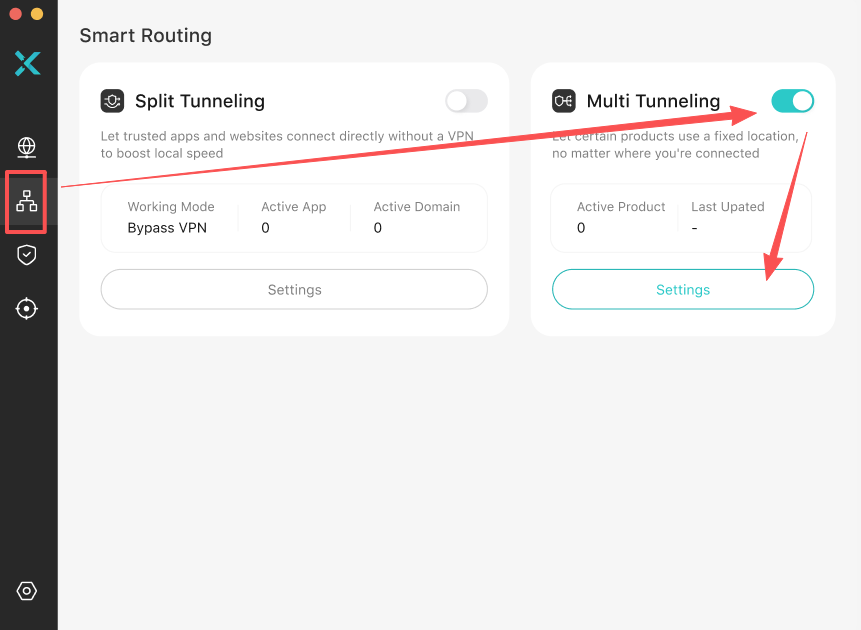
Step 2. Navigate to “Smart Routing”, the second icon on the sidebar.
Step 3. Toggle on “Multi Tunneling”, and click the “Settings” button below. Then you’ll be directed to the configuration page.
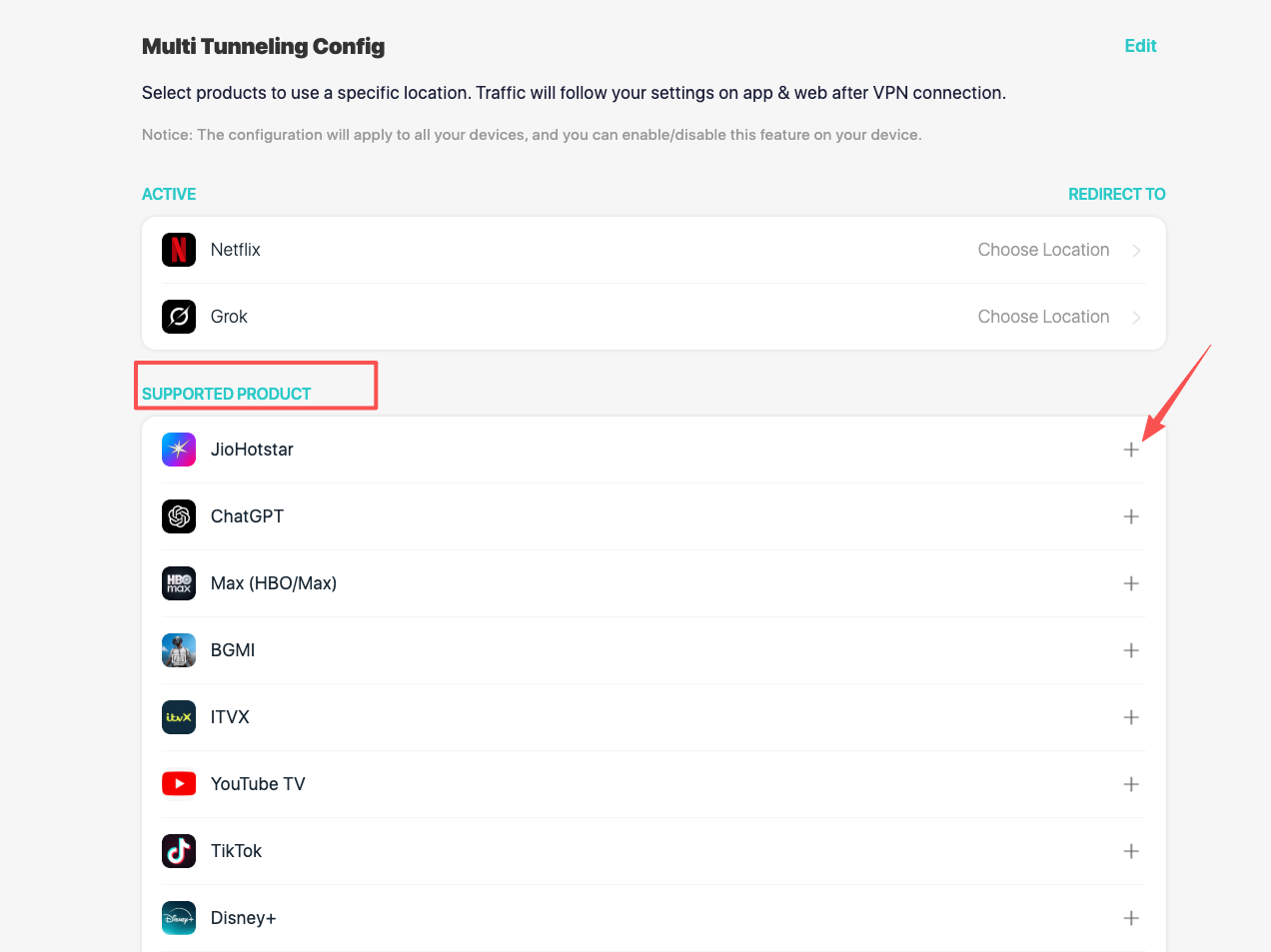
Step 4. From the “SUPPORTED PRODUCT” list, find the ones you want to configure. Add them to the “ACTIVE” list by clicking the “+” sign next to them.
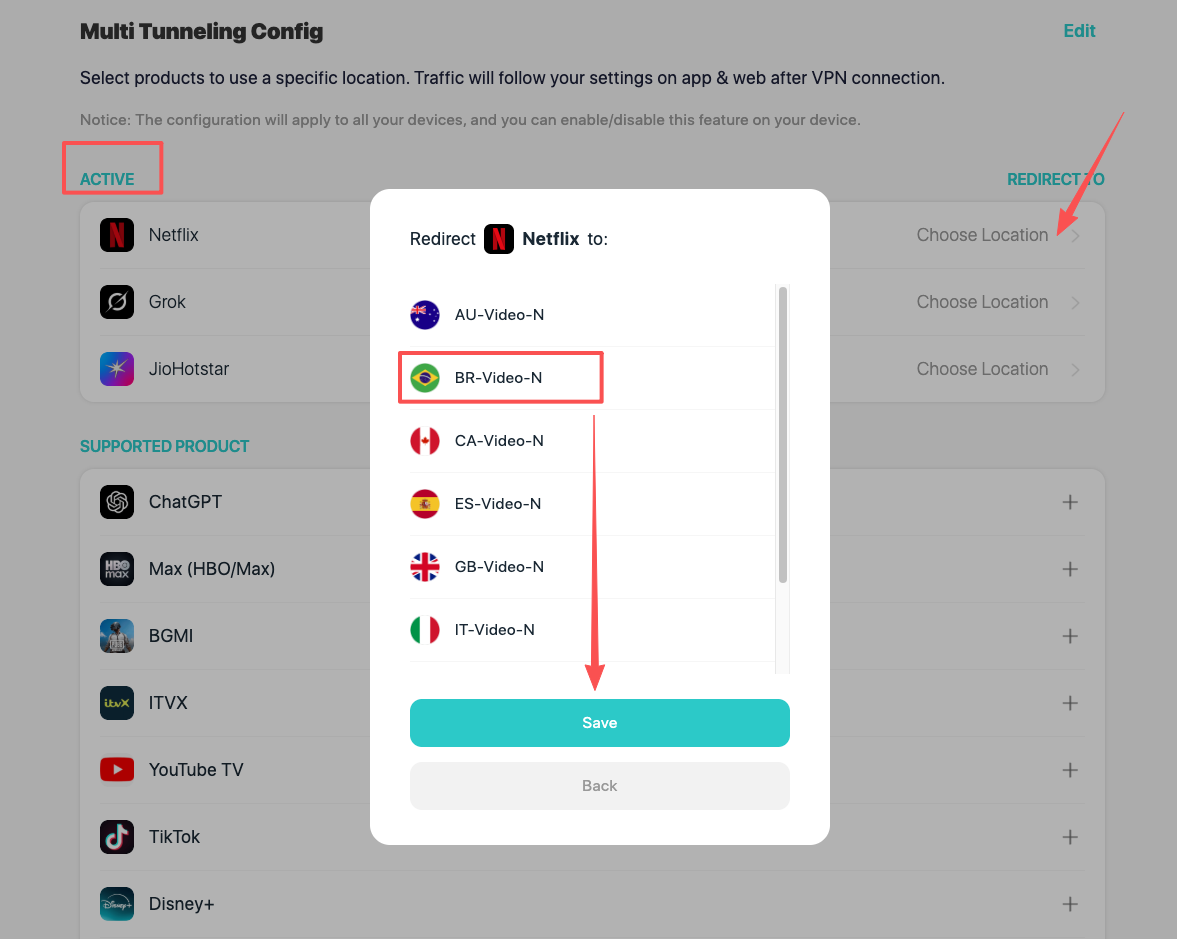
Step 5. From “ACTIVE” list, click the “Choose Location” option next to the target service. Select a server from the pop-up list. Click “Save” to apply your settings.
Step 6. Back to your X-VPN app, choose a server for all other unconfigured traffic.
Step 7. Click the “Connect” button to apply all your Multi Tunneling settings.
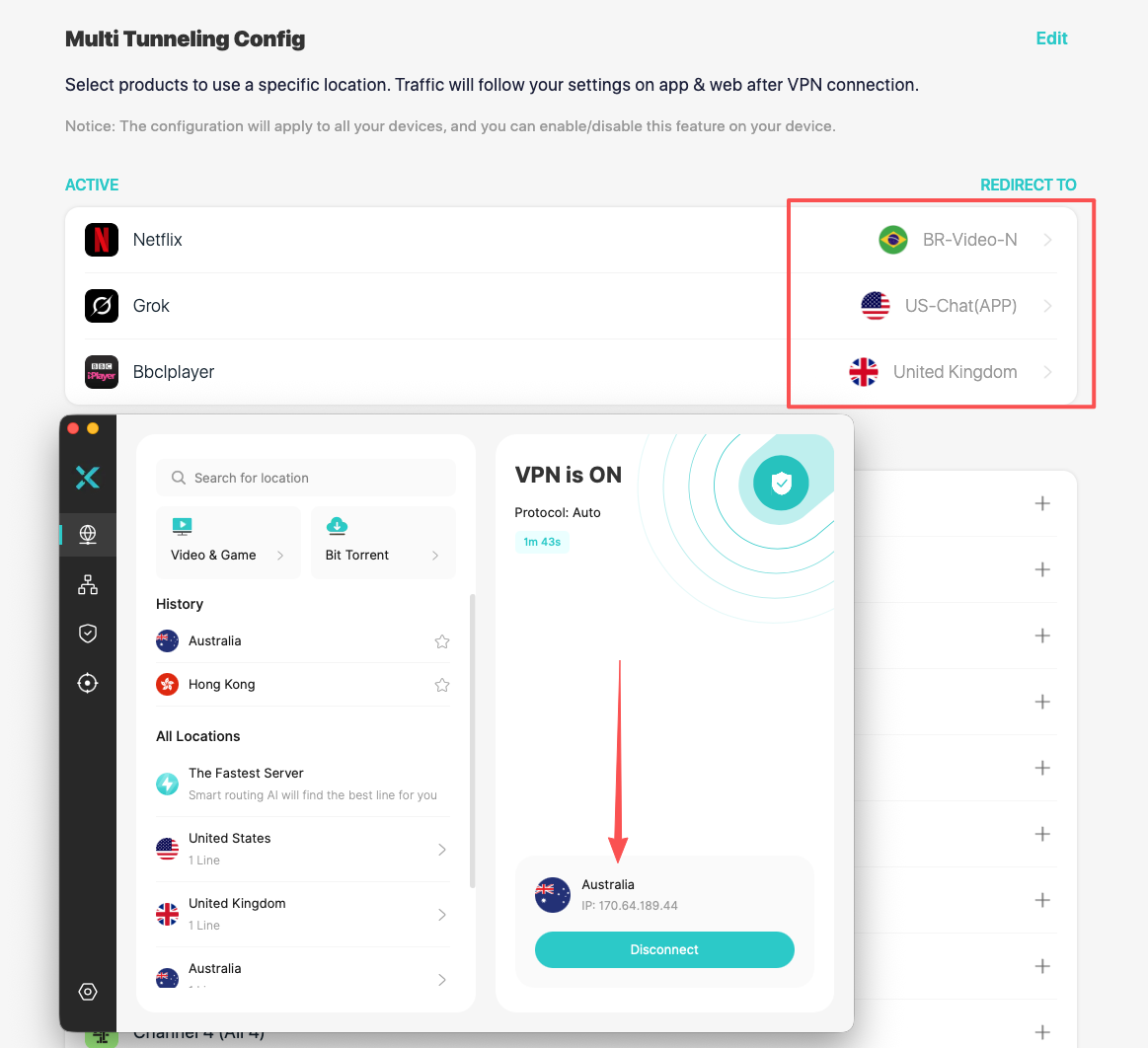
💡 Tips: You can currently set up X-VPN Multi Tunneling on iOS and macOS, with Windows and Android coming soon next few days.
Unlocking 3 Multi Tunneling Use Cases
This revolutionary technology redefines what you can do online. By distributing your traffic across multiple VPN servers, you can unlock new possibilities and diverse entertainment.
1. Different Streamers, Different Libraries
Never choose between your favorite international streams again. With Multi Tunneling, you can catch up on a sports event in Canada, stay logged into US Netflix, and keep your Spanish Hulu library unchanged. No need to switch servers every time, match your commonly used streamers to target locations, once and for all.

2. Low-Ping Gaming with Smooth Background Tasks
Connecting to a VPN server for lower-ping gaming often slows down all other background tasks. Multi Tunneling fixes this. It gives your game a dedicated tunnel, while Discord, downloads, and streams use their own separate pathways. Everything runs smoothly at the same time.

3. Travel Without Digital Compromises
Multi Tunneling protects extremely well when traveling to other countries, especially privacy-sensitive ones. No need to sacrifice the privacy or speed of local networks when you just need certain apps back home. Stream Netflix with a U.S. server, while the browser stays in Turkey. All encrypted.

How X-VPN Multi Tunneling Differs from Other Tunneling?
This revolutionary technology differs from all tunneling types you‘ve ever known. It brings you full protection while increasing flexibility.
X-VPN Multi Tunneling vs. Full Tunneling
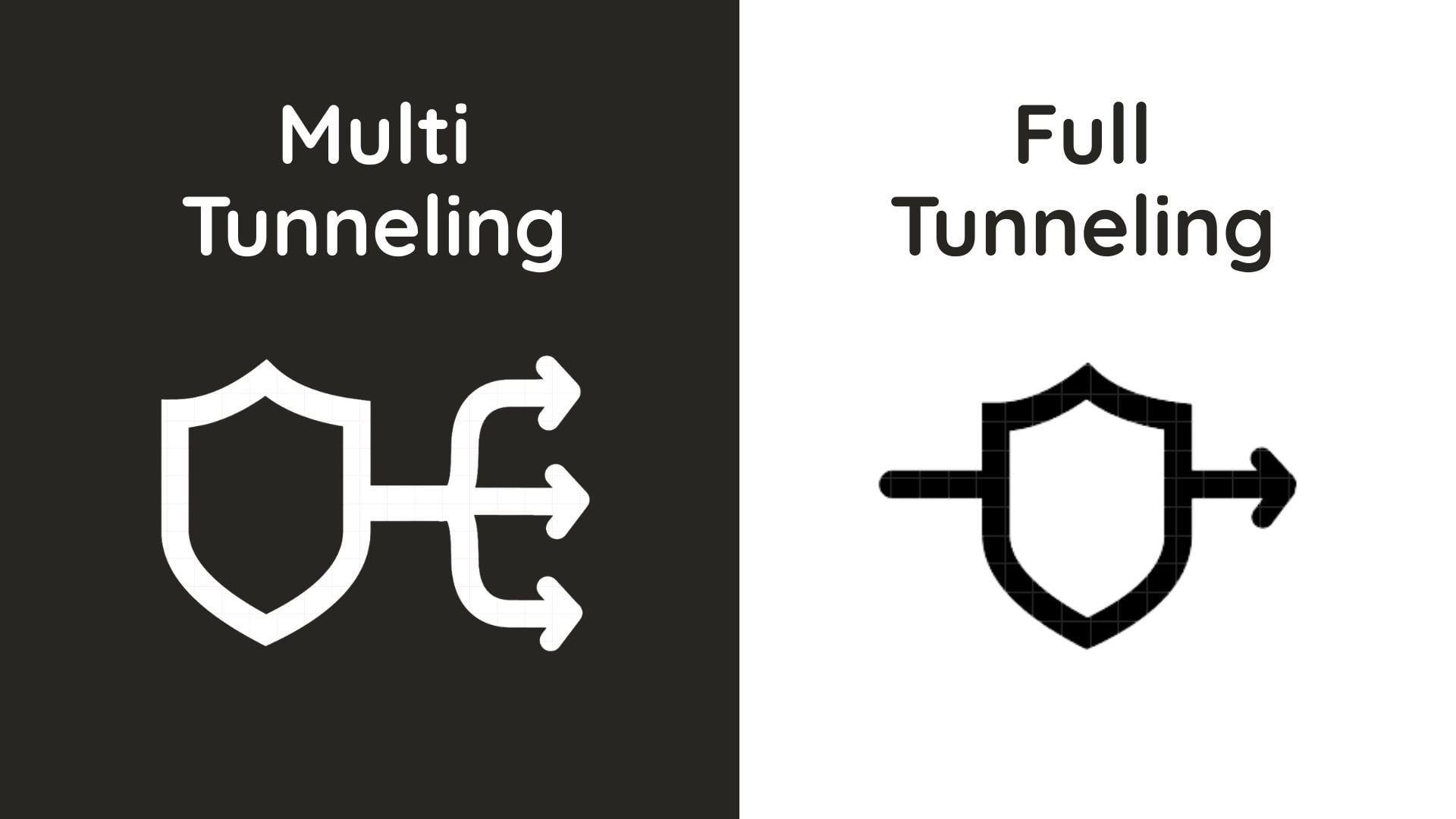
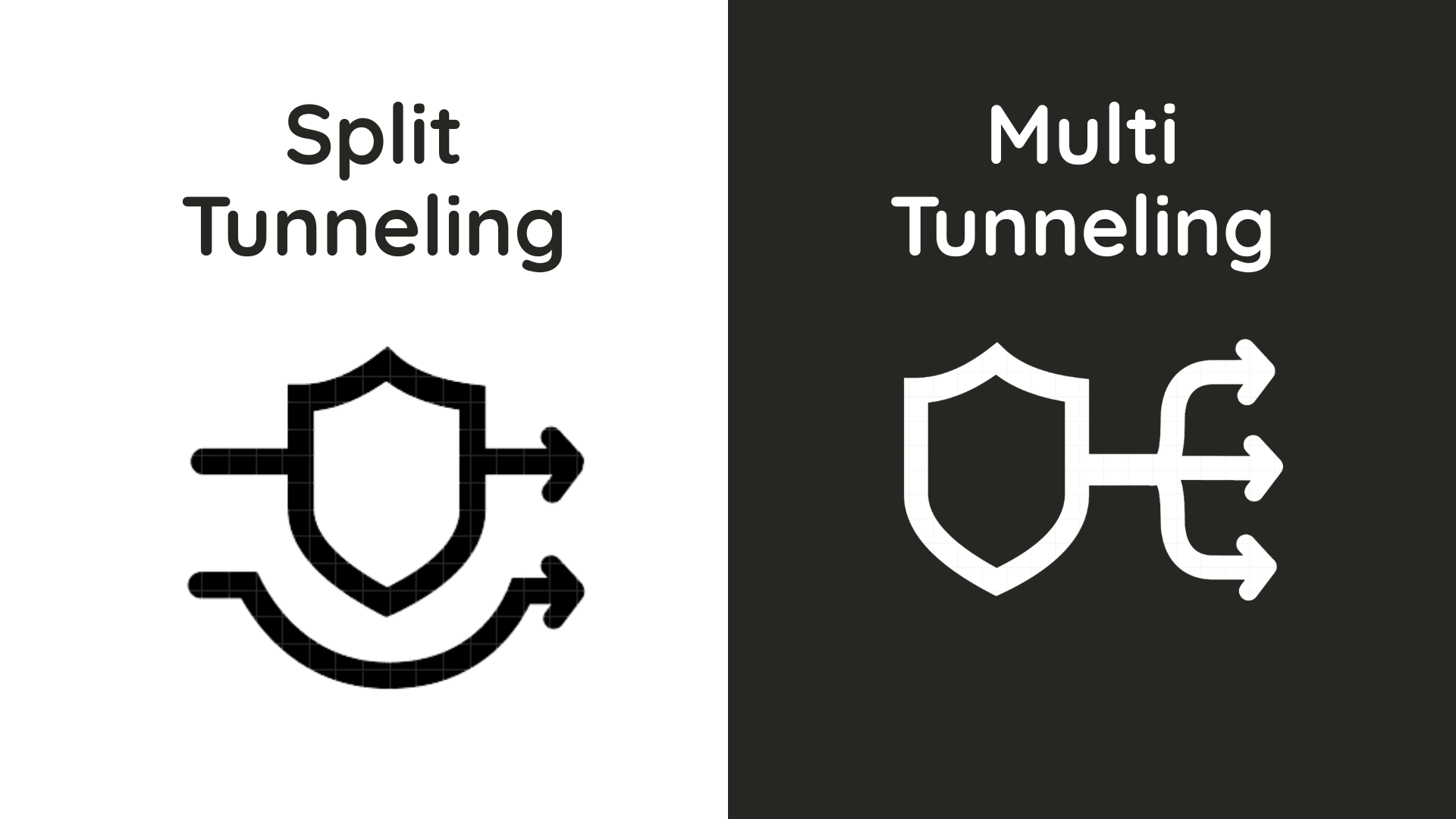
In a sense, Multi Tunneling is also a type of Full Tunneling, as it can route all your traffic. However, Multi Tunneling replaces the traditional single-server model with multiple simultaneous connections.
X-VPN Multi Tunneling vs. Split Tunneling
While Split Tunneling divides your traffic between one VPN server and your local internet, Multi Tunneling goes further. It assigns the traffic that goes through the VPN into multiple separate connections, adding more control to your online traffic.
Conclusion
Never stops at daily maintenance, X-VPN proactively innovates new features like Multi Tunneling to meet diverse digital activities. Get X-VPN Multi Tunneling to route your streaming, games, and browser traffic independently. Digital control has never been easier.
FAQs
Is X-VPN Multi Tunneling Free?
No. X-VPN Multi Tunneling is a premium feature. It suits users who frequently switch VPN locations in order to access services available in different regions.
Is X-VPN Multi Tunneling Safe?
Yes, absolutely. Multi Tunneling maintains our highest security standards. Every connection, across every independent tunnel, is well protected with AES-256-bit encryption. Our use of RAM-only servers ensures your privacy by design, as they automatically wipe all data on every reboot.
Can I Use Multi Tunneling & Split Tunneling Simultaneously?
Yes, both features can work together. When they do, Split Tunneling has top priority. This means that if an app is on your Split Tunneling bypass VPN list, it will ignore all Multi Tunneling rules.
Is Multi Tunneling Safer Than Spit Tunneling?
Yes. Split Tunneling only encrypts the traffic you select, leaving the rest exposed. Multi Tunneling provides enhanced security by transmitting all your traffic over encrypted VPN tunnels.
Will My Multi Tunneling Rules Auto Sync Across Devices?
Yes, all your configuration and later changes to Multi Tunneling will sync across all devices logged into your X-VPN account. No bother to configure one device after another, let the Smart Routing be smart in all aspects.
Can I Configure Any App from My Device for Multi Tunneling?
Currently, user-defined configurations are not supported. You can only select from our pre-configured list. We will continuously add services to the list. If you have specific service needs, you are welcome to let us know through customer support.
Can I Change My Service-Server Pairing After Setup?
Yes, the steps to change it are simple. Just click the “Edit” button in the top right corner of the configuration page, remove the previous setup, and then reconfigure it. Please note: you need to disconnect the current connection first and then reconnect for the new rules to take effect.